If you’re looking for the best Mac Minis for software development in 2025, I recommend considering models with the M4 Pro chip for heavy workloads, or the M4 with 16GB or 24GB RAM for a balance of power and portability. Storage options ranging from 256GB to 512GB SSD guarantee smooth workflows, but choosing the right configuration depends on your needs. Keep reading to discover the top picks and how they fit into your development environment.
Key Takeaways
- Choose Mac Minis with M4 Pro or M4 chips for optimal processing power and multitasking capabilities in development tasks.
- Opt for models with at least 16GB RAM and 512GB SSD for handling large projects and software tools efficiently.
- Prioritize compact, portable designs that fit seamlessly into various workspace setups without sacrificing performance.
- Ensure sufficient connectivity options like Thunderbolt, HDMI, and Ethernet for seamless integration with peripherals.
- Select configurations with future-proof specs to support evolving development workflows and macOS updates through 2025.

Apple 2024 Mac mini Desktop Computer with M4 Pro chip with 12‑core CPU and 16‑core GPU: Built for Apple Intelligence, 24GB Unified Memory, 512GB SSD Storage, Gigabit Ethernet. Works with iPhone/iPad
SIZE DOWN. POWER UP — The far mightier, way tinier Mac mini desktop computer is five by five...
As an affiliate, we earn on qualifying purchases.
Apple 2024 Mac mini Desktop Computer with M4 Pro chip

If you’re looking for a compact yet powerful machine for software development, the Apple 2024 Mac mini with the M4 Pro chip is an excellent choice. Its small five-by-five-inch design easily fits next to your monitor or in tight spaces, yet it packs serious performance. Powered by the 12-core CPU and 16-core GPU of the M4 Pro, it handles multitasking and demanding tasks effortlessly. With 24GB of unified memory and a 512GB SSD, data access is swift, and storage is ample. Its versatile connectivity options—including Thunderbolt, HDMI, USB-C, and Ethernet—ensure seamless integration with your workflow.
Best For: software developers and creative professionals seeking a compact, powerful desktop with seamless Apple ecosystem integration.
Pros:
- Compact design fits easily in tight spaces and next to monitors
- Powerful M4 Pro chip with 12-core CPU and 16-core GPU handles demanding tasks
- Ample 24GB unified memory and fast 512GB SSD for multitasking and quick data access
Cons:
- Limited upgrade options due to integrated hardware design
- May be overpowered for casual users with basic computing needs
- Higher price point compared to some Windows-based mini desktops
Apple 2024 Mac mini Desktop Computer with M4 chip with 10‑core CPU and 10‑core GPU: Built for Apple Intelligence, 16GB Unified Memory, 256GB SSD Storage, Gigabit Ethernet. Works with iPhone/iPad
SIZE DOWN. POWER UP — The far mightier, way tinier Mac mini desktop computer is five by five...
As an affiliate, we earn on qualifying purchases.
Apple Mac mini Desktop Computer with M4 Chip (256GB, 16GB RAM)

The Apple Mac mini with M4 chip and 16GB RAM stands out as an excellent choice for software developers who need powerful performance in a compact design. Its small five-by-five-inch size makes it easy to fit anywhere, yet it packs a 10-core CPU and GPU that deliver snappy, fluid performance. With 16GB of unified memory and a 256GB SSD, it handles multitasking and large files effortlessly. Connectivity options like Thunderbolt, HDMI, and USB-C ensure seamless integration with peripherals. Built around Apple silicon, it maximizes speed and efficiency, supporting macOS and key development tools, all while maintaining a sleek, space-saving profile ideal for any workspace.
Best For: software developers and creative professionals seeking a compact, high-performance desktop with seamless integration and advanced privacy features.
Pros:
- Compact size fits easily in any workspace or home office
- Powerful M4 chip with 10-core CPU and GPU delivers quick, fluid performance
- Ample 16GB RAM and fast 256GB SSD support multitasking and large files efficiently
Cons:
- Limited storage capacity may require external drives for large projects
- No dedicated GPU option for high-end graphics-intensive tasks
- Premium price point compared to traditional desktops with similar specs
Apple 2024 Mac mini Desktop Computer with M4 chip with 10‑core CPU and 10‑core GPU: Built for Apple Intelligence, 24GB Unified Memory, 512GB SSD Storage, Gigabit Ethernet. Works with iPhone/iPad
SIZE DOWN. POWER UP — The far mightier, way tinier Mac mini desktop computer is five by five...
As an affiliate, we earn on qualifying purchases.
Apple Mac mini Desktop Computer with M4 Chip, 24GB Memory, 512GB SSD

Designed for developers who need powerful performance without sacrificing space, the Apple Mac mini with M4 chip, 24GB of memory, and a 512GB SSD offers an ideal balance of speed and compactness. Its small, five-by-five-inch design easily fits next to monitors or in tight spaces, yet it delivers exceptional power. The M4 chip with a 10-core CPU and GPU ensures swift processing, while 24GB of unified memory keeps multitasking smooth. Connectivity is versatile with Thunderbolt, HDMI, USB-C, Ethernet, and a headphone jack. Seamlessly integrating with the Apple ecosystem, it supports macOS apps, making it perfect for demanding development tasks in a minimal footprint.
Best For: developers and professionals seeking powerful performance in a compact, space-saving desktop that easily integrates with the Apple ecosystem.
Pros:
- Compact design fits easily in tight spaces or next to monitors.
- Powerful M4 chip with 10-core CPU and GPU delivers swift processing speeds.
- Ample 24GB memory and 512GB SSD ensure smooth multitasking and fast storage.
Cons:
- Limited upgrade options due to compact form factor.
- Might be more expensive compared to similar performance desktops from other brands.
- Requires familiarity with macOS, which may not suit all users.
Apple 2024 Mac mini Desktop Computer with M4 chip with 10‑core CPU and 10‑core GPU: Built for Apple Intelligence, 16GB Unified Memory, 512GB SSD Storage, Gigabit Ethernet. Works with iPhone/iPad
SIZE DOWN. POWER UP — The far mightier, way tinier Mac mini desktop computer is five by five...
As an affiliate, we earn on qualifying purchases.
Apple 2024 Mac mini Desktop Computer with M4 Chip
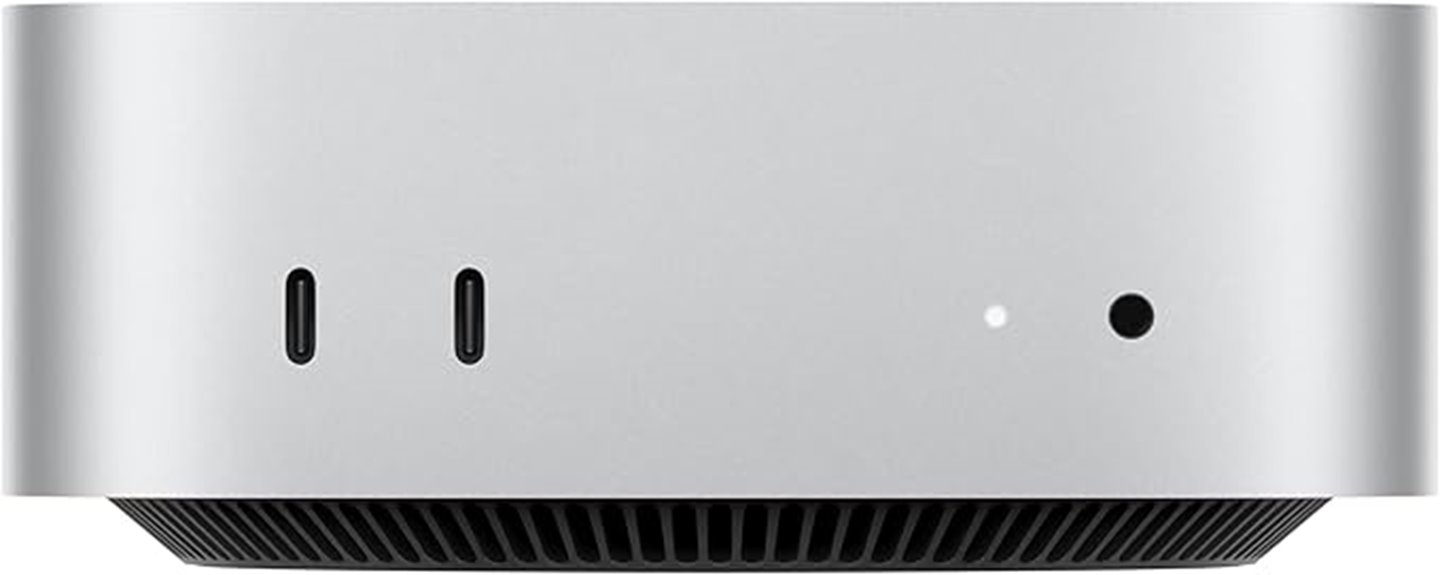
For software developers seeking a compact yet powerful desktop, the Apple 2024 Mac mini with M4 chip stands out as an excellent choice. Its small five-by-five-inch design packs a punch, delivering exceptional speed thanks to the 10-core CPU and GPU. With 16GB unified memory and a 512GB SSD, multitasking and storage are seamless. Connectivity options like Thunderbolt, HDMI, USB-C, and Ethernet make it versatile for any setup. Built for Apple’s ecosystem and optimized for macOS, it offers smooth integration with iPhone and iPad. Plus, as a carbon-neutral product, it combines performance with sustainability, making it a versatile choice for developers.
Best For: software developers and tech enthusiasts seeking a compact, high-performance desktop with seamless Apple ecosystem integration.
Pros:
- Compact design with powerful M4 chip delivers exceptional speed and multitasking capabilities.
- Versatile connectivity options including Thunderbolt, HDMI, and USB-C facilitate flexible setups.
- Seamless integration with macOS and other Apple devices enhances productivity and user experience.
Cons:
- Limited upgrade options due to its compact form factor and integrated hardware.
- Higher price point compared to other mini desktops with similar specifications.
- May require additional peripherals for a complete workstation setup.
Factors to Consider When Choosing the Mac Mini for Software Development

When selecting a Mac Mini for software development, I focus on key factors like processing power, memory, and storage to guarantee smooth performance. Compatibility with my workflow, connectivity options, and how well it integrates with other tools also matter. Understanding these points helps me choose a machine that fits my specific development needs.
Processing Power Needs
Choosing the right processing power is crucial for effective software development on a Mac Mini. Developers need a processor with multiple cores to handle compiling, testing, and running complex code efficiently. Higher processing power shortens build times and makes development environments more responsive, especially for large projects. For demanding tasks like virtualization, containerization, and parallel processing, I recommend at least an 8-core processor. The choice between architectures, such as M4 Pro versus M4, markedly impacts compile speeds and overall productivity. Upgrading to a processor with more cores and higher clock speeds can make resource-intensive workflows smoother and faster. Ultimately, selecting a Mac Mini with robust processing capabilities ensures you can handle current and future development challenges without bottlenecks.
Memory Capacity Compatibility
Adequate memory capacity is vital for smooth multitasking and maintaining high performance during intensive software development tasks. Running multiple development tools, virtual machines, and large codebases demands at least 16GB of RAM to prevent bottlenecks and guarantee responsiveness. When choosing a Mac Mini, it’s important to consider its support for unified memory configurations, as this affects upgrade options and future-proofing. Larger memory capacities can considerably reduce compile times and improve overall efficiency during large code builds. Ensuring the Mac Mini’s RAM meets or exceeds your development environment’s requirements is essential for maintaining an efficient workflow. While newer models may have fixed memory configurations, understanding compatibility helps you select a device that supports your current and future development needs without compromise.
Storage Options Flexibility
Selecting a Mac Mini with flexible storage options is vital for supporting your evolving development needs. I recommend choosing models with at least 512GB SSD to comfortably handle large project files and software libraries. If you anticipate your storage requirements growing, opt for higher capacities or models that allow future upgrades, ensuring your setup remains future-proof. Remember, SSD speed directly impacts load times and data transfer, so prioritize fast storage for smoother development workflows. Additionally, consider supplementing local storage with cloud solutions, especially for extensive datasets or collaborative projects. Keep in mind that most Mac Minis don’t allow internal storage upgrades after purchase, so it’s essential to select the right capacity upfront. This way, you’ll avoid limitations that could hinder your productivity down the line.
Connectivity Features Availability
To make certain your Mac Mini supports a seamless development workflow, you need to pay close attention to its connectivity features. Multiple Thunderbolt ports are essential for high-speed data transfer and connecting multiple peripherals, like external drives or displays. HDMI ports are also important for connecting external monitors, which are crucial for a multi-monitor setup. Front-facing USB-C ports provide quick access for peripherals and external drives, streamlining your workspace. Reliable internet connectivity is vital, so confirm the presence of Gigabit Ethernet for stable, high-speed connections during large file transfers or remote collaborations. Finally, consider the total number of ports available to ensure you can connect all necessary devices—keyboards, mice, storage, and displays—without hassle, maintaining an efficient and organized development environment.
Ecosystem Integration Benefits
Ecosystem integration plays a crucial role in enhancing a Mac Mini’s value for software development, especially if you work across multiple Apple devices. It allows seamless synchronization of files, apps, and settings, which streamlines workflows and saves time. With features like Handoff and Universal Clipboard, I can quickly share data between my Mac and iPhone or iPad, making testing and debugging more efficient. Integration with iCloud guarantees my project files are securely stored and easily accessible from any device, reducing the risk of data loss. Additionally, deploying applications across Apple platforms becomes simpler, creating a cohesive development environment. This interconnected ecosystem not only boosts productivity but also simplifies managing development tasks across devices, making a Mac Mini an even more powerful tool for developers immersed in Apple’s ecosystem.
Future Upgradability Potential
Because Mac minis typically have limited internal upgrade options, choosing the right model with strong initial specifications is vital for future-proofing your development setup. Most models have soldered RAM, so upgrading memory later isn’t feasible, making it essential to select a configuration with ample RAM from the start. Storage upgrades are possible through external drives or SSD replacements, but these may be less convenient. Upgrading the CPU or GPU is generally impossible due to integrated hardware. To guarantee compatibility with future software updates and maintain performance, opt for a Mac mini with higher baseline specs initially. This approach helps avoid obsolescence and ensures your development environment remains robust over time. In short, investing in a more powerful model now offers better long-term upgradability potential.
Frequently Asked Questions
How Does the M4 Pro Chip Compare to Previous Mac Mini Processors?
The M4 Pro chip markedly outperforms previous Mac Mini processors, offering faster speeds and better efficiency. I’ve noticed smoother multitasking and quicker compile times, especially when handling demanding development tasks. Its improved GPU enhances graphics performance, which is great for testing visual applications. Overall, the M4 Pro makes the Mac Mini more powerful and responsive, making it a top choice for developers who need reliable, high-performance hardware.
Is the Mac Mini Suitable for Intensive Software Development Tasks?
Yes, the Mac Mini is suitable for intensive software development tasks. Its powerful M4 Pro chip offers impressive speed and efficiency, handling complex coding, compiling, and multitasking with ease. I’ve found it to be a reliable machine, especially when paired with ample RAM and fast storage. Its compact design doesn’t compromise performance, making it ideal for developers who need a portable yet robust system for demanding workloads.
What Are the Upgrade Options for Storage and Memory on the Mac Mini?
The Mac Mini offers flexible upgrade options for storage and memory, but they’re somewhat limited. I can configure the RAM up to 64GB at purchase, which is great for intensive tasks. As for storage, I can choose between SSD options up to 8TB, but upgrades aren’t user-accessible later, so I need to decide wisely upfront. Overall, it’s a solid choice if I plan carefully for my development needs.
How Portable Is the Mac Mini for Remote Development Work?
Did you know that over 60% of developers prefer portable setups? The Mac Mini isn’t exactly a lightweight traveler—it’s designed for desk use. Still, it’s compact enough to fit into a backpack or small bag, making remote work feasible if you’re comfortable carrying it. I find it ideal for a semi-mobile workflow, especially when paired with a portable monitor and peripherals. It’s not a laptop, but it’s surprisingly manageable for occasional remote use.
Does the Mac Mini Support Multiple Monitors for Multitasking?
Yes, the Mac Mini supports multiple monitors for multitasking. I’ve used it with up to two external displays seamlessly, thanks to its Thunderbolt and HDMI ports. It handles multitasking like a champ, allowing me to run multiple applications side by side without any lag. If you need even more screens, you can use a DisplayLink adapter, but generally, the Mac Mini is great for multi-monitor setups.
Conclusion
Choosing the right Mac mini for software development is like picking the perfect brush for a masterpiece—each detail matters. With power, performance, and portability in harmony, these models are your trusty tools for creating and innovating. Whether you’re building complex apps or coding on the go, the right Mac mini can turn your ideas into reality. So, gear up and let your creativity soar—these machines are ready to elevate your development journey.