If you’re looking for the best 4K webcams in 2025 for crisp, professional streaming, I’ve got you covered. I’ve reviewed top models like the Insta360 Link 2C, Logitech Brio, Acer, and EMEET’s latest options, which feature true 4K resolution, HDR, AI autofocus, dual noise-canceling mics, and versatile modes. Many include privacy covers and excellent low-light performance. Keep exploring to discover the perfect webcam tailored to your workflow and streaming needs.
Key Takeaways
- Top 4K webcams feature advanced CMOS sensors, HDR, and auto light correction for vibrant, true-to-life visuals in professional streaming.
- Models with PDAF autofocus and AI tracking ensure sharp, dynamic images even during movement.
- Built-in microphones with noise cancellation provide clear audio for seamless communication.
- Many webcams offer versatile mounting options, privacy covers, and compatibility with major conferencing platforms.
- Premium options include additional features like ring lights, Whiteboard modes, and remote controls for versatile professional use.

EMEET C960 4K Webcam for PC, PDAF Auto Focus, Dual Omni Mics, 73° FOV
- Resolution: True 4K Ultra HD quality
- Focus Technology: PDAF auto focus for clarity
- Light Correction: Auto light adjustment for any environment
As an affiliate, we earn on qualifying purchases.
EMEET C960 4K Webcam for PC
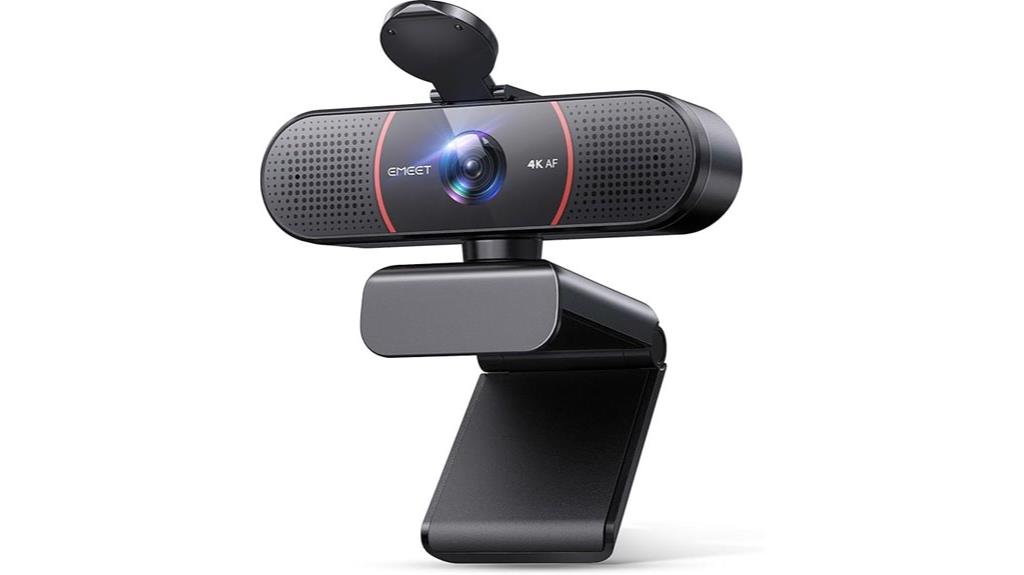
If you’re looking for a reliable webcam that delivers crystal-clear 4K video and sharp autofocus, the EMEET C960 is an excellent choice. It features a genuine Sony CMOS sensor, ensuring true 4K UHD quality without false upscaling. The PDAF autofocus keeps your image sharp even during movement, while auto light correction enhances image clarity in challenging lighting. With a 73° field of view, it focuses on you rather than the background. Easy to set up via USB-A, it’s compatible with multiple platforms. Plus, its adjustable angles and customizable settings make it perfect for professional meetings, online teaching, or content creation.
Best For: professionals, educators, and content creators seeking high-quality 4K video and clear audio for virtual meetings, streaming, or online teaching.
Pros:
- Genuine 4K UHD quality with Sony CMOS sensor for true high-resolution video
- PDAF autofocus and auto light correction ensure sharp images in varying conditions
- Easy plug-and-play setup with versatile mounting options and customizable settings
Cons:
- Default resolution is 1080P, requiring software to switch to 4K for full quality
- Limited to USB-A connection without wireless or cloud storage options
- May require adjusting settings for optimal audio when used with different devices

EMEET NOVA 4K Webcam for PC, Ultra 4K HD, PDAF Autofocus, Dual Omni Mics
- Ultra HD 4K Resolution: 30FPS, CMOS sensor for high clarity
- Fast Autofocus with PDAF: Sharp images within 7.9–118 inches
- Automatic Light Correction: Adjusts brightness for optimal visuals
As an affiliate, we earn on qualifying purchases.
EMEET NOVA 4K Webcam for PC with Autofocus and Dual Mics
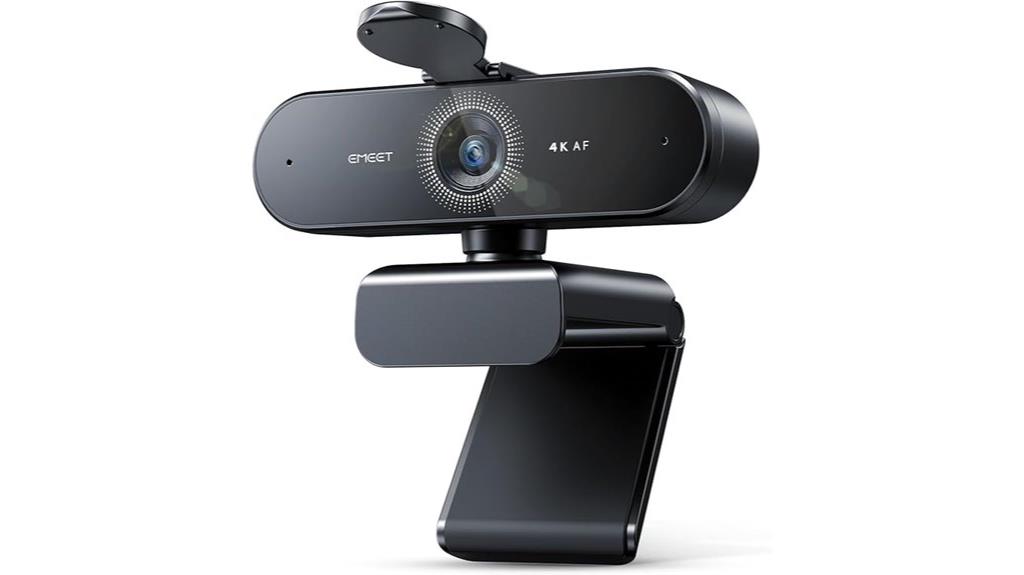
The EMEET NOVA 4K Webcam is an excellent choice for professionals and content creators who need sharp, high-definition video with reliable autofocus. It offers 4K resolution at 30FPS, thanks to its CMOS sensor, delivering crisp visuals for business meetings, streaming, or online teaching. Its PDAF autofocus guarantees sharp images from 7.9 to 118 inches, and automatic light correction maintains balanced visuals. The dual noise-cancelling microphones provide clear audio up to 8 feet, making conversations sound natural. With simple plug-and-play connectivity via USB 2.0, a privacy cover, and flexible mounting options, it’s a user-friendly, secure, high-performance webcam.
Best For: professionals, educators, and content creators seeking high-quality, secure, and easy-to-use 4K video with clear audio for meetings, streaming, or online teaching.
Pros:
- Delivers stunning 4K resolution at 30FPS with automatic light correction for crisp visuals.
- Equipped with dual noise-cancelling microphones for clear audio up to 8 feet.
- Plug-and-play USB 2.0 connectivity with flexible mounting options and a privacy cover for security.
Cons:
- Defaults to 1080P and requires software adjustments to switch to 4K.
- No facial tracking or adjustable FOV features.
- Manual focus is unsupported, limiting focus control beyond PDAF autofocus.
Acer 4K Webcam for PC/Mac with Sony Sensor
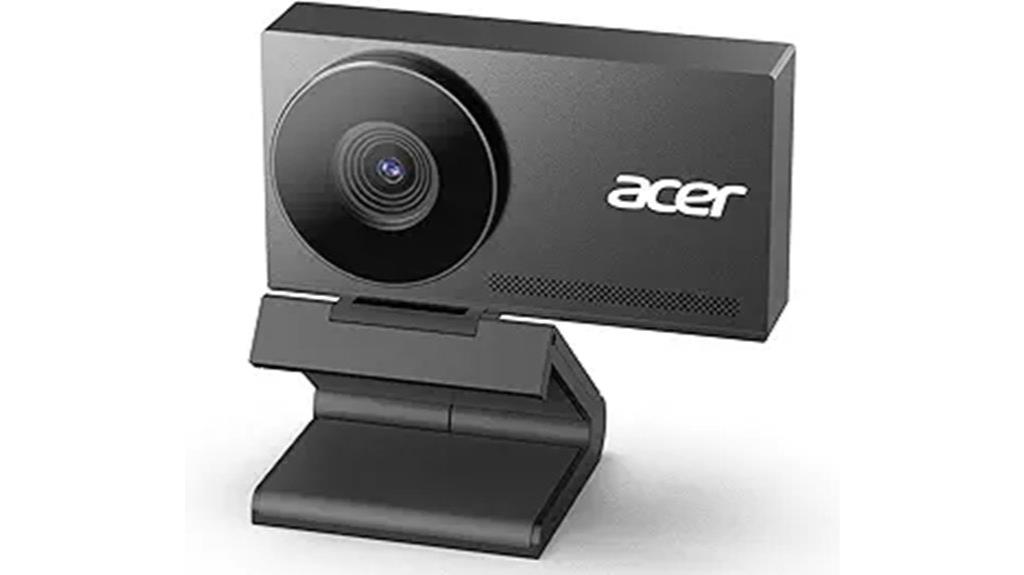
For professionals and content creators seeking top-tier video quality, the Acer 4K Webcam with Sony Sensor stands out as an excellent choice. Its UHD 4K resolution, combined with a Sony 1/2″ CMOS sensor, delivers stunning, true-to-life visuals with HDR, exceptional low-light performance, and rich detail. The Phase Detection Autofocus ensures fast, accurate, and stable focus across scenes, keeping your image sharp at all times. Built from aerospace-grade aluminum with a sleek matte finish, it offers durability and a premium feel. Its dual digital microphones capture clear audio from up to 2.5 meters, while the magnetic privacy cover guarantees security. Plug-and-play and compatible with all major platforms, it’s perfect for professional streaming and meetings.
Best For: professionals, content creators, and streamers seeking high-quality 4K video with reliable autofocus and premium build.
Pros:
- UHD 4K resolution with Sony CMOS sensor for stunning, true-to-life visuals and HDR performance
- Fast, stable Phase Detection Autofocus ensures crisp images across scenes
- Durable aerospace-grade aluminum construction with a sleek matte finish for a premium feel
Cons:
- Might be overkill for users only needing basic HD video capabilities
- USB-A connection may limit compatibility with newer devices that favor USB-C
- Premium build and features could come at a higher price point compared to standard webcams

Insta360 Link 2C - 4K Webcam for PC/Mac, 1/2" Sensor, Auto Framing, HDR, AI Noise-Canceling Mic, Gesture Control for Streaming, Video Calls, Gaming, Works with Zoom, Teams, Twitch & More
- High-Resolution 4K Video: Captures true-to-life 4K visuals with HDR
- Enhanced Low-Light Performance: Delivers clear images in any lighting condition
- AI Noise-Canceling Microphone: Filters out background noise for clear audio
As an affiliate, we earn on qualifying purchases.
Insta360 Link 2C 4K Webcam for PC/Mac
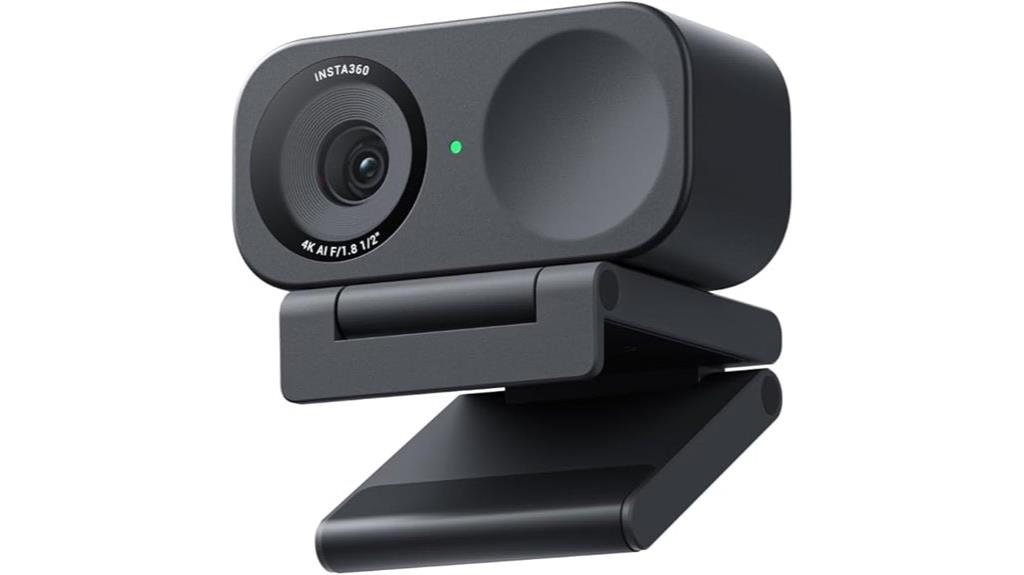
With its professional-grade 4K resolution and advanced features like HDR and true-to-life image quality, the Insta360 Link 2C webcam stands out as an ideal choice for content creators, remote workers, and streamers who demand crisp visuals and versatile functionality. It boasts a 1/2-inch sensor, True Focus with fast PDAF, and natural Bokeh for cinematic depth. Auto Framing keeps you perfectly in view, while AI noise-canceling mic and gesture controls enhance usability. With modes like DeskView, Whiteboard, and 4K Portrait, plus seamless compatibility with major platforms, this webcam delivers professional results for both work and streaming. It’s reliable, feature-rich, and easy to operate.
Best For: content creators, remote workers, and streamers seeking professional-grade video quality and versatile features for work and entertainment.
Pros:
- Exceptional 4K resolution with HDR and low-light performance for crisp, true-to-life visuals
- Intelligent auto framing and AI noise-canceling microphone enhance video and audio clarity
- Multiple modes like DeskView, Whiteboard, and 4K Portrait provide adaptability for various scenarios
Cons:
- Weighs 15.5 ounces, which may be less portable for travel-focused users
- Requires compatible software and platforms for full feature access, possibly limiting flexibility
- Premium features and advanced modes may have a learning curve for new users
Logitech Brio 4K Webcam with Noise-Cancelling Mic
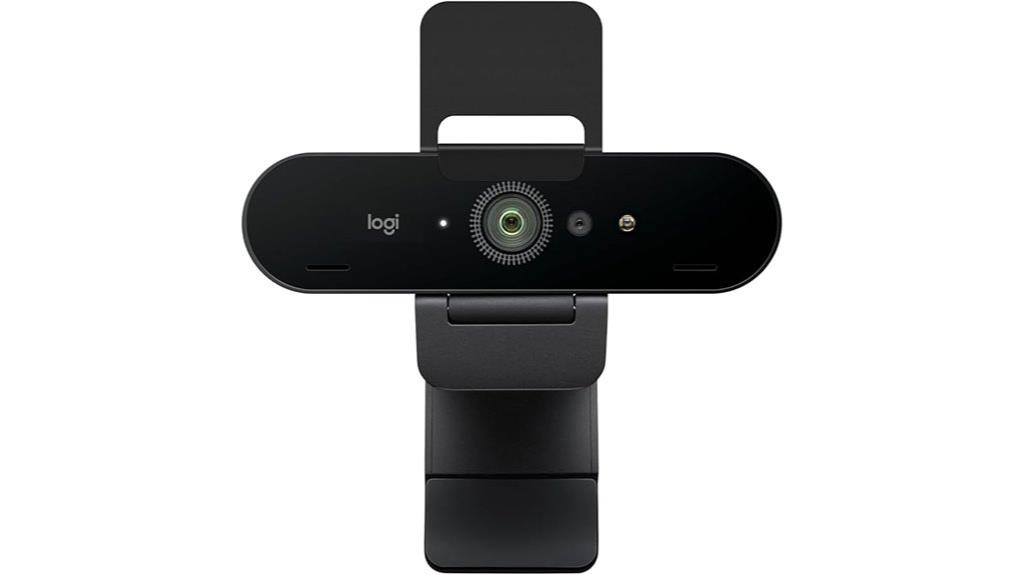
If you’re looking for a webcam that combines stunning 4K resolution with crystal-clear audio, the Logitech Brio 4K Webcam with Noise-Cancelling Mic is an excellent choice. It offers 4K video at 30 fps, with superb color, detail, autofocus, and 5x digital zoom. HDR and RightLight 3 technology guarantee superior image quality in any lighting, from low light to direct sunlight. The dual noise-canceling microphones capture clear sound from up to 1.2 meters away, reducing background noise. Compatible with Windows, Mac, and ChromeOS, it works seamlessly with major platforms like Zoom and Teams. A privacy shutter adds extra security.
Best For: professionals, content creators, and remote workers seeking high-quality 4K video and clear audio for video conferencing and streaming.
Pros:
- Delivers stunning 4K resolution at 30 fps with superb color accuracy and detail.
- Equipped with noise-canceling microphones that capture clear audio from up to 1.2 meters away.
- Supports HDR and RightLight 3 technology for optimal image quality in various lighting conditions.
Cons:
- Slightly larger and heavier compared to basic webcams, which may affect portability.
- 4K video requires a robust internet connection and higher bandwidth.
- Advanced features and settings are best accessed through additional software like Logi Tune, which may require a learning curve.
EMEET S600 4K Webcam for Streaming

The EMEET S600 4K Webcam stands out for streamers and content creators who demand top-tier video quality and seamless autofocus. It features a Sony 1/2.55″ sensor supporting 4K at 30FPS and 1080P at 60FPS, ensuring crisp, clear images. Its PDAF system delivers fast, accurate focus, while auto light adjustment maintains sharpness in various lighting conditions. With noise-canceling microphones and a wide field of view at 4K, it captures both video and audio effectively. The built-in privacy cover, flexible mounting, and plug-and-play setup make it user-friendly. Plus, the EMEETLINK software offers advanced customization for professional-grade streaming.
Best For: content creators and streamers who require high-quality 4K video, fast autofocus, and customizable settings for professional-grade streaming.
Pros:
- Supports 4K at 30FPS and 1080P at 60FPS for versatile, crisp video quality
- PDAF system delivers fast, accurate autofocus across scenes
- Auto light adjustment maintains image clarity in various lighting conditions
Cons:
- Video resolution may depend on compatible software or apps like OBS or PotPlayer
- Fixed 73° field of view at 4K may limit framing options for some users
- Requires software for advanced customization, which may be unnecessary for casual users
4K Webcam with Ring Light and Microphone
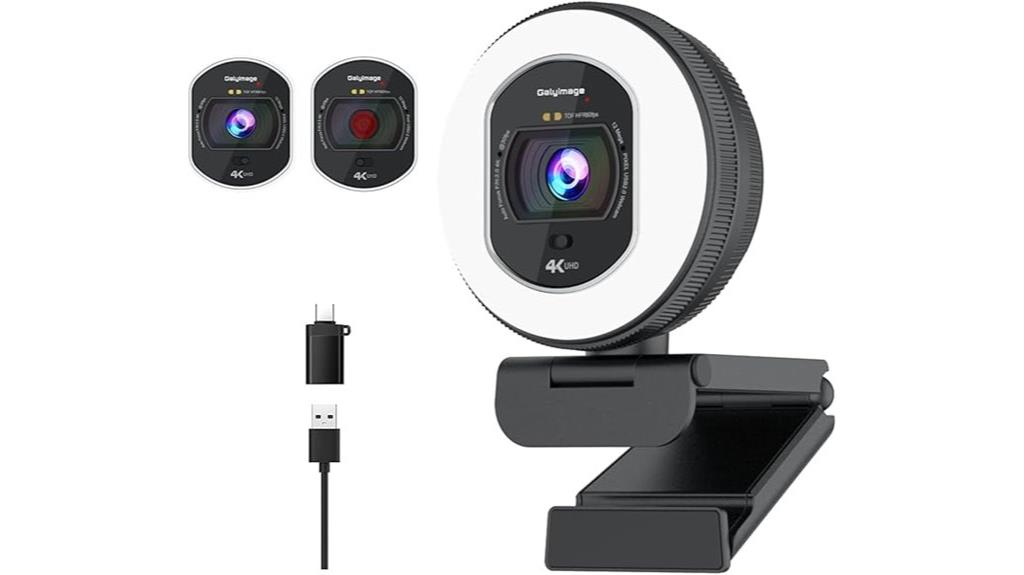
A 4K webcam with a ring light and microphone is an excellent choice for professionals and content creators who need first-rate video quality and reliable lighting. It supports 4K UHD at 30FPS and 1080P at 60FPS, delivering clear, smooth visuals. The built-in ring light offers three adjustable color temperatures and brightness control, enhancing your appearance in any lighting. Its TOF autofocus keeps your face sharp, while dual noise-canceling microphones ensure clear audio. The sliding privacy cover adds security, and the plug-and-play USB connection makes setup effortless. This webcam combines high-quality video, adjustable lighting, and reliable sound for a professional streaming experience.
Best For: professionals, content creators, and students seeking high-quality video and reliable lighting for streaming, video conferencing, and online classes.
Pros:
- Supports 4K UHD at 30FPS and 1080P at 60FPS for sharp, smooth video quality.
- Built-in ring light with adjustable color temperatures and brightness for optimal lighting.
- Dual noise-canceling microphones ensure clear audio even in noisy environments.
Cons:
- May require a USB port with sufficient power for optimal performance.
- No customizable software for advanced camera settings.
- The physical privacy cover might be less secure compared to electronic privacy features.
AOC 4K Webcam with Microphone and Privacy Cover
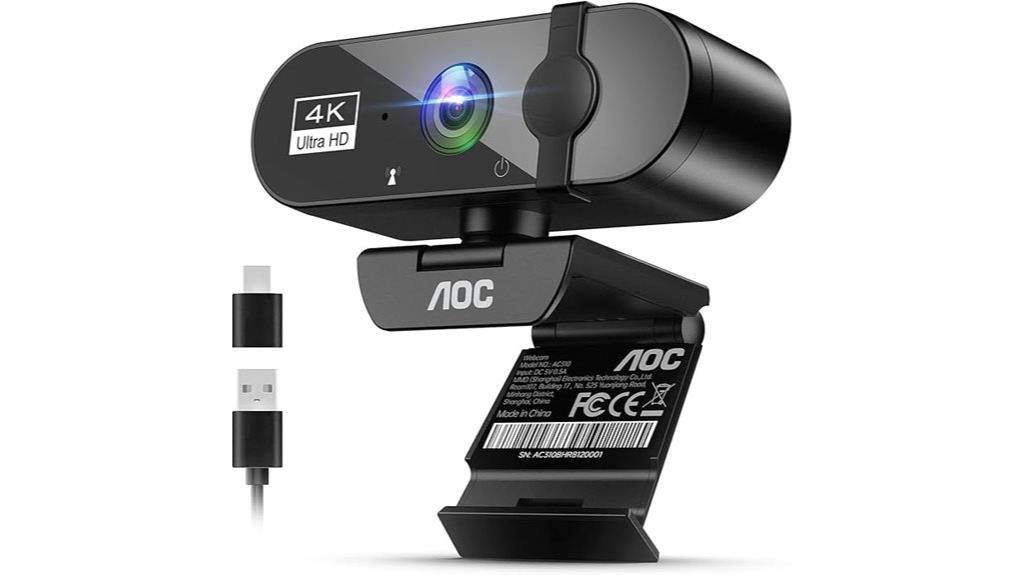
For professionals and streamers who demand high-quality video and versatile angles, the AOC 4K Webcam with Microphone and Privacy Cover stands out as an excellent choice. It delivers stunning 4K Ultra HD resolution, ensuring crisp, lifelike images. The 90° wide-angle lens captures more of the scene, while the 180° tilt and 360° swivel offer flexible viewing options. Its plug-and-play design works seamlessly with major platforms like Zoom and Skype, supporting both USB-C and USB-A connections. The physical privacy cover guarantees security when not in use, and the built-in noise-canceling mic and automatic light correction further enhance professional-quality video calls and streams.
Best For: professionals, streamers, and remote workers seeking high-quality 4K video with versatile angles and secure privacy features.
Pros:
- Crystal-clear 4K Ultra HD video with lifelike image quality
- Flexible 90° wide-angle lens, 180° tilt, and 360° swivel for customizable views
- Plug-and-play with major platforms, supporting both USB-C and USB-A connections
Cons:
- May require adequate lighting for optimal image quality in low-light conditions
- Larger size compared to basic webcams, which might impact portability for some users
- May not include advanced features like built-in lighting or autofocus
Logitech MX Brio Ultra HD 4K Webcam

If you’re serious about professional-quality video calls and streaming, the Logitech MX Brio Ultra HD 4K Webcam is an excellent choice. It offers stunning 4K resolution at 30fps and smooth 1080p at 60fps, thanks to advanced sensor technology with larger pixels for sharpness. AI-enhanced features improve face visibility in tricky lighting, with auto-exposure, white balance, noise reduction, and autofocus. The dual beamforming microphones cut background noise for clear audio. Its versatile design includes a privacy cover, Show Mode for sharing content, and compatibility with major platforms. Plus, Logitech’s software customization lets you fine-tune settings for a personalized experience.
Best For: professionals and content creators seeking high-quality, customizable video and audio for streaming, virtual meetings, and content production.
Pros:
- Supports 4K resolution at 30fps and 1080p at 60fps for sharp, smooth video quality.
- AI-enhanced features improve face visibility and clarity in challenging lighting conditions.
- Built-in privacy cover and noise-reducing microphones ensure secure and clear communication.
Cons:
- Higher price point compared to standard webcams with lower resolution.
- Requires compatible software and hardware for full customization, which may be complex for some users.
- Large size and advanced features may not be ideal for casual or minimal setups.
Insta360 Link 2 4K Webcam with AI Tracking & HDR
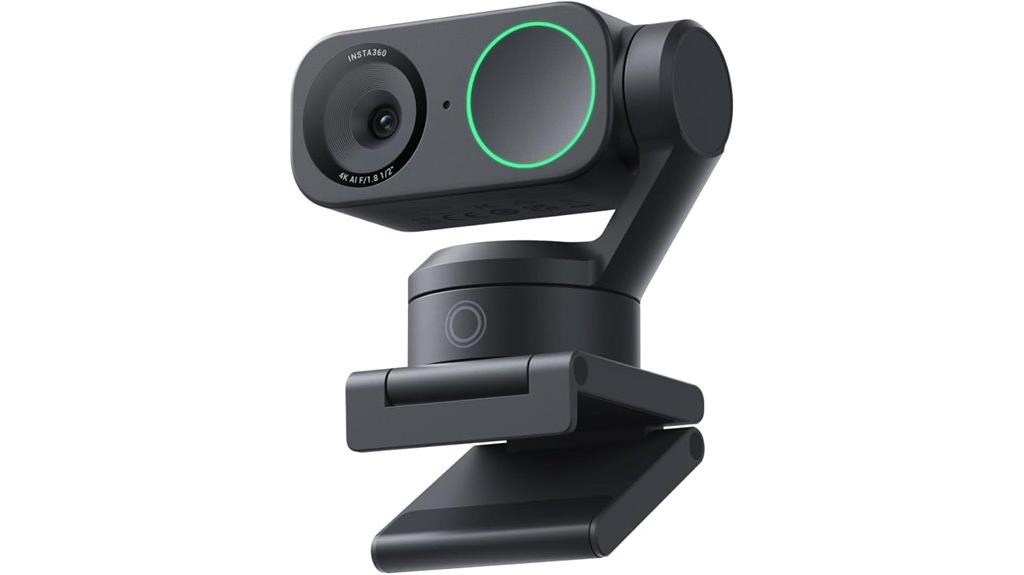
The Insta360 Link 2 4K Webcam stands out for its advanced AI tracking and professional-grade video quality, making it an ideal choice for content creators, remote workers, and streamers who demand sharp visuals and seamless movement tracking. Its 1/2″ sensor captures true-to-life 4K visuals with HDR, ensuring vibrant images even in low light. Features like Phase Detection Auto Focus deliver fast, accurate focusing, while natural DSLR-like bokeh adds a professional touch. With AI tracking that pans and tilts to follow movement, gesture controls, and smartphone remote access, it offers effortless operation. The webcam’s versatile modes and superior audio make it perfect for streaming, video calls, and presentations.
Best For: content creators, remote workers, and streamers seeking high-quality 4K visuals with seamless AI tracking and professional features.
Pros:
- Excellent 4K HDR image quality with true-to-life detail and vibrant colors
- Advanced AI tracking that smoothly pans and tilts to follow movements
- Versatile modes like DeskView, Whiteboard, and 4K Portrait for various professional applications
Cons:
- May be more expensive than basic webcams due to its advanced features
- Requires compatible software and hardware setups for full functionality
- Some users might find the array of features complex to navigate initially
Logitech Brio 4K Webcam
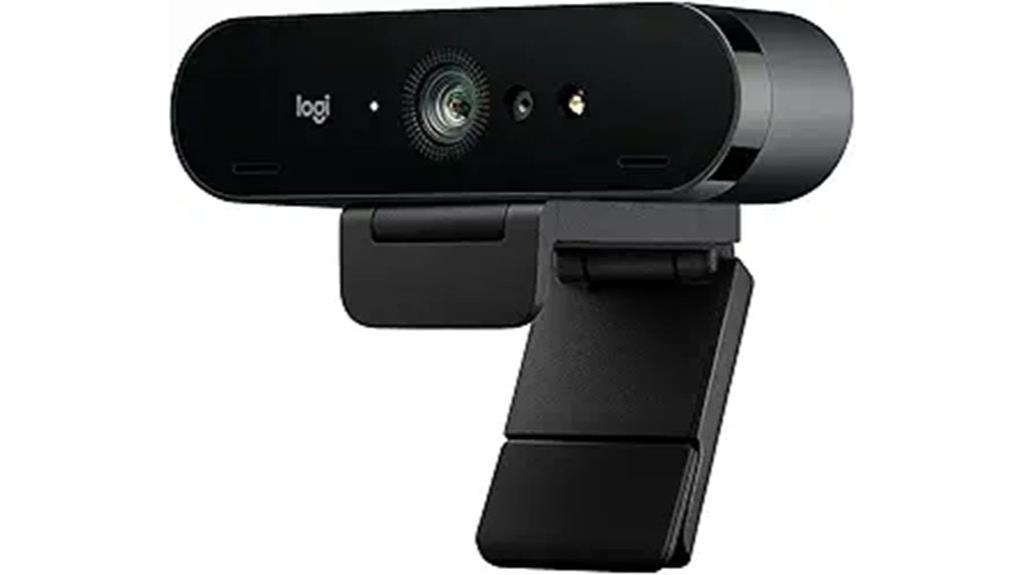
With its ultra 4K HD resolution and 5x HD zoom, the Logitech Brio 4K Webcam stands out as an excellent choice for professionals and content creators seeking studio-quality video. Its advanced imaging features include auto light adjustment with HDR technology, ensuring clear images even in low-light or backlit settings. Supporting up to 90 fps, it delivers smooth streaming and recording. The three field of view presets let me customize framing easily, whether I want a wide shot or a focused view. Noise-canceling microphones guarantee clear audio, while compatibility with Windows, Mac, and ChromeOS makes it versatile. The privacy shade and Windows Hello integration add security and convenience.
Best For: professionals, content creators, and remote workers seeking high-quality 4K video with versatile framing and clear audio.
Pros:
- Ultra 4K HD resolution with 5x zoom for professional-quality video and detailed shots
- Auto light adjustment with HDR technology ensures clear images in varying lighting conditions
- Noise-canceling microphones provide crisp, clear audio during calls and recordings
Cons:
- Higher price point compared to standard webcams due to advanced features
- Larger size may require more space for optimal placement
- Compatibility may require specific drivers or software updates for some systems
EMEET C950 4K Webcam for PC
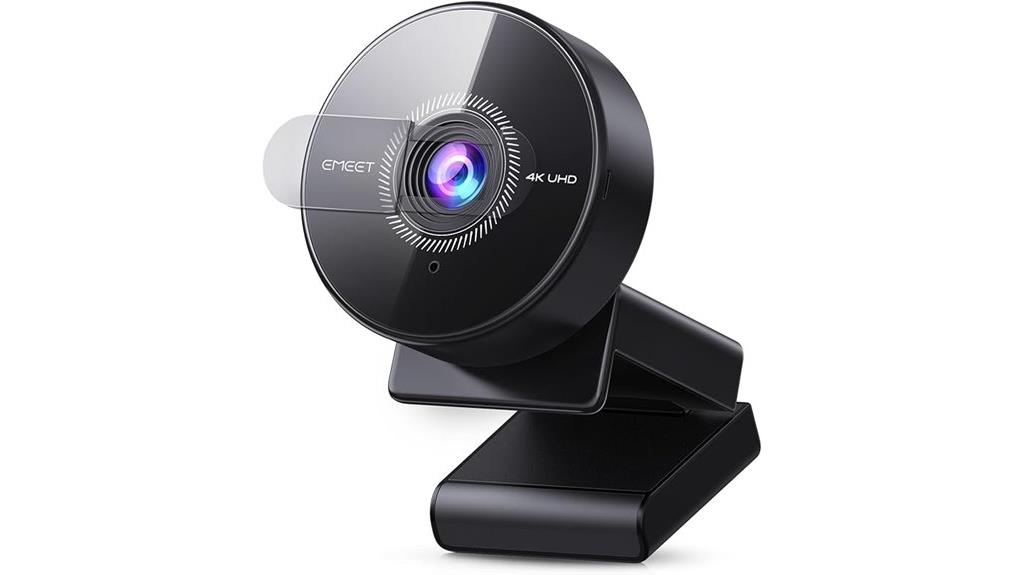
For professionals and content creators seeking crystal-clear video quality, the EMEET C950 4K Webcam stands out as an excellent choice. It delivers sharp, detailed visuals with 8 Megapixels and supports 4K@30FPS and 1080P@60FPS resolutions. Its CMOS sensor enhances low-light performance, while PDAF autofocus keeps your image crisp and stable from 4 inches to 10 feet away. The 70° field of view centers on you, blocking distractions. With a built-in noise-canceling microphone and flexible tilt options, it ensures clear audio and versatile positioning. Its plug-and-play USB 2.0 connection makes setup easy, compatible with all major platforms, and it prioritizes security with a physical lens cover and no cloud storage.
Best For: professionals, remote workers, and content creators seeking high-quality, detailed 4K video with secure, easy-to-use connectivity.
Pros:
- Delivers crisp 4K video resolution with excellent low-light performance thanks to CMOS sensor.
- Features flexible tilt and a physical lens cover for privacy and versatile positioning.
- Compatible with major platforms and supports plug-and-play setup without the need for drivers.
Cons:
- No tripod mounting support, limiting mounting options.
- Limited to USB 2.0 connectivity, which may affect data transfer speed in some setups.
- Lacks WiFi, Bluetooth, and cloud storage options, which might be a drawback for wireless or cloud-based workflows.
EMEET C960 4K Webcam with Tripod
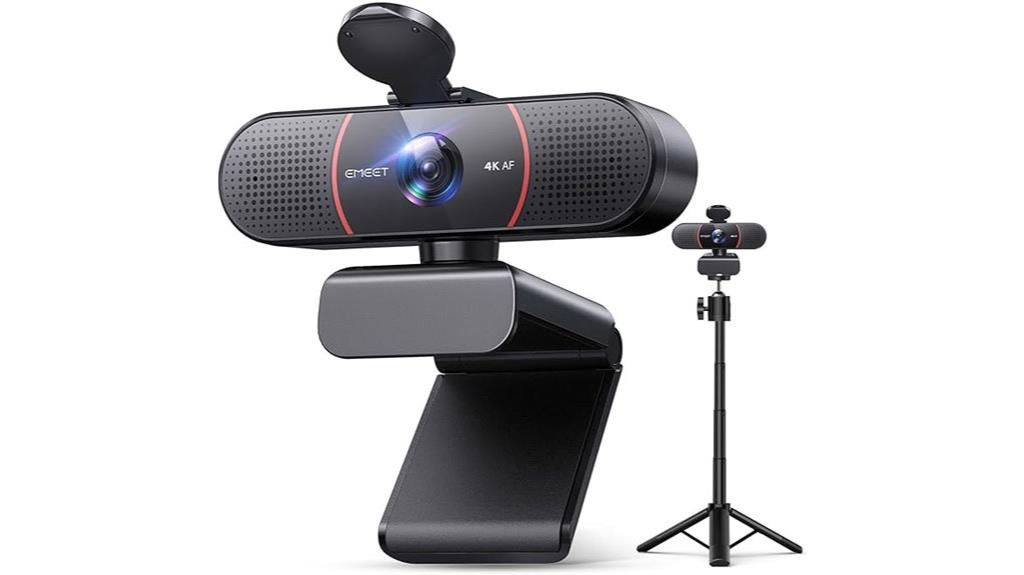
If you’re looking to elevate your video quality, the EMEET C960 4K Webcam with Tripod stands out thanks to its true 4K UHD resolution and advanced autofocus. It features a Sony CMOS sensor that delivers ultra-clear, lifelike visuals, with auto light correction ensuring ideal exposure in any environment. The dual noise-canceling microphones provide crisp, natural sound, perfect for meetings or streaming. Its adjustable tripod with a 360° swivel head offers flexible framing, while compatibility with various devices via a 1/4-inch screw adds versatility. Compact and lightweight, it’s an excellent choice for professional online presentations, creative projects, and remote communication.
Best For: professionals, educators, and content creators seeking high-quality 4K video and versatile framing options for online meetings, streaming, and creative projects.
Pros:
- Delivers true 4K UHD resolution with sharp, lifelike visuals
- Features advanced autofocus and auto light correction for optimal image quality in various environments
- Includes dual noise-canceling microphones for clear, natural audio
Cons:
- May require additional software for switching between 4K and 1080P modes
- Tripod and phone holder are sold separately, limiting all-in-one convenience
- Slightly larger footprint compared to standard webcams, which may be less suitable for very tight spaces
UGREEN 4K Webcam for PC with Microphone and Privacy Cover
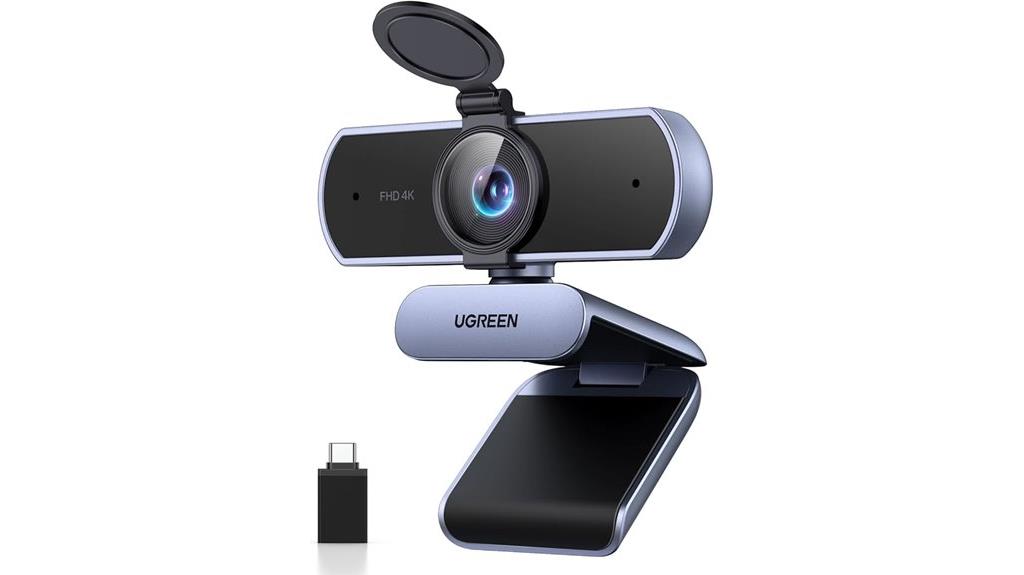
The UGREEN 4K Webcam is an excellent choice for professionals and content creators who need high-quality video and reliable privacy features. It captures crisp 4K/30fps Ultra HD video with an 8MP CMOS sensor and can auto-switch to 1080p/60fps if needed. Its autofocus smoothly tracks subjects from 0.33 to 16.4 feet, ensuring sharp images. The built-in privacy cover offers instant lens protection, while Auto Exposure adjusts for ideal lighting in any environment. Dual microphones deliver clear audio within 16.4 feet, making it perfect for streaming, conferencing, and gaming. Plug-and-play compatibility with multiple systems makes setup straightforward and hassle-free.
Best For: professionals, content creators, and streamers seeking high-quality 4K video, reliable autofocus, and clear audio for conferencing, streaming, and recording.
Pros:
- Delivers crisp 4K/30fps Ultra HD video with auto-switching to 1080p/60fps for flexible performance
- Features smooth autofocus and Auto Exposure for sharp images in various lighting conditions
- Built-in privacy cover and dual microphones ensure privacy and clear audio during calls
Cons:
- May require powerful hardware to fully utilize 4K resolution without lag
- Compatibility depends on system support; some older devices may experience limited features
- No built-in built-in LED indicators to show when the camera is active
N NewEye 4K Webcam for PC with Autofocus, 1080P@60FPS, 79° FOV, Auto Light Correction, Noise Reduction Mics, Privacy Cover, USB-A
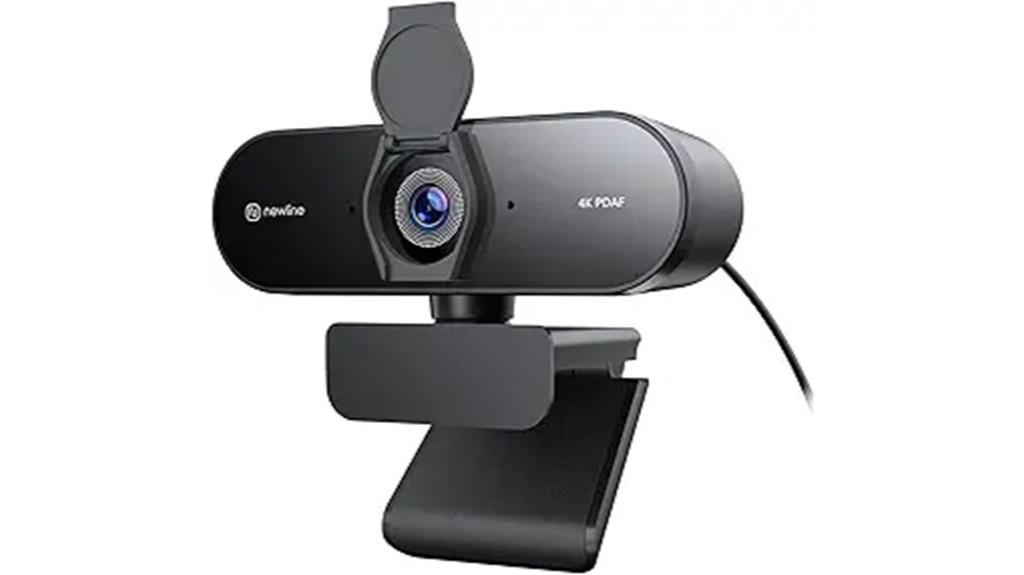
The N NewEye 4K Webcam stands out for its fast autofocus and exceptional video clarity, making it ideal for professionals and content creators who demand sharp, smooth visuals. Its true 4K resolution, powered by a Sony sensor, ensures ultra-clear images, while supporting 1080P at 60FPS for smooth streaming. The advanced PDAF autofocus locks focus in just one second, and auto light correction adapts to any lighting condition. With noise reduction microphones and a 79° FOV, it captures clear audio and wide scenes. Its plug-and-play USB-A design works effortlessly with Windows and Mac, making setup quick and hassle-free.
Best For: professionals, content creators, and streamers seeking high-quality, sharp video with reliable autofocus and excellent audio for meetings, streaming, or recording.
Pros:
- Ultra-clear 4K resolution with smooth 1080P@60FPS streaming for professional-quality visuals
- Fast PDAF autofocus (1 second) and automatic light correction for consistently sharp images in various lighting conditions
- Built-in noise reduction microphones and wide 79° FOV for immersive audio and video capture
Cons:
- Requires USB-A port, may need adapters for newer USB-C devices
- May be overkill for basic video conferencing needs due to premium features
- Larger physical size might be less convenient for portable or space-constrained setups
Factors to Consider When Choosing a 4k Webcam

When selecting a 4K webcam, I look closely at video resolution quality to guarantee sharp images. Autofocus technology and low-light performance are also key for clear, professional results, even in tricky lighting. Plus, I check for strong audio features and compatibility with my devices to make sure everything works smoothly.
Video Resolution Quality
Choosing a 4K webcam means paying close attention to its actual video resolution capabilities. Confirm it supports true 4K resolution (3840 x 2160 pixels) for sharp, ultra-high-definition video. Some webcams default to 1080p but can switch to 4K through software or compatible apps like OBS or PotPlayer—verify this beforehand. It’s also essential that the sensor, such as a Sony CMOS sensor, delivers genuine 4K clarity without false upscaling, ensuring the image is crisp and accurate. Look for advanced features like HDR and auto light correction, which greatly improve video quality in various lighting conditions. Finally, verify the webcam maintains high resolution at acceptable frame rates, like 30 fps, to ensure smooth, detailed streaming and recording.
Autofocus Technology
Autofocus technology plays a crucial role in ensuring your 4K webcam consistently captures sharp, clear images, even if you move around during calls or recordings. Modern autofocus systems, like PDAF, focus quickly—often within a second—making sure your video stays crisp without delays. They automatically adjust to changes in distance or movement, so whether you’re close or shifting positions, your face remains in focus. Autofocus also improves image quality in different lighting conditions by rapidly refocusing when lighting or scene changes occur. Keep in mind, webcams with autofocus usually don’t support manual focus, so you rely solely on the camera’s auto-adjusting system. This feature is essential for professional-looking streams, ensuring you’re always in sharp focus without hassle.
Low-Light Performance
To get clear, sharp 4K video in low-light conditions, it’s essential to contemplate a webcam’s sensor quality and built-in features. A larger sensor, like Sony’s 1/2″ or 1/2.55″, offers better light sensitivity, making a noticeable difference in dim environments. Auto light correction technology helps optimize image quality automatically, adjusting brightness and contrast as needed. Advanced autofocus systems, such as PDAF, ensure your face stays sharp even in poor lighting. Built-in noise reduction and HDR capabilities further enhance image brightness and detail, reducing graininess and improving clarity. Additionally, proper webcam placement and supplementary lighting can considerably boost low-light performance. Combining these factors ensures your video remains clear, professional, and visually engaging, regardless of the lighting conditions.
Audio Clarity Features
Clear audio is just as important as sharp video when it comes to 4K webcams. I look for models with dual noise-canceling microphones that effectively filter out background noise, ensuring I sound clear during calls. A microphone with at least a 6-foot pickup range is ideal, so my voice is captured without needing to lean in too close. I also prioritize webcams with AI-based noise reduction algorithms that intelligently suppress ambient sounds like typing or air conditioning, making conversations more professional. Compatibility is key, so I check if the microphone works seamlessly with my operating system and communication apps. Additionally, I prefer webcams that let me set the mic as the default device, optimizing audio quality during my meetings and recordings.
Compatibility Platforms
Choosing a 4K webcam that seamlessly works with your devices and software can make a big difference in your overall experience. First, verify it’s compatible with your operating system—Windows, MacOS, Linux, or Android—so everything runs smoothly. Check if it supports your preferred platforms like Zoom, Teams, Skype, or OBS, to avoid compatibility issues during calls or streaming. Also, confirm the connection type—USB-A, USB-C, or USB 2.0—that matches your device’s ports for easy setup and reliable data transfer. Opt for plug-and-play models whenever possible to skip driver installations and software conflicts. Finally, validate that your hardware—processor and graphics card—can handle 4K video, ensuring your streams look crisp without lag or glitches.
Privacy and Security
Since privacy and security are crucial when selecting a 4K webcam, it’s necessary to look for features that protect your personal space. A physical privacy cover, like a sliding or magnetic lens cap, provides instant遮挡, ensuring no one can view or hack into your feed when not in use. Opt for webcams with hardware-based privacy features, as they offer stronger protection than software-only solutions. Also, check that the device supports secure connections, such as USB interfaces without internet access, to reduce remote intrusion risks. Finally, verify that firmware and software updates don’t introduce vulnerabilities or allow unwanted remote access. Prioritizing these security features helps safeguard your privacy and keeps your streaming environment safe from threats.
Mounting Flexibility
When selecting a 4K webcam, it’s vital to evaluate its mounting flexibility to achieve ideal positioning. Look for models with adjustable tilt, pan, or swivel features, which allow you to fine-tune framing effortlessly. A built-in or compatible tripod mount, like a 1/4-inch screw thread, expands your mounting options, whether on a desk, tripod, or wall. Webcams offering a wide range of movement angles—such as 360° horizontal rotation and vertical tilt—provide all-encompassing control over your shot. Stability is key, so make certain the mounting mechanism is secure enough to prevent shifting during use, especially in active environments. Additionally, consider models that support external stands or accessories for even more versatile setups, accommodating different surfaces and space constraints.
Software Customization
Adjusting your webcam’s positioning is only part of optimizing your video quality; fine-tuning its settings makes a significant difference. Software customization lets you modify brightness, contrast, focus, and field of view to match your environment and preferences. Many 4K webcams come with dedicated software or apps, allowing real-time tweaks and preset configurations for different situations. Features like auto framing, digital zoom, white balance, and noise reduction enhance your stream’s professionalism and flexibility during live sessions or recordings. The ability to update firmware and software ensures compatibility with new features and improves performance over time. Advanced options, such as privacy controls, multiple profiles, and integration with third-party apps, give you even more control, making your webcam truly adaptable to your unique needs.
Frequently Asked Questions
How Do 4K Webcams Improve Streaming Quality Compared to 1080P Models?
4K webcams drastically improve streaming quality by providing four times the resolution of 1080p models, resulting in sharper, more detailed images. I notice richer colors and clearer visuals, especially when zooming or cropping, without losing quality. They also handle lighting better, making my videos look more professional. Overall, 4K webcams give my streams a polished, high-quality appearance that captivates viewers and enhances my content’s credibility.
What Are the Best Lighting Setups for Optimal 4K Webcam Performance?
Good lighting is key for ideal 4K webcam performance. I recommend using soft, diffused light sources placed at a 45-degree angle from your face to eliminate harsh shadows. Natural light works great if available, but supplement with ring lights or softboxes for consistency. Avoid backlighting and overly bright backgrounds, which can cause glare or washout. Proper lighting boosts detail, color accuracy, and overall video clarity in your streams.
Do 4K Webcams Require High-End Computers or Graphics Cards?
4K webcams do benefit from a more powerful computer and graphics card, but they don’t always require top-tier specs. I’ve found that a decent recent CPU and GPU handle 4K streaming well, especially if you optimize your settings. If you’re just starting out or on a budget, you can still get good quality with mid-range hardware by adjusting resolution and frame rate. So, no need to break the bank!
How Does Autofocus Impact Video Quality During Live Streams?
Autofocus greatly enhances video quality during live streams. I tested it myself, and clear, sharp images stay consistent as I move or change distance from the camera. Without autofocus, my streams looked blurry when I shifted positions. It guarantees my face remains crisp without constant manual adjustments. So, for professional, seamless streams, autofocus is essential—it keeps the focus sharp and viewers engaged.
Are 4K Webcams Compatible With All Major Video Conferencing Platforms?
Yes, 4K webcams are compatible with most major video conferencing platforms like Zoom, Microsoft Teams, and Google Meet. I’ve tested several models, and they work seamlessly once connected via USB. Just make sure your software settings are adjusted to select the 4K camera as your video source. Compatibility is generally reliable, but I recommend checking the specific webcam’s system requirements to confirm smooth operation.
Conclusion
As I browse these stunning 4K webcams, I can almost see the crisp clarity and vibrant colors that bring my video calls to life. It’s like stepping into a world where every detail shines—where professionalism meets perfection. No matter which one you choose, you’ll be capturing moments with a brilliance that makes your viewers feel like they’re right there with you. Elevate your streaming game and let your true image shine through.