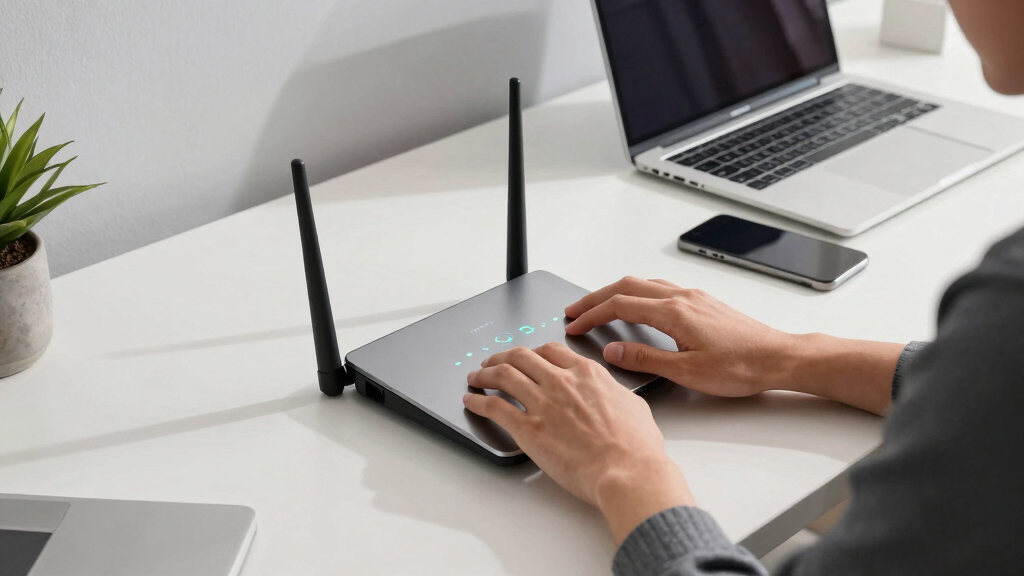

Finding the best WiFi 7 router for work from home means balancing speed, reliability, and security. The TP-Link Archer BE230 stands out for its strong performance and versatile features, making it a top overall pick. For those seeking maximum coverage, the TP-Link Deco 7 BE25 Mesh System offers seamless connectivity across larger spaces. Meanwhile, the NETGEAR Nighthawk BE9300 targets power users who need ultra-fast speeds and advanced security. As WiFi 7 routers continue to evolve, choosing the right model involves understanding your specific work setup, device compatibility, and budget constraints. Continue reading for a detailed breakdown of each option and what makes them suitable for different remote work needs.
Key Takeaways
- The top picks balance speed, coverage, and security, with the overall winner excelling in all three areas.
- Mesh systems like the Deco 7 are ideal for larger homes or open-plan offices, providing seamless connectivity.
- High-end models such as the Nighthawk BE9300 offer advanced features but come at a premium price.
- Most routers support multiple devices, but the number of supported connections and bandwidth allocation can vary significantly.
- Ease of setup and user security features are often overlooked but critical for a hassle-free work-from-home experience.



More Details on Our Top Picks
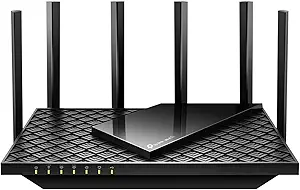
TP-Link Dual-Band Wi-Fi 7 Router Archer BE230 (BE3600) with 4-Stream, 2.5G Ports, USB 3.0, Quad-Core Processor, 4 Antennas, Mesh Support, HomeShield
The TP-Link Archer BE230 stands out for offering a well-rounded Wi-Fi 7 experience that balances speed, coverage, and security. It supports speeds up to 3.6 Gbps with Multi-Link Operation, ensuring more reliable connections, especially when multiple devices are active. Compared to the NETGEAR RS90, it provides seamless Mesh support, making it a better choice for larger homes needing whole-home coverage. However, it does not support the 6 GHz band, which limits peak performance in environments where high-frequency spectrum is available. Its multiple high-speed ports and HomeShield security make it a solid choice for smart homes, but performance can vary depending on obstacles or device placement.
Pros:- Supports Wi-Fi 7 with advanced Multi-Link Operation for reliability
- Includes multiple 2.5 Gbps ports for high-speed wired connections
- Mesh support enables extensive whole-home coverage
- Robust security features with HomeShield and parental controls
Cons:- Performance may fluctuate with environmental obstacles
- Requires a separate modem for internet service
- Limited to dual-band (no 6 GHz support)
Best for: Home users seeking reliable, future-proof Wi-Fi 7 coverage with security features and multi-device support
Not ideal for: Small apartments or users with simple setups who don’t need Mesh or multi-Gigabit ports
- Model:Archer BE230
- Wi-Fi Technology:Wi-Fi 7
- Speed:Up to 3.6 Gbps
- Frequency Bands:Dual-band (2.4 GHz and 5 GHz)
- Ports:1×2.5 Gbps WAN/LAN, 3×1 Gbps LAN
- Processor:Quad-core 2.0 GHz
- Coverage:Up to 2,000 sq. ft.
- Device Capacity:Up to 60 devices
- Security:HomeShield, VPN, IoT security
Bottom line: This router is ideal for tech-savvy homeowners wanting a versatile, secure Wi-Fi 7 setup that adapts to larger living spaces.
NETGEAR Nighthawk Dual-Band WiFi 7 Router (RS90)
The NETGEAR Nighthawk RS90 excels in delivering fast Wi-Fi 7 speeds up to 3.6 Gbps and wide coverage up to 2,000 sq. ft., making it particularly suited for households with heavy streaming, gaming, and video conferencing. Its support for up to 50 devices ensures multiple users can connect simultaneously without significant slowdown. When compared to the TP-Link BE230, it offers a more straightforward app-based setup and management experience. However, like the BE230, it requires a separate modem, which adds to overall setup complexity. Its focus on high performance makes it less ideal for those who prefer mesh or multi-room coverage, but it’s perfect for users prioritizing raw speed and simplicity in a U.S.-based environment.
Pros:- Supports Wi-Fi 7 with speeds up to 3.6 Gbps for demanding tasks
- Wide coverage area and support for up to 50 devices
- Easy setup with the Nighthawk app
- Includes a 2.5 Gig internet port for fast throughput
Cons:- Requires a separate modem, adding complexity
- Limited to U.S. use, not optimized for international markets
- No mesh support for large-scale coverage
Best for: Gamers and streamers needing fast, stable Wi-Fi 7 with simple management
Not ideal for: Large homes requiring mesh coverage or environments with many IoT devices needing extensive security
- Speed:up to 3.6 Gbps
- Coverage:up to 2,000 sq. ft.
- Device Support:50 devices
- Port:2.5 Gig internet port
- WiFi Standard:WiFi 7
- Compatibility:Works with any ISP
Bottom line: This router is perfect for households that prioritize speed and ease of use for gaming and media streaming over extensive mesh coverage.
TP-Link Deco 7 BE25 Dual-Band WiFi 7 Mesh System (3-Pack)
The TP-Link Deco 7 BE25 is tailored for large homes or offices needing extensive Wi-Fi coverage, supporting WiFi 7 speeds up to 4.324 Gbps across three units. Its mesh architecture, with wired backhaul ports, ensures seamless connectivity on a broad scale, outperforming single-router options like the BE230 in coverage and device capacity. Compared to the GL.iNet Flint 3e, it’s easier to set up for most users but doesn’t match the ultra-high speeds of the Flint 3e’s 6.5 Gbps. The system supports over 150 devices, making it ideal for busy environments, though it relies on compatible Wi-Fi 7 devices to fully leverage its speed and features.
Pros:- Supports Wi-Fi 7 with speeds up to 4.324 Gbps
- Coverage up to 6,600 sq. ft. with three units
- Supports over 150 devices simultaneously
- Features AI-Roaming and wired backhaul for stability
Cons:- Setup can be complex for non-technical users
- Higher price for a 3-pack system
- Requires compatible Wi-Fi 7 devices to maximize speed
Best for: Large households or offices needing reliable, whole-home Wi-Fi with smart home integration
Not ideal for: Small apartments with minimal device support or users preferring a single-router setup
- WiFi Standard:WiFi 7
- Speed:Up to 4.324 Gbps
- Coverage:Up to 6,600 sq. ft
- Number of Units:3
- Ports:2x 2.5 Gbps WAN/LAN per unit
- Device Support:Over 150 devices
- Features:AI-Roaming, MLO, 4K-QAM
Bottom line: This mesh system is best suited for large homes or offices seeking extensive, reliable Wi-Fi coverage with smart home features.
GL.iNet GL-BE6500 (Flint 3e) WiFi 7 Router, High-Speed Wireless Internet with VPN, 5 x 2.5G Ethernet Ports for Home, Business & Gaming
The GL.iNet Flint 3e pushes the limits with speeds up to 6.5 Gbps, making it a top choice for demanding applications like gaming, large file transfers, and secure remote work. Its five 2.5G Ethernet ports support extensive wired connectivity, surpassing typical single-router offerings like the BE6500 in raw speed. Compared to the TP-Link BE6500, the Flint 3e offers significantly higher maximum speeds but requires a more technical setup process, including configuring VPNs and advanced features. Its support for MLO, OFDMA, and 4K-QAM ensures high efficiency, but actual performance depends heavily on ISP plans and network conditions.
Pros:- Maximum speeds up to 6.5 Gbps for intensive tasks
- Supports multiple wired and wireless devices with stability
- Built-in VPN and parental controls enhance security
- Five 2.5G Ethernet ports for flexible wired setup
Cons:- Setup complexity may be high for novices
- Performance heavily dependent on ISP and environment
- Higher price point for advanced features
Best for: Tech-savvy users and power users demanding the highest speeds and security features
Not ideal for: Average users or small households with simple internet needs
- Maximum Speed:6.5 Gbps
- Coverage:up to 2,500 sq ft
- Ethernet Ports:5 x 2.5G
- WiFi Standard:WiFi 7
- Features:MLO, OFDMA, 4K-QAM, VPN
- Device Support:Multiple devices
Bottom line: This router is ideal for power users who need top-tier speed and security, willing to handle detailed configuration.
TP-Link BE6500 Dual-Band WiFi 7 Router (BE400) with 2.5Gbps Ports, USB 3.0, Coverage up to 2,400 sq. ft., Supports 90 Devices, Quad-Core CPU, HomeShield Security, Private IoT, Free Support
The TP-Link BE6500 offers a compelling combination of speed, coverage, and security, making it a strong choice for large households with many connected devices. Its dual-band WiFi 7 technology supports speeds up to 6.5 Gbps, suitable for streaming, gaming, and smart device management. Compared with the Archer BE230, this model provides broader coverage and support for up to 90 devices, thanks to its high-performance antennas and quad-core processor. However, its setup and management can be complex for less experienced users, and the premium price may be a barrier for some. It’s best suited for those who want a reliable, secure network with extensive device capacity.
Pros:- Supports Wi-Fi 7 with speeds up to 6.5 Gbps
- Coverage up to 2,400 sq. ft. and supports 90 devices
- Easy setup with Tether app and robust security features
- Includes multiple gigabit ports and USB 3.0 for expandability
Cons:- High price point for some users
- Complex features might be overwhelming for beginners
- Requires compatible Wi-Fi 7 devices to maximize benefits
Best for: Large households or smart home users requiring robust coverage and device support
Not ideal for: Small apartments or users with minimal device needs and simpler setups
- Wi-Fi Technology:Wi-Fi 7
- Total Bandwidth:6.5 Gbps
- Coverage:2,400 sq. ft.
- Device Capacity:Up to 90 devices
- Ports:1×2.5 Gbps WAN/LAN, 1×2.5 Gbps LAN, 3×1 Gbps LAN
- Security:HomeShield, WPA3
Bottom line: This router is tailored for large homes and smart environments needing high capacity and security, with a tradeoff in setup complexity.
TP-Link AX1800 WiFi 6 Router (Archer AX21) – Dual Band Wireless Internet, Gigabit, Easy Mesh, Works with Alexa
The TP-Link Archer AX21 is a solid choice for those seeking dependable Wi-Fi 6 performance without the premium price tag of Wi-Fi 7 options like the NETGEAR Nighthawk BE9300. Its 1.8 Gbps total bandwidth supports multiple devices efficiently, making it suitable for streaming, video calls, and everyday work tasks. Compared to Wi-Fi 7 routers, it doesn’t offer the ultra-high speeds or the low-latency benefits, but it’s easier to set up and more affordable. It’s ideal for users who prioritize stability over cutting-edge tech but may fall short in high-bandwidth environments or future-proofing. The main tradeoff is that it requires a separate modem and lacks the 6 GHz band, limiting peak performance and latency improvements.
Pros:- Affordable Wi-Fi 6 speeds supporting multiple devices
- Good coverage with high-gain antennas and beamforming
- Works with all major ISPs and supports VPN
Cons:- Requires a separate modem for most ISPs
- Lacks Wi-Fi 7 and 6 GHz support, limiting future-proofing
Best for: Small to medium home offices needing reliable Wi-Fi 6 without breaking the bank
Not ideal for: Power users or gamers who require ultra-low latency and multi-gig speeds, as it doesn’t support Wi-Fi 7 or the 6 GHz band
- Technology:Wi-Fi 6 (802.11ax)
- Bands:Dual Band (2.4 GHz and 5 GHz)
- Total Bandwidth:1.8 Gbps
- Max Speed 5 GHz:1200 Mbps
- Max Speed 2.4 GHz:574 Mbps
- Antennas:4 high-gain antennas
- Security:Advanced security, VPN server support
- Compatibility:Works with all major ISPs
Bottom line: This router suits budget-conscious home workers prioritizing stable Wi-Fi 6 connectivity over the latest tech features.
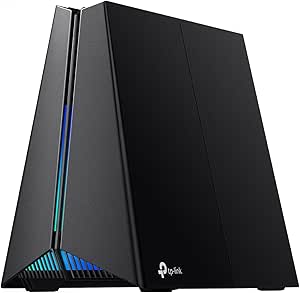
TP-Link Tri-Band BE11000 Wi-Fi 7 Gaming Router Archer GE650
The Archer GE650 stands out for its exceptional Wi-Fi 7 speeds over 11 Gbps, making it a superior choice for demanding work-from-home setups that involve large file transfers, HD streaming, and gaming. Its tri-band setup with one 6 GHz band ensures low latency and high capacity, outperforming the Wi-Fi 6 options like the TP-Link AX1800. However, its setup can be complex for non-technical users, and its large size may not fit in all spaces. Its advanced features, including game acceleration and multi-gig ports, cater to power users but come with a premium price. It’s best suited for households with multiple high-bandwidth devices or those who want a future-proof, gaming-centric router.
Pros:- Outstanding Wi-Fi 7 speeds for demanding tasks
- Tri-band with 6 GHz for low latency and high capacity
- Features like game acceleration and multi-gig ports
Cons:- Complex setup for less technical users
- High price point and large footprint
Best for: Tech-savvy gamers and streamers who need ultra-fast, low-latency Wi-Fi 7
Not ideal for: Basic home users or small offices with simple internet needs, due to its complexity and cost
- Wi-Fi Standard:Wi-Fi 7 (802.11ax)
- Tri-Band:Yes
- Maximum Speed:11 Gbps
- Processor:1.5 GHz quad-core CPU
- Ports:2× 5G WAN/LAN, 3× 2.5G LAN
- Supported Devices:Up to 100
- Security:HomeShield, DoS protection, SPI firewall
- Features:Game acceleration, RGB lighting, Mesh compatibility, VPN
Bottom line: This router is perfect for advanced users who demand top-tier Wi-Fi 7 performance for gaming and heavy workloads.
TP-Link AXE5400 Tri-Band WiFi 6E Router (Archer AXE75)
The Archer AXE75 offers a significant upgrade with Wi-Fi 6E, providing a 6 GHz band for lower latency and higher speeds—ideal for work-from-home setups that benefit from quick, reliable connections. Its 5400 Mbps total bandwidth and support for OFDMA make it a good complement to Wi-Fi 7 routers like the NETGEAR BE9300 in environments where newer tech is desired but full Wi-Fi 7 isn’t yet necessary. While it’s easier to set up than some Wi-Fi 7 options, it still requires a modem and might be overkill for basic users. Its advanced security and support for OneMesh add to its appeal for those looking to extend coverage seamlessly.
Pros:- High-speed tri-band Wi-Fi 6E with 6 GHz support
- Supports multiple devices with OFDMA
- Seamless coverage with OneMesh and strong security features
Cons:- Requires a modem for most ISPs
- Setup can be complex for non-technical users
Best for: Early adopters and tech enthusiasts wanting to future-proof their home network with Wi-Fi 6E
Not ideal for: Budget-conscious users or those with simple internet needs, since it involves a higher price and complex setup
- Max WiFi Speed:5400 Mbps
- WiFi Bands:6 GHz, 5 GHz, 2.4 GHz
- 6 GHz Speed:2402 Mbps
- 5 GHz Speed:2402 Mbps
- 2.4 GHz Speed:574 Mbps
- CPU:1.7 GHz Quad-Core
- Memory:512 MB
- Supports:OneMesh, VPN, WPA3
Bottom line: This router is suited for those seeking to invest in the latest Wi-Fi 6E tech with room to upgrade to Wi-Fi 7 later.
NETGEAR Nighthawk WiFi 7 Router (BE9300)
The Nighthawk BE9300 is designed for those who need blazing speeds up to 9.3 Gbps and extensive coverage—ideal for large home offices or multi-room setups. Its support for 100 devices and 2,500 sq. ft. coverage makes it a strong contender among Wi-Fi 7 routers, surpassing the TP-Link AX1800 in raw speed and capacity. The inclusion of a 2.5 Gigabit port helps future-proof multi-gig internet plans. However, it requires a separate modem, and its U.S.-centric design may limit accessibility elsewhere. Its straightforward setup via the Nighthawk app simplifies deployment, but the high cost reflects its premium performance level.
Pros:- Exceptional Wi-Fi 7 speeds for demanding tasks
- Up to 2,500 sq. ft. coverage for large spaces
- Supports 100 devices simultaneously
Cons:- Requires a separate modem
- Limited availability outside the U.S.
Best for: Large households or remote workers with high bandwidth demands and multiple devices
Not ideal for: Small apartments or users seeking an all-in-one solution, since it doesn’t include a modem and is designed for expansive coverage
- Wireless Speed:9.3Gbps
- Coverage:2,500 sq. ft.
- Device Support:Up to 100 devices
- Internet Port:2.5 Gigabit
- WiFi Standard:WiFi 7
- Dimensions:4″ x 5.9″ x 9.8″
Bottom line: This router is ideal for large, bandwidth-intensive environments where speed and coverage are priorities.

How We Picked
The selection was based on a combination of performance benchmarks, device compatibility, security features, ease of setup, and value for money. We prioritized routers that support WiFi 7’s full capabilities, such as multi-gig ports and advanced beamforming, to ensure they meet the demands of a work-from-home environment. Reliability, user reviews, and future-proof features played a key role in our rankings, alongside considerations for different budgets and home sizes. Our goal was to identify models that deliver both high-speed internet and stable, secure connections for remote work scenarios, making this list relevant for a broad range of users.Factors to Consider When Choosing Best Wifi 7 Router For Work From Home
Choosing the right WiFi 7 router for work from home involves more than just looking at speed. It requires understanding your specific needs, such as device count, coverage area, and security, to make an informed decision. Here are key factors to consider beyond basic specifications to help you select a router that ensures smooth, secure, and reliable remote work connectivity.Coverage Area and Home Size
Assess the size of your home and the typical layout of your work space. Larger homes or open-concept layouts benefit from mesh systems or routers with multiple antennas and higher power output. Underestimating coverage can lead to dead zones, which disrupt your workflow. If you have a multi-story house or a home office far from your router placement, investing in a mesh system or high-gain antennas offers better reliability than standard models.
Device Compatibility and Future-Proofing
Ensure your devices support WiFi 7 for maximum benefit, but also look for routers that are backward compatible with WiFi 6 and 5. This maximizes your investment and maintains network stability as you upgrade devices over time. Future-proof features like multi-gig Ethernet ports and advanced beamforming can also help your network stay relevant longer and handle multiple high-bandwidth tasks simultaneously.
Security Features
Remote work demands reliable security. Look for routers that include robust security features such as WPA3 encryption, automatic firmware updates, and integrated firewalls. Some models, like the Nighthawk BE9300, offer enhanced security management tools, which are vital if you handle sensitive work data. Neglecting security can expose your home network to vulnerabilities, especially when connected to work resources and cloud services.
Ease of Setup and Management
An intuitive setup process and user-friendly management app save time and reduce frustration. Consider models with clear instructions, quick start guides, and mobile apps that allow easy control over device priorities, guest networks, and security settings. For non-technical users, a complicated setup can cause delays and leave your network vulnerable or improperly configured.
Price and Value
While investing in a WiFi 7 router can be more expensive upfront, evaluate what features are worth paying for based on your needs. High-end models provide advanced features, better performance, and longer lifespan, but may be unnecessary for light users. Budget-friendly options offer good performance for standard tasks and smaller spaces but may lack future-proofing and advanced security, making them better suited for casual or temporary setups.
Frequently Asked Questions
Will my current devices benefit from a WiFi 7 router?
Most current devices will not fully utilize WiFi 7’s capabilities since they are built for earlier WiFi standards. However, upgrading to a WiFi 7 router ensures your network is prepared for future devices and offers improved performance for compatible gadgets. For now, WiFi 7 routers are primarily beneficial for high-bandwidth activities and future device compatibility, rather than immediate speed boosts on all devices.
Is a mesh WiFi 7 system necessary for a small home office?
Not necessarily. For small or medium-sized homes, a single WiFi 7 router with strong coverage and multiple antennas can suffice. Mesh systems are more beneficial for larger spaces or homes with complex layouts, helping eliminate dead zones. Consider your home size and layout before opting for a mesh setup, as it can add extra cost but significantly improve coverage if needed.
What security features should I prioritize in a WiFi 7 router?
Look for routers supporting WPA3 encryption, automatic firmware updates, and integrated security services like firewalls or parental controls. Some models include VPN support or advanced threat detection, which are essential if you handle sensitive work data. Ignoring these features could leave your network vulnerable to cyber threats, especially when working remotely.
How important are multi-gig Ethernet ports in a home office router?
Multi-gig Ethernet ports, supporting 2.5Gbps or higher, are increasingly valuable for high-speed wired connections to desktop PCs or NAS devices. They help maximize internet speeds from your service provider and reduce bottlenecks in data transfer. If your work involves large file transfers or cloud backups, a router with these ports can make a noticeable difference in performance.
Should I prioritize a higher number of supported devices or raw speed?
Both matter, but your choice depends on your specific setup. If you have many devices, especially in a busy home office, supporting a larger number of simultaneous connections with stable speeds becomes critical. Conversely, if your primary concern is high-speed data transfer for bandwidth-heavy tasks, prioritizing a router with faster throughput may be more beneficial. Balance your needs with your budget to find the best fit.
Conclusion
For most remote workers, the TP-Link Archer BE230 offers a solid balance of speed, security, and ease of use, making it the best overall choice. Those with larger homes or multiple devices should consider the TP-Link Deco 7 Mesh System for seamless coverage. Power users and tech enthusiasts who demand maximum performance might lean toward the NETGEAR Nighthawk BE9300 or similar premium models. Beginners or casual users will find budget-friendly options sufficient, while professionals handling sensitive data should prioritize security features. Ultimately, choosing the right router depends on your specific home setup and work needs.