Finding the best ultrawide monitor for remote work means balancing screen real estate, usability, and value. The Philips 34E1C5600HE stands out as the top overall choice thanks to its built-in webcam and docking station, making it a versatile workspace hub. The Samsung Viewfinity S65UA offers a curved, HDR-ready experience with excellent adjustability, ideal for long work sessions. Meanwhile, the LG Smart Monitor 34WQ88C combines smart features and good color accuracy for those who want more than just a display. The main challenge remains choosing between raw productivity, ergonomic flexibility, and additional features—keep reading to see how each option stacks up.
Key Takeaways
- Top contenders balance screen size, resolution, and ergonomic features to improve remote work comfort.
- Built-in webcams and USB-C docks add significant value for hybrid setups but often increase price.
- Curved screens generally enhance immersion and reduce eye strain during long hours at the desk.
- Higher refresh rates (such as 100Hz or 180Hz) are more relevant for gaming but can also improve responsiveness for fast workflows.
- Smart monitors with integrated streaming and webOS add versatility but may compromise on pure display quality.


More Details on Our Top Picks
Philips 34E1C5600HE 34-Inch UltraWide QHD Monitor with Built-in Webcam & USB-C Docking
The Philips 34E1C5600HE stands out for its comprehensive feature set tailored to remote work, combining an immersive curved VA panel with vibrant UltraWide-Color technology. Its built-in Windows Hello webcam and noise-canceling mic make video calls seamless, while the USB-C dock reduces clutter by delivering high-speed data, power, and display over a single cable. Compared with the Samsung Viewfinity S50GC, this model offers a more integrated webcam and sound system, but it comes at a higher price and with a 100Hz refresh rate that isn’t suited for gaming. The large 34-inch size and premium price may be a consideration for those with limited desk space or budget constraints. Overall, this monitor is ideal for professionals prioritizing integrated multimedia features alongside productivity.
Pros:- Immersive curved VA display with vibrant color accuracy
- Built-in webcam and noise-canceling microphone for video calls
- Single USB-C cable for power, data, and display simplifies workspace
Cons:- Premium price point may limit accessibility for budget-conscious buyers
- Limited to 100Hz refresh rate, not optimized for gaming
Best for: Remote workers who need a versatile all-in-one setup with integrated video conferencing and high-quality visuals
Not ideal for: Gamers or users seeking ultra-high refresh rates for competitive gaming or fast-paced multimedia
- Display Size:34 inches
- Resolution:3440 x 1440 (UltraWide QHD)
- Aspect Ratio:21:9
- Panel Type:VA
- Curvature:1500R
- Webcam:5MP with Windows Hello
- Connectivity:USB-C with 90W Power Delivery
- Refresh Rate:100Hz
Bottom line: This monitor is best suited for remote workers who value integrated communication tools and color-rich visuals in a single device.
Samsung Viewfinity S65UA Series 34-Inch Ultrawide QHD Curved Monitor, 100Hz, USB-C, HDR10, Height Adjustable, Eye Care, Black
The Samsung S65UA Series excels in delivering vivid visuals and ergonomic comfort, with its 34-inch curved Ultra WQHD display and HDR10 support for vibrant color reproduction. Its height-adjustable stand and TUV-certified eye care technology prioritize user comfort during long work sessions, making it a solid choice for those who spend hours at their desk. Compared to the LG 34″ Smart Monitor, which offers smart TV features, the Samsung focuses more on productivity and eye comfort, though it does not include smart apps. The 100Hz refresh rate is adequate for everyday use but not for high-end gaming. This model suits users seeking a balanced mix of visual quality and ergonomic design.
Pros:- Vivid Ultra WQHD display with HDR10 for rich colors
- Height-adjustable stand enhances ergonomic comfort
- USB-C port with 90W charging reduces cable clutter
Cons:- Higher price may be a barrier for some budget-conscious buyers
- Limited to 100Hz refresh rate for non-gaming use
Best for: Professionals who prioritize eye comfort and adjustable ergonomics for prolonged remote work
Not ideal for: Enthusiasts seeking gaming-grade refresh rates or built-in smart entertainment features
- Display Size:34 inches
- Resolution:3440 x 1440 (Ultra WQHD)
- Aspect Ratio:21:9
- Curvature:1000R
- HDR:HDR10
- Connectivity:USB Type-C (90W)
- Stand:Height adjustable
- Refresh Rate:100Hz
Bottom line: Ideal for remote workers who need a comfortable, vivid display with ergonomic flexibility and eye care technology.
LG 34″ Curved UltraWide WQHD Smart Monitor with HDR10, 99% sRGB, 100Hz, Magic Remote, AirPlay 2 & Adjustable Stand
The LG 34″ Smart Monitor offers a compelling blend of productivity and entertainment features, with a 34-inch curved WQHD screen and built-in webOS smart platform. Its versatile connectivity includes HDMI, USB, and wireless casting options like AirPlay 2, making it suitable for streaming, multitasking, and light gaming. Compared with the Samsung S65UA, this model adds smart TV capabilities and a Magic Remote, but its 100Hz refresh rate and premium price might be overkill for purely professional use. While it lacks the dedicated ergonomic features of the Samsung, its smart features and flexible connectivity make it a strong choice for those who want an all-in-one device for work and leisure.
Pros:- Built-in webOS platform with access to streaming services
- Wireless casting via AirPlay 2 and Bluetooth
- Flexible connectivity including HDMI, USB, and wireless options
Cons:- Some users may find the smart features unnecessary for purely work tasks
- Limited to 100Hz refresh rate, not ideal for high-speed gaming
Best for: Remote workers who want an all-in-one monitor with entertainment capabilities and smart features
Not ideal for: Users prioritizing high refresh rates or specialized ergonomic adjustments for intense workloads
- Display Size:34 inches
- Resolution:3440 x 1440 (WQHD)
- Aspect Ratio:21:9
- HDR:HDR10
- Smart Platform:webOS
- Connectivity:HDMI, USB, AirPlay 2
- Stand:Adjustable
- Refresh Rate:100Hz
Bottom line: Best suited for remote workers seeking a versatile monitor that combines productivity with entertainment and smart features.
Alienware 34 Curved Gaming Monitor – AW3425DWM – 34-inch WQHD 180Hz 1ms Display, 1500R, AMD FreeSync Premium, VESA AdaptiveSync
The Alienware AW3425DWM is built for immersive gaming, featuring a 34-inch WQHD display with a 1500R curvature that appeals to users seeking visual depth. Its 180Hz refresh rate and 1ms response time deliver exceptional smoothness, surpassing typical productivity monitors like the Philips 34E1C5600HE, which maxes out at 100Hz. While primarily designed for gaming, its vibrant colors and HDR support can enhance multimedia tasks, but it sacrifices some workspace features for gaming performance. The large size and aggressive specs make it less suitable for traditional remote work setups, especially those with limited desk space. This monitor is best for remote workers who also want a dedicated gaming or multimedia experience.
Pros:- High 180Hz refresh rate and 1ms response time for ultra-smooth visuals
- Vibrant DCI-P3 95% color coverage with HDR support
- 1500R curvature for immersive viewing experience
Cons:- Expensive compared to standard productivity monitors
- Large size may not fit all desks or office setups
- Less focus on ergonomic features for long work sessions
Best for: Remote workers who combine work with gaming or multimedia entertainment and have ample desk space
Not ideal for: Those seeking a purely professional monitor focused on color accuracy and ergonomic features
- Size:34 inches
- Resolution:3440 x 1440 (WQHD)
- Refresh Rate:180Hz
- Response Time:1ms
- Curvature:1500R
- Color Coverage:DCI-P3 95%
- HDR:VESA DisplayHDR 400
- Adaptive Sync:AMD FreeSync Premium
Bottom line: Perfect for remote workers who want a high-performance multimedia and gaming monitor with immersive visuals and fast response times.
Samsung 34-Inch ViewFinity S50GC Series Ultra-WQHD Monitor, 100Hz, HDR10, AMD FreeSync, Eye Care, Borderless, PIP, PBP, Black
The Samsung ViewFinity S50GC is designed for users who need expansive multitasking capabilities combined with sharp visuals. Its ultra-wide 34-inch Ultra-WQHD screen and 100Hz refresh rate make it suitable for day-to-day productivity, while features like PIP and PBP allow seamless multi-application workflows. Its HDR10 support and eye care technology reduce visual fatigue during long hours, making it a good choice for professionals managing multiple windows and tasks. Compared with the LG Smart Monitor, this model offers more focused productivity features but lacks built-in smart TV functions. It’s best for those who prioritize clarity and multi-tasking in a large, borderless display.
Pros:- Expansive Ultra-WQHD display ideal for multitasking
- PIP and PBP features for multi-window management
- HDR10 and eye care technologies improve visual comfort
Cons:- Limited to 100Hz, not suitable for competitive gaming
- Price may be high relative to basic monitors
Best for: Remote workers managing multiple applications and requiring high clarity and multitasking features
Not ideal for: Users seeking gaming performance or built-in entertainment platforms
- Display Size:34 inches
- Resolution:Ultra-WQHD 3440×1440
- Refresh Rate:100Hz
- HDR:HDR10
- Inputs:HDMI, DisplayPort
- Design:Borderless
- Features:PIP, PBP
- Eye Care:Flicker Free, Blue Light Reduction
Bottom line: Best for remote professionals needing a large, borderless display with superior multitasking and visual clarity.
Samsung 34″ ViewFinity S50GC Series Ultrawide QHD Monitor, 100Hz, HDR10, AMD FreeSync, Eye Care, Black
This 34-inch ultrawide from Samsung stands out for its Ultra-WQHD resolution, delivering sharp images that are perfect for multitasking and detailed work, surpassing the standard 3440×1440 monitors like the LG 34SR60QC-W in clarity. Its vibrant HDR10 support brings colors to life, making it ideal for creative professionals or those who value visual fidelity. The eye care features help reduce strain during long hours, a critical factor for remote workers. Compared to larger options like the Samsung 49″ LS49C954UANXZA, this monitor offers a more manageable size for typical desk setups. However, its higher price and limited connectivity details mean it might stretch some budgets and require extra accessories. This monitor makes the most sense for users prioritizing a balance of sharp visuals, multitasking features, and eye comfort.
Pros:- Ultra-WQHD resolution offers crisp, detailed visuals for multitasking
- HDR10 support enhances color vibrancy and contrast
- Eye care technology reduces eye strain during extended sessions
- Supports PIP and PBP modes for enhanced productivity
Cons:- Higher price point compared to standard 3440×1440 monitors
- Limited information on connectivity options may require additional accessories
Best for: Remote workers who need a reliable, vibrant display for multitasking and prolonged use
Not ideal for: Budget-conscious buyers or those with limited desk space who prefer smaller or more affordable monitors
- Size:34 inches
- Resolution:Ultra-WQHD (3440×1440)
- Refresh Rate:100Hz
- Response Time:5ms
- HDR:HDR10
- Connectivity:Supports PIP and PBP
Bottom line: This monitor suits remote professionals seeking high-quality visuals and multitasking capabilities, despite its premium price.
Samsung 49″ Business Curved Ultrawide Dual QHD Computer Monitor with USB-C, DisplayPort, HDMI, 120Hz, VESA DisplayHDR 400, Built-in Speakers, Height Adjustable Stand, Eye Care, LS49C954UANXZA, 2024
This 49-inch curved monitor offers an expansive 32:9 aspect ratio with Dual QHD resolution, making it ideal for users who need to run multiple applications side by side, far surpassing the 34-inch options like the LG 34SR60QC-W in screen real estate. Its high 120Hz refresh rate and HDR400 support deliver smooth, vibrant visuals suitable for both intensive work and entertainment. The adjustable stand and ergonomic features ensure comfortable all-day use, and its versatile connectivity—including USB-C with 90W charging—simplifies cable management. Compared to smaller ultrawides, this monitor’s sheer size demands ample desk space and may overwhelm smaller setups. Its premium features come at a premium price, but for users who need maximum workspace, this is a compelling choice.
Pros:- Massive 49-inch curved display increases productivity and immersion
- High 120Hz refresh rate and HDR400 enable smooth visuals
- Versatile connectivity, including USB-C with 90W charging
- Ergonomic stand for comfortable long-term use
Cons:- Requires significant desk space due to large size
- 120Hz not available in Picture-by-Picture mode
- High cost may not be suitable for all budgets
Best for: Remote professionals managing multiple complex workflows who need a panoramic, immersive display
Not ideal for: Those with limited desk space or budget restrictions, as the size and cost may be prohibitive
- Display Size:49 inches
- Resolution:Dual QHD (5120×1440)
- Curvature:1000R
- Refresh Rate:120Hz
- HDR:VESA DisplayHDR 400
- Stand Adjustment:Height adjustable
Bottom line: This monitor is best suited for power users who need extensive workspace and are prepared for its size and investment.
LG 34SR60QC-W 34-inch QHD Curved Smart Monitor with Streaming, webOS, HDR10, 100Hz, Built-in Speaker, AirPlay2, Screen Share, Bluetooth, ThinQ App
The LG 34SR60QC-W combines a 34-inch curved display with smart features, making it a flexible choice for remote work combined with entertainment. Its QHD resolution and 99% sRGB coverage ensure vibrant visuals suitable for content consumption and light creative tasks, outperforming standard monitors lacking integrated smart platforms. The built-in webOS provides quick access to streaming apps, which can be handy during breaks, unlike purely productivity-focused displays. However, this monitor’s reliance on internet connectivity and subscriptions for some features could be a drawback for users seeking straightforward work-focused devices. Its compatibility with AirPlay2 and Bluetooth makes it ideal for Apple ecosystem users. It’s a good fit for those who want a dual-purpose monitor but less so for users requiring solely dedicated work hardware.
Pros:- Immersive 34-inch curved screen enhances viewing experience
- Built-in webOS offers access to streaming apps and multimedia
- Multiple connectivity options, including AirPlay2 and Bluetooth
- Vivid colors with HDR10 support
Cons:- Requires internet connection for streaming features
- Higher price compared to basic monitors
- Limited focus on core productivity features
Best for: Remote workers who enjoy streaming, casual content, and a versatile all-in-one display
Not ideal for: Power users needing advanced productivity tools or those with limited internet access
- Screen Size:34 inches
- Resolution:3440×1440 (QHD)
- Curvature:1800R
- Refresh Rate:100Hz
- HDR:HDR10
- Ports:2 HDMI, 3 USB
Bottom line: This monitor suits remote users seeking entertainment and flexible connectivity alongside work tasks, though it’s less ideal for pure productivity needs.
Sceptre 34-Inch Curved Ultrawide WQHD Monitor (3440 × 1440), 180Hz, 1ms, Built-in Speakers, Machine Black
The Sceptre 34-inch curved ultrawide with a 180Hz refresh rate and 1ms response time excels in delivering ultra-smooth visuals, making it a prime choice for gaming as well as fast-paced productivity tasks. Its high color accuracy with 99% sRGB coverage matches the vibrant display of more expensive options like the Samsung ViewFinity S50GC, but its main advantage is performance rather than color accuracy for professional editing. The modern aesthetic with LED backcover adds a stylish touch to any workspace. However, its gaming-centric specs may be overkill for users primarily focused on document work or multitasking, and its curved design may not suit every desk setup. For those prioritizing high refresh rates and responsiveness in a budget-friendly package, this monitor hits a sweet spot.
Pros:- 180Hz refresh rate and 1ms response time deliver ultra-smooth visuals
- Large ultrawide screen increases workspace and immersion
- Vivid colors with 99% sRGB coverage
- Stylish LED backcover lighting
Cons:- Curved monitor may not fit all workspace configurations
- Primarily designed for gaming, less optimized for color-critical professional work
Best for: Remote users needing a fast, smooth display for gaming, video editing, or high-performance multitasking
Not ideal for: Professionals focused solely on color-critical tasks or those with small desk spaces
- Size:34 inches
- Resolution:3440 x 1440 (WQHD)
- Refresh Rate:180Hz
- Response Time:1ms
- Panel Type:Curved
- Color Coverage:99% sRGB
Bottom line: This monitor is ideal for remote users who want high responsiveness for gaming or fast workflows without sacrificing screen real estate.
How We Picked
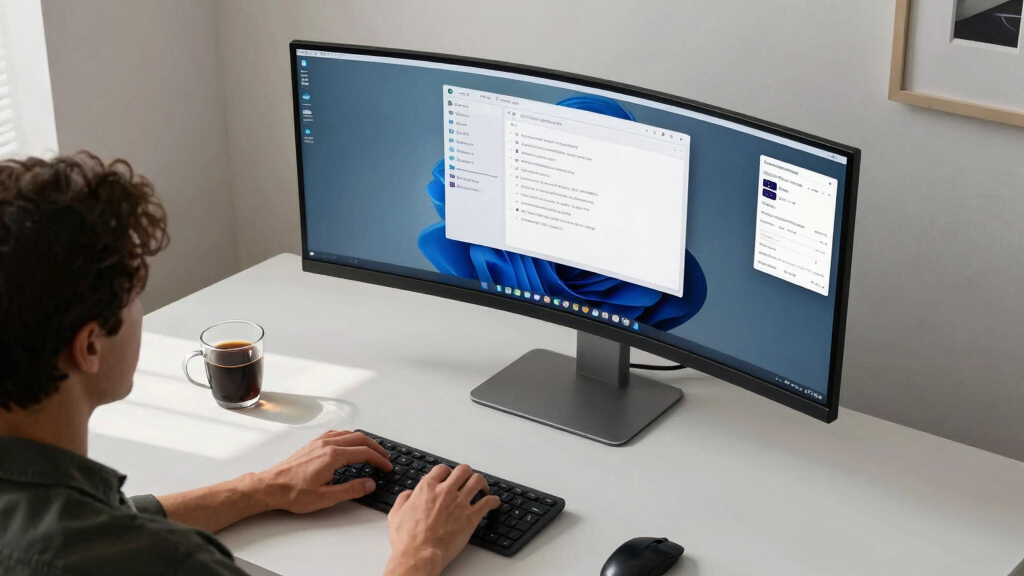
This lineup was curated based on key factors that influence remote work productivity and ease of use. I prioritized display size, resolution, and clarity to ensure ample workspace and sharp visuals. Ergonomics, such as height adjustment and curvature, were essential for comfort during prolonged use. Build quality, connectivity options, and additional features like webcams or smart capabilities were evaluated for versatility. Price-to-value ratio also played a role, favoring models that offer substantial features without excessive cost. The ranking reflects a mix of these aspects, with the top picks excelling across performance, usability, and value.Factors to Consider When Choosing Best Ultrawide Monitor For Remote Work
Choosing the ideal ultrawide monitor for remote work involves considering several factors beyond just screen size. Understanding your specific needs—whether for multitasking, comfort, or additional features—will help narrow down options. Think about your workspace, budget, and the types of tasks you perform most often to find the best fit. Below are key considerations that can guide your decision and avoid common pitfalls.Screen Size and Resolution
For remote work, a 34-inch ultrawide with at least QHD (3440×1440) resolution strikes a good balance between workspace and desk space. Larger screens improve multitasking, but they can also overwhelm smaller desks or cause eye strain if not paired with proper ergonomics. Higher resolutions like 4K are less common in ultrawide formats and tend to be more expensive, but they offer sharper visuals essential for detailed tasks such as photo editing. Consider your desk size and distance from the screen to choose a size that maximizes productivity without discomfort.
Ergonomics and Adjustability
Adjustability features like height, tilt, and swivel are vital for long hours of remote work, reducing fatigue and improving posture. Curved screens help minimize eye movement across the display, which can prevent strain. If your workspace allows, prioritize monitors with VESA compatibility for flexible mounting options. Investing in a monitor with good ergonomic adjustments can make a significant difference in comfort and focus over extended periods.
Connectivity and Additional Features
USB-C ports, built-in webcams, and docking stations add convenience, especially for hybrid setups where you switch between laptop and desktop. These features reduce cable clutter and streamline workflows. However, monitors loaded with extra features tend to be pricier and may include capabilities you don’t need. Carefully assess which features genuinely enhance your productivity and avoid paying for extras that won’t be used regularly.
Color Accuracy and Visual Quality
For tasks requiring color precision or media consumption, look for monitors with high sRGB or AdobeRGB coverage, HDR support, and good contrast ratios. While these are less critical for pure office tasks, they add value if your work involves creative content or visual presentations. Keep in mind that higher color accuracy often correlates with higher prices, so balance your needs with your budget.
Price and Value
Ultrawide monitors span a wide price range, from budget-friendly options to premium models with advanced features. Focus on models that provide the core features you need without overpaying for unnecessary extras. Sometimes, a slightly smaller or lower-spec model offers better value, especially if it suits your workflow well. Always consider warranty and build quality as part of your overall investment in a productive workspace.
Frequently Asked Questions
Is a curved ultrawide monitor better for remote work?
Curved ultrawide monitors generally provide a more immersive viewing experience and can reduce eye strain by keeping the entire screen at a consistent distance. This shape helps with multitasking by naturally guiding your peripheral vision along the curve. However, they may not be ideal in tight spaces or for users who prefer traditional flat screens. Ultimately, the choice depends on your workspace layout and personal preference.
Do I need a 100Hz or higher refresh rate for remote work?
For standard productivity tasks, a 60Hz refresh rate is usually sufficient. Higher refresh rates, such as 100Hz or 180Hz, primarily benefit gaming or fast-moving visual content. They can improve responsiveness and reduce motion blur, which might be a slight advantage during intensive multitasking or video editing. But for most remote workers, these higher rates are a bonus rather than a necessity, often coming at a premium cost.
Are built-in webcams on ultrawide monitors worth it?
Built-in webcams offer convenience by eliminating the need for separate peripherals, especially in hybrid work environments. They can streamline video conferencing, but often compromise on quality or privacy. If you require high-quality video or specific privacy controls, an external webcam might be a better choice. Consider whether the integrated webcam meets your standards before choosing a monitor with this feature.
Should I prioritize color accuracy or contrast in my monitor?
It depends on your primary tasks. For creative work like photo editing or design, high color accuracy with broad color gamuts is essential. For general productivity and document work, contrast and clarity might take precedence. Many monitors strike a balance, but if your work depends on precise colors, investing in a model with high sRGB or AdobeRGB coverage is wise. Otherwise, good contrast and brightness levels can significantly enhance your viewing comfort.
How important is HDMI versus DisplayPort for remote work monitors?
DisplayPort generally offers higher bandwidth and better support for higher resolutions and refresh rates, making it a preferred choice for ultrawide monitors. HDMI is more common and compatible with most devices, but some older or lower-end models may limit resolution or refresh rate capabilities. For seamless performance, especially with high-resolution ultrawides, choosing a monitor with DisplayPort is advisable, although HDMI remains adequate for most office tasks.
Conclusion
For most remote workers, the Philips 34E1C5600HE offers a compelling all-in-one solution thanks to its built-in webcam and docking. If you prioritize a curved display with excellent adjustability, the Samsung Viewfinity S65UA stands out. Those seeking premium features and a larger workspace should consider the Samsung 49″ Ultra-Wide for truly expansive multitasking. Beginners or budget-conscious users will find great value in models like the Sceptre 34-inch WQHD. Ultimately, your choice should align with your workspace needs, budget, and how you plan to use the monitor daily.