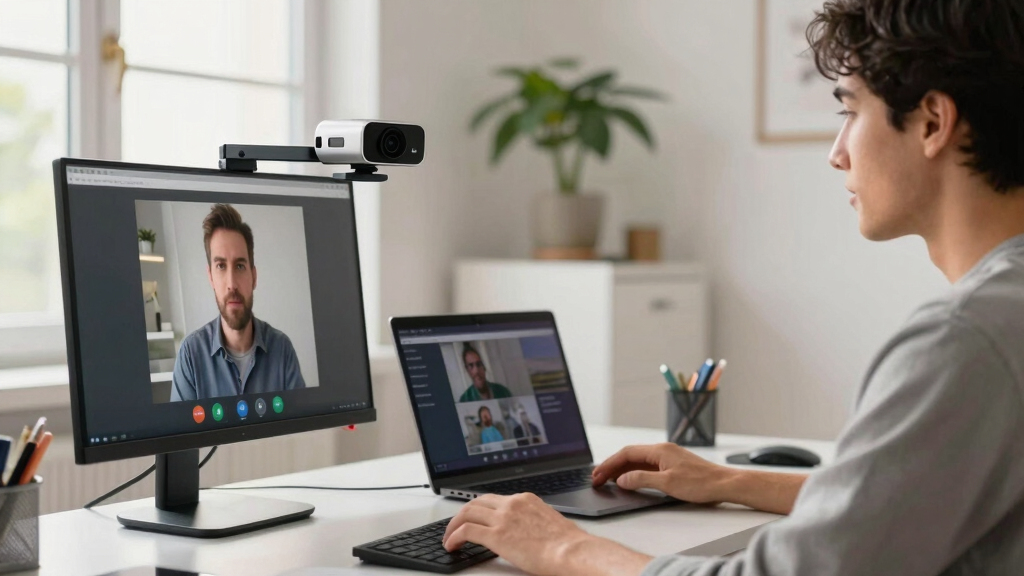
If you’re searching for the best 4K webcam for video conferencing, you’re looking for clarity, reliability, and smart features that enhance your communication. The Logitech MX Brio Ultra HD 4K Webcam stands out as the overall top pick for its superb image quality and versatile features. For those on a budget, the EMEET NOVA 4K Webcam offers excellent value with auto light correction and autofocus. Meanwhile, the NexiGo N680E Pro balances 4K resolution with a built-in ring light for better illumination. These options demonstrate the key tradeoffs: premium features versus affordability, and ease of use versus advanced capabilities. Keep reading for a detailed breakdown of each product and what to consider when choosing your perfect webcam.
Key Takeaways
- The highest-resolution webcams, like the Logitech MX Brio, deliver superior image clarity but come at a higher price.
- Auto light correction and autofocus are critical features that improve video quality in varying lighting conditions.
- Built-in microphones with noise cancellation are essential for clear communication, especially in noisy environments.
- Webcams with privacy features, such as shutters and covers, add peace of mind for home and office use.
- Balance between advanced features and ease of setup is key; premium models often require more configuration but offer richer capabilities.


More Details on Our Top Picks
Logitech MX Brio Ultra HD 4K Webcam for Collaboration and Streaming
The Logitech MX Brio stands out for its exceptional 4K resolution combined with AI-enhanced image processing, making it ideal for users who need crystal-clear video in professional settings. Compared to the Logitech Brio 4K Webcam, its larger sensor size and adjustable controls deliver superior image quality, especially in challenging lighting. However, its premium price and complex feature set might be overwhelming for casual users or those on a tight budget. Its USB-C connectivity supports high data transfer rates, crucial for smooth streaming and conferencing. The built-in privacy shutter adds security, but the high cost and feature richness make this a better fit for content creators or executives rather than casual users.
Pros:- Exceptional 4K video and smooth 1080p streaming
- AI-enhanced image clarity in difficult lighting conditions
- Adjustable controls for white balance and lighting
Cons:- Premium price may be prohibitive for some
- Requires USB-C port, which may not be available on all devices
- Feature set may be overly complex for casual users
Best for: Professionals and streamers needing top-tier 4K quality with advanced controls
Not ideal for: Budget-conscious users or those seeking simple plug-and-play webcams
- Resolution:4K at 30fps, 1080p at 60fps
- Sensor Size:70% larger pixels
- Compatibility:Windows, macOS, Chrome OS, Linux
- Connectivity:USB-C
- Features:AI-enhanced image, auto-exposure, white balance, noise reduction, autofocus, privacy shutter
Bottom line: This webcam is best suited for professionals who prioritize image quality and advanced features over simplicity.
Logitech Brio 4K Webcam with Noise-Cancelling Microphone, Auto Light Correction, Wide Field of View, Windows Hello, Compatible with PC, Mac, and Tablets
The Logitech Brio 4K Webcam excels in delivering high-resolution video with smart auto light correction, making it suitable for environments with variable lighting. Its multiple field of view presets (65°, 78°, 90°) provide flexible framing, unlike the more fixed view of the EMEET NOVA. The inclusion of Windows Hello facial recognition adds a layer of security for professional use. On the downside, it demands a USB 3.0 port for optimal performance, and some users find setup to be less straightforward. While the image quality is impressive, the higher price point may deter casual or infrequent users. This webcam is best for those who need reliable auto-adjustment and security features in a professional setting.
Pros:- Excellent 4K video with auto light correction
- Flexible field of view presets
- Supports Windows Hello for secure login
Cons:- Requires USB 3.0 for full performance
- Setup can be complex for some users
- Higher price compared to standard webcams
Best for: Business professionals requiring auto light correction and facial recognition security
Not ideal for: Users with older computers lacking USB 3.0 ports or those seeking budget options
- Resolution:4K at 30 fps
- Field of View:65°, 78°, 90° presets
- Microphone:Dual omnidirectional with noise-canceling
- Light Correction:RightLight 3 with HDR
- Windows Hello:Yes
Bottom line: Ideal for professionals who value auto-adjusted image quality and integrated security features.
Logitech C920x HD Pro PC Webcam
The Logitech C920x HD Pro offers reliable 1080p video with autofocus and automatic light correction, making it a strong choice for everyday video calls. While it doesn’t support 4K, its performance at 1080p at 30fps is sufficient for most conferencing needs, and the stereo microphones provide natural sound quality. When compared to the EMEET NOVA, it lacks a privacy shutter and background removal software, but it compensates with straightforward plug-and-play functionality. Its limited frame rate and absence of 4K support mean it’s less suited for content creation or high-end streaming. Overall, this webcam is perfect for users who need dependable HD quality without extra features or a high price tag.
Pros:- Reliable 1080p video with autofocus
- Stereo microphones for natural sound
- Compatible with multiple platforms including Nintendo Switch
Cons:- No built-in privacy shutter
- Limited to 30fps at 1080p
- No background removal or 4K support
Best for: Small business users and casual professionals on a budget
Not ideal for: Content creators or those requiring 4K resolution and advanced features
- Video Resolution:Full HD 1080p at 30fps
- Autofocus:Yes
- Light Correction:Yes
- Microphones:Stereo dual mics
- Included Software:3-month XSplit VCam license
Bottom line: Best suited for users who want dependable HD video at an affordable price for regular conferencing.
EMEET PIXY Dual-Camera AI-Powered 4K PTZ Webcam with AI Tracking and Gesture Control
The EMEET PIXY pushes beyond standard webcams with dual 4K cameras, AI auto-focus, and intelligent tracking, making it highly suitable for engaging streams, online classes, and business presentations. Its AI tracking and gesture control enable dynamic scene management, outperforming the fixed-view NexiGo N680E. However, it requires compatible operating systems and additional software, and lacks built-in image stabilization, which may affect smoothness during movement. Its multiple microphones and AI features make it versatile, but setup complexity and the need for accessories may be barriers for casual users. This model is best for those who need lively, interactive video with AI-driven automation.
Pros:- High-quality 4K resolution with fast AI autofocus
- AI tracking and gesture control for engaging presentations
- Multiple noise-canceling microphones for clear audio
Cons:- Requires compatible software and OS setup
- No built-in image stabilization for movement
- Some features may need additional accessories
Best for: Educators, streamers, and business presenters needing AI-driven tracking and mobility
Not ideal for: Users seeking simple plug-and-play webcams or those with incompatible OS
- Resolution:4K at 30FPS
- Field of View:73°
- AI Features:Auto-tracking, gesture control
- Microphone Array:3 microphones
- Connectivity:USB 2.0, Type-C
Bottom line: This webcam is ideal for interactive sessions that benefit from AI auto-tracking and gesture controls.
EMEET NOVA 4K Webcam for PC – Ultra HD, PDAF Autofocus, Dual Omnidirectional Mics, 73° FOV, Auto Light Correction, Privacy Cover
The EMEET NOVA 4K combines solid 4K image quality with PDAF autofocus and auto light correction, making it a dependable choice for professional meetings and streaming. Its 73° field of view is standard for a personal conference setup, similar to the Logitech Brio, but it defaults to 1080p unless switched via software, which can be inconvenient. The dual omnidirectional microphones and privacy cover cater to security and clear audio, though it lacks facial tracking and adjustable FOV. Its USB-A connection limits flexibility compared to wireless or USB-C options, but it remains a practical, reliable choice for those who prioritize security and image clarity without high complexity.
Pros:- High-quality 4K video with PDAF autofocus
- Dual omnidirectional microphones for clear audio
- Privacy cover for security
Cons:- Video defaults to 1080p; requires software to switch to 4K
- No facial tracking or adjustable FOV
- Limited to USB-A connection, no wireless options
Best for: Business users needing reliable 4K quality and privacy features in a straightforward package
Not ideal for: Streamers or content creators seeking advanced AI features or 4K at all times
- Sensor Type:CMOS
- Resolution:4K@30fps (defaults to 1080P)
- Autofocus:PDAF
- Field of View:73°
- Microphones:Dual omnidirectional
Bottom line: Best for professionals who want a straightforward, secure 4K webcam with reliable image quality.
Logitech Brio 101 Full HD 1080p Webcam for Meetings, Streaming, Desktop, Laptop, PC – Built-in Mic, Shutter, Works with Zoom, Microsoft Teams, Nintendo Switch’s GameChat Mode, USB-A, Black
The Logitech Brio 101 stands out for its reliable Full HD 1080p video quality, making it a solid choice for those who prioritize clear video calls without the need for ultra-high resolution. Compared to 4K options like the NexiGo N680E Pro, it offers less sharpness but benefits from broader compatibility and a lower price point. Its automatic light adjustment ensures decent image quality in varying lighting conditions, while the privacy shutter provides peace of mind. However, its reliance on USB-A limits future-proofing, especially for users with newer USB-C devices, and the limited color options may not appeal to style-conscious buyers. Overall, this pick makes the most sense for budget-conscious professionals or casual streamers who want decent quality without extra bells and whistles.
Pros:- Reliable 1080p video quality for clear calls and streaming
- Automatic light adjustment improves image in various lighting conditions
- Built-in privacy shutter offers security when not in use
- Broad platform compatibility including Nintendo Switch
Cons:- Limited to USB-A connection, no USB-C support
- No 4K or advanced autofocus features
- Fewer color options may limit customization
Best for: Budget-conscious professionals and casual streamers seeking reliable 1080p video in a straightforward package
Not ideal for: Users needing ultra-high resolution or advanced features like autofocus or adjustable lighting, as this webcam offers basic but dependable performance
- Resolution:Full HD 1080p
- Compatibility:Windows, Mac, Nintendo Switch
- Connectivity:USB-A
- Built-in Microphone:Yes
- Privacy Shutter:Yes
- Light Adjustment:RightLight technology
Bottom line: This webcam is ideal for users needing dependable 1080p quality on a budget, with simple setup and good privacy features.
NexiGo N680E Pro 4K Webcam with Ring Light, PDAF Autofocus, 1080p 60FPS, Dual Noise-Canceling Mics, Privacy Shutter, USB Plug-and-Play
The NexiGo N680E Pro excels with its 4K sensor, delivering sharp, ultra-clear video that surpasses the 1080p options like the Logitech Brio 101. Its built-in tri-tone ring light provides adjustable lighting, making it perfect for creators who want consistent, professional-quality visuals. The PDAF autofocus ensures the image stays sharp even during movement, a step above basic fixed-focus webcams. The dual noise-canceling microphones add to its appeal for streaming and conferencing. The main tradeoff is that its output resolution might depend on software settings, and it requires a USB-A port, which could be inconvenient for newer devices. This makes it ideal for streamers or remote workers who need high detail and flexibility in lighting and focus, but may be less suitable for users with limited USB ports or simpler needs.
Pros:- Sharp 4K video with smooth 1080p 60FPS streaming
- Adjustable tri-tone ring light for optimal lighting
- Advanced PDAF autofocus for consistent sharpness during movement
- Dual noise-canceling microphones for clearer audio
Cons:- Output resolution depends on software settings
- Requires USB-A port, may need adapters for some devices
- No built-in WiFi or Bluetooth connectivity
Best for: Content creators and professionals who want ultra-sharp 4K video with flexible lighting and autofocus
Not ideal for: Users with limited USB-A ports or those who prioritize plug-and-play simplicity over advanced features like autofocus and lighting control
- Sensor:Sony 1/2.5″ 4K sensor
- Resolution:4K (ultra-sharp), 1080p at 60FPS
- Autofocus:PDAF
- Microphones:Dual noise-canceling
- Ring Light:Tri-tone adjustable
- Compatibility:Windows 7-11, Mac OS 10.6+, Chrome OS, Switch (with adapter)
Bottom line: This webcam is best suited for content creators and professionals demanding high-resolution video with flexible lighting and autofocus capabilities.
AOC 4K Webcam for PC with Microphone, Privacy Cover, 90° FOV, Plug & Play USB
The AOC 4K Webcam offers impressive 4K clarity with a broad 90° field of view, making it a strong choice for small team meetings or family calls where capturing more in frame is key. Its wide angle surpasses narrower FOVs like the EMEET C960, providing more flexibility for group calls or close-up shots. The plug-and-play USB setup simplifies installation for users who want quick results without fiddling with settings. While it lacks advanced autofocus features, its automatic light correction helps maintain decent image quality. The absence of more sophisticated controls or stabilization means it may underperform in dynamic or outdoor environments. Overall, it’s a good pick for users who need a straightforward, high-quality 4K camera for group conferencing and streaming.
Pros:- High-quality 4K video with crisp detail
- Wide 90° field of view ideal for group calls
- Plug-and-play setup with universal USB compatibility
- Built-in privacy cover enhances security
Cons:- Lacks advanced autofocus features
- Limited image stabilization or dynamic controls
- May need adapters for some devices
Best for: Users who need a wide-angle camera for small group calls or streaming with easy setup and good security
Not ideal for: Professionals requiring advanced autofocus or image stabilization for dynamic environments or outdoor use
- Resolution:4K Ultra HD
- Field of View:90°
- Tilt:180°
- Swivel:360°
- Privacy Cover:Yes
- Compatibility:USB-C & USB-A
Bottom line: This webcam suits users seeking straightforward 4K quality with a wide-angle view for group or family calls, prioritizing ease of use.
EMEET C960 4K Webcam for PC with Privacy Cover, Auto Focus, Dual Mics, Auto Light Correction, 73° FOV, Plug & Play
The EMEET C960 offers a balanced mix of 4K resolution, auto focus, and auto light correction, making it well-suited for remote meetings and online teaching. Its 73° field of view strikes a middle ground—more intimate than the AOC but less narrow than some ultra-wide options—ideal for focused video calls. The autofocus and light correction improve image quality without complicated adjustments, while dual omnidirectional microphones ensure clear audio. Compared with the NexiGo N680E Pro, it lacks 4K at 60FPS but provides reliable 4K at 30FPS, which is sufficient for most conferencing needs. Its plug-and-play setup simplifies use across multiple platforms, but it defaults to 1080p without software tweaks, and it offers no image stabilization, limiting its outdoor or highly dynamic use. This webcam makes sense for educators and professionals requiring dependable quality with straightforward operation.
Pros:- High-quality 4K video with auto focus and light correction
- Dual omnidirectional microphones for clear audio
- Plug-and-play with broad platform compatibility
- Privacy cover for security
Cons:- Defaults to 1080p without software adjustments
- No image stabilization for outdoor or high-motion scenarios
- Limited to 73° FOV, less than ultra-wide options
Best for: Remote educators and professionals seeking a reliable, easy-to-use 4K webcam with decent field of view and auto features
Not ideal for: Streamers or content creators who need ultra-high frame rates or wider fields of view for dynamic content
- Sensor Type:CMOS
- Video Resolution:4K@30fps
- Auto Focus:Yes
- Auto Light Correction:Yes
- Field of View:73°
- Compatibility:Windows, macOS, Android TV, Linux
Bottom line: This webcam is ideal for remote teaching and professional meetings needing dependable 4K quality with simple setup and auto features.
How We Picked
I evaluated each webcam based on performance, ease of use, build quality, and feature set tailored for video conferencing. Priority was given to resolution, image quality in different lighting conditions, and microphone quality, since clear audio and sharp visuals are vital for professional meetings. Compatibility with common conferencing platforms and ease of installation also factored into the ranking. Cost-to-value ratio was considered to identify models that offer robust features without excessive price tags. This approach ensures that the selected webcams meet real user needs, whether for casual use or professional environments.Factors to Consider When Choosing Best 4k Webcam For Video Conferencing
Choosing the best 4K webcam for video conferencing involves more than just resolution. Consider compatibility with your devices and conferencing platforms, as some webcams work better with Windows, Mac, or specific apps. Lighting conditions in your environment can dramatically affect video quality; features like auto light correction and built-in ring lights help maintain clarity. Microphone quality is equally important—look for noise-canceling mics if you often work in noisy settings. Finally, think about privacy features, ease of setup, and whether additional features like autofocus or wide FOV are necessary for your use case. Balancing these factors will help you select a webcam that truly elevates your video calls.Resolution and Image Quality
While 4K resolution offers the sharpest image, it also demands more from your hardware and internet connection. Not all users need 4K for every call; for many, 1080p or 1440p may suffice, especially if bandwidth is limited. However, if professional clarity is a priority—such as for content creation or high-stakes meetings—investing in a true 4K webcam can be worthwhile. The key is to ensure your PC or Mac can handle the higher data load, and that your conferencing software supports 4K streaming. Remember, resolution alone isn’t enough—sensor quality and image processing significantly influence overall clarity.
Lighting and Autofocus Features
Good lighting is essential for high-quality video, and webcams with auto light correction can compensate for uneven or dim environments. Autofocus helps keep you sharp as you move or shift position, preventing blurry images that undermine professionalism. When choosing, consider whether the webcam adapts well to your typical lighting conditions and movement. For environments with inconsistent lighting, models with built-in ring lights or adjustable brightness settings make a noticeable difference. Don’t overlook the importance of these features—they can save you from costly setup upgrades or additional lighting gear.
Microphone Quality and Noise Cancellation
Clear audio is just as important as good video quality for effective communication. Many webcams include integrated microphones, but their quality varies widely. Noise-canceling microphones are particularly valuable if you work in noisy environments or shared spaces. Some models feature dual mics for wider pickup and better stereo sound, which enhances the natural feel of conversations. Be cautious with webcams that have low-quality or single-mic setups, as poor audio can cause misunderstandings even if your video looks excellent. Investing in a webcam with good mic performance can improve your overall meeting experience significantly.
Privacy and Ease of Use
Privacy features like built-in shutters or physical covers provide peace of mind, especially for home offices. Ease of setup and compatibility are also critical—plug-and-play models save time, while more advanced webcams may require driver installations or software adjustments. Consider whether the webcam supports your preferred conferencing platforms without requiring extra configuration. Additionally, adjustable mounting options and compact designs can make setup more flexible and unobtrusive. Prioritizing these practical features helps ensure that your webcam integrates smoothly into your workflow.
Extra Features and Value
Beyond core specs, additional features such as AI tracking, gesture controls, and wide field of view can add value depending on your use case. AI-powered tracking is useful for dynamic presentations or content creators, while a broad FOV suits group meetings. However, these extras often increase cost and complexity. Determine what features genuinely enhance your experience and avoid paying extra for unnecessary bells and whistles. A balanced approach ensures you get a webcam that meets your needs without overpaying for features you won’t use.
Frequently Asked Questions
Do I really need 4K resolution for video conferencing?
While 4K resolution delivers exceptional detail and clarity, it is not always necessary for everyday video calls, especially if your internet connection or hardware limits streaming quality. For professional presentations or content creation, 4K can make a noticeable difference, but for regular meetings, 1080p or 1440p webcams often suffice. Consider your primary use case and whether your conferencing platform supports 4K streaming reliably. The key is balancing resolution with smooth performance to avoid lag or poor quality during calls.
How important is autofocus in a webcam for video conferencing?
Autofocus ensures you stay sharp even as you move or change positions during a call, which is especially useful if you frequently shift around or share different materials. Without autofocus, you might experience blurry images that detract from professionalism. High-quality autofocus also reduces the need for manual adjustments, making your setup more straightforward. For users who present or work dynamically, this feature can significantly improve the overall video experience.
Should I prioritize built-in microphones or buy a separate one?
Built-in microphones are convenient and can suffice for casual or small meetings, but their quality varies. For more professional or noisy environments, investing in a dedicated microphone often yields better sound clarity and noise cancellation. Many webcams now include dual mics or noise suppression, which can be adequate for many users. However, if crystal-clear audio is critical—such as for remote interviews or content creation—pairing your webcam with an external microphone is worth considering.
What privacy features are most effective in webcams?
Physical privacy covers or shutters are the most straightforward and reliable privacy features, allowing you to block the lens when not in use. Some webcams also include software-based privacy controls, but these can be disabled or hacked. A physical shutter provides peace of mind and is easy to activate, making it the preferred option for many users. When choosing, ensure the privacy feature is sturdy and easy to operate, especially if you often switch between work and personal use.
Is a wide field of view always better for video calls?
Not necessarily. A wide FOV (field of view) is useful for group meetings or when you want to include more background in your frame. However, for one-on-one calls or professional settings, a narrower FOV can make your face more prominent and reduce background distractions. Consider your typical meeting environment and whether you need to showcase multiple people or focus solely on yourself. Choosing the appropriate FOV ensures your video framing is natural and professional.
Conclusion
For most users seeking a reliable, high-quality experience, the Logitech MX Brio Ultra HD 4K Webcam remains the best overall choice due to its exceptional image quality and versatile features. If budget is a concern but you still want solid 4K performance, the EMEET NOVA 4K Webcam offers excellent value with intelligent auto features. Professionals and content creators who prioritize premium features and top-tier performance may find the Logitech Brio 4K Webcam or the NexiGo N680E Pro ideal. Beginners or casual users should focus on models with straightforward setup and reliable video quality, like the AOC 4K Webcam. Ultimately, your choice depends on your specific needs, environment, and budget, but this roundup provides a solid foundation for making an informed decision.