The best monitor arms for dual monitors turn two screens into a clean, ergonomic workspace by freeing up desk depth and letting you position each display exactly where your eyes need them. VIVO’s STAND-V002O stands out as the best overall pick thanks to its tall center pole, strong per-arm capacity and predictable adjustment range for 17–32-inch screens. If you want smoother one-finger height changes, the Acer AMS002 gas spring mount and the HUANUO FlowLift Pro are the strongest alternatives, trading a higher price and occasional tension tuning for effortless repositioning. The core tradeoff in this category is simple: cheap spring-loaded arms save money but sag under heavier monitors, while gas spring arms feel premium but need calibration and a sturdy desk to clamp to. Desk type matters too — if you can’t drill or clamp, a freestanding option like the VIVO glass-base stand changes the math entirely. Read on for the full breakdown of all 15 mounts.

Get comfort and recovery gear delivered free — and shop member deals
- Fast, free delivery on millions of items
- Access to Prime Big Deal Days deals on October 6–7
- Prime Video, Amazon Music and more included
Complete the kit


Key Takeaways
- amazon.com/dp/B009S750LA?tag=deskcomfort-20&ascsubtag=dc-1086914″ target=”_blank” rel=”nofollow sponsored noopener”>VIVO‘s STAND-V002O took best overall because its tall pole and verified 17–32-inch fit range handle the widest variety of monitor pairs, while cheaper VIVO and WALI models share the same design language with less height and smaller weight margins.
- Gas spring models (Acer AMS002, Amazon Basics, HUANUO FlowLift Pro) clearly beat spring-loaded arms for daily repositioning, but every one of them requires tension calibration out of the box and a thick, solid desk to avoid wobble.
- Weight capacity was the most commonly overestimated spec: several budget arms advertise 17.6 lbs per arm but hold ultrawide or older 32-inch panels with visible droop — the ErGear 22 lbs-per-arm steel mount and HUANUO‘s 22 lbs model were the safest choices for heavy screens.
- HUANUO dominates the value tier with five entries, and the differences between them come down to specifics: the HNDS7 adds a USB hub, the stacked model solves vertical layouts, and the white clamp version fits lighter aesthetics — none of them match the premium arms for smoothness.
- Freestanding stands like the VIVO STAND-V002FG trade desk-edge clamping flexibility for portability, making them the only realistic option for glass desks, sit-stand converters and leased workspaces where drilling is off-limits.
| VIVO Dual Monitor Desk Mount for 13–30-Inch Screens |  | Best Value for Standard Setups | Screen size: 13–30 inches | Capacity: 2 monitors, up to 22 lbs each | VESA compatibility: 75x75mm and 100x100mm | VIEW LATEST PRICE | See Our Full Breakdown |
| HUANUO Dual Monitor Stand for 13″–40″ Screens with USB, Height Adjustable (HNDS7) |  | Best for Large Monitors | Monitor size range: 13–40 inches | Weight capacity: 26.4 lbs per arm | VESA compatibility: 75x75mm and 100x100mm | VIEW LATEST PRICE | See Our Full Breakdown |
| HUANUO Dual Monitor Desk Mount with Adjustable Arms, C-Clamp and Grommet Base, White |  | Best for a Coordinated White Setup | Model: HNDS6 | Monitor capacity: 2 monitors | Compatible screen size: 13–32 inches | VIEW LATEST PRICE | See Our Full Breakdown |
| Acer AMS002 Dual Monitor Arm – Gas Spring VESA Mount Stand for 17-32″ Screens |  | Best for Ergonomic Repositioning | Screen size support: 17–32 inches | Weight capacity per monitor: 4.4–19.8 lbs | VESA compatibility: 75x75mm and 100x100mm | VIEW LATEST PRICE | See Our Full Breakdown |
| HUANUO FlowLift Pro Dual Monitor Mount for 13-27″ Screens |  | Best for Easy Monitor Swaps | Screen size compatibility: 13–27 inches | Load per monitor: 4.4–15.4 lbs | VESA compatibility: 75x75mm and 100x100mm | VIEW LATEST PRICE | See Our Full Breakdown |
| HUANUO Dual Monitor Mount for 2 Monitors up to 32 Inches |  | Best Overall | Monitor compatibility: 17″–32″ flat or curved | Weight capacity: 22 lbs per arm | VESA compatibility: 75x75mm / 100x100mm | VIEW LATEST PRICE | See Our Full Breakdown |
| WALI Adjustable Dual Monitor Arm for 13-32-Inch Screens |  | Best Value Pick | Screen size: 13–32 inches | Maximum load: 22 lbs per arm | VESA compatibility: 75x75mm and 100x100mm | VIEW LATEST PRICE | See Our Full Breakdown |
| VIVO Dual Monitor Stand for 17-32 Inch Screens (STAND-V002O) |  | Best for Heavy Curved Screens | Screen size: 17–32 inches | Screen weight capacity: 4.4–19.8 lbs per screen | VESA compatibility: 75x75mm, 100x100mm | VIEW LATEST PRICE | See Our Full Breakdown |
| ErGear Adjustable Dual Monitor Arm for 13-32-Inch Screens |  | Best for Easy Setup | Screen size compatibility: 13–32 inches | Maximum load: 19.8 lbs | VESA compatibility: 75x75mm and 100x100mm | VIEW LATEST PRICE | See Our Full Breakdown |
| VIVO Freestanding Dual Monitor Stand with Glass Base (STAND-V002FG) |  | Best for Desks You Can’t Clamp or Drill | Screen compatibility: 13″–32″ monitors | Weight capacity: 22 lbs per monitor | VESA compatibility: 75x75mm, 100x100mm | VIEW LATEST PRICE | See Our Full Breakdown |
| ErGear Dual Monitor Stand for 17-33 inch Screens |  | Best for Heavy, Larger Monitors | Screen Size Compatibility: 17-33 inches per monitor | Weight Capacity: 4.4-22 lbs per arm | VESA Compatibility: 75x75mm, 100x100mm | VIEW LATEST PRICE | See Our Full Breakdown |
| HUANUO 17-32 Inch Stacked Dual Monitor Stand with Adjustable Arms |  | Best for Tall Ergonomic Setups | Monitor Size: 17-32 inches each | Weight Capacity: 4.4-19.8 lbs per monitor | VESA Compatibility: 75x75mm, 100x100mm | VIEW LATEST PRICE | See Our Full Breakdown |
| HUANUO Dual Monitor Mount for Two Monitors up to 32 Inches |  | Best No-Fuss Everyday Mount | Monitor Capacity: 2 monitors up to 32 inches | Weight Capacity: 17.6 lbs per arm | VESA Compatibility: 75 x 75 mm or 100 x 100 mm | VIEW LATEST PRICE | See Our Full Breakdown |
| Amazon Basics Gas Spring Dual Monitor Arm Desk Mount |  | Best Fluid Repositioning | Monitor Size Compatibility: 15-27 inches | Weight Capacity per Arm: 4.4-15.4 lbs | VESA Compatibility: 75x75mm / 100x100mm | VIEW LATEST PRICE | See Our Full Breakdown |
| HUANUO FlowLift Dual Monitor Desk Mount for 13-32-Inch Screens |  | Best for Small Secondary Screens | Screen Size: 13-32 inches | Weight Capacity: 4.4-19.8 lbs per arm | VESA Compatibility: 75x75mm and 100x100mm | VIEW LATEST PRICE | See Our Full Breakdown |
| monitor arms for dual monitor | VESA compatibility | Mounting options |
|---|---|---|
| VIVO Dual Monitor Desk Mount f | 75x75mm and 100x100mm | — |
| HUANUO Dual Monitor Stand for | 75x75mm and 100x100mm | — |
| HUANUO Dual Monitor Desk Mount | 75x75mm or 100x100mm | — |
| Acer AMS002 Dual Monitor Arm | 75x75mm and 100x100mm | — |
| HUANUO FlowLift Pro Dual Monit | 75x75mm and 100x100mm | — |
| HUANUO Dual Monitor Mount for | 75x75mm / 100x100mm | C-clamp (0.39"–2.56") or grommet (0.39"–2.17") |
| WALI Adjustable Dual Monitor A | 75x75mm and 100x100mm | C-clamp or grommet base |
| VIVO Dual Monitor Stand for 17 | 75x75mm, 100x100mm | C-clamp up to 3.1" desks; optional grommet mount |
| ErGear Adjustable Dual Monitor | 75x75mm and 100x100mm | — |
| VIVO Freestanding Dual Monitor | 75x75mm, 100x100mm | — |
| ErGear Dual Monitor Stand for | 75x75mm, 100x100mm | C-clamp or grommet |
| HUANUO 17-32 Inch Stacked Dual | 75x75mm, 100x100mm | C-clamp or grommet |
| HUANUO Dual Monitor Mount for | 75 x 75 mm or 100 x 100 mm | C-clamp or grommet |
| Amazon Basics Gas Spring Dual | 75x75mm / 100x100mm | C-clamp and grommet |
| HUANUO FlowLift Dual Monitor D | 75x75mm and 100x100mm | C-clamp or grommet |
More Details on Our Top Picks
VIVO Dual Monitor Desk Mount for 13–30-Inch Screens
The VIVO Dual Monitor Desk Mount is a straightforward fit for buyers who want two independently adjustable screens without the larger capacity or extras of the HUANUO HNDS7. Its steel construction supports monitors up to 22 pounds each, and tilt, swivel, rotation, and height adjustment make it easier to line up mismatched screens or turn one into portrait orientation. The choice of C-clamp or grommet mounting also helps it suit different desk layouts.
The tradeoff is a narrower fit: screens must be 30 inches or smaller and within the weight limit, while the clamp has a 3.25-inch desk-thickness ceiling. It also lacks the HNDS7’s USB ports and greater arm reach. I’d choose this for a conventional two-screen workstation where dependable positioning matters more than premium range or charging features.
Pros:- Supports two monitors up to 30 inches and 22 pounds each
- Tilt, swivel, rotation, and height adjustment allow varied screen positioning
- C-clamp and grommet options accommodate different desk layouts
- Steel frame and included cable clips help create a stable, tidier setup
Cons:- The 22-pound-per-screen limit excludes some heavier displays
- C-clamp mounting is limited to desks no thicker than 3.25 inches
- Lacks the HNDS7’s USB charging ports and longer arm extension
Best for: Buyers with two standard-size monitors who want flexible positioning and a choice of desk mounting styles.
Not ideal for: People using large, heavy ultrawide monitors or desks thicker than 3.25 inches at the clamp point.
- Screen size:13–30 inches
- Capacity:2 monitors, up to 22 lbs each
- VESA compatibility:75x75mm and 100x100mm
- Adjustment:+90° to -90° tilt, 180° swivel, 360° rotation, height adjustment
- Mounting:C-clamp or grommet
- Maximum desk thickness:3.25 inches
- Material:Steel
- Warranty:3 years
Our verdict“Choose this VIVO for an adjustable, no-frills dual-screen setup with monitors up to 30 inches.”
HUANUO Dual Monitor Stand for 13″–40″ Screens with USB, Height Adjustable (HNDS7)
Among these five mounts, the HUANUO HNDS7 has the broadest screen-size range and highest stated per-arm capacity, making it the strongest fit for a pair of large displays. It supports screens up to 40 inches and 26.4 pounds each, compared with the VIVO mount’s 30-inch, 22-pound limits. Its 25.59-inch arm extension can also help users pull screens forward or space them around a deep desk setup.
That reach and capacity come with a desk-fit check: clamp installation tops out at 3.54 inches, and grommet mounting needs a hole within the specified diameter range. Two USB charging ports add useful access at the desk, though they do not replace the simpler footprint of a conventional arm. I’d pick it for large, heavy screens; for lighter 13–27-inch monitors on wood desks, the HUANUO FlowLift Pro offers a more specialized mounting system.
Pros:- Supports screens from 13 to 40 inches, up to 26.4 pounds per arm
- Arm extension reaches 25.59 inches for flexible screen placement
- Two built-in USB ports provide convenient charging access
- Clamp and grommet mounting options broaden desk compatibility
Cons:- Grommet installation requires a hole between 0.39 and 1.97 inches in diameter
- Desk thickness must not exceed 3.54 inches
- Its large-screen capacity may be unnecessary for lighter, smaller monitor pairs
Best for: Desk users pairing large monitors, including displays up to 40 inches and 26.4 pounds each, who want extended reach.
Not ideal for: People with thick desks beyond 3.54 inches or no suitable grommet hole, and buyers who do not need its extra capacity.
- Monitor size range:13–40 inches
- Weight capacity:26.4 lbs per arm
- VESA compatibility:75x75mm and 100x100mm
- Maximum arm height:21.1 inches
- Maximum arm extension:25.59 inches
- Tilt and swivel:Tilt: -30° to +85°; swivel: -90° to +90°
- USB ports:2
- Mounting:Clamp or grommet; desks up to 3.54 inches thick
Our verdict“Choose the HNDS7 when your dual-monitor setup needs more screen capacity and reach than the other mounts here provide.”
HUANUO Dual Monitor Desk Mount with Adjustable Arms, C-Clamp and Grommet Base, White
The white HUANUO HNDS6 makes sense when a dual-monitor mount needs to fit the look of a light-colored workspace as well as the screens. Its pneumatic spring arms provide height, tilt, swivel, and rotation adjustment for two displays from 13 to 32 inches. That gives it a broader stated screen range than the HUANUO FlowLift Pro, although the Pro offers a tool-free VESA plate and anti-sag features for buyers focused on quick attachment and tension setup.
The HNDS6’s stated load range is 4.4 to 19.8 pounds per arm, so monitor weight matters as much as screen size. It includes both C-clamp and grommet mounting plus cable management, but the supplied information gives no desk-thickness limit or adjustment angles to compare. I’d favor it for a color-coordinated setup with compatible mid-size monitors; buyers with heavier displays should look at the HNDS7 instead.
Pros:- White finish can coordinate with light-colored desks and accessories
- Pneumatic arms offer height, tilt, swivel, and rotation adjustment
- Supports two monitors from 13 to 32 inches
- Includes C-clamp and grommet mounting with cable management
Cons:- Each monitor must weigh between 4.4 and 19.8 pounds
- No desk-thickness limit or specific adjustment angles are provided in the product data
- Does not match the HNDS7’s higher per-arm load capacity
Best for: People building a white or light-toned desk setup with two compatible 13–32-inch monitors.
Not ideal for: Owners of monitors outside the 4.4–19.8-pound range or buyers who need published desk-clearance and motion-range limits before choosing a mount.
- Model:HNDS6
- Monitor capacity:2 monitors
- Compatible screen size:13–32 inches
- Weight capacity per arm:4.4–19.8 lbs
- VESA compatibility:75x75mm or 100x100mm
- Adjustment:Swivel, tilt, rotation, and height adjustment
- Mounting:C-clamp or grommet base
- Color and cable management:White; cable management included
Our verdict“Choose the white HNDS6 for a coordinated workspace and mid-size monitors that fall within its stated weight range.”
Acer AMS002 Dual Monitor Arm – Gas Spring VESA Mount Stand for 17-32″ Screens
The Acer AMS002 is a good match for people who regularly change the height or orientation of both screens. Its gas springs support up to 18.1 inches of height adjustment, with 21.25 inches of extension and full 360° rotation. That gives it more specified vertical movement than the HUANUO HNDS6 data provides, while also suiting portrait-and-landscape layouts across 17–32-inch monitors.
Its 4.4–19.8-pound-per-screen range narrows compatibility, and the springs need manual tension adjustment for each monitor’s weight. Desk fit also needs attention: the mount is listed for desks 0.59–3.15 inches thick, and the product data says it is unsuitable for glass or plastic surfaces. Compared with the broader-reaching HNDS7, the Acer prioritizes ergonomic repositioning over larger-screen capacity. I’d choose it when its desk and monitor limits match your setup.
Pros:- Up to 18.1 inches of height adjustment supports ergonomic screen alignment
- 21.25-inch extension and 360° rotation allow varied layouts
- C-clamp and grommet mounting options are included
- Hidden cable clips help keep the desk area orderly
Cons:- Each monitor must weigh between 4.4 and 19.8 pounds
- Gas spring tension needs manual adjustment to match monitor weight
- Not suitable for glass or plastic desks and has a 3.15-inch thickness ceiling
Best for: People who frequently reposition two 17–32-inch monitors and want clearly specified height and extension ranges.
Not ideal for: Users with glass or plastic desks, desk edges outside its thickness range, or monitors heavier than 19.8 pounds each.
- Screen size support:17–32 inches
- Weight capacity per monitor:4.4–19.8 lbs
- VESA compatibility:75x75mm and 100x100mm
- Height adjustment:Up to 18.1 inches
- Maximum extension:21.25 inches
- Tilt and swivel:Tilt: +90°/-60°; swivel: ±90°
- Rotation:360°
- Desk compatibility:0.59–3.15 inches thick; C-clamp or grommet
Our verdict“Choose the AMS002 if you want substantial screen repositioning and your monitors and desk meet its narrower fit requirements.”
HUANUO FlowLift Pro Dual Monitor Mount for 13-27″ Screens
The HUANUO FlowLift Pro is the most setup-focused pick here. Its tool-free InstaMount VESA plate is designed to make attaching or removing a screen quick, while the PrecisionView tension indicator helps match the arm to each monitor’s weight. LockSteady is intended to limit sag, addressing a common concern when two screens need to stay aligned. Compared with the large-screen HUANUO HNDS7, though, the Pro is limited to 13–27-inch monitors weighing 4.4–15.4 pounds each.
That narrower range and its dual C-clamp make this a more specific choice: the supplied data recommends wood desks only, from 0.59 to 3.54 inches thick. I’d choose it for a compatible wood-desk setup where screen swaps and calibration are priorities. The Acer AMS002 suits a wider screen-size range, while this model offers a more guided mounting and tension process.
Pros:- Tool-free InstaMount VESA plate is designed for quick monitor attachment and removal
- PrecisionView tension indicator helps calibrate for monitor weight
- LockSteady anti-sag system is intended to help keep screens aligned
- Five-year warranty and 90% metal construction
Cons:- Supports only 4.4–15.4 pounds per monitor and screens up to 27 inches
- Recommended for wood desks only, with a dual C-clamp installation
- Irregular desk edges may not fit the clamp
Best for: People with two lightweight 13–27-inch monitors on a compatible wood desk who expect to attach or remove screens often.
Not ideal for: Users with heavier or larger displays, glass or non-wood desks, or irregular desk edges that cannot seat the dual clamp.
- Screen size compatibility:13–27 inches
- Load per monitor:4.4–15.4 lbs
- VESA compatibility:75x75mm and 100x100mm
- Desk compatibility:Wood desks, 0.59–3.54 inches thick
- Mounting:Dual C-clamp
- Arm features:MechaSpring, LockSteady anti-sag system, PrecisionView tension indicator
- Construction:90% professional-grade metal
- Warranty:5 years
Our verdict“Choose the FlowLift Pro for frequent monitor swaps and guided adjustment on a compatible wood desk.”
HUANUO Dual Monitor Mount for 2 Monitors up to 32 Inches
When a buyer wants one mount that handles almost any dual-monitor setup without fuss, this HUANUO model makes the strongest case in this batch. Its aerospace-grade aluminum construction and 22 lbs capacity per arm give it a headroom advantage over the VIVO STAND-V002O, which tops out at 19.8 lbs per screen — a real difference if you run heavier curved panels. Full swivel, tilt, rotation, and 17.5 inches of extension mean both screens can be positioned independently for proper ergonomic alignment. Installation is refreshingly quick, with both C-clamp and grommet hardware included, unlike the VIVO, where the grommet option costs extra. The tradeoff: tension springs may need fine-tuning to hold heavier monitors steady, and the grommet mount only fits desks up to 2.17 inches thick.
Pros:- High 22 lbs capacity per arm with sturdy aluminum build
- Fits large and curved monitors up to 32 inches
- Both C-clamp and grommet mounting hardware included
- Quick installation with tools and instructions in the box
Cons:- Spring tension may need fine-tuning for heavier monitors
- Grommet mounting limited to desks up to 2.17 inches thick
Best for: Owners of heavier or curved 27–32 inch monitors who want maximum stability and full positioning freedom
Not ideal for: Buyers with thick desks over 2.17 inches planning to use the grommet mount
- Monitor compatibility:17″–32″ flat or curved
- Weight capacity:22 lbs per arm
- VESA compatibility:75x75mm / 100x100mm
- Swivel:±90°
- Tilt:+90° / -35°
- Rotation:360°
- Mounting options:C-clamp (0.39″–2.56″) or grommet (0.39″–2.17″)
- Material:Aerospace-grade aluminum alloy
Our verdict“The safest all-around pick for dual-monitor owners who want strength, adjustability, and a complete accessory kit in one package.”
WALI Adjustable Dual Monitor Arm for 13-32-Inch Screens
This WALI arm covers all the fundamentals — 22 lbs per arm, full motion adjustment, and both C-clamp and grommet bases included — at a price point that undercuts more feature-heavy rivals. Compared with the ErGear dual arm, the WALI matches its 19.3-inch extension (slightly longer than ErGear’s 18.1 inches) and adds a slightly higher load ceiling, though its tilt range of +70°/-45° is more restricted than ErGear’s +80°/-50°. Built-in cable management keeps the setup tidy, which cheaper mounts in this category often skip. The compromises are structural: it is recommended for wooden desks only, and the clamp needs clearance under the desk lip to seat properly. Buyers with glass, metal, or thick particleboard desktops should look at the freestanding VIVO instead.
Pros:- 22 lbs capacity per arm at a value price
- C-clamp and grommet mounting both included
- Built-in cable management
- Long 19.3-inch arm extension
Cons:- Recommended for wooden desks only
- Desk underside needs clearance for the mount to fit
- More limited tilt range than similarly priced rivals
Best for: Budget-conscious buyers with standard wooden desks who want full adjustability without paying for premium materials
Not ideal for: Anyone with a glass, metal, or uneven desktop — the clamp is designed for wooden surfaces
- Screen size:13–32 inches
- Maximum load:22 lbs per arm
- VESA compatibility:75x75mm and 100x100mm
- Maximum extension:19.3 inches
- Swivel:+90°/-90°
- Tilt:+70°/-45°
- Mounting options:C-clamp or grommet base
- Desk thickness:0.39–2.76 inches
Our verdict“A sensible budget choice that delivers dual-monitor ergonomics and solid capacity as long as your desk is wooden.”
VIVO Dual Monitor Stand for 17-32 Inch Screens (STAND-V002O)
Where this VIVO stand earns its spot is motion range: +90° to -90° tilt is the widest in this batch, letting you flip a monitor fully vertical for portrait work or push it nearly flat for storage — something neither the WALI nor the HUANUO aluminum mount can match. The open-top VESA plates also make hanging monitors noticeably easier than standard plates, since you hook the screen on rather than aligning screws blind. Its 19.8 lb per-screen limit handles most 32-inch panels but trails the 22 lbs offered by WALI and HUANUO, so extra-large ultrawide-adjacent screens are out. Also note the arms can extend past the desk edge when fully repositioned, and the grommet mount is sold separately — an extra cost the WALI bundles in.
Pros:- Widest tilt range in the lineup (+90° to -90°)
- Open-top VESA plates simplify monitor installation
- Full 360° rotation and 180° swivel
- Supports flat and curved screens up to 32 inches
Cons:- Lower weight capacity (19.8 lbs) than WALI or HUANUO rivals
- Grommet mount is optional and costs extra
- Arms can extend past the desk edge when adjusted outward
Best for: Productivity users who frequently switch between landscape and portrait orientations
Not ideal for: Buyers wanting a grommet installation out of the box — it’s an optional add-on
- Screen size:17–32 inches
- Screen weight capacity:4.4–19.8 lbs per screen
- VESA compatibility:75x75mm, 100x100mm
- Tilt:+90° to -90°
- Swivel:180°
- Rotation:360°
- Mounting options:C-clamp up to 3.1″ desks; optional grommet mount
- Model:STAND-V002O
Our verdict“The right pick if portrait-mode flexibility and easy monitor mounting matter more than maximum weight capacity.”
ErGear Adjustable Dual Monitor Arm for 13-32-Inch Screens
Setup friction is where this ErGear arm separates itself. The tool-free VESA mounting system means you attach plates without juggling a screwdriver behind the panel, and the included cable clips route wires along the arm — a small touch the VIVO STAND-V002O leaves to the buyer. It also accepts smaller screens from 13 inches upward, a lower bound that suits mixed setups like a main 27-inch display paired with a compact secondary screen. Durability testing past 20,000 cycles suggests the adjustment joints should hold up to daily repositioning. The limitations are worth weighing: the manufacturer recommends a wooden desk, and — unlike the WALI, which includes both bases — you need to verify your desk thickness falls within the clamp or grommet ranges before ordering.
Pros:- Tool-free VESA plate mounting simplifies installation
- Supports small 13-inch screens up to 32 inches
- Included cable clips keep wiring organized
- Durability tested past 20,000 adjustment cycles
Cons:- Manufacturer recommends installation on wooden desks only
- Compatibility with size, weight, and VESA pattern must be verified
- Shorter extension than the WALI (18.1 vs 19.3 inches)
Best for: First-time monitor arm buyers and anyone pairing a large main screen with a small secondary display
Not ideal for: Owners of non-wooden desks, since the manufacturer recommends wooden surfaces for secure mounting
- Screen size compatibility:13–32 inches
- Maximum load:19.8 lbs
- VESA compatibility:75x75mm and 100x100mm
- Height adjustment:Up to 17.5 inches
- Extension:Up to 18.1 inches
- Tilt:+80°/-50°
- Swivel:±90°
- Grommet desk thickness:0.39–2.95 inches
- Durability testing:Over 20,000 cycles
Our verdict“A low-hassle choice for buyers who value quick installation and mixed-size monitor setups over maximum reach.”
VIVO Freestanding Dual Monitor Stand with Glass Base (STAND-V002FG)
Every other mount in this lineup clamps or bolts to the desk — this VIVO is the one to choose when neither is possible. Its weighted tempered glass base with padded feet sits on glass desktops, standing desks with crossbars, heirloom tables, or any surface you’d rather not mark, holding two monitors up to 22 lbs each. The 3-year warranty is the longest backing in this batch, and removable VESA plates keep assembly manageable. The physics of freestanding design bring real tradeoffs: pull both monitors far forward and the stand can tip or wobble unless bolted down, and the base consumes a meaningful chunk of desk real estate that clamp-style mounts like the HUANUO aluminum model leave completely free. Height adjustment works along the center pole rather than via articulating arms, so fine positioning is less granular.
Pros:- No clamping or drilling required — works on any desk surface
- Sturdy tempered glass base with protective padding
- 22 lbs capacity per monitor
- 3-year manufacturer warranty with tech support
Cons:- Can tip if monitors are pulled too far forward without bolting down
- Large base takes up substantial desk space versus clamp mounts
- Height adjustment is less precise than articulating arm designs
Best for: Owners of glass desks, standing desks, or rental furniture who cannot use clamp or grommet mounting
Not ideal for: Anyone prioritizing maximum desk space — the freestanding base occupies a large footprint
- Screen compatibility:13″–32″ monitors
- Weight capacity:22 lbs per monitor
- VESA compatibility:75x75mm, 100x100mm
- Tilt:+90° to -90°
- Swivel:360°
- Base dimensions:42.5 cm x 26 cm
- Material:Steel with tempered glass base
- Warranty:3-year manufacturer warranty
Our verdict“The go-to solution when your desk can’t be clamped or drilled, provided you accept a bigger footprint and gentler handling.”
ErGear Dual Monitor Stand for 17-33 inch Screens
Capacity is the story here. Where most arms in this roundup top out at 32 inches and around 20 lbs, the ErGear accepts screens up to 33 inches and 22 lbs per arm — enough headroom for heavier gaming or productivity panels that overwhelm mounts like the Amazon Basics gas spring arm, which caps out at 15.4 lbs per side. The tradeoff for that muscle is reach: 17.5 inches of extension is modest compared with the HUANUO stacked stand’s extra height pole, so this is a positioning tool, not a towering ergonomic riser. What it does offer is durability testing across 20,000 adjustment cycles, which suggests the joints won’t loosen into a sagging mess after months of daily repositioning.
Pros:- Highest per-arm weight capacity in this batch at 22 lbs
- Fits screens up to 33 inches, larger than most competitors
- Two mounting options plus full swivel, tilt, and rotation
- Durability tested for 20,000 adjustment cycles
Cons:- Only recommended for wooden desks without obstructing beams or panels
- Extension of 17.5 inches limits sideways reach compared with taller alternatives
Best for: Owners of heavier 30-33 inch monitors who need a steel mount that won’t droop under load
Not ideal for: Anyone with glass desks or desk undersides crossed by beams and panels — the clamp won’t seat properly
- Screen Size Compatibility:17-33 inches per monitor
- Weight Capacity:4.4-22 lbs per arm
- VESA Compatibility:75x75mm, 100x100mm
- Max Height Above Desk:17.5 inches
- Max Extension:17.5 inches
- Swivel / Tilt / Rotation:±90° / +90° to -35° / 360°
- Mounting Options:C-clamp or grommet
- Material:Steel
Our verdict“This is the pick if your monitors are big and heavy enough to make lighter-duty arms wobble — just make sure your wooden desk can accept the clamp.”
HUANUO 17-32 Inch Stacked Dual Monitor Stand with Adjustable Arms
Height is where this HUANUO stacked stand separates itself. Its extra 17-inch pole extension lifts monitors up to 25.19 inches above the desk — roughly 8 inches higher than the standard HUANUO dual mount and far above the ErGear’s 17.5-inch ceiling. For taller users or anyone whose monitors sit stubbornly below eye level, that difference is the whole point. The stacked design does make the unit visually bulkier than flat side-by-side mounts, and its 19.8 lb per-monitor limit sits below the ErGear’s 22 lbs, so it favors lighter panels. Installation stays flexible with C-clamp or grommet options on desks up to 3.54 inches thick, and integrated cable management keeps the tall profile from becoming a nest of dangling wires.
Pros:- Raises monitors up to 25.19 inches — the highest reach in this batch
- Full-motion tilt, swivel, and rotation despite the tall pole
- Fits desks up to 3.54 inches thick, thicker than most clamp mounts
- Integrated cable management for a clean setup
Cons:- Stacked pole design takes up more vertical and visual space than flat dual arms
- Lower weight capacity than the ErGear at 19.8 lbs per monitor
Best for: Tall users or anyone who needs monitors raised well above desk level to reach true eye-level ergonomics
Not ideal for: Glass desk owners and monitors outside the 4.4-19.8 lb weight range — neither will work with this mount
- Monitor Size:17-32 inches each
- Weight Capacity:4.4-19.8 lbs per monitor
- VESA Compatibility:75x75mm, 100x100mm
- Max Height:25.19 inches
- Extension:17 inches
- Tilt / Swivel / Rotation:90° / 180° / 360°
- Mounting Options:C-clamp or grommet
- Desk Thickness Compatibility:0.39″-3.54″
Our verdict“Choose this if screen height is your primary complaint — no other mount in this lineup lifts monitors as high.”
HUANUO Dual Monitor Mount for Two Monitors up to 32 Inches
This is the straightforward workhorse of the group. Unlike the Amazon Basics gas spring arm, which demands tension tuning out of the box, the HUANUO uses mechanical joints you set once and forget — no drifting, no rebalancing, no fiddling with Allen keys after a week. Its 16 inches of height adjustment and 180° swivel cover the everyday scenarios of a two-screen desk job, though it can’t match the stacked HUANUO’s 25-inch ceiling for tall users. At 17.6 lbs per arm, it also sits between the FlowLift’s 19.8 lbs and well below the ErGear’s 22 lbs, so it’s best paired with typical office monitors rather than heavy displays. Steel construction and both clamp and grommet hardware round out a package that simply does the standard job reliably.
Pros:- Mechanical joints hold position without gas spring drifting or tension tuning
- Steel construction with adjustable joints for long-term stability
- Covers desks from 0.39 to 3 inches thick with both mounting options
- Includes cable management to reclaim desk space
Cons:- Lower weight capacity than the ErGear or FlowLift mounts
- Height ceiling of 16 inches falls short of the stacked HUANUO for tall users
Best for: Office workers with two standard monitors who want a set-it-and-forget-it mount without gas spring maintenance
Not ideal for: Users with heavy monitors above 17.6 lbs per arm or those who want maximum height extension
- Monitor Capacity:2 monitors up to 32 inches
- Weight Capacity:17.6 lbs per arm
- VESA Compatibility:75 x 75 mm or 100 x 100 mm
- Height Adjustment:16 inches
- Tilt / Swivel / Rotation:±45° / 180° / 360°
- Mounting Options:C-clamp or grommet
- Material:Steel
Our verdict“A dependable pick for standard dual-monitor desk setups that value simplicity over maximum range.”
Amazon Basics Gas Spring Dual Monitor Arm Desk Mount
Gas springs change how a mount feels in daily use. Once dialed in, the Amazon Basics arms glide monitors into position with one hand, where mechanical mounts like the standard HUANUO require loosening and retightening joints. The catch is the setup tax: arms ship pre-tensioned for heavier monitors, so buyers with lighter screens must adjust tension and joints before the arm behaves — skip that step and you get drifting or uneven positioning. Its 15-27 inch size range is also the narrowest in this batch, excluding the 30-plus-inch displays the ErGear and HUANUO mounts handle. What you get in return is independent tension per arm for mixed-monitor setups and clamp or grommet hardware fitting desks up to 4 inches thick — the widest desk tolerance here.
Pros:- Gas spring movement allows smooth one-handed repositioning
- Independent tension adjustment per arm suits mixed monitor weights
- Fits desks up to 4 inches thick — the widest range in this batch
- Includes both C-clamp and grommet hardware with VESA spacers
Cons:- Ships pre-tensioned for heavy monitors and requires manual adjustment before use
- Improper tuning causes drifting and uneven positioning
- Smallest screen size range in the lineup at 15-27 inches
Best for: Users with lighter 15-27 inch monitors who reposition screens frequently and want one-handed, tool-free movement
Not ideal for: Impatient installers with lightweight monitors — the required tension adjustment is fiddly and causes drifting if done wrong
- Monitor Size Compatibility:15-27 inches
- Weight Capacity per Arm:4.4-15.4 lbs
- VESA Compatibility:75x75mm / 100x100mm
- Mounting Options:C-clamp and grommet
- Desk Thickness Compatibility:0.39″-4″
- Mechanism:Gas spring with adjustable tension
- Color:Black
Our verdict“Worth the tuning effort if you move your monitors often — but only if your screens are 27 inches or smaller.”
HUANUO FlowLift Dual Monitor Desk Mount for 13-32-Inch Screens
The FlowLift’s 13-inch minimum screen size is its quiet advantage. Most mounts here start at 15 or 17 inches, which excludes the compact secondary displays — a small trading screen, a status monitor, a Raspberry Pi panel — that plenty of mixed setups actually use. Its generous tilt range of +85° to -50° outclasses the standard HUANUO mount’s ±45°, making it better for unusual angles like near-vertical portrait panels. On the other hand, its 15.75-inch maximum height is the lowest in this batch, well under the stacked HUANUO’s 25 inches, so taller users will still be looking down at their screens. It also carries a stricter desk requirement: wooden desks only, 0.59-3.54 inches thick, with a clear underside — no glass, no plastic.
Pros:- Accepts screens as small as 13 inches, the lowest minimum in this batch
- Exceptional tilt range of +85° to -50° for steep or portrait angles
- Full-motion swivel and rotation plus built-in cable management
- Supports a solid 19.8 lbs per arm for its size range
Cons:- Lowest maximum height in the lineup at 15.75 inches
- Wooden desks only — no plastic or glass surfaces, and the underside must be clear
Best for: Users pairing a compact 13-15 inch secondary screen with a main monitor who need extreme tilt angles
Not ideal for: Tall users seeking eye-level height — its 15.75-inch ceiling is the lowest in the lineup
- Screen Size:13-32 inches
- Weight Capacity:4.4-19.8 lbs per arm
- VESA Compatibility:75x75mm and 100x100mm
- Tilt / Swivel / Rotation:+85°/-50° / ±90° / 360°
- Maximum Height:15.75 inches
- Mounting Options:C-clamp or grommet
- Desk Compatibility:Wooden desks 0.59-3.54 inches thick
Our verdict“The right choice for mixed setups with a small secondary monitor, provided your desk is solid wood and you don’t need towering height.”
How We Picked
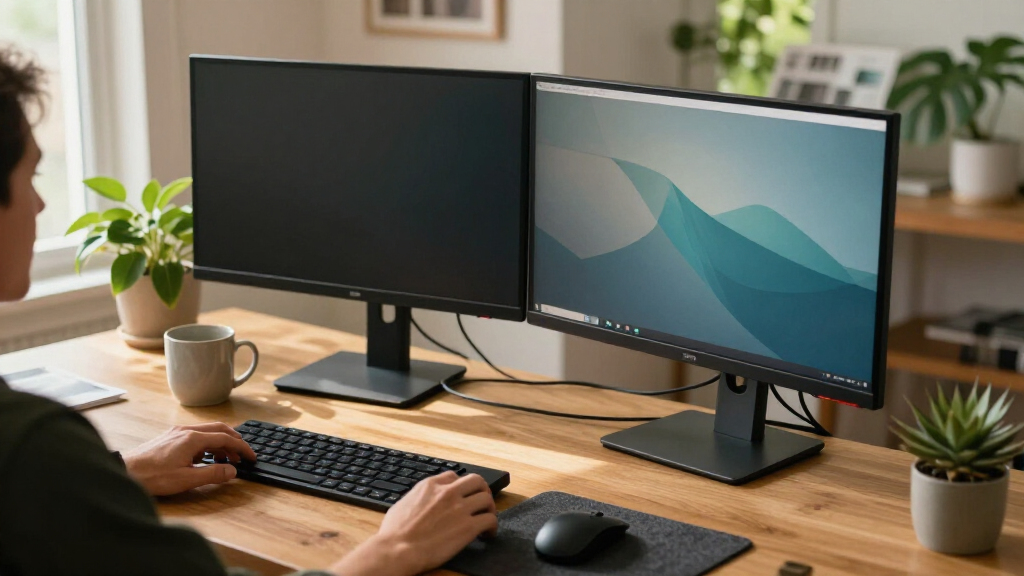
I ranked these 15 dual monitor arms around four factors that actually decide whether a mount succeeds on a real desk. Fit and weight range came first: an arm rated for 13–32 inches with genuine headroom per arm is far safer than one that maxes out exactly where your monitors sit. Adjustment mechanism came second, because the gap between a basic spring arm you wrestle with and a gas spring arm that floats into place defines daily satisfaction. Mounting flexibility — clamp versus grommet versus freestanding base — determined which desks each product could realistically serve. Finally, I weighed build quality and value, judging whether the steel gauge, joint tension and VESA hardware justified the asking price relative to the rest of the lineup.
The ranking order reflects who each arm serves best rather than a single quality score. The top picks handle the broadest range of monitor sizes, desk types and budgets without compromise. Mid-tier entries excel in one dimension — capacity, aesthetics, or a USB hub — while giving ground elsewhere. The budget models stay on the list because they solve the basic problem of lifting two screens off the desk for very little money, provided buyers understand their weight and stability limits before ordering.
| monitor arms for dual monitor | Mounting options |
|---|---|
| VIVO Dual Monitor Desk Mount f | — |
| HUANUO Dual Monitor Stand for | — |
| HUANUO Dual Monitor Desk Mount | — |
| Acer AMS002 Dual Monitor Arm | — |
| HUANUO FlowLift Pro Dual Monit | — |
| HUANUO Dual Monitor Mount for | C-clamp (0.39"–2.56") or grommet (0.39"–2.17") |
| WALI Adjustable Dual Monitor A | C-clamp or grommet base |
| VIVO Dual Monitor Stand for 17 | C-clamp up to 3.1" desks; optional grommet mount |
| ErGear Adjustable Dual Monitor | — |
| VIVO Freestanding Dual Monitor | — |
| ErGear Dual Monitor Stand for | C-clamp or grommet |
| HUANUO 17-32 Inch Stacked Dual | C-clamp or grommet |
| HUANUO Dual Monitor Mount for | C-clamp or grommet |
| Amazon Basics Gas Spring Dual | C-clamp and grommet |
| HUANUO FlowLift Dual Monitor D | C-clamp or grommet |
Factors to Consider When Choosing Monitor Arms For Dual Monitors
Choosing between dual monitor arms comes down to matching the mount to your specific monitors, your desk, and how often you actually move your screens. These are the factors that separated the winners from the also-rans in this comparison.Weight Capacity: Buy Headroom, Not a Perfect Match
The single most common mistake buyers make is treating weight capacity as a pass/fail spec rather than a safety margin. An arm rated for exactly your monitor’s weight will hold it, but the joints run at maximum tension, which causes slow sag over weeks and makes fine positioning frustrating. A good rule of thumb from this comparison: aim for at least 20–30% capacity headroom per arm, especially if you run 27–32-inch panels or any monitor with an internal power brick. The ErGear and HUANUO 22 lbs-per-arm mounts stood out precisely because they keep heavier screens rock-steady without constant re-tightening. Also remember that advertised capacity usually excludes cables and any monitor with a thick rear housing — measure your actual panel weight from the manufacturer spec sheet, not the shipping weight.
Spring Mechanism: Gas Spring vs. Mechanical Spring
Every arm in this roundup uses one of two mechanisms, and the difference shapes your daily experience more than any other feature. Mechanical spring arms (most VIVO, WALI and budget HUANUO models) use friction joints — set them once and they stay put, but repositioning means loosening knobs or fighting stiff joints. Gas spring arms (Acer, Amazon Basics, FlowLift series) float with one finger, which matters enormously if you share a desk, switch between sitting and standing postures, or rotate between landscape and portrait regularly. The tradeoff: gas springs arrive needing tension calibration matched to your monitor weight, and cheap gas cylinders can lose pressure after a couple of years. If you set your monitors once and never touch them, save the money and go mechanical. If you adjust weekly or daily, gas is worth every extra dollar.
Mounting Style: Clamp, Grommet, or Freestanding
Your desk dictates your options before budget ever enters the picture. C-clamps work on most desks but need 2–3 inches of clear edge thickness and can crush cheap particleboard over time. Grommet mounts bolt through a hole in the desk — far more stable, but they require either an existing cable hole or a willingness to drill. Freestanding bases like the VIVO glass-base model sit anywhere with zero attachment, which is the only option for glass desks, sit-stand converters and rental offices, though you sacrifice rear clearance and some height range. Measure your desk edge thickness before ordering; several buyers return arms simply because their desk lip is too thick or has a metal frame in the way. A desk under 0.8 inches thick may flex under a loaded dual arm regardless of mount style.
VESA Compatibility and Screen Size Reality
Nearly every arm here supports VESA 75×75 and 100×100, which covers the vast majority of monitors 32 inches and under — but not all. Some curved ultrawides, monitors with recessed mounting recesses, and certain budget brands use non-standard patterns or require adapter plates, so check your monitor’s rear mounting spec before anything else. Screen size ratings matter less for fit and more for arm geometry: two 32-inch monitors side by side need arms with enough horizontal reach and joint clearance to angle both panels inward without the arms colliding at the center pole. Slim bezels help, but a short-reach arm will leave you with a gap you can’t close. If you run mismatched monitors, verify the arm adjusts independently per side — all the picks here do, but cheap off-list alternatives sometimes share a single height rail.
Height Range and Ergonomic Positioning
The point of a dual arm is getting both screens at eye level, so height range deserves more attention than it usually gets. Your ideal monitor center sits roughly at or just below eye height when seated upright, which for most people means the VESA plate needs to reach 16–20 inches above the desk. Arms with tall center poles, like the VIVO STAND-V002O, make this easy; shorter-pole budget models can leave taller users craning downward even at maximum extension. If you use a sit-stand desk, add your standing eye height to the equation — a gas spring arm earns its price here because cranking friction knobs every time you change posture gets old fast. Portrait-mode users should also check tilt range, since rotated monitors often need negative tilt to sit straight.
Cable Management and Desk Aesthetics
Cable management is the difference between a clean two-screen setup and a floating rat’s nest. The better arms here route power and video cables through hollow arms or along clips, which keeps the float effect convincing — external cables pulling against an arm can also drag a lightweight monitor off its set position. The HUANUO HNDS7 goes further with a built-in USB hub, turning the mount into a docking point, though integrated hubs add a failure point and another cable running to the desk. White finishes like the HUANUO white clamp model look sharp in bright rooms but show scuffs and dust far more than black. None of these features should drive your decision alone, but among two similarly capable arms, integrated cable channels and clip quality are reasonable tiebreakers.
Frequently Asked Questions
Can one dual monitor arm hold two different-sized monitors?
Yes, as long as each arm independently supports that monitor’s weight and size. Every mount in this roundup adjusts each side separately for height, tilt and rotation, so pairing a 24-inch with a 32-inch works fine on arms rated for the larger panel. The main thing to verify is per-arm weight capacity — some budget arms advertise a combined figure that sounds generous but splits unevenly in practice. If your monitors differ by more than 8–10 pounds, strongly favor the 22 lbs-per-arm options like the ErGear steel mount, because a big weight imbalance makes lighter-framed arms twist and sag toward the heavier side. Mixed setups also benefit from gas spring arms, since each cylinder gets tuned to its own monitor.
Will a dual monitor arm damage my desk?
A properly installed C-clamp on solid wood or thick MDF will not damage a desk, but there are real risks with cheaper builds. Clamps concentrate a lot of force on a small area, so thin particleboard desks can develop dents or compression marks over months — use the included padding and avoid over-torquing the clamp screws. Desks under about 0.6 inches thick may also flex visibly under two loaded arms. If your desk is glass, veneer-sensitive, or a sit-stand converter with an unstable edge, a freestanding base like the VIVO STAND-V002FG avoids the problem entirely, at the cost of desk footprint. Grommet mounting is the gentlest long-term option if your desk has a cable hole, since the load spreads across a bolted plate rather than pinched edges.
Is a gas spring arm worth the extra cost over a basic spring arm?
It depends entirely on how often you move your monitors. If you set your screens once and leave them, a mechanical spring arm does the same job for less money with nothing to calibrate and no cylinder to wear out. If you adjust height for sitting versus standing, swivel a screen to show a colleague, or rotate to portrait for reading documents, a gas spring arm pays for itself within weeks — the Acer AMS002 and FlowLift Pro move with one finger while budget arms need knob-loosening and patience. The honest downsides of gas: they need tension calibration when first installed, cylinders can lose pressure after several years, and they demand a sturdy desk because the smooth motion makes cheap desktops wobble. Frequent movers should buy gas; set-and-forget users should not.
What’s the difference between side-by-side and stacked dual monitor arms?
Side-by-side arms place both monitors on the same horizontal plane, which suits most work — you get a wide field of view and natural toggling between screens. Stacked arms like the HUANUO 17–32 inch stacked stand mount one monitor directly above the other, which saves enormous horizontal space and works well for monitoring dashboards, streaming chats, or reference material you glance at rather than work in. The tradeoff is ergonomic: the upper monitor sits above natural eye height unless your desk setup is unusually low, which can strain your neck over long sessions. Stacked mounts also tend to have less flexibility for angling the top screen. Choose side-by-side if you actively work in both screens; choose stacked only if the secondary screen is genuinely occasional-glance material or your desk width can’t fit two panels.
How do I stop my dual monitor arm from sagging or wobbling?
Sag usually has one of three causes, and each has a fix. First, if the arm is near its weight limit, tighten the joint tension screws — most arms include an Allen key for exactly this, and a quarter-turn often cures droop on mechanical spring arms. Second, on gas spring models, adjust the tension cylinder to match your monitor’s weight; under-tensioned cylinders drift downward no matter how careful you are. Third, check the mount itself: a loose C-clamp or an under-torqued pole bolt transfers wobble through the whole system, and this is the most overlooked culprit. If everything is tight and the arm still sags with a heavy 32-inch panel, you’re simply over the realistic capacity — the 22 lbs-per-arm mounts exist for exactly this situation. Persistent wobble on a thin desk usually means the desktop itself is flexing, not the arm.
Conclusion
After comparing all 15 mounts, the right choice maps cleanly to buyer type. For the best overall pick, the VIVO STAND-V002O earns it with the widest practical fit range, a tall pole for proper ergonomic height and dependable stability for typical monitor pairs. The best value buyer should look at the HUANUO dual monitor mount for screens up to 32 inches with 22 lbs per arm, which delivers premium-tier capacity at a budget-tier price — or the HNDS7 if a built-in USB hub sweetens the deal. For a premium experience, the Acer AMS002 gas spring arm offers the smoothest, most effortless repositioning in the lineup, with the HUANUO FlowLift Pro as a strong runner-up for smaller screens.
Beginners who want a no-calibration, install-and-forget mount should start with the WALI or basic HUANUO clamp models — simple friction joints mean nothing to tune and nothing to go wrong. Specific needs round out the list: the VIVO freestanding glass-base stand for glass desks and no-drill workspaces, the HUANUO stacked stand for vertical setups, the ErGear steel mount for heavyweight 32-inch panels, the Amazon Basics gas spring arm for smaller 15–27 inch screens on a gas budget, and the HUANUO white clamp mount for bright, minimal desk builds. Whatever your choice, verify your monitor weights and desk thickness before ordering — that single step prevents nearly every disappointment in this category.
Fall Picks
fall essentials
As an affiliate, we earn on qualifying purchases.