Choosing the right best triple-screen portable monitors requires balancing screen real estate against travel weight. My top overall recommendation is the Mobile Pixels Trio 3 Pro for its exceptional QHD clarity and sleek, detachable design that suits frequent travelers. For those prioritizing raw screen size over portability, the GWSGUT 18.5-Inch Triple Monitor offers immersive workspace expansion ideal for desktop-replacement setups. The main tradeoff here is between portability and resolution; larger screens demand more power and add bulk, while compact units often compromise on pixel density. Read on to see how these thirteen options stack up against each other in build quality, connectivity, and usability.

Get comfort and recovery gear delivered free with Prime
- Fast, free delivery on millions of items
- Prime Video, Amazon Music and more included
- Member-only deals all year
Complete the kit


Key Takeaways
- The Mobile Pixels Trio 3 Pro stands out as the only option with true QHD resolution across all three panels, making it the clear winner for creative professionals who need color accuracy and sharp text.
- Most budget-friendly triple extenders rely on 1080p panels, which can result in noticeable pixelation on 15.6-inch or larger screens when viewed from a standard desk distance.
- Detachable designs, such as the Wixzet 15.6-Inch and Mobile Pixels Trio 3 Pro, offer superior flexibility for solo travel compared to fixed-hinge models that must be carried as a single bulky unit.
- Power delivery limitations are a common pain point; several mid-range options require separate power adapters, negating the benefit of USB-C single-cable convenience found in premium models.
- Software compatibility varies widely, with macOS users often facing driver hurdles on generic brands, whereas established names like KYY and Mobile Pixels provide more robust cross-platform support.
| Portable Triple Laptop Screen Extender with Three 14-Inch IPS Displays |  | Best Balanced Workspace | Screen Size: Three 14-inch displays | Resolution: 1920 × 1200 pixels per display | Aspect Ratio: 16:10 | VIEW LATEST PRICE | See Our Full Breakdown |
| ZUMWALT P7 15.6-Inch FHD Laptop Screen Extender |  | Best Lightweight Aluminum Build | Display Configuration: Two 15.6-inch displays | Resolution: 1920 × 1080 per display | Weight: 4 lb (1.8 kg) | VIEW LATEST PRICE | See Our Full Breakdown |
| XGBFH 16-Inch Triple Portable Monitor Extender, 1920 × 1200 IPS |  | Best Large-Screen Productivity | Display Size: Three 16-inch displays | Resolution: 1920 × 1200 pixels | Color Coverage: 100% sRGB | VIEW LATEST PRICE | See Our Full Breakdown |
| Vixtan 14-Inch Triple Laptop Screen Extender, FHD IPS Portable Monitor |  | Best Driver-Free Compatibility | Screen Size: 14 inches | Resolution: 1920 × 1080 (FHD) | Weight: 3.0 lbs | VIEW LATEST PRICE | See Our Full Breakdown |
| AetherSpark 16-Inch 1200P Triple Portable Monitor Extender |  | Best Slim Profile Design | Display Size: Two 16-inch displays | Resolution: 1920 × 1200 | Thickness: 0.25 inches | VIEW LATEST PRICE | See Our Full Breakdown |
| GWSGUT 18.5-Inch Portable Triple Monitor |  | Best for Immersive Workspace Expansion | Screen Size: 18.5 inches | Resolution: 1920 × 1080 (FHD) | Display Technology: IPS LCD | VIEW LATEST PRICE | See Our Full Breakdown |
| Prechen 16-Inch Triple Touchscreen Portable Monitor |  | Best for Interactive Touch Control | Screen Size: 16 inches | Resolution: 1920 × 1200 pixels | Touchscreen: 10-point capacitive | VIEW LATEST PRICE | See Our Full Breakdown |
| Wixzet 15.6-Inch Detachable Laptop Screen Extender |  | Best for Flexible Configuration | Screen Size: 15.6 inches | Resolution: 1920 × 1080 (FHD) | Folding Angle: 235° | VIEW LATEST PRICE | See Our Full Breakdown |
| Blackview DCM8 15.6-Inch Triple Laptop Screen Extender |  | Best for Power Delivery and Travel | Screen Size: 15.6 inches | Resolution: 1920 × 1200 | Weight: 1 kg (1.8 lb) | VIEW LATEST PRICE | See Our Full Breakdown |
| GAMKD 18.5-Inch 1080p Portable Triple Monitor |  | Best for Desktop Replacement | Screen Size: 18.5 inches | Resolution: 1920 x 1080 pixels | Brightness: 350 cd/m² | VIEW LATEST PRICE | See Our Full Breakdown |
| KYY X90D Triple Laptop Screen Extender |  | Best for Rotating Flexibility | Screen Configuration: Two 15.6-inch displays | Resolution: 1920 x 1080 (Full HD) | Panel Type: IPS LCD with Matte Finish | VIEW LATEST PRICE | See Our Full Breakdown |
| Mobile Pixels Trio 3 Pro 14.1″ QHD Triple Portable Monitor |  | Best Premium Integration | Screen Size: 14.1 inches per side display | Resolution: 2240 x 1400 (QHD) | Connectivity: USB-C with 65W Pass-Through | VIEW LATEST PRICE | See Our Full Breakdown |
| APILDELLA 15.6-Inch Triple Laptop Screen Extender |  | Best for Color Accuracy | Screen Size: Two 15.6-inch displays | Resolution: 1920 x 1080 (Full HD) | Color Gamut: 120% sRGB with HDR support | VIEW LATEST PRICE | See Our Full Breakdown |
| triple-screen portable monitor | Resolution | Screen Size | Weight | Connectivity |
|---|---|---|---|---|
| Portable Triple Laptop Screen | 1920 × 1200 pixels per display | Three 14-inch displays | — | — |
| ZUMWALT P7 15.6-Inch FHD Lapto | 1920 × 1080 per display | — | 4 lb (1.8 kg) | — |
| XGBFH 16-Inch Triple Portable | 1920 × 1200 pixels | — | — | — |
| Vixtan 14-Inch Triple Laptop S | 1920 × 1080 (FHD) | 14 inches | 3.0 lbs | — |
| AetherSpark 16-Inch 1200P Trip | 1920 × 1200 | — | 4.4 lbs | — |
| GWSGUT 18.5-Inch Portable Trip | 1920 × 1080 (FHD) | 18.5 inches | 8.4 pounds | USB-C, USB-A, HDMI, mini HDMI |
| Prechen 16-Inch Triple Touchsc | 1920 × 1200 pixels | 16 inches | — | — |
| Wixzet 15.6-Inch Detachable La | 1920 × 1080 (FHD) | 15.6 inches | 5 lbs | HDMI, USB-A, USB-C, Thunderbolt |
| Blackview DCM8 15.6-Inch Tripl | 1920 × 1200 | 15.6 inches | 1 kg (1.8 lb) | 2 full-featured USB-C ports, 1 PD USB-C port |
| GAMKD 18.5-Inch 1080p Portable | 1920 x 1080 pixels | 18.5 inches | 8.5 pounds | USB-A, USB-C, HDMI |
| KYY X90D Triple Laptop Screen | 1920 x 1080 (Full HD) | — | — | USB-C and USB-A |
| Mobile Pixels Trio 3 Pro 14.1" | 2240 x 1400 (QHD) | 14.1 inches per side display | 4.2 pounds | USB-C with 65W Pass-Through |
| APILDELLA 15.6-Inch Triple Lap | 1920 x 1080 (Full HD) | Two 15.6-inch displays | — | USB-C (DP) and HDMI |
More Details on Our Top Picks
Portable Triple Laptop Screen Extender with Three 14-Inch IPS Displays
This model strikes a strong balance between screen real estate and portability by offering three 14-inch displays instead of the larger 15.6 or 16-inch panels found on competitors like the ZUMWALT P7. The 16:10 aspect ratio provides more vertical space for documents and code compared to standard 16:9 screens, which is a significant advantage for productivity-focused users. Matte finishes on all three panels reduce glare, making it suitable for varied lighting conditions. However, the requirement for driver installation and specific USB-C DP Alt Mode support adds friction to the setup process. While the foldable design is convenient, the 360° rotating side screens are the true differentiator, allowing for portrait modes that fixed-position monitors cannot offer. This makes it ideal for those who need flexible orientation but prefer a slightly smaller footprint than the 16-inch alternatives.
Pros:- Three 14-inch 16:10 IPS displays offer superior vertical workspace
- 360° rotating side panels enable portrait mode for coding or documents
- Matte screen finish minimizes glare in bright environments
- Includes comprehensive cable kit and 35W power adapter
Cons:- Requires driver installation for full functionality
- Single-cable USB-C operation strictly requires DP Alt Mode support
Best for: Programmers and writers who need extra vertical space and flexible screen orientation
Not ideal for: Travelers who prioritize plug-and-play simplicity, as it requires driver installation
- Screen Size:Three 14-inch displays
- Resolution:1920 × 1200 pixels per display
- Aspect Ratio:16:10
- Panel Type:IPS LCD
- Brightness:300 cd/m²
- Compatibility:Windows and MacBook (M1–M4)
Our verdict“This is the best choice for users who value vertical screen real estate and flexible orientation over immediate plug-and-play convenience.”
ZUMWALT P7 15.6-Inch FHD Laptop Screen Extender
At just 4 pounds, the ZUMWALT P7 is notably lighter than the AetherSpark model, making it a compelling option for frequent travelers who still want dual external screens. The aluminum alloy shell provides a premium feel and better heat dissipation than plastic alternatives. While it lacks the third integrated screen of the XGBFH extender, its 15.6-inch size offers a comfortable middle ground between compactness and usability. The 178-degree viewing angle ensures consistent color from side positions, which is vital for multi-screen setups where panels are angled. However, potential buyers must note that some laptops require an additional H5-T cable and external power, complicating the setup compared to models with integrated batteries or simpler cable management. It is a solid pick for those who prioritize build quality and weight over maximum screen count.
Pros:- Lightweight 4 lb aluminum frame reduces travel burden
- Includes carrying bag and essential cables for immediate use
- Wide 178-degree viewing angle supports angled screen positioning
Cons:- Complex setup for some devices requires extra cables and drivers
- Compatibility range stated in title conflicts with spec sheet details
Best for: Frequent travelers who want a durable, lightweight dual-screen extender for 13-17 inch laptops
Not ideal for: Users with older laptops lacking full-function USB-C ports, due to complex cabling requirements
- Display Configuration:Two 15.6-inch displays
- Resolution:1920 × 1080 per display
- Weight:4 lb (1.8 kg)
- Material:Aluminum alloy shell
- Viewing Angle:178 degrees
- Included Accessories:Cables, power adapter, carrying bag
Our verdict“Choose this if you need a robust, lightweight dual-screen solution and are willing to manage extra cables for your specific laptop model.”
XGBFH 16-Inch Triple Portable Monitor Extender, 1920 × 1200 IPS
The XGBFH extender dominates in sheer screen size, offering three 16-inch panels that dwarf the Vixtan 14-inch model. This massive canvas is ideal for multitaskers who need to keep multiple large windows open simultaneously without scaling issues. With 100% sRGB color coverage and 350 nits of brightness, it delivers a vivid visual experience that surpasses the dimmer displays of budget competitors. The built-in aluminum stand with three height settings offers ergonomic flexibility that many foldable-only designs lack. However, this power comes at a cost: it is bulky and requires a full-function USB-C port with DisplayPort support for single-cable operation. If your laptop lacks this, you will be tethered to multiple cables. It is best suited for desk-bound or semi-portable setups where screen real estate outweighs the inconvenience of transport.
Pros:- Three 16-inch displays provide vast workspace for multitasking
- 100% sRGB color gamut ensures accurate visuals for creative work
- Adjustable aluminum stand offers three ergonomic height settings
- 360-degree rotating side screens support flexible layouts
Cons:- Single-cable USB-C connection requires DisplayPort/Thunderbolt support
- Driver installation is necessary for setup on many systems
Best for: Multitaskers and designers who need maximum screen real estate and color accuracy
Not ideal for: Minimalist travelers, as the 16-inch triple-panel design is bulky and heavy
- Display Size:Three 16-inch displays
- Resolution:1920 × 1200 pixels
- Color Coverage:100% sRGB
- Brightness:350 nits
- Stand Features:Built-in aluminum, three height settings
- Power Consumption:45 W
Our verdict“This is the top pick for those who prioritize maximum screen size and color performance over portability and simple setup.”
Vixtan 14-Inch Triple Laptop Screen Extender, FHD IPS Portable Monitor
The Vixtan extender stands out for its driver-free setup, a significant advantage over the Portable Triple Laptop Screen Extender which requires manual driver installation. This makes it far more accessible for users who switch between different laptops or lack administrative privileges to install software. It supports a wide range of operating systems including Windows, macOS, ChromeOS, Android, and Linux natively. The lightweight 3.0 lb design is easier to carry than the heavier ZUMWALT or AetherSpark models. However, it adds only one external screen, not two, despite being part of a triple-screen ecosystem discussion; it acts as a single high-quality extender. Additionally, MacBook M1/M2/M3 users are limited to one external display without a DisplayLink adapter, which undermines its appeal for Apple users without extra hardware. It is best for those who value simplicity and broad OS compatibility over multi-screen density.
Pros:- No driver installation required for Windows, Mac, Chrome, Android, or Linux
- Lightweight 3.0 lb design is highly portable
- Wide 178-degree viewing angle with anti-glare coating
Cons:- MacBook M1/M2/M3 models support only one external screen natively
- May require external power adapter to prevent flickering
Best for: Users who switch between multiple OS environments and want plug-and-play simplicity
Not ideal for: MacBook M-series users who do not want to buy additional DisplayLink adapters
- Screen Size:14 inches
- Resolution:1920 × 1080 (FHD)
- Weight:3.0 lbs
- OS Compatibility:Windows, macOS, ChromeOS, Android, Linux
- Setup:Driver-free
- Screen Finish:Glossy with anti-glare coating
Our verdict“Select this for its hassle-free, driver-free compatibility across diverse operating systems, provided you don’t need multiple external screens on a Mac.”
AetherSpark 16-Inch 1200P Triple Portable Monitor Extender
The AetherSpark extender offers a strikingly slim 0.25-inch thickness, making it one of the thinnest options in this category compared to the bulkier XGBFH model. Its aluminum alloy frame is designed for impact resistance and heat dissipation, addressing common concerns with portable monitors. While it provides two 16-inch screens, its 4.4-pound weight is heavier than the ZUMWALT, which may deter light packers. The 1920 × 1200 resolution matches the superior vertical space of the XGBFH, offering a better aspect ratio for work than the 1080p alternatives. However, using USB-C for full functionality requires two cables, which can clutter a desk setup. This model is best for users who prioritize a sleek, thin aesthetic and decent screen size, but who have enough desk space to manage the dual-cable requirement.
Pros:- Extremely slim 0.25-inch profile for easy storage
- 16:10 aspect ratio provides extra vertical workspace
- Aluminum alloy frame offers durability and heat management
Cons:- Weighs 4.4 pounds, which is heavier than lighter competitors
- Full USB-C functionality requires two separate cables
Best for: Users who want large 16-inch screens with a slim, premium profile and don’t mind dual-cable setups
Not ideal for: Travelers who need the lightest possible option, as it is heavier than aluminum competitors
- Display Size:Two 16-inch displays
- Resolution:1920 × 1200
- Thickness:0.25 inches
- Weight:4.4 lbs
- Frame Material:Aluminum alloy
- Aspect Ratio:16:10
Our verdict“This is the ideal choice for those who want large screens in a sleek, thin package and can accommodate the dual-cable connection.”
GWSGUT 18.5-Inch Portable Triple Monitor
This unit stands out for its 18.5-inch screen real estate, offering a significantly wider field of view than the 15.6-inch or 16-inch competitors like the Wixzet Detachable Laptop Screen Extender. The matte IPS panel reduces glare effectively, making it suitable for bright office environments where glossy screens often fail. While the aluminum construction adds durability, it contributes to a substantial 8.4-pound weight, which limits its appeal for frequent travelers compared to lighter alternatives. It is an excellent choice for those who prioritize screen size over portability, though the need for an external power adapter adds a layer of complexity to setup.
Pros:- Large 18.5-inch screen provides superior multitasking space
- Matte finish minimizes reflections in well-lit rooms
- VESA compatibility allows for flexible mounting options
- Robust CNC-machined aluminum build quality
Cons:- Heavy at 8.4 pounds, making it cumbersome for daily commuting
- Requires a separate power adapter, reducing cable management simplicity
Best for: Users who need maximum screen width for multitasking and have a dedicated travel bag
Not ideal for: Digital nomads who prioritize ultra-lightweight gear and single-cable simplicity
- Screen Size:18.5 inches
- Resolution:1920 × 1080 (FHD)
- Display Technology:IPS LCD
- Color Gamut:120% sRGB
- Weight:8.4 pounds
- Connectivity:USB-C, USB-A, HDMI, mini HDMI
- Mounting:Adjustable stand; VESA 75 × 75 mm
Our verdict“Choose this if you want the largest possible portable workspace and don’t mind the extra weight.”
Prechen 16-Inch Triple Touchscreen Portable Monitor
Unlike the standard non-touch models such as the GWSGUT 18.5-Inch, this monitor adds 10-point capacitive touch support, which is invaluable for designers or presenters who want to interact directly with their canvas. The 1920 × 1200 resolution offers slightly more vertical space than standard 1080p panels, aiding in document viewing. However, the requirement for DisplayLink driver installation and a separate USB connection for touch functionality creates a more complex setup process. It is a powerful tool for specific workflows but demands more technical patience than plug-and-play alternatives.
Pros:- 10-point capacitive touch enables direct screen interaction
- 16:10 aspect ratio provides extra vertical workspace
- Wide 178-degree viewing angles maintain color accuracy
- Folding stand allows for adjustable ergonomic positioning
Cons:- Touch functionality requires an additional USB connection
- DisplayLink driver installation is mandatory for full compatibility
Best for: Creative professionals and presenters who require direct touch interaction with their displays
Not ideal for: Users with limited USB ports or those who refuse to install third-party drivers
- Screen Size:16 inches
- Resolution:1920 × 1200 pixels
- Touchscreen:10-point capacitive
- Brightness:350 cd
- Connections:USB-C and HDMI
- Driver Requirement:DisplayLink driver installation required
- Stand Type:Folding adjustable stand
Our verdict“Ideal for users who value touch interactivity over the simplicity of a driver-free setup.”
Wixzet 15.6-Inch Detachable Laptop Screen Extender
This model distinguishes itself with detachable screens, allowing for over 11 different configurations, whereas fixed units like the Prechen 16-Inch offer only one setup. The ability to rotate screens 90 degrees is particularly useful for coding or reading long documents, a feature absent in many competitors. While the plug-and-play USB-C connection is convenient, the HDMI option still requires extra power cables. Its 5-pound weight strikes a reasonable balance between portability and screen size, making it a versatile choice for mixed-use scenarios.
Pros:- Detachable screens enable over 11 unique setup configurations
- 90-degree rotation supports portrait mode for coding or reading
- Plug-and-play USB-C connectivity eliminates driver needs
- Lighter at 5 lbs compared to larger fixed-frame monitors
Cons:- HDMI connectivity requires an additional USB-A power cable
- Assembly of detachable parts adds time to setup and teardown
Best for: Developers and writers who benefit from portrait mode and varied physical arrangements
Not ideal for: Users who want a single, static monitor setup without the hassle of assembling parts
- Screen Size:15.6 inches
- Resolution:1920 × 1080 (FHD)
- Folding Angle:235°
- Rotation:90°
- Weight:5 lbs
- Connectivity:HDMI, USB-A, USB-C, Thunderbolt
- Compatible Laptop Size:13–17.3 inches
Our verdict“The most versatile option for those who need to adapt their screen layout to specific tasks.”
Blackview DCM8 15.6-Inch Triple Laptop Screen Extender
The Blackview DCM8 excels in portability with its 1 kg weight and 4.5 mm thickness, making it far easier to carry than the GWSGUT 18.5-Inch. A standout feature is the 100W reverse charging, which allows it to power your laptop while extending the display, reducing the number of bricks you need to pack. The TÜV SÜD low blue light certification is a genuine benefit for eye strain during long sessions. However, the glossy finish can be problematic in bright sunlight, unlike the matte options available elsewhere.
Pros:- Ultra-slim 4.5 mm profile and lightweight 1 kg design
- 100W reverse charging powers the host laptop directly
- TÜV SÜD certified low blue light reduces eye fatigue
- Aerospace-grade aluminum body ensures durability
Cons:- Glossy screen finish reflects ambient light significantly
- Resolution specifications are inconsistent in documentation
Best for: Frequent travelers who need a lightweight extender that can also charge their laptop
Not ideal for: Users working outdoors or in brightly lit environments where glare is a major concern
- Screen Size:15.6 inches
- Resolution:1920 × 1200
- Weight:1 kg (1.8 lb)
- Thickness:4.5 mm
- Reverse Charging:Up to 100W
- Eye Care:TÜV SÜD low blue light certification
- Connectivity:2 full-featured USB-C ports, 1 PD USB-C port
Our verdict“The best choice for travelers who prioritize weight savings and integrated power delivery.”
GAMKD 18.5-Inch 1080p Portable Triple Monitor
Sharing similar dimensions to the GWSGUT 18.5-Inch, this monitor focuses on high brightness (350 cd/m²) and a matte IPS panel for clear visibility. It is designed more for semi-permanent setups than on-the-go mobility, evidenced by its 8.5-pound weight and reliance on a power adapter. The VESA mounting support allows it to integrate into existing desk rigs, a feature that many purely portable extenders lack. While the 120% sRGB gamut ensures vibrant colors, the requirement for a driver may annoy users seeking instant plug-and-play functionality.
Pros:- High 350 cd/m² brightness combats ambient light well
- VESA 75 x 75 mm mount compatibility for arm integration
- Wide 120% sRGB color gamut for accurate visuals
- Sturdy aluminum body with a built-in adjustable stand
Cons:- Heavy 8.5-pound build limits portability
- Requires driver installation for optimal performance
Best for: Home office users who want a large secondary display that can mount to an arm
Not ideal for: Commuters who need a lightweight, driver-free solution for coffee shop work
- Screen Size:18.5 inches
- Resolution:1920 x 1080 pixels
- Brightness:350 cd/m²
- Color Gamut:120% sRGB
- Weight:8.5 pounds
- Mounting:Built-in stand; VESA 75 x 75 mm
- Connectivity:USB-A, USB-C, HDMI
Our verdict“A solid desk-bound option for those who want large-screen clarity without strict portability requirements.”
KYY X90D Triple Laptop Screen Extender
The KYY X90D distinguishes itself through its mechanical versatility, offering 0° to 360° screen rotation that few competitors match. While the Mobile Pixels Trio 3 Pro focuses on sleek, fixed-mount integration, the KYY allows users to pivot displays for vertical coding tasks or horizontal video editing without repositioning the laptop. The matte IPS panels reduce glare effectively, making it suitable for bright office environments where the glossy APILDELLA might struggle. However, this flexibility comes with a setup hurdle: driver installation is required, which adds friction for users seeking plug-and-play simplicity. The aluminum build feels sturdy, but the two 15.6-inch screens make it bulkier than compact alternatives like the Vixtan 14-Inch model.
Pros:- Full 360-degree screen rotation supports vertical and horizontal workflows
- Matte finish significantly reduces reflections in well-lit rooms
- Robust aluminum alloy construction with adjustable stand angles
- Wide compatibility across Windows, macOS, and Linux
Cons:- Requires manual driver downloads before first use
- Incompatible with gaming consoles like PS5 and Xbox
- Bulky form factor may strain smaller laptop hinges
Best for: Developers and editors who need vertical screen real estate and frequent orientation changes.
Not ideal for: Users who need instant setup without installing software drivers or console gamers.
- Screen Configuration:Two 15.6-inch displays
- Resolution:1920 x 1080 (Full HD)
- Panel Type:IPS LCD with Matte Finish
- Rotation Range:0° to 360° per screen
- Connectivity:USB-C and USB-A
- Compatibility:Windows, macOS, Chrome OS, Linux
Our verdict“Choose the KYY X90D if you prioritize screen orientation flexibility over plug-and-play convenience.”
Mobile Pixels Trio 3 Pro 14.1″ QHD Triple Portable Monitor
The Mobile Pixels Trio 3 Pro targets users who value a seamless, low-profile aesthetic over raw size. With QHD 1400p resolution, it delivers sharper text than the 1080p KYY X90D, reducing eye strain during intensive document review. The single USB-C cable setup with 65W pass-through charging eliminates the cable clutter common in other extenders like the APILDELLA, which often requires multiple connections. This model mounts directly to the laptop, creating a unified workstation feel. The tradeoff is compatibility; it relies on specific mounting magnets that may not fit every laptop chassis. Additionally, at 4.2 pounds, it adds noticeable weight compared to lighter 14-inch options like the Portable Triple Laptop Screen Extender.
Pros:- QHD resolution offers sharper text than standard 1080p competitors
- Single-cable USB-C connection with 65W charging simplifies desk setup
- Low-profile design integrates seamlessly with laptop aesthetics
- Includes 2-year warranty for added peace of mind
Cons:- Requires specific laptop models for magnetic mounting
- Heavier than many 14-inch portable monitors at 4.2 pounds
- Matte screen and moderate brightness limit outdoor visibility
Best for: MacBook and premium Windows laptop users seeking a clean, cable-managed workspace.
Not ideal for: Budget-conscious buyers or those with laptops lacking compatible mounting surfaces.
- Screen Size:14.1 inches per side display
- Resolution:2240 x 1400 (QHD)
- Connectivity:USB-C with 65W Pass-Through
- Weight:4.2 pounds
- Compatibility:macOS and Windows only
- Warranty:2 Years
Our verdict“This is the premium choice for professionals who demand high resolution and minimal cable clutter.”
APILDELLA 15.6-Inch Triple Laptop Screen Extender
The APILDELLA stands out for creative professionals by supporting HDR and 120% sRGB color gamut, offering superior color reproduction compared to the standard sRGB coverage of the KYY X90D. The glossy IPS panels provide vibrant, high-contrast images ideal for photo editing, though this finish reflects more light than the matte screens on the Mobile Pixels Trio 3 Pro. Setup is straightforward for many devices, but it demands specific port configurations: two USB-C ports with DisplayPort support or a mix of USB-C and HDMI. Users with newer MacBook M1–M4 chips may need an extra adapter, adding cost and complexity. While it folds flat for travel, the included accessories are numerous, creating potential loss risks compared to simpler designs.
Pros:- Supports HDR and 120% sRGB for accurate color work
- Glossy finish provides vibrant, high-contrast visuals
- Includes travel bag and extensive cable kit for various setups
- Folds to 180 degrees for compact storage
Cons:- Glossy screens reflect ambient light in bright environments
- Requires specific USB-C DisplayPort or HDMI port combinations
- Some modern MacBooks require additional adapters for compatibility
Best for: Graphic designers and video editors who require accurate color representation and HDR support.
Not ideal for: MacBook users with base models who lack the necessary ports or want to avoid extra adapters.
- Screen Size:Two 15.6-inch displays
- Resolution:1920 x 1080 (Full HD)
- Color Gamut:120% sRGB with HDR support
- Screen Finish:Glossy IPS
- Connectivity:USB-C (DP) and HDMI
- Included Accessories:Travel bag, multiple cables, power adapter
Our verdict“Pick this model if color accuracy and HDR support are critical to your creative workflow.”
How We Picked
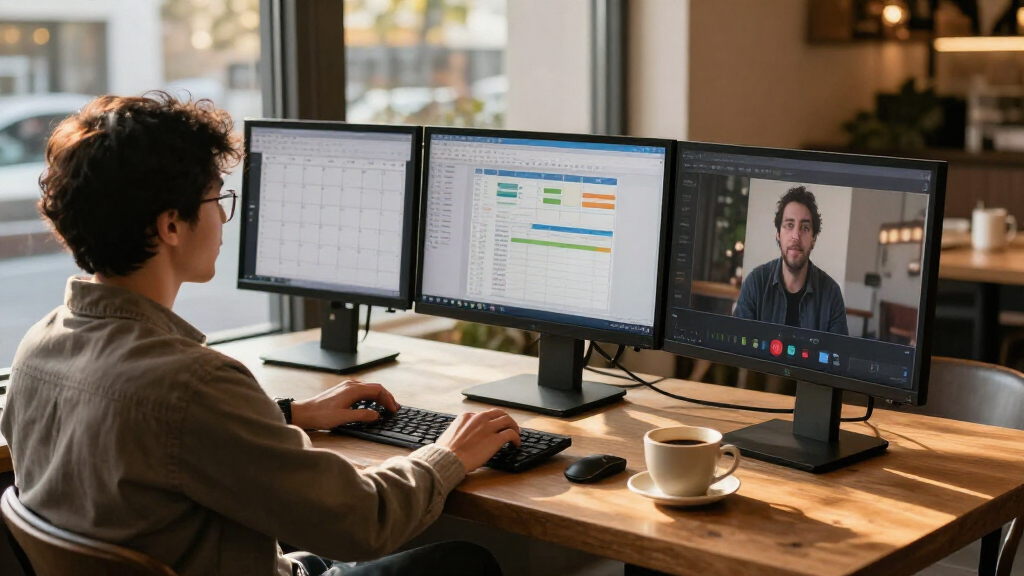
I evaluated these thirteen triple-screen extenders by prioritizing panel quality and connectivity simplicity. The primary filter was resolution consistency; models offering mixed resolutions or low pixel density were disqualified from top-tier spots. I then assessed the physical form factor, specifically looking at how each unit folds, the thickness of the bezels, and the total weight, as these factors dictate whether a laptop extender is truly portable or just a desk accessory.
Secondary criteria included power efficiency and software stability. A monitor extender that drains a laptop battery in two hours fails its core purpose. I also examined the ease of setup, favoring options with plug-and-play USB-C compatibility over those requiring complex driver installations. The final ranking reflects a balance between screen fidelity, build durability, and the practicality of using the device on the go.
Factors to Consider When Choosing Best Triple-screen Portable Monitors
Selecting a triple-screen setup is more complex than buying a single external monitor. You must account for power draw, software compatibility, and physical ergonomics. Here are the critical factors to weigh before making a purchase.Resolution and Panel Technology
Screen resolution dictates how crisp text and images appear. While 1080p (Full HD) is standard for many portable extenders, it can look grainy on screens larger than 15 inches. For professional work involving code, spreadsheets, or design, QHD (2560 x 1440) or 1200P resolutions provide significantly sharper detail. Panel type also matters; IPS panels are preferable for their wide viewing angles and color accuracy, whereas TN panels may wash out when viewed from the side, which is problematic when screens are angled around you. Always check if the specific model supports HDR, as this feature is rare in portable extenders but valuable for media consumption.
Connectivity and Power Delivery
The ideal portable monitor connects with a single USB-C cable that handles both video signal and power. Many budget models require a separate HDMI connection and a dedicated power adapter, cluttering your workspace and draining your laptop’s battery faster. Look for units with Power Delivery (PD) passthrough, which allows your laptop to charge while the monitors are running. If your laptop lacks a Thunderbolt or full-function USB-C port, you will be forced to use HDMI and USB-A, adding bulk and reducing the sleekness of the setup. Verify your laptop’s port capabilities before assuming universal compatibility.
Portability and Form Factor
Not all triple screens fold the same way. Some hinge designs create a thick, heavy stack that is difficult to slide into a backpack sleeve. Others, like the Mobile Pixels Trio 3 Pro, use magnetic or detachable mechanisms that allow you to carry screens separately, reducing bulk. Consider the total weight; adding 3-5 pounds to your laptop bag can make daily commuting exhausting. Also, evaluate the stand mechanism. Built-in kickstands are convenient but often lack adjustability, whereas magnetic or clip-on stands offer more flexibility for different desk heights and angles.
Software Compatibility and OS Support
Plug-and-play is not guaranteed, especially on macOS. Many generic brands rely on Windows DisplayLink drivers or proprietary software that may not support the latest macOS versions. Before buying, check if the manufacturer offers native support for your operating system. For Mac users, brands like Mobile Pixels and KYY often provide better documentation and driver updates. If you switch between devices, look for monitors that support DisplayPort Alt Mode over USB-C, which is the most universal standard. Avoid models that require installing background apps to rotate screens, as these can cause system instability.
Build Quality and Durability
Portable monitors are prone to scratches and hinge fatigue. Look for models with reinforced hinges and protective cases included in the box. The surface material matters too; matte or anti-glare coatings are superior to glossy screens for working in bright environments or near windows. Check reviews for reports of screen flickering or dead pixels, which are common defects in lower-cost assembly lines. A sturdy metal or high-grade plastic chassis will survive travel better than thin, flexible plastic that may warp over time. Warranty length is also a key indicator of manufacturer confidence in their build quality.
Frequently Asked Questions
Can any laptop support a triple-screen portable monitor?
No, not every laptop can handle the bandwidth and power requirements of three external displays. Your laptop needs a USB-C port with DisplayPort Alt Mode or Thunderbolt 3/4 to drive multiple monitors via a single cable. Older laptops with only USB-A ports will require an HDMI splitter or docking station, which adds complexity and may limit the refresh rate. Additionally, the GPU must be capable of rendering three additional screens without severe performance degradation. Always check your laptop’s technical specifications for ‘multi-stream transport’ (MST) support before purchasing.
Do triple-screen extenders drain laptop battery quickly?
Yes, driving three screens consumes significant power, often reducing battery life by 50% or more compared to using the laptop screen alone. Most high-quality extenders feature Power Delivery (PD) passthrough to keep your laptop charged while in use, but this requires a sufficiently powerful power adapter. Without PD passthrough, your laptop battery will deplete rapidly, making these devices unsuitable for long meetings without a power source. Some models include internal batteries, which eliminate laptop drain but add weight and require their own charging cycle. Assess whether you will typically be near an outlet when using the setup.
Is 1080p resolution sufficient for a triple-screen setup?
For general productivity like email and web browsing, 1080p is acceptable on screens up to 15.6 inches. However, for coding, graphic design, or reading dense text, 1080p on a triple setup can cause eye strain due to lower pixel density. QHD or 1200P resolutions are increasingly becoming the standard for premium models because they offer sharper text and more screen real estate for multitasking. If you plan to use the monitors for creative work, investing in higher resolution panels is worth the extra cost to avoid pixelation and ensure long-term comfort.
How do I manage screen arrangement and rotation?
Managing three screens requires software that supports advanced display settings. On Windows, you can arrange displays in the Settings menu, but rotating side monitors to portrait mode often requires specific driver support. Mac users may need third-party utilities like DisplayLink or Sidecar (if compatible) to achieve custom layouts. Some monitors come with proprietary software for easier control, but these can sometimes conflict with OS updates. Look for models that support native OS rotation to avoid the hassle of installing and maintaining extra software.
Are detachable triple monitors better than fixed-hinge models?
Detachable models offer greater flexibility for travel, allowing you to pack screens separately or use only one or two when full expansion isn’t needed. Fixed-hinge models are generally more stable and easier to set up quickly, as they snap into place without alignment issues. However, fixed designs often result in a thicker folded profile, making them harder to fit into slim laptop sleeves. If you travel frequently, a detachable design is usually more practical despite the slight setup time. For stationary home office use, a fixed hinge provides a more robust and seamless experience.
Conclusion
Choosing the best triple-screen portable monitor depends heavily on your specific workflow and travel habits. For those seeking the best overall balance of portability and performance, the Mobile Pixels Trio 3 Pro remains the top choice due to its QHD clarity and detachable design. If you need a budget-friendly option for basic multitasking, the Vixtan 14-Inch Triple Laptop Screen Extender provides solid 1080p performance without breaking the bank. Creative professionals who demand color accuracy should look toward the AetherSpark 16-Inch 1200P for its superior panel quality. Beginners or those with limited desk space might prefer the KYY X90D for its ease of setup and reliable build. Ultimately, match the screen size and resolution to your primary use case, and prioritize power delivery features to keep your laptop running smoothly.