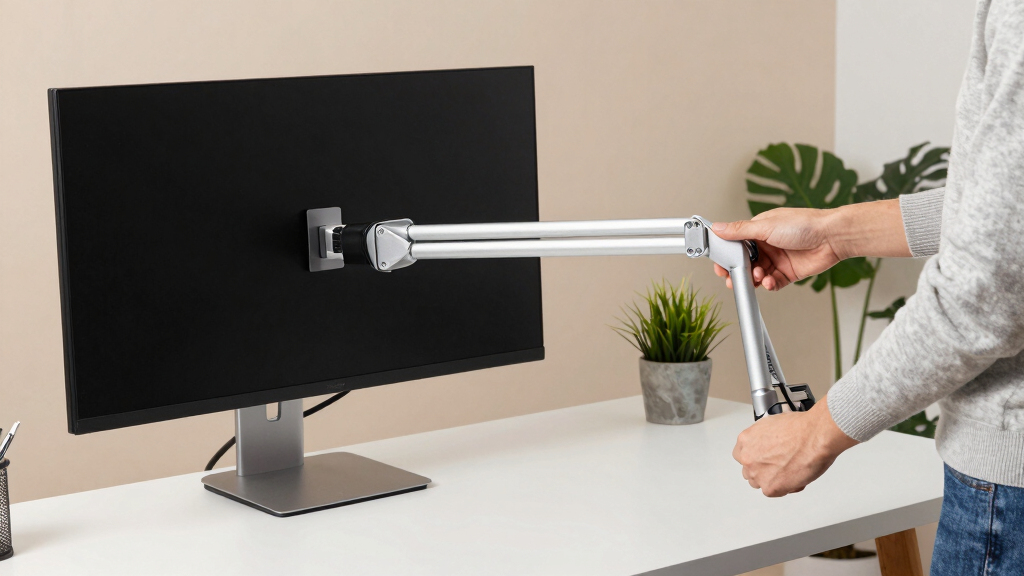

When selecting a monitor arm for ultrawide screens, stability and adjustability become critical due to the increased size and weight. The MountUp Heavy Duty Single Monitor Arm stands out for its robust build and excellent support for large screens. The VIVO Aluminum Ultrawide Monitor Arm offers a sleek design with pneumatic height adjustment, ideal for those seeking a premium look. However, buyers face tradeoffs between maximum weight capacity, ease of installation, and flexibility of movement. Continue reading for a detailed comparison to help you find the best fit for your ultrawide setup.
Key Takeaways
- The highest weight capacity arms tend to be bulkier but provide better long-term stability for large ultrawide monitors.
- Pneumatic height adjustment models offer smoother, more precise positioning but often come at a higher price.
- C-clamp mounting is common and reliable for most desks, but grommet mounts provide cleaner aesthetics and more flexibility.
- Lighter or smaller arms may struggle with larger ultrawides, making durability a key factor for heavy screens.
- Versatility in movement and flexibility varies greatly; premium options generally offer more extensive adjustability.


More Details on Our Top Picks
MountUp Heavy Duty Single Monitor Arm for 27-42 Inch Screens, Supports Up to 33 lbs, Height Adjustable with C-Clamp & Grommet Base
This MountUp model stands out for its robust support of large screens up to 42 inches and 33 lbs, making it ideal for ultrawides that demand stability. Compared with lighter options like the VIVO Single Monitor Arm, it offers greater durability and a higher maximum load, though it may require a sturdier desk and more complex installation. Its space-saving design and full range of tilt, swivel, and rotation make ergonomic adjustments straightforward, especially for professional setups with heavy monitors. The tested durability of over 20,000 cycles promises long-term reliability, but users should be prepared for a potentially challenging installation process due to its heavy-duty construction.
Pros:- Supports large monitors up to 42 inches and 33 lbs
- Flexible tilt, swivel, and rotation for ergonomic comfort
- Durable, tested construction for long-term use
- Space-saving design reduces clutter
Cons:- May require a sturdy desk for optimal stability
- Installation can be complex for some users
Best for: Buyers with large, heavy ultrawide monitors needing maximum stability and long-term durability
Not ideal for: Users with smaller or lighter monitors or those seeking a quick, simple setup
- Supported Screen Size:27-42 inches
- Maximum Load:33 lbs
- Clamp Thickness:0.39-2.76 inches
- Maximum Height:22.1 inches
- Extension Range:up to 23.8 inches
- Rotation:360°
Bottom line: This pick is best suited for users with heavy ultrawide monitors who prioritize stability and durability over quick setup.
The VIVO Premium arm excels at supporting ultrawides up to 49 inches, with adjustable tilt, swivel, rotation, and a pneumatic height spring that allows smooth, effortless positioning. Unlike the MountUp, which focuses on heavy-duty stability, this model offers more precise, easy adjustments suited for frequent re-positioning or dynamic workflows. Its quick-release VESA plate simplifies setup, but the complexity of installation and compatibility considerations—such as desk thickness limits—may challenge some users. The aluminum build provides durability while maintaining a sleek profile, making it a solid choice for those who need frequent ergonomic tweaks without sacrificing stability.
Pros:- Supports ultrawide monitors up to 49 inches
- Pneumatic height adjustment for effortless repositioning
- Quick-release VESA plate for easy mounting
- Sturdy aluminum construction
Cons:- Installation can be complex for non-technical users
- Grommet mount may not fit all desk types
Best for: Professionals who work with large ultrawide monitors and need frequent, precise adjustments
Not ideal for: Users with limited space or those seeking a simple, tool-free setup
- Monitor Size Compatibility:Up to 49 inches (ultrawide)
- Weight Capacity:33 lbs
- Height Adjustment:13 inches pneumatic spring
- Tilt:-30° to +45°
- Swivel:180°
- Mounting Options:Clamp, grommet
Bottom line: Ideal for users with large ultrawide screens who prioritize precise, easy adjustments over a straightforward setup.
VIVO Single Monitor Arm Desk Mount for 13 to 38 inch Screens
This VIVO arm offers support for screens up to 38 inches, which makes it suitable for some ultrawides that fall within this size range. Its full adjustability—tilt, swivel, and rotation—and the inclusion of cable management give it a flexible edge over simpler mounts. Compared to the Heavy Duty Ultrawide options, it has a lower weight capacity of 22 lbs, limiting use with very heavy ultrawides. Installation is straightforward with clamp or grommet options, but users should verify their monitor’s VESA compatibility. This model is well-suited for lighter ultrawides or users on a tighter budget.
Pros:- Supports ultrawides up to 38 inches
- Fully adjustable tilt, swivel, and rotation
- Includes cable management
- Easy to install with clamp or grommet
Cons:- Limited to 22 lbs weight capacity
- VESA compatibility should be checked beforehand
Best for: Home users with mid-sized ultrawides up to 38 inches seeking a budget-friendly, adjustable mount
Not ideal for: Heavy ultrawide monitors exceeding 38 inches or demanding maximum weight capacity
- Maximum Supported Screen Size:38 inches
- Minimum Supported Screen Size:13 inches
- Weight Capacity:22 lbs
- Tilt Range:+90° to -90°
- Swivel:360°
- Mounting Type:Clamp or Grommet
Bottom line: A practical choice for lighter ultrawide screens or users seeking affordability with decent flexibility.
Heavy Duty Monitor Arm for Ultrawide Monitors up to 57″ and 44 lbs, Single Desk Stand, Pneumatic Height Adjustable, Modular Extension Arms – Max VESA 100×100, Black
This Heavy Duty model supports ultrawides up to 57 inches and 44 lbs, surpassing most in size and weight capacity. Its pneumatic height adjustment and modular extension arms cater to multi-monitor setups and dynamic workflows. Unlike the lighter VIVO or FlexiSpot options, it offers a more robust build and higher weight limits, though the heavier construction and complex setup might deter casual users. Its versatile mounting options—C-clamp and grommet—are suitable for a variety of desk types, but the installation process can be involved, especially for those unfamiliar with heavy-duty mounts.
Pros:- Supports ultrawides up to 57 inches and 44 lbs
- Pneumatic height adjustment for smooth repositioning
- Modular extension arms for multi-monitor setups
- Versatile mounting options
Cons:- Complex installation process
- Heavier weight requires sturdy desk support
Best for: Professionals with large ultrawide or multi-monitor configurations needing maximum support and flexibility
Not ideal for: Casual users or setups with limited space or less demanding size requirements
- Maximum Monitor Size:57 inches
- Maximum Load:44 lbs
- VESA Compatibility:75x75mm, 100x100mm
- Height Adjustment:13 inches
- Tilt Range:+25° to -25°
- Mounting Options:C-clamp, Grommet
Bottom line: Best suited for users with very large, heavy ultrawides or multi-monitor setups who need maximum support and flexibility.
FlexiSpot Heavy Duty Monitor Arm for Ultrawide Screens up to 49″
The FlexiSpot arm is tailored for ultrawides up to 49 inches and 44 lbs, offering a gas spring mechanism that delivers effortless, smooth adjustments—ideal for gamers or professionals who shift frequently. Compared to the VIVO or MountUp options, it emphasizes ergonomic comfort with a focus on ease of movement. Its sturdy build and support of large monitors make it suitable for extended use, but its bulk may overwhelm smaller desks, and its tilt range (-90° to 15°) may not suit all ergonomic preferences. Installation is generally straightforward, making it accessible for most users.
Pros:- Supports ultrawide screens up to 49 inches and 44 lbs
- Gas spring mechanism for smooth, effortless adjustments
- Supports multiple mounting options
- Designed for extended ergonomic use
Cons:- Bulky for smaller desks
- Limited tilt range for some ergonomic needs
Best for: Gamers, designers, or professionals who want ergonomic flexibility and effortless positioning
Not ideal for: Users with small desks or those requiring minimal tilt and limited space
- Max Screen Size:49 inches
- Weight Capacity:44 lbs
- Extension Range:up to 24.5 inches
- Tilt Range:-90° to 15°
- Mounting Options:C-clamp, Grommet
- Durability:20,000 cycles
Bottom line: A great choice for users seeking ergonomic, effortless adjustments on large ultrawides, especially for gaming or intensive work.
VIVO Heavy Duty Aluminum Ultrawide Monitor Tension Arm for up to 49 inch Screens, Holds 44 lbs, Black, STAND-V101V
This VIVO tension arm stands out for its ability to support ultra-wide screens up to 49 inches and a hefty 44 lbs, making it ideal for professional or gaming setups that demand stability. Compared with the WALI Ultrawide Single Monitor Arm, it offers a higher weight capacity and more versatile articulation, including a full 360° rotation and 180° swivel, which can be crucial for detailed editing or immersive gaming. The tension-based mechanism allows smooth height adjustments without the need for tools, and cable management keeps the workspace tidy. However, its assembly requires some experience, and its weight might be overkill for smaller monitors or lighter desk setups. This mount is best for users who need maximum stability and flexibility in large ultrawide monitors, and who are comfortable with a slightly complex setup.
Pros:- Supports ultra-wide monitors up to 49 inches and 44 lbs
- Flexible articulation with tilt, swivel, and full rotation
- Easy height adjustment via tension mechanism
- Integrated cable management
Cons:- Assembly can be challenging for less experienced users
- Heavy-duty build may be overkill for smaller monitors
Best for: Professionals or gamers with large ultrawide monitors up to 49 inches and heavy weight requirements
Not ideal for: Casual users or those with smaller, lightweight monitors who may find this mount unnecessarily bulky and complex
- Maximum Screen Size:49 inches
- Supported Weight:44 lbs
- VESA Pattern:75x75mm or 100x100mm
- Desk Thickness Compatibility:up to 3.2 inches with C-clamp, 1.4 inches with grommet mount
- Tilt Range:+50° to -20°
- Swivel:180°
- Rotation:360°
- Height Adjustment:11 inches
Bottom line: This mount suits users seeking maximum support and adjustability for large ultrawide screens, even with a more involved setup process.
WALI Ultrawide Single Monitor Arm for 13-49 Inch Screens, Heavy Duty Gas Spring Mount with C-Clamp or Grommet Base, Supports Up to 44 lbs, Black
The WALI Ultrawide Single Monitor Arm is designed for monitors up to 49 inches and 44 lbs, making it highly suitable for users who want quick and flexible ergonomic adjustments. Unlike the MOUNTUP Ultrawide Mount, which offers a more extensive vertical range, WALI’s gas spring system provides a smooth, stable position that stays put during long gaming or work sessions. Its straightforward mounting options—C-clamp and grommet—make setup relatively quick, and the tilt, swivel, and rotation features ensure ergonomic comfort. Still, its weight might challenge lighter desks or fragile surfaces, and assembly involves some tools. This pick is ideal for users who prioritize easy adjustments, stability, and a hassle-free setup.
Pros:- Supports ultrawide monitors up to 49 inches and 44 lbs
- Smooth, stable gas spring for effortless adjustment
- Multiple mounting options (C-clamp and grommet)
- Full tilt, swivel, and rotation capabilities
Cons:- Heavy construction may stress lighter desks
- Requires some assembly and tools for installation
Best for: Home users or remote workers seeking a sturdy, adjustable ultrawide monitor arm with quick installation
Not ideal for: Users with lightweight desks or those seeking a more minimalist mounting solution, as it can be somewhat heavy and requires tools
- Mounting Type:Tabletop Mount
- Movement Type:Tilt, Swivel, Rotation
- Maximum Tilt Angle:45 Degrees
- Supported Screen Size:13-49 Inches
- Supported Weight:Up to 44 lbs
- VESA Compatibility:75x75mm, 100x100mm
Bottom line: This mount is best for users wanting a reliable, easy-to-adjust ultrawide arm with quick setup and sturdy support.
HUANUO Single Monitor Arm for 13-49 inch Screens with USB, Adjustable Stand, C-Clamp & Grommet Mount
The HUANUO Single Monitor Arm supports screens from 13 to 49 inches, with a weight capacity of 26.48 lbs, making it suitable for users who value connectivity options. Compared to the WALI Ultrawide Arm, this model offers integrated USB ports for data transfer and charging, adding convenience for busy workstations. Its adjustable tilt (+85° to -30°), swivel, and rotation features promote ergonomic positioning. The aluminum build ensures durability, but its lower weight capacity limits support for very heavy or large ultrawide monitors. Additionally, its installation depends on a sturdy desk surface, similar to other models. This arm is perfect for space-conscious users who also need USB connectivity integrated into their setup.
Pros:- Supports monitors up to 49 inches and 26.48 lbs
- Built-in USB ports for charging and data transfer
- Flexible tilt, swivel, and rotation
- Durable aluminum construction
Cons:- Limited weight capacity for very large ultrawides
- Requires a solid, compatible desk surface for stability
Best for: Users who need a versatile, ergonomic mount with built-in USB ports for everyday productivity
Not ideal for: Heavy ultrawide monitors exceeding 26.5 lbs or users with very thick desks that might limit mounting options
- Supported Screen Size:13-49 inches
- Maximum Weight Capacity:26.48 lbs
- Mounting Options:C-Clamp, Grommet
- Tilt Range:+85° to -30°
- Swivel Range:180°
- Rotation:360°
Bottom line: This mount is well-suited for users who want ergonomic flexibility combined with integrated USB features, suitable for moderate-sized ultrawide screens.
WALI Heavy Duty Single Monitor Arm for 17-49 Inch Flat Curved Ultrawide Screens, up to 33 Lbs, Adjustable Gas Spring Single Monitor Desk Mount for Home Office Gaming, VESA 75/100mm (GSM001XLN), Black
The WALI Heavy Duty Ultrawide Monitor Arm supports screens from 17 to 49 inches and up to 33 lbs, making it a strong choice for gamers with curved or flat ultrawides. Its gas spring provides zero-drift stability, setting it apart from models like the MOUNTUP, which may sag over time. Its flexible tilt (up to +75°), swivel, and 360° rotation make ergonomic positioning straightforward during long gaming or work sessions. Its robust steel and aluminum construction ensure durability, but the weight limit might exclude the heaviest ultrawide models, and installation could be tricky for those unfamiliar with mounting hardware. This arm is ideal for gamers or users with curved monitors who need stable, versatile positioning.
Pros:- Supports ultrawide monitors up to 49 inches and 33 lbs
- Gas spring for zero-drift, stable positioning
- Full tilt, swivel, and rotation for ergonomic flexibility
- Heavy-duty steel and aluminum build
Cons:- Limited weight capacity for very large ultrawides
- Installation may require effort and familiarity with hardware
Best for: Gamers or creative professionals with curved ultrawide monitors up to 33 lbs seeking stability and easy adjustments
Not ideal for: Users with extremely heavy ultrawides or those seeking ultra-lightweight, minimalist mounts
- Supported Screen Size:17-49 inches
- Maximum Weight:33 lbs
- VESA Compatibility:75x75mm, 100x100mm
- Tilt Range:+75°
- Swivel Range:180°
- Rotation:360°
Bottom line: This arm is perfect for gamers or curved ultrawide users who prioritize stability and smooth adjustments during intense sessions.
ARES WING Ultrawide Monitor Arm for 17 to 49 Inch Heavy Duty Curved Screen, Holds 44 Lbs, Adjustable Gas Spring Monitor Arm Desk Mount with C Clamp, Grommet Base, 75/100 Vesa Mount, Black
This ARES WING monitor arm stands out for supporting extremely large screens up to 49 inches and a hefty 44 lbs, making it an ideal choice for high-end ultrawides like the Samsung Odyssey G9. Compared with the WALI model, it offers superior build quality and durability, thanks to its steel and aluminum construction, ensuring it won’t sag or lose stability over time. The gas spring mechanism provides smooth, effortless adjustments, helping you find the perfect ergonomic position without fuss. Its full range of motion—tilt, swivel, and rotation—outperforms many competitors, especially for gamers or professionals who need versatility. However, its size and weight mean it’s not suitable for smaller desks or setups where portability matters. The easy dual mounting options (C-clamp and grommet) allow flexible installation, and the cable management keeps your workspace tidy. The tradeoff is that this model’s bulk and weight make it slightly more complicated to install for some users, and it requires a monitor with VESA compatibility or an adapter. Overall, this pick makes the most sense for users with large, heavy ultrawide screens who prioritize stability and flexibility.
Pros:- Supports large monitors up to 49 inches and 44 lbs
- Full range of motion including tilt, swivel, and rotation
- Smooth gas spring adjustment for effortless positioning
- Robust steel and aluminum build ensures durability
Cons:- Heavy and bulky, may be difficult to install on smaller desks
- Requires monitors with VESA mounts or adapters
- Higher price point compared to lighter-duty arms
Best for: Users with large, heavy ultrawide monitors seeking maximum stability and adjustability.
Not ideal for: Small desk setups or users with lightweight, smaller monitors who don’t need such heavy-duty support.
- Supported Screen Size:17 to 49 inches
- Maximum Load:44 lbs
- Mounting Options:C-clamp, Grommet
- Tilt Range:+50° to -20°
- Swivel Range:180°
- Rotation:360°
- Extension:up to 22.4 inches
- Material:Steel and aluminum
- VESA Compatibility:75x75mm, 100x100mm
Bottom line: Ideal for those with large, heavy ultrawide monitors who need a highly stable and flexible mount.
ARES WING Ultrawide Monitor Arm for 13-49 inch Screens, Heavy Duty Adjustable Desk Mount with C-clamp & Grommet Base, Supports Up to 40 lbs, Black
This ARES WING model is designed to handle screens from 13 to 49 inches and supports up to 40 lbs, making it suitable for a wide range of ultrawide and curved monitors. Compared with the B0CRVB3VGL, it offers slightly less weight capacity but remains highly adjustable, with tilt (+45° to -45°), swivel (+90° to -90°), and full 360° rotation, enabling ergonomic setups for both work and gaming. Its simple clamp or grommet installation makes setup accessible on most desks, and the built-in gas spring provides smooth, controlled adjustments. Its support for large, curved ultrawides means it’s better suited for users who want flexibility without the absolute maximum weight capacity. However, its weight limit of 40 lbs is lower than the other model, which might exclude the heaviest ultrawides. Also, it’s only available in black, limiting aesthetic options. This arm makes sense for users with large monitors who want a versatile, full-motion mount that’s easier to install and still highly durable.
Pros:- Supports screens from 13 to 49 inches with up to 40 lbs capacity
- Full motion adjustments including tilt, swivel, and rotation
- Easy clamp or grommet installation for versatile desk compatibility
- Smooth gas spring for effortless repositioning
Cons:- Supports slightly less weight than the B0CRVB3VGL model
- Limited to black color options
- Maximum load may be insufficient for very heavy ultrawides
Best for: Professionals or gamers with large, but slightly lighter ultrawide monitors seeking full motion and easy setup.
Not ideal for: Those with very heavy or extremely large monitors over 40 lbs or who need maximum stability for 49-inch screens.
- Supported Screen Size:13 to 49 inches
- Maximum Load:40 lbs
- Mounting Options:C-clamp, Grommet
- Tilt Range:+45° to -45°
- Swivel Range:+90° to -90°
- Rotation:360°
- Material:Metal
- Supported Desk Thickness:10-45 mm
- VESA Compatibility:75x75mm, 100x100mm
Bottom line: Best for users with large, moderately heavy monitors wanting flexibility and straightforward installation.
HUANUO TitanLift Heavy Duty Monitor Arm for Screens up to 49 inches, Supports 44 lbs, Fully Adjustable Aluminum Ultrawide Screen Mount with Dual C-Clamp
The HUANUO TitanLift is tailored for ultrawide monitors up to 49 inches and supports a substantial 44 lbs, making it an excellent choice for those needing robust support. Compared with the ARES WING models, it emphasizes durability with its aluminum alloy construction and rigorous testing, giving users confidence in stability and longevity. Its extensive adjustability—tilt (+50° to -50°), swivel (180°), and 360° rotation—provides flexible ergonomic positioning, suitable for intense gaming or professional tasks. The arm extends up to 22.5 inches and offers up to 19.6 inches of height adjustment, allowing precise customization. Easy to install with dual C-clamp mounting, it is compatible with large desks but requires enough space to accommodate its size and weight. The main tradeoff is its higher price and the necessity for a sturdy desk with sufficient clamping space. This model is best for heavy ultrawides where durability and maximum adjustment range are priorities.
Pros:- Supports ultrawide monitors up to 49 inches and 44 lbs
- Full range of ergonomic adjustments including tilt, swivel, and rotation
- Durable aluminum alloy construction with rigorous testing
- Extensive extension and height adjustment for precise positioning
Cons:- Higher price compared to basic arms
- Requires a sturdy, sufficiently large desk for installation
- Limited color options (only black)
Best for: Users with large, heavy ultrawide monitors who need a highly durable, fully adjustable mount for demanding use cases.
Not ideal for: Those with smaller, lighter monitors or limited desk space, as the arm’s size and cost may be overkill.
- Supported Screen Size:up to 49 inches
- Maximum Load:44 lbs
- Mounting Options:Dual C-clamp
- Tilt Range:+50° to -50°
- Swivel Range:180°
- Rotation:360°
- Extension Length:up to 22.5 inches
- Material:Aluminum alloy
- VESA Compatibility:75x75mm, 100x100mm
Bottom line: Ideal for users with large, heavy ultrawide monitors needing maximum durability and full adjustability.
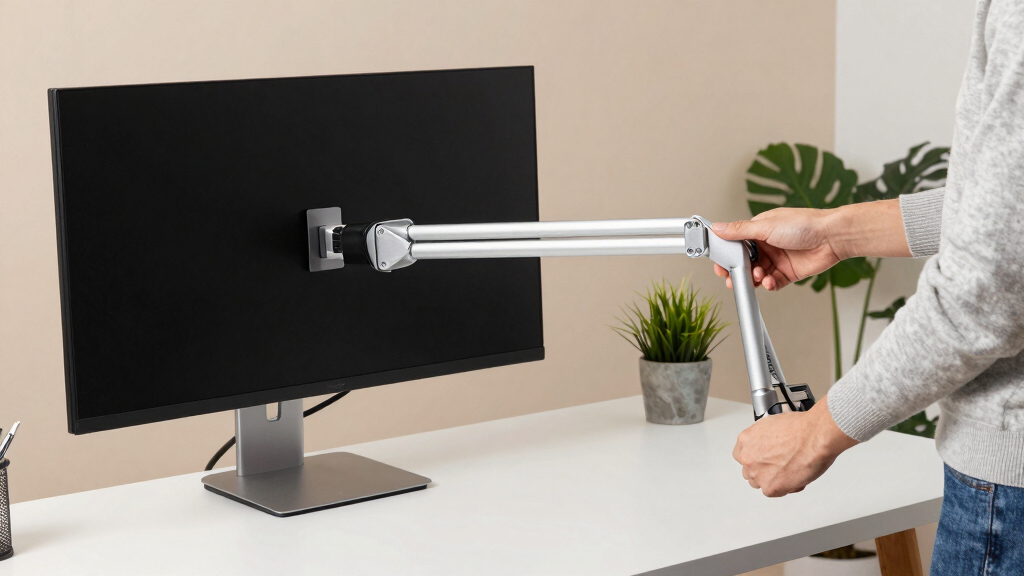
How We Picked
To determine the best monitor arms for ultrawide screens, I focused on key factors such as weight capacity, build quality, ease of installation, and flexibility of movement. Stability is especially important for larger screens to prevent sagging or wobbling over time. I also considered user reviews and manufacturer specifications to evaluate durability and functionality. Products were ranked based on how well they support ultrawide monitors of various sizes, ensuring they provide reliable performance for different setups. The selection aims to balance value, performance, and ease of use for a wide range of users.Factors to Consider When Choosing Monitor Arm For Ultrawide
Choosing the right monitor arm for ultrawide screens involves understanding several critical factors. Beyond just size compatibility, considerations like weight capacity, adjustability, mounting options, and build quality directly impact your experience. Making an informed choice can prevent issues like sagging or instability, especially with larger, heavier monitors. Here are key aspects to focus on to select a model that will serve your needs reliably.Weight Capacity and Screen Size Compatibility
Ultrawide monitors can be significantly heavier than standard displays, so selecting an arm that supports the maximum weight of your monitor is essential. Many models specify support for screens up to 44 or 49 inches, but actual weight limits vary. Exceeding these limits can cause sagging or even damage, so always double-check compatibility. For very large or heavy ultrawides, investing in a model with a higher weight capacity provides peace of mind and long-term stability.
Adjustability and Movement Range
Flexibility in movement—such as tilt, swivel, rotation, and height adjustment—improves ergonomic comfort and workflow efficiency. Pneumatic or gas spring arms typically offer smoother, easier adjustments, which are valuable for frequent repositioning. However, more adjustable models often come at a higher cost and may require more maintenance. If you prefer a set-and-forget solution, simpler manual arms might suffice but could limit your ergonomic options.
Mounting Options and Desk Compatibility
Most monitor arms use C-clamp or grommet mounts, each with advantages. C-clamps are quick to install and remove, suitable for most desk edges, but can sometimes limit clearance underneath. Grommet mounts create a cleaner look and allow more flexibility in positioning but require a suitable hole in your desk. Consider your desk thickness and material, as well as your aesthetic preferences, to choose the right mounting method.
Build Quality and Durability
High-quality materials such as aluminum and steel provide better longevity and stability, especially for ultrawide monitors that exert more force. Cheaper plastic models may be less stable and wear out faster, leading to sagging over time. For frequent adjustments or heavy monitors, investing in a well-built arm ensures consistent performance and reduces the need for replacements.
Additional Features and Price Tradeoffs
Features like cable management, tool-free adjustments, and modular extension arms enhance usability but often increase the price. Decide which features matter most for your setup—if you prioritize clean aesthetics and easy repositioning, a premium model may be worth the investment. Conversely, if budget is a concern, simpler designs can still provide solid performance for standard ultrawides.
Frequently Asked Questions
Can I use a standard monitor arm for an ultrawide monitor?
While some standard monitor arms might support smaller ultrawide screens, many lack the weight capacity and stability needed for larger displays. Ultrawide monitors often weigh more and are larger in size, requiring arms designed specifically for heavier loads. Using a specialized ultrawide-compatible arm ensures stability, reduces sagging, and prolongs the lifespan of both the monitor and the mount.
What is the maximum weight I should look for in an ultrawide monitor arm?
The ideal weight capacity depends on your specific monitor, but generally, selecting an arm that supports at least 10-20% more than your monitor’s weight provides extra security. For most ultrawide monitors, a support of 40-50 lbs is advisable, especially for larger or heavier models. Ensuring this capacity helps prevent sagging and allows for a more stable, long-lasting setup.
Are pneumatic monitor arms better than manual ones for ultrawides?
Pneumatic or gas spring arms offer smoother, more precise adjustments, which can be particularly beneficial with large ultrawide screens. They allow for easier repositioning and fine-tuning of height and tilt, improving ergonomics. However, they tend to come at a higher price and may require occasional maintenance. For users who frequently change positions or need precise control, pneumatic arms are often worth the extra investment.
How important is cable management in a monitor arm for ultrawide screens?
Cable management features help keep your workspace tidy and prevent cords from snagging or pulling on the monitor. For ultrawide setups, where multiple cables may run from the monitor to the PC and peripherals, integrated cable channels or clips are especially useful. While cable management doesn’t influence stability, it enhances aesthetics and safety, making it a valuable feature for many users.
Should I prioritize a premium build or a lower-cost option for my ultrawide monitor?
The choice depends on your usage frequency and monitor size. For daily use with a large, heavy ultrawide, investing in a premium, durable arm with high weight capacity is advisable to avoid sagging and instability. Budget options may work for smaller, lighter ultrawides or occasional use but might require replacement sooner. Balancing cost against expected longevity and performance helps ensure a satisfying setup.