

If you’re searching for a WiFi 7 router, you’re looking at the latest in wireless technology designed to deliver faster speeds, lower latency, and more reliable connections. The NETGEAR Nighthawk RS280S stands out as the best overall choice thanks to its tri-band support and extensive features, making it ideal for busy homes and power users. For those seeking top-tier performance, the TP-Link Archer BE24000 offers quad-band coverage with multi-Gig Ethernet ports, perfect for demanding setups. Meanwhile, the ASUS ROG Strix GS-BE12000 is tailored for gamers who need ultra-low latency and high stability. The main tradeoffs in this category involve balancing price against features and coverage, with more advanced models often coming at a premium. Continue reading for a detailed breakdown of each option and what makes them stand out.
Key Takeaways
- Tri-band WiFi 7 routers generally provide better coverage and stability, especially in larger homes.
- Multi-Gig Ethernet ports are increasingly common and essential for wired connections demanding high bandwidth.
- Premium features like touch screens and advanced security are typically found on higher-end models.
- Coverage area and device support vary widely; select a router based on your specific size and device needs.
- Price correlates strongly with features; balance your budget with the critical features you need most.


More Details on Our Top Picks
NETGEAR Nighthawk Tri-Band WiFi 7 Router (RS280S)
The NETGEAR Nighthawk RS280S stands out for its combination of high speeds, broad coverage, and security features. With speeds up to 9.2 Gbps and coverage of 2,500 sq. ft., it comfortably serves large households with multiple demanding devices. Compared to the NETGEAR BE9300, it offers a slightly lower speed ceiling but includes a built-in security subscription, making it more appealing for security-conscious users. A key tradeoff is the need for a separate cable modem, which adds to setup complexity. This router is ideal for gamers and streamers who want reliable, fast WiFi without fussing over modem compatibility.
Pros:- Blazing-fast WiFi 7 speeds up to 9.2 Gbps for gaming and streaming
- Large coverage area of 2,500 sq. ft. ensures broad household WiFi
- Multiple high-speed wired ports including 2.5 Gbps support
- Built-in security with 1-year NETGEAR Armor subscription
Cons:- Requires a separate cable modem for internet connectivity
- No integrated modem, adding to initial setup complexity
Best for: High-demand households needing reliable, high-speed WiFi with security features
Not ideal for: Users with limited space or those who prefer an all-in-one modem/router solution
- WiFi Standard:WiFi 7
- Speed:up to 9.2 Gbps
- Coverage:up to 2,500 sq. ft.
- Internet Port:2.5 Gig
- Ethernet Ports:2 x 2.5 Gig, 2 x 1 Gig
- Dimensions:9.8 x 5.9 x 4 inches
Bottom line: This router suits tech-savvy users seeking top-tier speed and security with extensive coverage.
TP-Link Dual-Band Wi-Fi 7 Router Archer BE230 (BE3600) with 4-Stream, 2.5G Ports, USB 3.0, Quad-Core Processor, 4 Antennas, Mesh Support, HomeShield
The TP-Link Archer BE230 offers a solid dual-band Wi-Fi 7 experience with speeds up to 3.6 Gbps, making it well-suited for users who want to expand their network through mesh systems like EasyMesh. Compared with the NETGEAR Nighthawk RS280S, it provides slightly lower speeds but excels in mesh support, ideal for large, multi-room homes. Its quad-core processor ensures smooth performance even with many devices, but it lacks 6 GHz support, which can limit future-proofing. This router best serves households prioritizing seamless mesh expansion over raw maximum speed.
Pros:- Supports Wi-Fi 7 with reliable dual-band performance
- Seamless mesh network compatibility for large homes
- Multiple high-speed ports including 2.5 Gbps
- Powerful quad-core processor for multi-device handling
Cons:- No support for the 6 GHz band, limiting speed potential
- Requires a separate modem, adding to setup complexity
Best for: Smart home owners wanting reliable mesh WiFi with decent speeds
Not ideal for: Gamers or streamers requiring ultra-high speeds or 6 GHz support
- Wi-Fi Standard:Wi-Fi 7
- Speed:Up to 3.6 Gbps
- Coverage:Up to 2,000 sq. ft.
- Ports:1×2.5 Gbps WAN/LAN, 3×1 Gbps LAN
- Processor:Quad-Core 2.0 GHz
- Antennas:4 internal antennas
Bottom line: This pick is ideal for smart home owners seeking flexible, expandable WiFi coverage with decent speed.
NETGEAR Nighthawk WiFi 7 Router (BE9300)
The NETGEAR Nighthawk BE9300 delivers speeds up to 9.3 Gbps and tri-band connectivity, including the 6 GHz band, making it a powerhouse for gaming, streaming, and multi-device households. Compared to the RS280S, it offers similar high-end speeds but with tri-band technology that better supports multiple high-bandwidth activities simultaneously. Its large coverage of 2,500 sq. ft. and multi-gig support makes it a versatile choice, but it still requires a separate modem, which could complicate setup. This router is best suited for users who need maximum speed and multi-band support for intense online activities.
Pros:- Extremely fast speeds up to 9.3 Gbps for demanding applications
- Tri-band with 6 GHz support for minimized interference
- Wide coverage of up to 2,500 sq. ft.
- Supports multiple devices with high-performance wired and wireless connections
Cons:- Requires a separate modem, increasing initial setup effort
- Limited to U.S. use; not suitable for international markets
Best for: Gamers and streamers seeking ultra-fast speeds and wide coverage
Not ideal for: Users on tight budgets or those who prefer integrated modem/router units
- Speed:up to 9.3 Gbps
- WiFi Bands:Tri-band (including 6 GHz)
- Coverage:2,500 sq. ft.
- Ports:2.5 Gigabit Ethernet, two 1 Gigabit LAN
- Dimensions:9.8 x 5.9 x 4 inches
Bottom line: This router is ideal for serious gamers and streamers needing top-tier, multi-band performance.
TP-Link Archer BE24000 Quad-Band WiFi 7 Router (Archer BE900) with Dual 10 Gbps Multi-Gig Ethernet Ports and Touch Screen
The TP-Link Archer BE24000 pushes the boundaries with speeds up to 24.4 Gbps across four bands, including dual 10 Gbps Ethernet ports and a built-in touchscreen. Compared to the BE9300, it offers vastly higher speeds and more ports, targeting advanced home networks that demand maximum throughput. Its extensive coverage and 12 antennas ensure stable connections across large spaces, but the price and complexity might be overwhelming for casual users. This router is perfect for tech enthusiasts and homes with heavy data transfer needs, but overkill for average users.
Pros:- Incredibly fast WiFi speeds up to 24.4 Gbps
- Multiple multi-gig Ethernet ports including 10 Gbps options
- User-friendly touchscreen for easy management
- Extensive coverage with 12 high-gain antennas
Cons:- High price point limiting accessibility
- Requires a separate modem; setup can be complex
Best for: Power users and large households with intensive data needs
Not ideal for: Budget-conscious users or those seeking simple plug-and-play solutions
- WiFi Standard:WiFi 7
- Max Speed:24.4 Gbps
- Bands:Quad-band
- Ethernet Ports:1×10 Gbps WAN/LAN, 1×10 Gbps Ethernet/Fiber, 4×2.5 Gbps, 1×1 Gbps
- Touch Screen:Yes
- Coverage:up to 3,000 sq. ft.
Bottom line: This router makes the most sense for tech-savvy users needing maximum speed and extensive wired connectivity.
TP-Link Archer BE12000 Tri-Band Wi-Fi 7 Router with 6GHz Band and 10G Connectivity
The TP-Link Archer BE12000 offers a highly advanced tri-band setup with speeds up to 5,765 Mbps on the 6 GHz band, combining high performance with extensive coverage of 3,000 sq. ft. thanks to its six antennas. Compared to the BE9300, it adds the latest 6 GHz band for lower latency and higher speeds, making it ideal for cutting-edge smart homes. The inclusion of 10 Gbps ports and support for WPA3 security ensures readiness for future devices, but its complexity and higher price could deter less technical users. This router is best for those seeking a future-proof, high-speed network with top-tier features.
Pros:- Fast Wi-Fi 7 speeds with 6 GHz band for minimal interference
- Extensive coverage with 6 high-gain antennas
- Multiple high-speed ports, including 10 Gbps options
- Support for WPA3 security and easy app setup
Cons:- Complex setup for non-technical users
- Higher price point may be prohibitive for some
Best for: Tech enthusiasts and smart home owners seeking top-tier speed and future-proof features
Not ideal for: Average users or small households with basic internet needs
- Wi-Fi Bands:Tri-band (6 GHz, 5 GHz, 2.4 GHz)
- Max Speed:5,765 Mbps
- Coverage:up to 3,000 sq. ft.
- Ports:10 Gbps WAN/LAN, 2.5 Gbps, three 1 Gbps
- Antennas:6 high-gain antennas
- Security:WPA3
Bottom line: This router is perfect for tech-savvy users wanting the latest WiFi 7 features and maximum future-proofing.
TP-Link Tri-Band WiFi 7 Router (Archer BE550) – BE9300
The TP-Link Archer BE550 stands out as the best overall choice for those seeking a balanced combination of speed, coverage, and security. Its tri-band setup delivers up to 9.2 Gbps, making it ideal for demanding tasks like 4K streaming and gaming, especially when compared with dual-band options like the NETGEAR RS90, which offers lower speeds. The inclusion of six antennas and full 2.5G ports provides extensive coverage and fast wired connections, though setup might challenge less tech-savvy users. While the premium price reflects advanced features, it’s justified for users wanting a truly future-proof network. However, it requires a compatible modem and a slightly more complex setup for some. This pick makes the most sense for large households with multiple high-bandwidth devices who want excellent security and expandability.
Pros:- High-speed WiFi 7 performance up to 9.2 Gbps
- Full 2.5G ports for future-proof wired connections
- Supports EasyMesh for seamless network expansion
- Robust TP-Link HomeShield security
Cons:- Requires compatible modem for internet access
- Setup can be complex for non-technical users
Best for: Tech-savvy homeowners with demanding internet needs and a compatible modem
Not ideal for: Casual users or those with limited technical experience due to setup complexity
- Model:Archer BE550
- WiFi Technology:WiFi 7
- Speed:Up to 9.2 Gbps
- Bands:Tri-band (6 GHz, 5 GHz, 2.4 GHz)
- Number of Antennas:6
- Ports:1 x 2.5G WAN, 4 x 2.5G LAN
- Coverage:Up to 2,000 sq. ft.
- Features:EasyMesh, VPN support, WPA3 encryption, Beamforming, HomeShield security
Bottom line: This router suits households needing top-tier speed and security with room to grow, but may be overkill for simple setups.
NETGEAR Nighthawk Dual-Band WiFi 7 Router (RS90)
The NETGEAR Nighthawk RS90 offers a straightforward dual-band WiFi 7 solution with speeds up to 3.6 Gbps, making it suitable for moderate streaming and gaming. Compared to the TP-Link BE600, which supports up to 120 devices and offers extensive coverage, the RS90’s dual-band setup limits maximum bandwidth and may struggle with densely populated networks. Its 2.5G port supports multi-gig speeds, but the lack of tri-band flexibility means less future-proofing. Setup is simplified with the Nighthawk app, appealing to users who prioritize ease of use over maximum performance. However, it requires a separate modem and is primarily designed for U.S. markets, which could limit international users. This router makes sense for small to medium households wanting a quick setup without the complexity of high-end features.
Pros:- Easy setup via Nighthawk app
- Supports WiFi 7, offering future-proofing
- Good coverage for small to medium homes
- Includes a 2.5G port for fast wired connections
Cons:- Limited to dual-band, reducing maximum speeds and capacity
- Requires separate modem, adding to overall cost
Best for: Home users seeking reliable WiFi 7 with minimal fuss and moderate device loads
Not ideal for: Power users with high bandwidth demands or large households with many devices
- Product Type:Dual-band WiFi 7 Router
- Wireless Speed:up to 3.6 Gbps
- Coverage Area:2000 sq. ft.
- Device Capacity:50 devices
- Internet Port:2.5 Gig
- Frequency Band:Dual-Band
- Compatibility:802.11.be
- Features:WiFi 7, Security, NETGEAR Armor
Bottom line: This router fits households wanting simple, reliable WiFi 7 without the high price or complex configuration.
TP-Link Tri-Band WiFi 7 Router (Archer BE600) with 10G Port and HomeShield Security
The TP-Link Archer BE600 is designed for large, device-rich environments, supporting up to 120 devices across its extensive coverage of 2,600 sq. ft. It delivers up to 9.7 Gbps across tri-band channels, making it suitable for streaming 8K content, gaming, and extensive smart home setups. Compared to the BE550, which is more streamlined for typical households, the BE600’s multi-gigabit ports and high device support cater to demanding users. Its setup can be complex, especially for those unfamiliar with advanced network configurations, but the security features—HomeShield, VPN, parental controls—are comprehensive. Its size and complexity might be overkill for smaller spaces. This router makes sense for those needing maximum capacity, multi-gigabit wired ports, and a highly scalable network.
Pros:- High-speed tri-band WiFi 7 with 9.7 Gbps total bandwidth
- Supports up to 120 devices simultaneously
- Multi-gigabit ports, including 10 Gbps WAN/LAN
- Advanced security features with HomeShield and VPN
Cons:- Setup may be challenging without technical knowledge
- Large size may not suit small spaces
Best for: Large households or smart-home enthusiasts with many devices and high bandwidth needs
Not ideal for: Users with small spaces or simple network requirements who find setup daunting
- WiFi Technology:WiFi 7
- Total Bandwidth:9.7 Gbps
- Coverage:2,600 sq. ft.
- Device Capacity:120 devices
- Ports:1x 10 Gbps WAN/LAN, 1x 2.5 Gbps WAN/LAN, 3x 2.5 Gbps LAN, USB 3.0
- Antenna:6 with Beamforming
- Processor:Quad-core CPU
- Security:HomeShield, VPN, parental controls
Bottom line: This router is best for tech-heavy households needing maximum capacity and advanced wired connectivity, but it’s complex to configure.
ASUS ROG Strix GS-BE12000 WiFi 7 Tri-Band Router
The ASUS ROG Strix GS-BE12000 excels as a high-end gaming router, offering tri-band speeds up to 12,000 Mbps and coverage of 3,000 sq. ft.—making it a standout for gamers and streamers demanding maximum bandwidth. Its quad-core 2.0GHz CPU and 20G wired capacity surpass most competitors, including the TP-Link BE600, providing a smooth experience for multiple high-bandwidth activities. While its speed and coverage are unmatched, its high price and large footprint could be prohibitive for casual users. The setup process is more involved, given its advanced security and gaming optimizations. This router makes sense for dedicated gamers and power users who prioritize speed and network stability over simplicity.
Pros:- Incredible WiFi speeds up to 12,000 Mbps
- Coverage up to 3,000 sq. ft.
- Multiple wired ports including 20G capacity
- Advanced security and gaming optimizations
Cons:- High cost limits accessibility
- Large size requires significant space
Best for: Gaming enthusiasts and power users with high bandwidth needs and space for large hardware
Not ideal for: Users seeking an easy plug-and-play setup or budget-friendly options
- Max WiFi Speed:12000 Mbps
- WiFi Bands:Tri-band
- Coverage:3000 sq. ft.
- Wired Capacity:20G
- CPU:Quad-core 2.0GHz
- Ports:1x 2.5G WAN, 7x 2.5G LAN
- Security:Triple-Level Security, AiProtection Pro
Bottom line: This router is perfect for gamers and high-performance users willing to invest in maximum speed and coverage, though it’s complex and expensive.
TP-Link BE6500 Dual-Band WiFi 7 Router (BE400) with 2.5Gbps Ports, USB 3.0, Covers 2,400 sq. ft., Supports 90 Devices, Quad-Core CPU, HomeShield Security
The TP-Link BE6500 offers a solid balance of speed, coverage, and ease, supporting up to 90 devices over 2,400 sq. ft. with dual-band WiFi 7. Its maximum speeds of over 5.7 Gbps across both bands are sufficient for most streaming, gaming, and smart home needs, outperforming many dual-band routers like the NETGEAR RS90 in bandwidth. The 2.5 Gbps ports and quad-core CPU provide robust wired and wireless performance, while the HomeShield security suite adds peace of mind. Its setup is straightforward with the Tether app, though advanced features may be complex for some. The price is fairly high, but the combination of performance and user-friendly features makes it suitable for larger homes that want reliable WiFi without the complexity of top-tier models.
Pros:- Supports WiFi 7 with high speeds over 2,400 sq. ft.
- Supports up to 90 devices simultaneously
- Includes 2.5 Gbps wired ports for fast connections
- Easy setup via Tether app
Cons:- Limited to dual-band, reducing maximum throughput compared to tri-band models
- Premium price for a dual-band router
Best for: Home users who want reliable WiFi performance with simple setup and solid coverage
Not ideal for: Power users or large households with very high bandwidth demands needing tri-band or multi-gigabit ports
- Wi-Fi Technology:Wi-Fi 7
- Max Bandwidth:5764 Mbps (5GHz), 688 Mbps (2.4GHz)
- Coverage:2,400 sq. ft.
- Device Support:Up to 90 devices
- Ports:1x 2.5 Gbps WAN/LAN, 1x 2.5 Gbps LAN
- Antenna Count:6
- Security:HomeShield, WPA3
- Processor:Quad-core CPU
Bottom line: This router is a solid choice for larger homes seeking reliable WiFi 7 with straightforward setup and coverage, but it doesn’t offer the capacity of more advanced tri-band options.
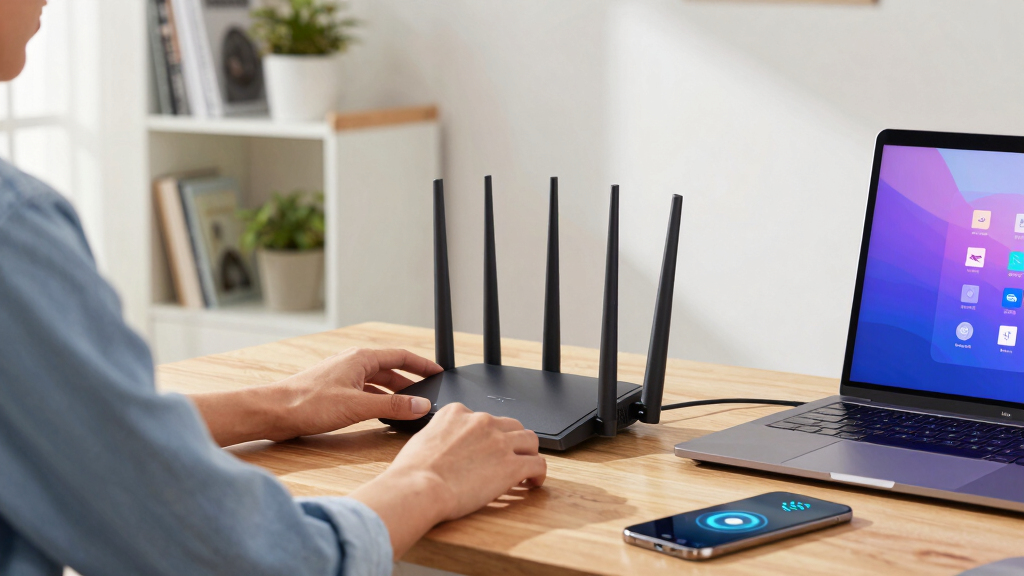
How We Picked
Each router was evaluated based on performance, build quality, feature set, ease of use, and value for money. We prioritized models that support the latest WiFi 7 standards, ensuring fast, reliable connections across multiple devices. The ranking also considers the breadth of features like multi-Gig ports, security options, and coverage area, which influence real-world usability. We aimed for a diverse lineup that caters to different user needs—whether for high-end gaming, large households, or budget-conscious buyers—so the top picks reflect a balance of innovation, practicality, and cost-effectiveness.Factors to Consider When Choosing Wifi 7 Router
Choosing a WiFi 7 router involves weighing several factors that go beyond raw speed. The right device depends on your home’s size, the number of connected devices, and your specific use case—whether gaming, streaming, or smart home integration. Understanding these factors can help you avoid common pitfalls like overpaying for unnecessary features or underestimating coverage needs.Coverage Area and Device Support
Before buying, consider the size of your home and the number of devices you’ll connect. Larger spaces or multiple floors benefit from routers with higher power and multiple bands, especially tri-band models. Devices like smart TVs, gaming consoles, and PCs demand steady bandwidth, so opt for routers with enough capacity and support for current WiFi standards to prevent bottlenecks.
Wired Connectivity and Ports
While WiFi is key, wired connections still matter for stability and speed, particularly for gaming or workstation setups. Look for routers with multi-Gig Ethernet ports, which allow you to connect directly to high-speed internet or local storage devices. Overlooking port options can limit your network’s potential, especially as internet speeds continue to climb.
Security and Management Features
Modern routers come with integrated security features like HomeShield or custom firewalls, which help protect your network from threats. Easy-to-use management apps and firmware updates also enhance usability and security over time. Avoid models with outdated security protocols or complex interfaces that hinder regular maintenance.
Price and Future-Proofing
Higher-priced routers often include more advanced features like multi-Gig ports, extensive security, and broader coverage, but they may be more than you need. Consider your current and future needs—investing in a slightly more capable model can provide better longevity, especially as internet demands grow and new devices appear.
Ease of Setup and Use
Simplicity matters, especially if you’re not tech-savvy. Many WiFi 7 routers now offer streamlined setup through mobile apps, but some models still require advanced configurations. Reading reviews about user interface and support can save you frustration, ensuring your new router gets up and running smoothly.
Frequently Asked Questions
Is WiFi 7 worth upgrading to now?
Upgrading to WiFi 7 makes sense if you have a high-speed internet plan and multiple devices demanding excellent performance. While WiFi 7 devices are still emerging, early adoption can future-proof your network, providing better speeds and lower latency for demanding tasks like gaming and 4K streaming. However, if your current setup meets your needs, waiting might be reasonable until the ecosystem matures further.
Do I need a tri-band WiFi 7 router for my home?
Tri-band routers are ideal for larger homes or environments with many connected devices, as they distribute traffic more efficiently across multiple bands. If your space is small or your device count is low, dual-band models may suffice and save you money. Consider your household’s size and device load before opting for the added complexity of tri-band support.
Can I use a WiFi 7 router with my existing devices?
Yes, WiFi 7 routers are backward compatible with previous WiFi standards, so your existing devices will still connect. However, to enjoy the full benefits like higher speeds and lower latency, your devices also need to support WiFi 7. For now, most devices will operate normally, but the best experience comes when both router and client devices support the new standard.
What features should I prioritize in a WiFi 7 router?
Prioritize features that match your use case: for high-demand activities like gaming, look for low latency and QoS settings; for smart homes, robust security and coverage are key. Multi-Gig Ethernet ports and support for multiple bands are also important if you need wired speed or extensive coverage. Balancing these features against your budget will help you find the right fit.
How important is security in choosing a WiFi 7 router?
Security is increasingly critical as more devices connect to your network. Look for routers with integrated security features like advanced firewalls, automatic updates, and parental controls. A router that prioritizes security can prevent breaches and protect sensitive information, especially if you have smart home devices or work-from-home setups.
Conclusion
For most users seeking the best overall experience, the NETGEAR Nighthawk RS280S delivers a reliable, feature-rich option that balances speed, coverage, and ease of use. Budget-conscious buyers should consider the TP-Link BE6500 for solid performance at a lower price point. Gamers and power users will find the ASUS ROG Strix GS-BE12000 excels in low latency and stability. For those who need extensive coverage and high-end features, the TP-Link Archer BE24000 offers a premium solution. Ultimately, your choice depends on your home size, device load, and budget—match the model to your specific needs for the best experience.


