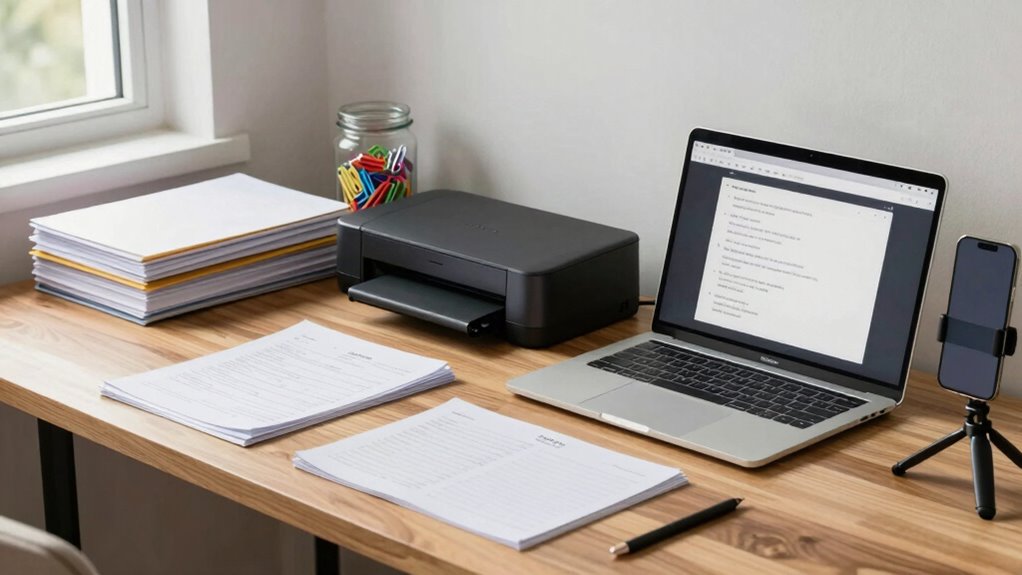

To build a better paper-to-digital system at home, start by gathering and sorting your documents into important and unnecessary items. Use quality scanners or mobile apps to create clear, well-named files, and organize them into a structured folder system with broad categories and subfolders. Regularly back up your files and remove duplicates. Focus on consistency and routine maintenance to keep everything organized and accessible. If you keep these steps in mind, you’ll discover more tips to optimize your system.

Get comfort and recovery gear delivered free — and shop member deals
- Fast, free delivery on millions of items
- Access to Prime Big Deal Days deals on October 6–7
- Prime Video, Amazon Music and more included
Key Takeaways
- Establish a consistent folder hierarchy with clear categories and descriptive file naming conventions for easy retrieval.
- Use high-quality scanners or apps to ensure clear, legible digital copies.
- Regularly review and delete outdated or duplicate files to keep your system organized.
- Schedule routine backups to cloud storage or external drives for data security.
- Incorporate tagging or metadata to enhance searchability and streamline document management.

Turning your cluttered paper piles into an organized digital system can feel overwhelming, but with a clear plan, you can do it efficiently at home. The key is to focus on effective digital archiving and file organization. Start by gathering all your paper documents in one place so you can see what needs digitizing. Sort through them quickly, setting aside important papers you’ll want to keep in physical form—like legal documents or sentimental items—and others that can be scanned and stored digitally. This initial step saves you from unnecessary duplication later.
Organize your papers first, then digitize what you can to save time and reduce clutter effectively.
Next, choose a reliable scanning method. You can use a flatbed scanner or a mobile app designed for document scanning. Make sure the scans are clear and legible, with high enough resolution to read text easily. As you scan, name each file descriptively so you can find it easily later. Use dates, categories, or keywords that make sense to you, which will streamline your file organization process. When naming files, consistency is vital—stick to a naming convention that you’ll remember and use throughout.
Once scanned, create a structured folder system on your computer or cloud storage. Think about broad categories like “Financial,” “Medical,” “Receipts,” or “Personal Records,” and then subdivide them into more specific folders if needed. This hierarchical structure makes it easier to locate documents quickly, saving you time searching through cluttered folders later. Consider investing in a digital archiving software or a document management system that offers tagging or metadata options to enhance searchability. Regular maintenance is essential. Set aside time weekly or monthly to scan new documents and review your digital files. Delete duplicates or outdated files to keep your system streamlined. Back up your digital archive regularly—use cloud services or external drives—to prevent data loss. Remember, file organization isn’t a one-time task; it’s an ongoing process that keeps your system efficient and manageable. Incorporating digital content organization principles can further improve your workflow and document retrieval.
As an affiliate, we earn on qualifying purchases.
Frequently Asked Questions
What Is the Best Scanning App for Smartphones?
The best scanning app for smartphones is Adobe Scan. It offers excellent OCR technology, converting images into editable documents, and automatically detects page edges for clear scans. Plus, it syncs seamlessly with cloud services like Adobe Document Cloud or Google Drive, making your files accessible across devices. Its user-friendly interface and reliable OCR make it ideal for creating a smooth, efficient paper-to-digital system at home.
How Do I Organize Digital Files Effectively?
A place for everything, and everything in its place—start by creating a clear storage hierarchy, organizing files into folders by category or date. Use consistent file naming conventions to make searching easier. Regularly review and delete duplicates or outdated files. This approach keeps your digital files accessible and clutter-free, saving you time and frustration. Stay disciplined, and your digital system will serve you well.
What Security Measures Protect My Scanned Documents?
To protect your scanned documents, you should implement encryption protocols to secure files both in transit and at rest. Use strong access controls, like passwords and two-factor authentication, to restrict who can view or modify your files. Regularly update your security software, back up your data securely, and avoid sharing sensitive information through unsecured channels. These steps guarantee your documents stay private and protected from unauthorized access.
How Often Should I Back up My Digital Data?
Backing up your digital data is like watering a garden; it needs regular attention. You should back up your files at least once a week, or more often if you update documents frequently. Use a reliable cloud storage service and set a consistent backup schedule to guarantee your data stays safe. This routine helps prevent data loss from unexpected issues, keeping your digital files secure and accessible whenever you need them.
Can I Automate the Digitization Process?
Yes, you can automate your digitization process by setting up automated workflows that scan and categorize documents. Use tools with cloud integration to directly upload files to your preferred storage, saving time and reducing manual effort. Software like OCR (Optical Character Recognition) can also be integrated into your workflow to convert scanned images into editable, searchable digital files automatically. This streamlines your paper-to-digital system efficiently.
cloud backup external hard drive
As an affiliate, we earn on qualifying purchases.
As an affiliate, we earn on qualifying purchases.
Conclusion
By following these simple steps, you’ll transform your cluttered paper chaos into a sleek digital haven—making your home feel like a well-oiled machine. With just a little effort, you’ll save hours, reduce stress, and reclaim your space from mountains of paper. Imagine turning your home into a digital fortress where every document is at your fingertips—faster than the blink of an eye. Get started today and watch your organization skyrocket to legendary levels!
file naming and organization software
As an affiliate, we earn on qualifying purchases.
As an affiliate, we earn on qualifying purchases.
As an affiliate, we earn on qualifying purchases.
Evergreen bestsellers Picks
bestsellers
As an affiliate, we earn on qualifying purchases.