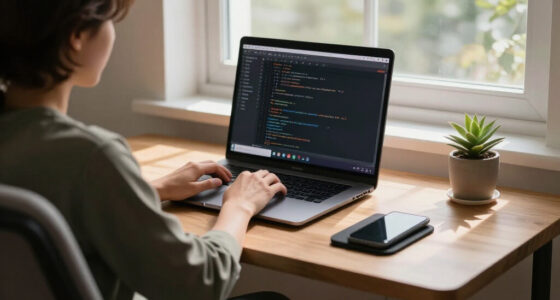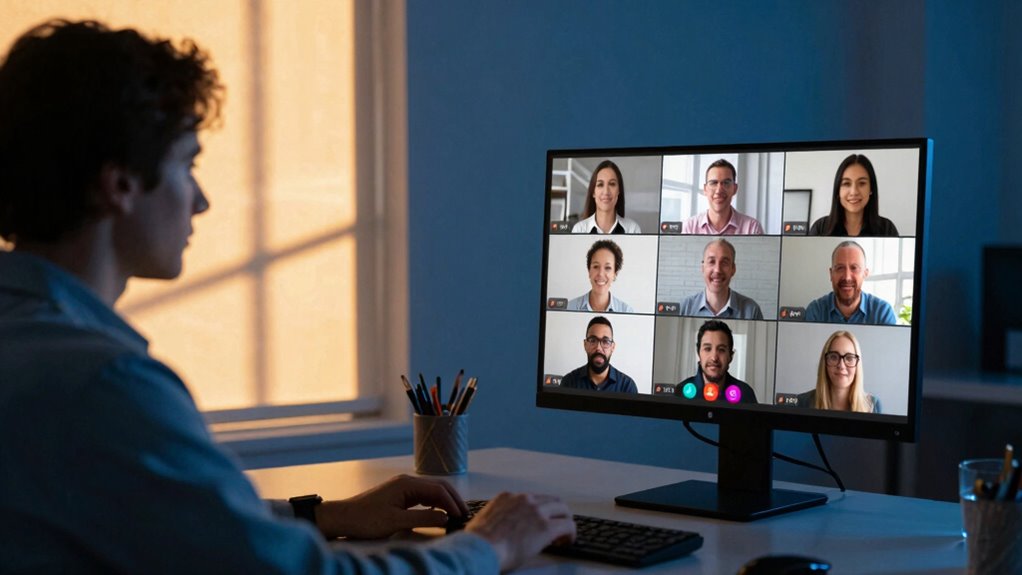

Good lighting makes your video meetings clearer, more professional, and engaging. When you’re well-lit, your facial expressions are more visible, and your face looks warm and inviting. Proper lighting reduces shadows and glare, boosting your confidence and ensuring you look your best. Using natural light or well-placed artificial lights can dramatically improve your video quality. Keep exploring how the right lighting setup can transform your virtual presence and make your meetings more effective.
Key Takeaways
- Proper lighting enhances video clarity and facial visibility, making communication more effective.
- Well-lit settings reduce shadows and glare, improving overall video quality.
- Natural or warm artificial lighting creates a more inviting and professional appearance.
- Adjusting lighting to match environment helps convey confidence and credibility.
- Good lighting minimizes fatigue and unapproachability, fostering better engagement.

Good lighting is essential for clear, professional video meetings, yet many people overlook its importance. When you’re on a video call, the way your space is lit can make a significant difference in how you come across. Proper lighting creates a natural ambiance that makes your face appear warm and inviting, reducing the chances of appearing tired or unapproachable. If your environment is too dim or unevenly lit, it’s harder for others to see your expressions clearly, which can hinder effective communication. On the other hand, bright, well-balanced lighting helps your features stand out, making your presence more engaging and professional.
Good lighting enhances clarity, warmth, and professionalism in video meetings, making your expressions more visible and inviting.
Balancing natural ambiance with artificial brightness is key. Natural light coming from windows provides a soft, flattering glow that enhances your appearance without creating harsh shadows. When you position yourself facing a window during daylight, you benefit from this gentle illumination, which can improve your overall video quality. However, relying solely on natural light isn’t always practical, especially on overcast days or late hours. That’s where artificial brightness comes into play. Using well-placed lights, such as ring lights or softboxes, allows you to maintain consistent lighting regardless of the time or weather outside. These sources should aim to mimic natural light, providing even, diffuse illumination that reduces shadows and highlights your features naturally. Being aware of lighting impact can help you optimize your setup for the best results.
You should also be mindful of the color temperature of your artificial lights. Cooler, bluish tones tend to look sterile and uninviting, while warmer tones create a cozy, approachable atmosphere. Adjusting your lights to match the natural ambiance outside can help your face appear more lifelike and less flat. When your lighting setup combines natural ambiance with artificial brightness, you create a harmonious environment that enhances your appearance without overwhelming your face with glare or shadows. This balance ensures that your expressions are visible and relatable, making others feel more connected to you during the meeting.
Additionally, understanding how lighting influences video clarity can help you make smarter choices when setting up your space. Ultimately, the right lighting setup isn’t just about brightness; it’s about how well it complements your environment and highlights your features. When you pay attention to both natural ambiance and artificial lighting, you set yourself up for more effective, professional video meetings. Good lighting not only improves your visibility but also boosts your confidence, helping you communicate more effectively and leave a positive impression. In the end, investing in proper lighting is a simple yet powerful way to elevate your virtual presence and ensure your message comes across clearly. Additionally, understanding how lighting impacts video quality can help you make smarter choices when setting up your space. Recognizing the importance of lighting quality can lead to noticeable improvements in how you are perceived on camera.

Cyezcor Video Conference Lighting Kit, Ring Light for Monitor Clip On
- Adjustable Color Temperature: 3200K-6800K with 3 modes
- Brightness Levels: 5 adjustable brightness levels
- High-Quality LED Beads: 48 LEDs with 10W brightness
As an affiliate, we earn on qualifying purchases.
As an affiliate, we earn on qualifying purchases.
Frequently Asked Questions
How Does Natural Light Compare to Artificial Lighting in Video Calls?
Natural light often provides better natural contrast, making your face look more vibrant and well-defined on video calls. It’s soft and evenly distributed, reducing harsh shadows. Artificial lighting, on the other hand, can add artificial brightness but might create uneven lighting or glare if not set up properly. You can improve your video quality by balancing natural contrast with artificial brightness, ensuring you stay clearly visible and professional on every call.
Can Lighting Improve Audio Clarity During Meetings?
Lighting doesn’t directly improve audio clarity or microphone performance, but it sets the stage for better communication. When you’re well-lit, your face stays clear on camera, reducing the need for exaggerated gestures or speaking loudly. This focus helps others hear you more easily, minimizing background noise and distractions. So, while lighting isn’t a direct audio fix, it creates an environment where your voice sounds clearer, and your message resonates more effectively.
What Is the Ideal Lighting Temperature for Professional Video Meetings?
The ideal lighting temperature for professional video meetings is around 5000K to 6500K, which offers a neutral, daylight-like color temperature. This range guarantees your face looks natural and well-lit. You should also focus on lighting consistency to avoid flickering or uneven shadows, which can distract viewers. Stable, balanced lighting within this temperature range helps you appear professional and ensures your video quality remains clear and engaging.
How Does Background Lighting Affect Viewer Perception?
Background lighting influences how viewers perceive you by affecting ambient glare and color consistency. If your background has harsh or uneven lighting, it causes glare that distracts from your face, reducing professionalism. Consistent, soft lighting guarantees your background complements your appearance, maintaining viewer focus. Properly balanced background lighting creates a more inviting and credible impression, helping you appear confident and prepared during your video meetings.
Are There Specific Lighting Setups for Different Meeting Environments?
Studies show that proper lighting can boost meeting engagement by up to 20%. For different environments, you should tailor your lighting setup: in formal settings, use front lighting with a neutral color temperature around 5000K for clarity. For casual meetings, softer, warmer lights with balanced placement reduce harsh shadows. Position lights to evenly illuminate your face and avoid backlighting, ensuring your presence looks natural and professional regardless of the environment.
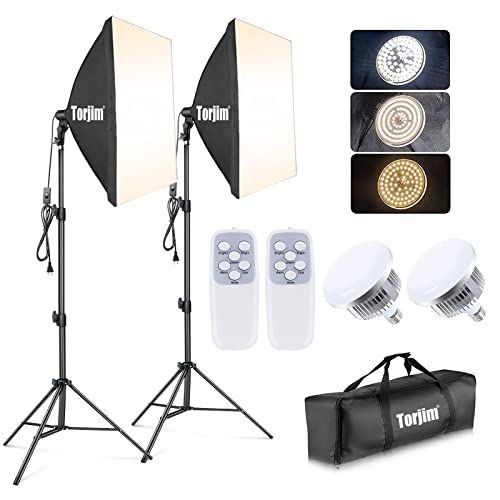
Torjim Softbox Photography Lighting Kit, 2Pcs 27" x 27" Professional Soft Box | 3000K-7500K 85W LED Bulbs with Remote, Photography Continuous Lighting Kit for Studio Lights, Portrait, Video Recording
- Wide Coverage Softbox: Inner nylon reflector and removable diffuser
- Bright, Soft Light: Eliminates shadows for uniform lighting
- Stable Locking System: Ensures softbox stays secure during use
As an affiliate, we earn on qualifying purchases.
As an affiliate, we earn on qualifying purchases.
Conclusion
Good lighting transforms your video meetings by enhancing visibility, boosting confidence, and creating a professional impression. It’s about more than just brightness; it’s about consistency, clarity, and focus. When you prioritize good lighting, you improve communication, reduce distractions, and foster connection. So, invest in your lighting setup, experiment with angles, and stay mindful of your environment. Because in every meeting, good lighting isn’t just an accessory; it’s the foundation for effective, engaging, and successful communication.

Zoom Lighting for Computer, Adjustable Desk Lighting for Video Calls, 30 Light Modes Video Conference Light, Desk Ring Light with Stand for Webcam, Meetings, Live Stream, Home Office. CRI 97.8
- Uniform and Soft Illumination: Even, gentle lighting reduces eye strain
- High CRI for True Colors: CRI 97.8 for vibrant, accurate color rendering
- Adjustable Color and Brightness: 3 color temps, 10 brightness levels
As an affiliate, we earn on qualifying purchases.
As an affiliate, we earn on qualifying purchases.
Zoom Lighting for Computer, Adjustable Desk Lighting for Video Calls, 30 Light Modes Video Conference Light, Desk Ring Light with Stand for Webcam, Meetings, Live Stream, Home Office. CRI 97.8
- Uniform and Soft Illumination: Even, gentle lighting reduces eye strain
- High CRI for True Colors: CRI 97.8 for vibrant, accurate color rendering
- Adjustable Color and Brightness: 3 color temps, 10 brightness levels
As an affiliate, we earn on qualifying purchases.
As an affiliate, we earn on qualifying purchases.