TL;DR

Get comfort and recovery gear delivered free — and shop member deals
- Fast, free delivery on millions of items
- Access to Prime Big Deal Days deals on October 6–7
- Prime Video, Amazon Music and more included
Ergonomic office chairs support comfortable work when their seat, backrest, armrests, and height fit both your body and workstation. Start with supported feet, a seat that leaves a small gap behind your knees, and relaxed shoulders; then check desk and screen positions. No label, material, or price guarantees a good fit, and changing posture during the day matters too.
A chair can look like a cockpit and still leave your shoulders creeping toward your ears by lunchtime. The word ergonomic on the label does not tell you whether the seat, back, and armrests fit your body.
This guide shows you what to check, how to adjust your chair, and how to compare materials and features. You’ll leave with a practical fit check for your own desk, whether you’re setting up a home office or choosing a chair for shared work.
Treat “ergonomic” as a label, not proof of fit; check how the chair adjusts to your body and desk.
Leave a small gap behind your knees and support your feet when you sit back.
Set armrests so your shoulders relax, and make sure they do not stop the chair from moving close to your desk.
Choose mesh or padding by feel and airflow, then compare adjustments, warranty, returns, and replacement parts.
Change position during desk work; a comfortable chair supports movement rather than locking you into one pose.
What Makes an Ergonomic Office Chair Feel Right?
An ergonomic office chair is a chair you can adjust to support a comfortable working position at your desk. Its seat, backrest, height, and armrests should work with your body, while allowing you to shift position instead of holding one stiff pose. The label alone cannot tell you whether it fits, because two people can sit at the same desk and need different seat depths, heights, or back support.
Think of the chair as a well-fitted jacket: useful support follows your shape without pinching or forcing you into place. That distinction matters because support is only helpful when it meets you where you are. For example, if the lumbar curve presses into one spot whenever you lean back, that “extra support” may simply be in the wrong position for you. A chair should let a person work in a comfortable position that feels natural at their own desk, rather than requiring them to adapt their body to its shape.
Fit also depends on the rest of the setup. A chair raised to meet a tall desk may leave your feet dangling; lowering it might support your feet but leave your arms reaching upward to the keyboard. That tradeoff is a sign to adjust the workstation too, perhaps with a footrest or a different keyboard position. A good chair cannot fix a screen that makes you crane your neck. Treat chair and workstation as a pair, and adjust both until you can work without reaching or hunching.
Use This Five-Step Check to Adjust Your Chair
- Set your feet first. Sit back and lower or raise the seat until your feet rest securely on the floor or a footrest. Supported feet give you a stable base; if they dangle, pressure and effort can shift to your thighs.
- Check the seat height. Aim for knees roughly level with or slightly lower than your hips as a comfortable starting point. This helps you balance leg support with reaching the desk: if the right height for your arms leaves your feet unsupported, a footrest can bridge the difference.
- Check the seat depth. Leave a small gap behind your knees while the seat supports most of your thighs. If the edge presses against your legs, try a shorter depth. Too much depth can push against the backs of your knees or make it harder to use the backrest; too little may leave your thighs with less support.
- Position the backrest. Adjust its height or angle so the lower-back support meets your back without pushing it into an uncomfortable curve. The goal is contact that feels supportive as you sit and recline, not a fixed shape you must hold yourself against.
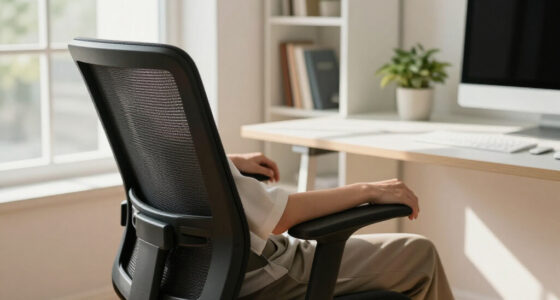
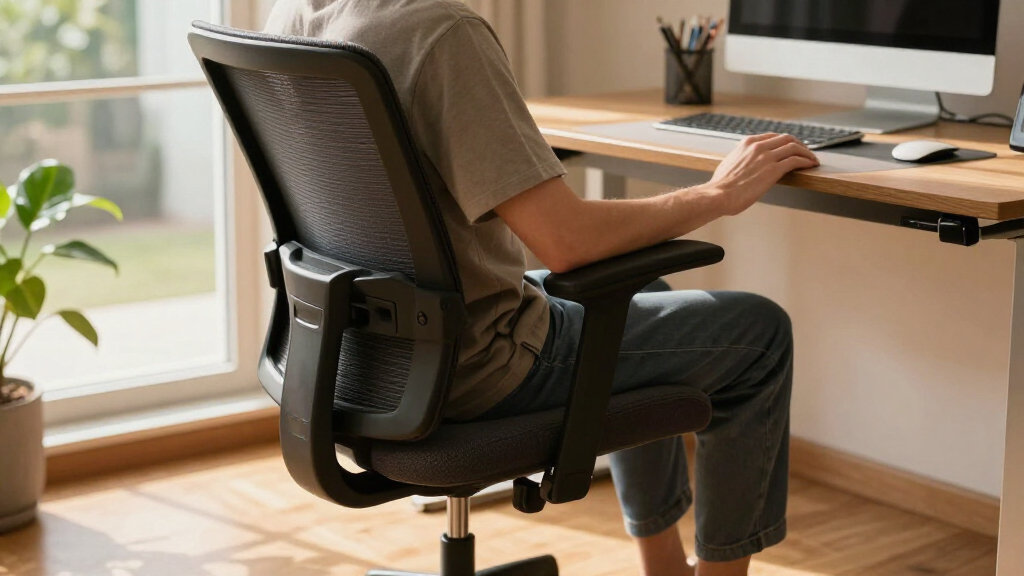
- Relax your arms and shoulders. Set the armrests so your shoulders can drop and your elbows stay near your body while you use the desk. Armrests set too high can encourage a shrug; set too low, they may provide little support. Check that they do not prevent the chair from moving close enough to the desk.
These settings are starting points, not medical rules; comfort and individual needs vary. Imagine opening your laptop at 9 a.m.: your feet should feel planted, your thighs supported, and your shoulders free of that shrug you get when armrests sit too high. Check that your chair can move close to the desk without its armrests bumping into it. If one adjustment solves a problem but creates another, look at the desk or foot support before forcing your body into an awkward compromise.
Then look up. If your screen makes you lean forward, adjust the monitor rather than pushing your back into a position that feels wrong. A small change to screen height or keyboard distance can make the whole setup feel easier to use because the chair and desk work together to reduce unnecessary reaching.
Compare Mesh and Padded Seats Before You Buy
Mesh backs usually allow more airflow, while padded chairs offer a softer, cushioned feel. Those differences affect everyday comfort, but neither material makes a chair the right choice on its own: fit, build quality, and adjustability matter more than whether the surface looks sleek or plush. Try to judge how the chair feels after you sit in it, not just how it looks in a product photo. A breathable back may help in a warm room, for example, but it will not compensate for a seat edge that presses against your legs.
| What to compare | Mesh chair | Padded or upholstered chair |
|---|---|---|
| Feel | Often firmer, with a taut surface | Often softer against the body |
| Airflow | Open weave can feel cooler | Fabric and padding may feel warmer |
| Best next step | Check tension and back support | Check seat comfort and padding quality |
For instance, someone in a warm upstairs office may prefer the airy feel of mesh during long calls, while someone who likes a softer seat may favor upholstery. The tradeoff is personal: a firmer surface may feel supportive to one person and uncomfortable to another, while soft padding can feel pleasant at first but still needs to support you comfortably over time. In either case, check seat fit and adjustments before choosing by material.
Spend on the Adjustments and Parts You’ll Actually Use
Price makes more sense when you connect it to the chair’s adjustments, construction, warranty, and expected use. A more expensive chair does not guarantee a better fit, and a long feature list only helps if the controls suit your needs. Compare the details instead of assuming that a high price means higher comfort: an adjustment you cannot reach or do not need adds little practical value.
Say you work at a desk most weekdays and share the room with family: adjustable seat depth, clear assembly instructions, and available replacement parts may matter more than a polished finish. Seat-depth adjustment can make a chair work for people with different leg lengths, while simple controls make handoffs less frustrating. In recent years, chair designs have put more emphasis on personalization, including adjustable lumbar support and controls that follow movement. For a shared office, easy-to-understand controls can save time every time a new person sits down. More adjustments can improve fit, but only if people can identify what each one does and use it without guesswork.
- Check the adjustment range for seat height, depth, backrest, and armrests. A control matters only if its range suits the people who will use the chair.
- Review seat dimensions, weight capacity, assembly needs, and shipping and return costs. These details affect whether the chair fits the user and whether trying it at home is practical.
- Read what the warranty covers, and whether the seller offers replacement parts. Repairable parts may extend the chair’s useful life, while limited coverage can make a low purchase price less appealing over time.
- If the chair must sit high to meet your desk, consider whether a footrest will keep your feet supported. This may be a simpler solution than choosing a chair that otherwise does not fit.
Recycled materials and take-back programs appear in some product claims, but details vary. Look for what materials are recycled, whether parts can be repaired, and what happens when the chair reaches the end of its use; a claim is more useful when it explains those steps. If possible, try it first or buy from a seller with a clear return policy, since comfort is difficult to judge from specifications alone.
Change Position to Keep Desk Work More Comfortable
A supportive chair should allow comfortable movement, not lock you into one pose. Reclining is not automatically poor posture, and sitting bolt upright all day is not a requirement. A backrest that supports your torso while you shift can feel better than one rigid position held for hours, because even a well-aligned position can become tiring if you never vary it.
Picture a long afternoon of emails: you lean back to read, sit forward briefly to type, then stand to refill your water. That ordinary change of pace lets your body move while your chair keeps you supported. The chair is a home base, not a statue. Movement does not need to follow a strict schedule; brief changes in position can make the day feel less static without interrupting work for long.
A well-fitted chair may improve comfort, but it does not promise to prevent or cure back pain. Pain has many possible causes, so a chair alone cannot explain or resolve it. If pain is persistent or severe, speak with a qualified clinician. For most desk setups, try brief movement breaks and check that your keyboard, desk, and screen let you work without reaching.
Frequently Asked Questions
What makes an office chair ergonomic?
An ergonomic chair adjusts to your body and workstation, supports a comfortable working position, and lets you move naturally. The label alone does not prove it will fit you.
How should I adjust my office chair?
Start with your feet supported, then adjust seat height and depth so your thighs have support and a small gap remains behind your knees. Position the backrest where it feels comfortable, relax your shoulders, and check that the desk and screen do not make you reach or hunch.
Is lumbar support necessary?
Many people find lower-back support comfortable, but the right amount and shape vary. Adjust it so it meets your back without forcing an uncomfortable curve.
Is a mesh chair better than a padded chair?
Neither is best for everyone. Mesh often allows more airflow, while padding may feel softer; compare how each fits and feels, along with build quality and adjustments.
Can an ergonomic office chair cure back pain?
A well-fitted chair may support comfort, but it is not a guaranteed treatment for pain. If your pain is persistent or severe, discuss it with a qualified clinician.
Conclusion
Choose the chair that fits your body and workstation, then take a minute to adjust it before you judge it. Supported feet, room behind your knees, and relaxed shoulders are a practical place to start.
Your chair should feel less like a throne you have to hold still on and more like a steady seat you can move in. Make one adjustment today, then notice what feels different.
Fall Picks
fall essentials
As an affiliate, we earn on qualifying purchases.