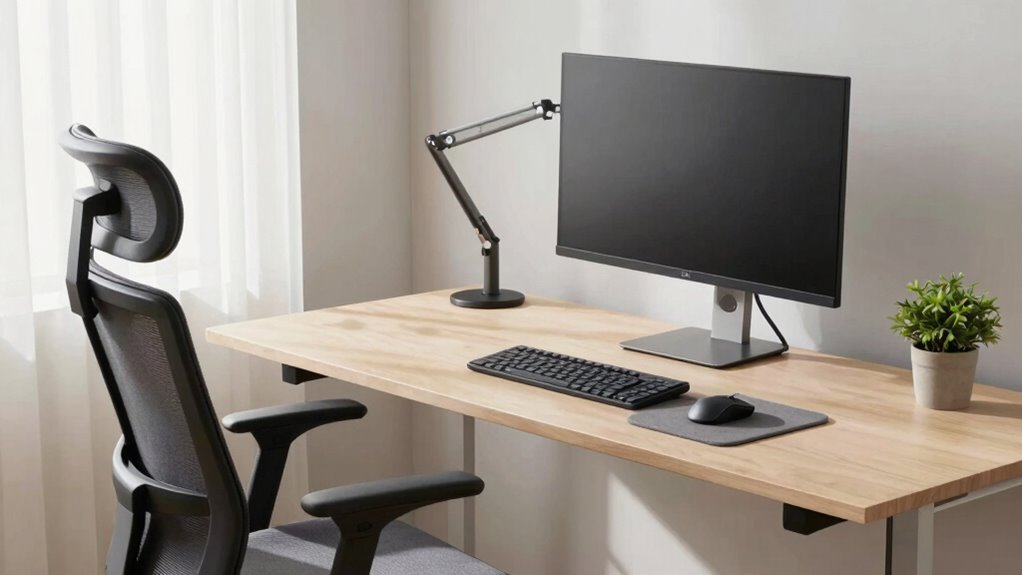
You can create an ergonomic workspace by making small adjustments with existing items. Sit back in your chair with lumbar support or a pillow, keeping your feet flat on the floor. Position your monitor at eye level and close enough to prevent neck strain. Keep your wrists straight while typing and take regular breaks to move and stretch. These simple changes can drastically improve comfort without replacing everything—discover more easy tips as you continue.

Get comfort and recovery gear delivered free with Prime
- Fast, free delivery on millions of items
- Prime Video, Amazon Music and more included
- Member-only deals all year
Key Takeaways
- Use ergonomic accessories like adjustable footrests, monitor stands, or wrist supports to optimize your current setup.
- Adjust your chair, desk, and monitor height to align with ergonomic principles without replacing furniture.
- Practice proper posture and positioning, such as maintaining neutral spine and wrist alignment, to improve comfort.
- Incorporate regular breaks and movement to reduce strain without modifying existing equipment.
- Add small modifications, like seat cushions or document holders, to enhance ergonomics gradually.
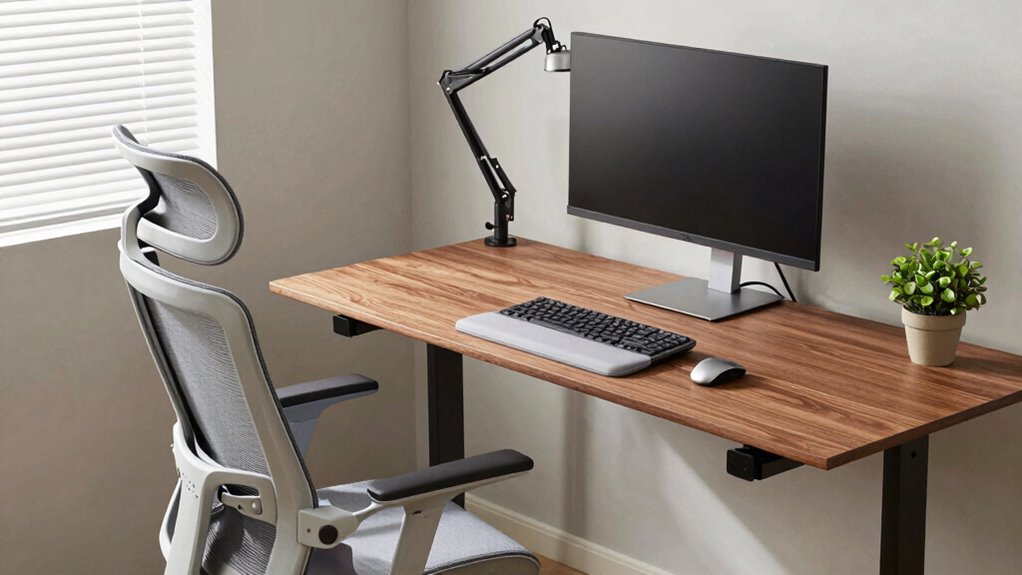
Creating an ergonomic workspace doesn’t mean you have to replace all your furniture or invest in expensive equipment. Small adjustments can make a big difference in comfort and productivity. Start by paying attention to your desk posture. Your goal is to maintain a neutral spine position, so sit back in your chair with your feet flat on the floor and your hips slightly higher than your knees. Keep your back supported by the chair’s lumbar support or a small pillow if needed. Sit close enough to your desk so that your forearms are parallel to the ground when typing, avoiding slouching or leaning forward. Proper desk height is essential; if your desk is too high or low, it can cause strain. If raising or lowering your desk isn’t an option, consider using a footrest or adjusting your chair height to achieve a comfortable, aligned position.
Keyboard positioning plays an essential role in preventing strain and fatigue. Place your keyboard directly in front of you, at a height where your elbows are bent at about 90 degrees and your wrists remain straight. Avoid reaching out or angling your wrists upward, as this can lead to discomfort or repetitive strain injuries. If your keyboard is too high or low relative to your seated position, it can cause tension in your shoulders and neck. Use a keyboard tray or adjust your desk height if possible. When typing, keep your hands relaxed, and avoid resting your wrists on the desk or keyboard edge for extended periods, as this can restrict blood flow and cause soreness. Consider using a wrist rest if needed, but only for support, not as a permanent prop. Incorporating regular movement into your routine can also help prevent stiffness and improve circulation during long work sessions. Additionally, practicing mindful posture throughout the day can contribute to long-term ergonomic health. Furthermore, paying attention to ergonomic principles can help you identify areas for improvement and prevent discomfort.
Additionally, think about your monitor placement. Position your screen so that the top of the display is at eye level, about an arm’s length away. This helps keep your neck in a neutral position and reduces strain. If your monitor sits too low or high, you’ll naturally tilt your head, which can lead to discomfort over time. Adjust your monitor stand or use books to raise it if necessary. Regularly checking your desk setup and making small modifications can significantly improve your ergonomic comfort. Remember, small, intentional modifications can drastically improve your ergonomic setup. Regularly check your posture throughout the day, and take short breaks to stretch and reset. By focusing on proper desk posture and keyboard positioning, you’ll create a more comfortable workspace without spending a fortune or replacing all your furniture.
As an affiliate, we earn on qualifying purchases.
Frequently Asked Questions
Can I Improve Ergonomics With Just Simple Desk Adjustments?
Yes, you can improve ergonomics with simple desk adjustments. Start by adjusting your monitor height so the top of the screen is at eye level, reducing neck strain. Make sure your keyboard placement allows your elbows to stay close to your body and your wrists straight. These small changes make a big difference in comfort, helping prevent long-term strain and improving your overall posture without needing to replace your entire setup.
Are Ergonomic Accessories Compatible With All Desk Types?
Yes, ergonomic accessories are generally compatible with most desk types. You can easily adjust your keyboard placement with a keyboard tray or riser to keep your wrists neutral, and set your monitor height with monitor stands or arms to guarantee your screen is at eye level. These accessories are versatile and work across various desk surfaces, helping you create a more comfortable workspace without needing a complete overhaul.
How Long Does It Take to Notice Ergonomic Improvements?
You’ll usually notice ergonomic improvements within a few days to a couple of weeks. As you become more posture-aware and adjust your workspace, muscle tension decreases, and comfort increases. Consistent use of ergonomic accessories and mindful posture help your body adapt faster. Keep track of how you feel daily, and you’ll start noticing less discomfort and better overall well-being as your posture improves and muscle tension diminishes.
Is It Necessary to Consult a Professional for Ergonomic Setup?
You might wonder if a professional assessment is truly necessary. While you can make many adjustments yourself, a professional can identify hidden issues and craft custom solutions tailored to you. Their expertise guarantees your setup promotes comfort and reduces injury risk. Skipping this step might save time now, but in the long run, a professional assessment guarantees a safer, more effective ergonomic workspace that truly supports your needs.
Can I Upgrade My Existing Chair for Better Ergonomics?
Yes, you can upgrade your existing chair for better ergonomics. Focus on chair customization by adding lumbar support pillows or adjustable armrests. Pair it with ergonomic lighting to reduce eye strain and improve posture. Adjust the chair height so your feet rest flat on the floor, and keep your monitor at eye level. Small upgrades like these make a significant difference without needing a complete replacement.
As an affiliate, we earn on qualifying purchases.
Conclusion
So, who would’ve thought that tweaking your existing setup could do the trick? Turns out, you don’t need a complete overhaul to enjoy better comfort and health. Sometimes, just adjusting what you already have can make all the difference—proof that you don’t always have to spend big to upgrade your ergonomics. So go ahead, embrace those small changes; after all, the best things in life—and in your workspace—are often the simplest.
As an affiliate, we earn on qualifying purchases.
As an affiliate, we earn on qualifying purchases.
Halloween Picks
halloween
As an affiliate, we earn on qualifying purchases.