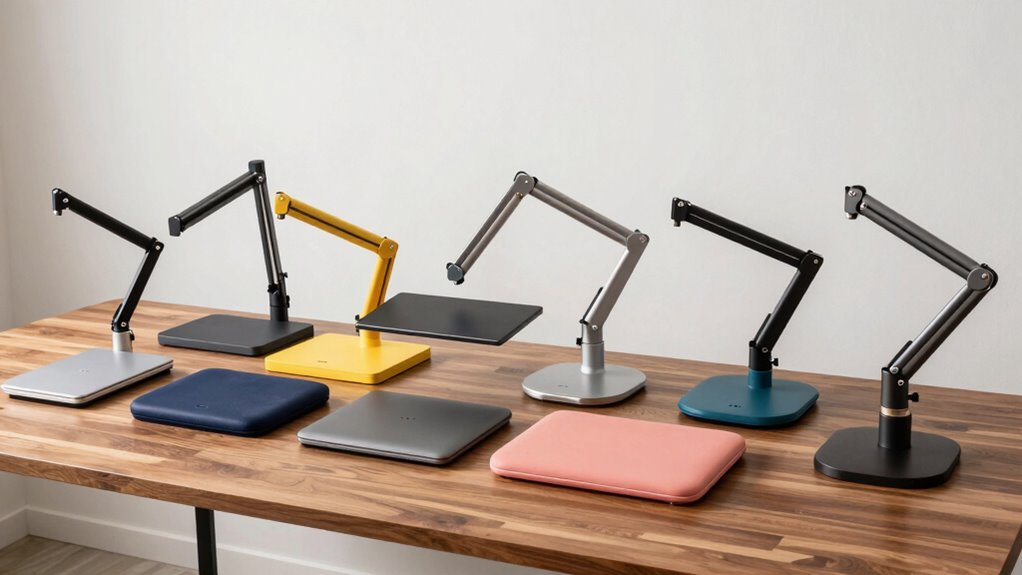
A monitor arm and laptop tray combo can free desk space and bring both screens closer to a comfortable viewing height, but the right choice depends on your screen sizes, desk, and preferred mounting style. My best overall pick is the PUTORSEN Laptop and Monitor Arm Mount, which stands out for its broad stated fit range across monitors and laptops. The VIVO Adjustable Desk Mount is a flexible alternative for common-size screens, while the VIVO Free Standing Combo Stand suits desks where clamping is not practical. The main tradeoffs are adjustability versus footprint, clamp mounting versus a freestanding base, and support for larger displays versus simpler setups. Read on for the full comparison and advice on choosing a combo that fits your workspace.

Get comfort and recovery gear delivered free with Prime
- Fast, free delivery on millions of items
- Prime Video, Amazon Music and more included
- Member-only deals all year
Complete the kit


Key Takeaways
- PUTORSEN offers the broadest stated device range in this lineup, supporting 17–35-inch monitors and 12–18-inch laptops; check your equipment dimensions and weights against the product’s current specifications before buying.
- Clamp-mounted designs suit buyers seeking desk space, while the VIVO Free Standing STAND-V002FGL avoids a desk-edge clamp but uses a glass base on the work surface.
- Several options pair a monitor arm with a laptop tray rather than two monitor arms. Buyers who need two external displays should focus on the dual-monitor models and verify how each accommodates a laptop.
- Screen-size compatibility differs enough to affect the shortlist. The PUTORSEN lists monitors up to 35 inches, while products such as the VIVO 13–27-inch dual mount have a narrower stated screen range.
- The best fit depends on the whole desk setup, not just screen size. Clamp clearance, desk construction, available surface area, and laptop placement can matter as much as the arm’s adjustment options.
| Suptek Adjustable Monitor and Laptop Mount with Tray |  | Best for Flexible Mounting | Monitor compatibility: 13–32 inches | Laptop compatibility: Up to 15.6 inches | Laptop tray dimensions: 400 × 300 mm | VIEW ON AMAZON | See Our Full Breakdown |
| MOUNTUP Dual Monitor and Laptop Desk Mount |  | Best for Three-Screen Setups | Monitor compatibility: 13–27 inches | Laptop compatibility: 10–17 inches | Weight capacity: Up to 17.6 lbs per arm | VIEW ON AMAZON | See Our Full Breakdown |
| VIVO Adjustable Monitor and Laptop Desk Mount, Fits 13–32 Inch Monitors and Laptops up to 17 Inches |  | Best for Larger Laptops | Monitor compatibility: 13–32 inches | Laptop compatibility: Up to 17 inches | Maximum monitor weight: 10 kg | VIEW ON AMAZON | See Our Full Breakdown |
| PUTORSEN Laptop and Monitor Arm Mount for 17–35-Inch Monitors and 12–18-Inch Laptops |  | Best for Large Screens | Monitor compatibility: 17–35 inches | Laptop compatibility: 12–18 inches | Maximum load: 9 kg (19.8 lbs) per arm | VIEW ON AMAZON | See Our Full Breakdown |
| HUANUO 2-in-1 Laptop and Monitor Desk Mount with Tray |  | Best for a Versatile Single-Screen Setup | Laptop compatibility: Up to 17 inches | Monitor compatibility: 13–34 inches | Tray dimensions: 11.8 × 10.4 inches | VIEW ON AMAZON | See Our Full Breakdown |
| Afaloona Dual Monitor and Laptop Stand for 13–32-Inch Monitors and 11–17-Inch Laptops |  | Best for a Convertible Display Setup | Device compatibility: 13–32-inch monitor; 11–17-inch laptop | VESA compatibility: 75 × 75 mm and 100 × 100 mm | Maximum capacity: 36 lb total; 18 lb per arm | VIEW ON AMAZON | See Our Full Breakdown |
| VIVO Dual Monitor and Laptop Mount for 13–27-Inch Screens |  | Best for a Three-Screen Workstation | Monitor compatibility: 13–27 inches; up to 15.4 lb per monitor | Laptop compatibility: 10–15.6 inches; up to 9.9 lb | VESA compatibility: 75 × 75 mm and 100 × 100 mm | VIEW ON AMAZON | See Our Full Breakdown |
| VIVO Free Standing Single Computer Monitor and Laptop Combo Desk Stand with Sleek Glass Base, Fits up to 32 inch Monitors and 17 inch Laptops, Black, STAND-V002FGL |  | Best for Desks That Cannot Take a Clamp | Monitor compatibility: 13–32 inches; up to 15.4 lb | Laptop compatibility: Up to 17 inches; up to 9.9 lb | VESA compatibility: 75 × 75 mm and 100 × 100 mm | VIEW ON AMAZON | See Our Full Breakdown |
| HUANUO Adjustable Monitor Arm with Laptop Tray |  | Best for Mounting Flexibility and Long-Term Support | Monitor compatibility: 13–32 inches; up to 22 lb | VESA compatibility: 75 × 75 mm and 100 × 100 mm | Laptop tray dimensions: 14 × 12 inches | VIEW ON AMAZON | See Our Full Breakdown |
| monitor arm laptray combo | VESA compatibility | Monitor compatibility | Adjustments | Laptop compatibility |
|---|---|---|---|---|
| Suptek Adjustable Monitor and | 75 × 75 mm or 100 × 100 mm | 13–32 inches | 400 mm height adjustment; 90° tilt; 180° swivel; 360° monitor rotation | Up to 15.6 inches |
| MOUNTUP Dual Monitor and Lapto | 75 × 75 mm and 100 × 100 mm | 13–27 inches | 90° tilt; 90° swivel each direction; 360° rotation | 10–17 inches |
| VIVO Adjustable Monitor and La | 75 × 75 mm and 100 × 100 mm | 13–32 inches | Tilt +15° to -15°; 180° swivel; 360° rotation | Up to 17 inches |
| PUTORSEN Laptop and Monitor Ar | 75 × 75 mm and 100 × 100 mm | 17–35 inches | — | 12–18 inches |
| HUANUO 2-in-1 Laptop and Monit | 75 × 75 mm and 100 × 100 mm | 13–34 inches | ±45° tilt; ±90° swivel; 360° rotation | Up to 17 inches |
| Afaloona Dual Monitor and Lapt | 75 × 75 mm and 100 × 100 mm | — | 15° tilt, 90° swivel, 360° rotation | — |
| VIVO Dual Monitor and Laptop M | 75 × 75 mm and 100 × 100 mm | 13–27 inches; up to 15.4 lb per monitor | +90° to -45° tilt, 180° swivel, 360° rotation | 10–15.6 inches; up to 9.9 lb |
| VIVO Free Standing Single Comp | 75 × 75 mm and 100 × 100 mm | 13–32 inches; up to 15.4 lb | +90° to -90° tilt, 180° swivel, 360° rotation, height adjustment | Up to 17 inches; up to 9.9 lb |
| HUANUO Adjustable Monitor Arm | 75 × 75 mm and 100 × 100 mm | 13–32 inches; up to 22 lb | ±45° tilt, ±90° swivel, 360° rotation | — |
More Details on Our Top Picks
Suptek Adjustable Monitor and Laptop Mount with Tray
The Suptek is a strong fit if your monitor-and-laptop setup may change later: use the laptop tray with a monitor, or remove it and configure the mount for two monitors. Its 400 × 300 mm tray is larger than the HUANUO HNSS40B’s 11.8 × 10.4-inch tray, giving compatible laptops more room. The C-clamp and grommet options also offer more installation flexibility than a clamp-only setup, provided your desk fits the stated limits. Height adjustment, broad tilt, swivel, and rotation help position the screens around your seating posture. The main compromise is laptop size: the tray tops out at 15.6 inches, while the VIVO STAND-V002C accommodates laptops up to 17 inches. Check your desk and laptop dimensions before choosing it.
Pros:- Can hold a monitor and laptop or be configured for two monitors
- Large 400 × 300 mm laptop tray has ventilation holes and cable management
- Offers both C-clamp and grommet mounting
- Broad height, tilt, swivel, and rotation adjustments
Cons:- Laptop tray supports notebooks only up to 15.6 inches
- Desk thickness and grommet-hole dimensions must match the mount
- Each arm supports up to 10 kg
Best for: Buyers who want a convertible monitor-and-laptop workstation, a roomy tray, and a choice between clamp and grommet mounting.
Not ideal for: People using laptops larger than 15.6 inches or desks outside the clamp and grommet mounting limits.
- Monitor compatibility:13–32 inches
- Laptop compatibility:Up to 15.6 inches
- Laptop tray dimensions:400 × 300 mm
- VESA compatibility:75 × 75 mm or 100 × 100 mm
- Maximum supported weight:10 kg per arm
- Adjustments:400 mm height adjustment; 90° tilt; 180° swivel; 360° monitor rotation
- Mounting:C-clamp or grommet; desk thickness 10–80 mm
- Material:Alloy steel
Our verdict“Choose the Suptek if mounting flexibility and a spacious tray matter more than support for a larger laptop.”
MOUNTUP Dual Monitor and Laptop Desk Mount
Among these five picks, the MOUNTUP is the one to choose when a laptop tray alone will not cover your workspace needs: it accommodates two monitors and a laptop. That extra screen capacity sets it apart from the Suptek and VIVO STAND-V002C, which are primarily monitor-and-laptop combinations. Its clamp or grommet mounting and adjustable arms help arrange the displays while keeping more of the desk surface clear. The tradeoff is a tighter size range: monitors must be 13–27 inches, smaller than the 35-inch ceiling on the PUTORSEN, and each arm is capped at 17.6 lbs. Its stated maximum height and extension can help with positioning, but this is still a substantial multi-screen mount—not the simplest choice for someone who only needs one monitor beside a laptop.
Pros:- Supports two monitors and a laptop
- Offers C-clamp or grommet installation
- Arms provide tilt, swivel, and 360° rotation
- Includes a 3-year warranty
Cons:- Monitor compatibility is limited to 13–27 inches
- Each arm supports a maximum of 17.6 lbs
- A reinforcement plate for glass desks is not included
Best for: Remote workers and multitaskers who need two compatible monitors plus a laptop in a single desk-mounted setup.
Not ideal for: Buyers with monitors larger than 27 inches, heavier displays beyond the per-arm limit, or a simple one-monitor workstation.
- Monitor compatibility:13–27 inches
- Laptop compatibility:10–17 inches
- Weight capacity:Up to 17.6 lbs per arm
- VESA compatibility:75 × 75 mm and 100 × 100 mm
- Adjustments:90° tilt; 90° swivel each direction; 360° rotation
- Maximum reach and height:20.7-inch arm extension; 18.5 inches maximum height from desk
- Mounting:C-clamp or grommet; desk thickness 0.39–1.97 inches
- Warranty:3 years
Our verdict“Pick the MOUNTUP when you need three screens and your monitors fit its more limited size and weight range.”
VIVO Adjustable Monitor and Laptop Desk Mount, Fits 13–32 Inch Monitors and Laptops up to 17 Inches
The VIVO STAND-V002C is a straightforward match for buyers who want a single monitor and a larger laptop: its tray supports notebooks up to 17 inches, compared with 15.6 inches for the Suptek. It also takes monitors up to 32 inches and offers tilt, swivel, rotation, and height adjustment, so the two screens can be positioned for a more comfortable desk layout. Detachable VESA plates and cable clips speak to practical setup needs rather than adding a second-monitor configuration like the MOUNTUP. That simpler arrangement is also its limit: shoppers who need two external monitors should look at the MOUNTUP instead. The VIVO supports monitors up to 10 kg and uses a desk clamp or optional grommet mount, so display weight and desk compatibility still need checking.
Pros:- Laptop support extends to 17 inches
- Fits monitors from 13–32 inches with common VESA patterns
- Includes cable clips and detachable VESA plates
- Allows portrait or landscape monitor orientation
Cons:- Supports only one monitor alongside the laptop
- Monitor weight is limited to 10 kg
- Grommet mounting is optional rather than included as a standard mounting option
Best for: Laptop users with notebooks up to 17 inches who want one external monitor and adjustable screen positioning.
Not ideal for: People who need two external monitors or whose monitor exceeds the 10 kg supported limit.
- Monitor compatibility:13–32 inches
- Laptop compatibility:Up to 17 inches
- Maximum monitor weight:10 kg
- VESA compatibility:75 × 75 mm and 100 × 100 mm
- Adjustments:Tilt +15° to -15°; 180° swivel; 360° rotation
- Mounting:Desk clamp or optional grommet; maximum desk thickness 10.2 cm
- Cable management:Cable clips included
- Warranty:3 years
Our verdict“Choose the VIVO STAND-V002C if your laptop is larger than the Suptek’s limit and one external monitor is enough.”
PUTORSEN Laptop and Monitor Arm Mount for 17–35-Inch Monitors and 12–18-Inch Laptops
The PUTORSEN is the clearest pick here for a desk pairing a large monitor with a full-size laptop: it supports monitors up to 35 inches and laptops up to 18 inches. That range exceeds the MOUNTUP’s 27-inch monitor limit and the VIVO STAND-V002C’s 17-inch laptop limit. Its vented tray helps air circulate around a laptop, while the 43.9 cm pole and height adjustment offer room to place screens for sitting or standing. The compromise is a lower stated load limit than the MOUNTUP’s 17.6 lbs per arm: PUTORSEN is rated to 9 kg per arm, so check the actual weight of both devices. It also depends on the desk edge or grommet dimensions falling within its specified ranges.
Pros:- Supports monitors up to 35 inches and laptops up to 18 inches
- Vented laptop tray promotes airflow
- Height adjustment accommodates different desk postures
- Cable clips help keep the workstation organized
Cons:- Each arm is limited to 9 kg (19.8 lbs)
- Desk edge and grommet dimensions must fit the stated ranges
- Monitor compatibility starts at 17 inches
Best for: Desk users pairing a 17–35-inch monitor with a 12–18-inch laptop who want a vented tray and height adjustment.
Not ideal for: Owners of heavier screens exceeding 9 kg per arm or desks that do not match the listed clamp or grommet dimensions.
- Monitor compatibility:17–35 inches
- Laptop compatibility:12–18 inches
- Maximum load:9 kg (19.8 lbs) per arm
- VESA compatibility:75 × 75 mm and 100 × 100 mm
- Pole height:43.9 cm
- Desk edge thickness:0.39–3.14 inches
- Grommet hole compatibility:0.39–1.57 inches
- Tray and cable features:Vented laptop tray and cable clips
Our verdict“Choose the PUTORSEN for a large-screen and large-laptop pairing, provided both devices stay within its per-arm load limit.”
HUANUO 2-in-1 Laptop and Monitor Desk Mount with Tray
The HUANUO HNSS40B suits a buyer choosing between a laptop and an external display rather than building a multi-monitor array: it supports either a laptop up to 17 inches or a 13–34-inch VESA monitor. That broad monitor range gives it an advantage over the VIVO STAND-V002C at the upper end, while the supplied tray adds anti-slip pads and a bottom guard to help keep a laptop in place. Tilt, swivel, rotation, and up to 18.1 inches of arm extension make it easier to bring the screen closer or angle it for different tasks. Unlike the Suptek, it is not described as a two-monitor conversion. Its tray measures 11.8 × 10.4 inches, so laptop fit can be more limiting than the 17-inch compatibility headline suggests; confirm your device’s dimensions.
Pros:- Supports a laptop up to 17 inches or a monitor up to 34 inches
- Tray includes ventilation, anti-slip pads, and a bottom guard
- Offers tilt, swivel, 360° rotation, and up to 18.1 inches of extension
- Supports C-clamp or grommet installation
Cons:- Designed for either a laptop or monitor rather than a two-monitor setup
- Tray dimensions may not suit every laptop advertised within the size range
- Desk thickness must fall within the mounting limits
Best for: People who alternate between a laptop and a single VESA monitor and want a secured, adjustable tray with clamp or grommet mounting.
Not ideal for: Buyers who need two external monitors or whose laptop footprint exceeds the 11.8 × 10.4-inch tray.
- Laptop compatibility:Up to 17 inches
- Monitor compatibility:13–34 inches
- Tray dimensions:11.8 × 10.4 inches
- VESA compatibility:75 × 75 mm and 100 × 100 mm
- Weight capacity:19.8 lbs
- Adjustments:±45° tilt; ±90° swivel; 360° rotation
- Arm reach and height:Up to 18.1 inches extension; 17.5 inches maximum height
- Mounting:C-clamp for 0.39–2.56-inch desks or grommet mount for desks up to 2.95 inches thick
- Warranty:2 years
Our verdict“Pick the HUANUO if you want one flexible, adjustable position for a laptop or a large VESA monitor, not a multi-screen array.”
Afaloona Dual Monitor and Laptop Stand for 13–32-Inch Monitors and 11–17-Inch Laptops
I’d choose the Afaloona when I want a laptop-and-monitor mount that can change jobs: its removable, ventilated laptop tray lets me replace the laptop with a second monitor, rather than committing to one screen arrangement. That flexibility distinguishes it from the HUANUO Adjustable Monitor Arm with Laptop Tray, which is designed around a single monitor and laptop tray. The Afaloona also offers height, tilt, swivel, and rotation adjustments, so I can position the screens for different viewing angles without drilling into the desk. The tradeoff is its 18-pound limit per arm, which narrows monitor and laptop choices, and its C-clamp requires a desk no thicker than 3.9 inches. I’d skip it if I need a heavier-duty mount or want grommet installation.
Pros:- Removable laptop tray converts the mount for dual-monitor use.
- Ventilated tray provides airflow beneath a supported laptop.
- Height, tilt, swivel, and rotation adjustments allow flexible screen positioning.
- C-clamp installation avoids drilling and includes mounting hardware.
Cons:- Each arm supports only up to 18 lb, limiting compatible devices.
- C-clamp fits desks up to 3.9 inches thick, with no alternate mount listed.
- The listed one-year warranty is shorter than the five-year coverage specified for the HUANUO Adjustable Monitor Arm with Laptop Tray.
Best for: People who want to alternate between a laptop-plus-monitor setup and two monitors without buying a different mount.
Not ideal for: Owners of heavier screens or desks thicker than 3.9 inches, since the arm capacity and C-clamp fit may rule out their setup.
- Device compatibility:13–32-inch monitor; 11–17-inch laptop
- VESA compatibility:75 × 75 mm and 100 × 100 mm
- Maximum capacity:36 lb total; 18 lb per arm
- Height adjustment:15.7-inch center pole
- Adjustments:15° tilt, 90° swivel, 360° rotation
- Mounting:Tabletop C-clamp; desk thickness up to 3.9 inches
- Material and weight:Steel; 8 lb
- Warranty:1 year
Our verdict“Choose the Afaloona if you value switching between a laptop tray and a second monitor more than higher arm capacity or multiple mounting options.”
VIVO Dual Monitor and Laptop Mount for 13–27-Inch Screens
For a buyer whose priority is fitting two monitors and a laptop on one mount, the VIVO STAND-V013L is the clearest match in this group. Its triple-screen arrangement goes beyond the simpler laptop-and-monitor pairing of the HUANUO Adjustable Monitor Arm with Laptop Tray and the VIVO Free Standing Single Computer Monitor and Laptop Combo Desk Stand. Tilt, swivel, and 360-degree rotation help position the screens in portrait or landscape orientation, while the padded clamp is a useful touch for protecting the desk. I’d weigh those benefits against the 13–27-inch monitor range and per-device weight limits: this mount is less accommodating than options that support monitors up to 32 inches. It also requires VESA mounting holes and a suitable desk edge or grommet opening.
Pros:- Supports two monitors and a laptop for a three-screen layout.
- Arms support tilt, swivel, height adjustment, and 360° rotation.
- Screens can be positioned in portrait or landscape orientation.
- Padded desk mounting hardware helps protect the mounting surface.
Cons:- Monitor compatibility tops out at 27 inches, below the 32-inch limit of the Afaloona and HUANUO options.
- Monitor and laptop weight limits can exclude heavier devices.
- Requires compatible VESA mounting holes on the monitors.
Best for: Multitasking professionals who already own two VESA-compatible monitors no larger than 27 inches and want a laptop as a third screen.
Not ideal for: People with monitors above 27 inches, devices beyond the stated weight limits, or screens without compatible VESA holes.
- Monitor compatibility:13–27 inches; up to 15.4 lb per monitor
- Laptop compatibility:10–15.6 inches; up to 9.9 lb
- VESA compatibility:75 × 75 mm and 100 × 100 mm
- Adjustments:+90° to -45° tilt, 180° swivel, 360° rotation
- Desk clamp capacity:Desk thickness up to 3.2 inches
- Grommet mount capacity:Desk thickness up to 1.6 inches
- Material and weight:Alloy steel; 17.8 lb
- Warranty:3 years
Our verdict“Pick this VIVO if adding a second monitor alongside your laptop matters more than supporting larger screens or keeping the setup to two displays.”
VIVO Free Standing Single Computer Monitor and Laptop Combo Desk Stand with Sleek Glass Base, Fits up to 32 inch Monitors and 17 inch Laptops, Black, STAND-V002FGL
I’d shortlist this VIVO when a desk edge cannot accept a clamp or I want to avoid attaching hardware to the desk: its freestanding tempered-glass base supports a monitor and laptop without clamp or grommet mounting. Compared with the clamp-mounted Afaloona and HUANUO Adjustable Monitor Arm with Laptop Tray, that makes placement less dependent on desk construction. Its monitor arm offers tilt, swivel, rotation, and height adjustment, and the laptop tray is ventilated. The compromise is the base itself: it occupies a 15.9 × 10.2-inch footprint, and the product cautions against pulling the monitor far forward or back unless the stand is bolted down. That makes it a weaker fit for cramped desks or anyone who frequently repositions the screen at the extremes.
Pros:- Freestanding glass base avoids desk-edge clamps and grommet installation.
- Supports a monitor up to 32 inches and a laptop up to 17 inches within the stated weight limits.
- Monitor arm offers tilt, swivel, rotation, and center-pole height adjustment.
- Protective base padding and cable clips help protect the desk and organize cords.
Cons:- The 15.9 × 10.2-inch base takes up substantial desk space.
- The product warns that far-forward or far-back positioning may affect stability unless the stand is bolted down.
- The monitor and laptop weight limits are lower than the stated monitor capacity of the HUANUO Adjustable Monitor Arm with Laptop Tray.
Best for: Renters, shared-desk users, and people with desks that cannot take a clamp or grommet mount, provided they have room for the base.
Not ideal for: Users with limited desktop space or anyone who needs to extend the monitor far forward or backward without bolting down the stand.
- Monitor compatibility:13–32 inches; up to 15.4 lb
- Laptop compatibility:Up to 17 inches; up to 9.9 lb
- VESA compatibility:75 × 75 mm and 100 × 100 mm
- Adjustments:+90° to -90° tilt, 180° swivel, 360° rotation, height adjustment
- Base dimensions:15.9 × 10.2 inches
- Mounting type:Freestanding tempered-glass base
- Item weight:15.4 lb
- Monitor positioning note:Avoid pulling the monitor too far forward or backward unless the stand is bolted down
Our verdict“Choose this VIVO if avoiding desk clamps is more important than minimizing its footprint or freely extending the monitor.”
HUANUO Adjustable Monitor Arm with Laptop Tray
The HUANUO Adjustable Monitor Arm with Laptop Tray is a strong fit when I want a straightforward monitor-and-laptop pairing with more mounting choices than the VIVO Free Standing Single Computer Monitor and Laptop Combo Desk Stand. Its C-clamp or grommet mount can suit different wooden-desk layouts, and the arm supports a monitor up to 22 lb—more than the VIVO freestanding model’s listed 15.4-pound monitor limit. The ventilated 14 × 12-inch tray gives a laptop a defined place beside the monitor, while the arm’s reach and height adjustment help tune the layout. The tradeoff is compatibility: the hardware is specified for wooden desks, the tray is a fixed part of the setup, and the monitor still needs the right size, weight, and VESA pattern. I’d choose the Afaloona instead if converting the tray position into a second-monitor setup matters.
Pros:- Supports a 13–32-inch monitor up to 22 lb.
- Offers C-clamp and grommet mounting for wooden desks.
- Ventilated 14 × 12-inch laptop tray provides a dedicated device platform.
- Up to 16 inches of arm extension and 17 inches of height adjustment support flexible positioning.
Cons:- Mounting hardware is specified for wooden desks only.
- The laptop tray does not have the removable-to-second-monitor conversion described for the Afaloona.
- Monitor fit depends on meeting the listed size, VESA, and weight limits.
Best for: Owners of wooden desks who want a laptop-and-monitor arrangement, two mounting methods, and support for a monitor up to 22 lb.
Not ideal for: People with non-wood desks, laptops that do not fit the 14 × 12-inch tray, or anyone seeking a mount that converts to dual monitors.
- Monitor compatibility:13–32 inches; up to 22 lb
- VESA compatibility:75 × 75 mm and 100 × 100 mm
- Laptop tray dimensions:14 × 12 inches
- Arm extension:Up to 16 inches
- Height adjustment:Up to 17 inches
- Adjustments:±45° tilt, ±90° swivel, 360° rotation
- Mounting:C-clamp or grommet; wooden desks only
- Desk thickness:C-clamp: 0.39–3.07 inches; grommet: 0.39–2.36 inches
- Warranty:5 years
Our verdict“Choose the HUANUO for a flexible, wooden-desk laptop-and-monitor setup, but pick the Afaloona if you need the option to replace the laptop tray with a second monitor.”

How We Picked
I compared the nine listed products on device compatibility, mounting style, and workspace fit. Stated monitor and laptop size ranges helped distinguish options for larger screens from those aimed at common-size displays. I also considered whether each model is presented as a laptop-and-monitor combo, a dual-monitor setup, or a freestanding stand, since those configurations solve different desk problems.
The ranking favors options that appear broadly useful for the combo use case, then gives weight to clear fit information and a practical mounting approach. A wider stated size range can make a product more adaptable, but it does not establish support for every screen’s weight, VESA pattern, or desk thickness. Because detailed performance and load specifications are not provided here, I do not treat the product names alone as proof of sturdiness or motion quality; buyers should confirm those details before purchase.
| monitor arm laptray combo | Mounting |
|---|---|
| Suptek Adjustable Monitor and | C-clamp or grommet; desk thickness 10–80 mm |
| MOUNTUP Dual Monitor and Lapto | C-clamp or grommet; desk thickness 0.39–1.97 inches |
| VIVO Adjustable Monitor and La | Desk clamp or optional grommet; maximum desk thickness 10.2 cm |
| PUTORSEN Laptop and Monitor Ar | — |
| HUANUO 2-in-1 Laptop and Monit | C-clamp for 0.39–2.56-inch desks or grommet mount for desks up to 2.95 inches thick |
| Afaloona Dual Monitor and Lapt | Tabletop C-clamp; desk thickness up to 3.9 inches |
| VIVO Dual Monitor and Laptop M | — |
| VIVO Free Standing Single Comp | — |
| HUANUO Adjustable Monitor Arm | C-clamp or grommet; wooden desks only |
Factors to Consider When Choosing Monitor Arm Laptray Combo
Before choosing a model, I would match the mount to the desk, devices, and daily layout rather than shopping by the word “adjustable” alone. These are the checks that can prevent a combo mount from taking up more space or offering less flexibility than expected.
Check More Than the Screen Diagonal
A listed screen-size range is a starting point, not a complete compatibility check. Confirm your monitor’s weight, VESA mounting pattern, and physical dimensions against the manufacturer’s specifications for the exact mount. A large, lightweight display and a smaller, heavier one can place different demands on an arm. For the laptop tray, check both the device’s dimensions and how it will sit with its ports, vents, and hinge accessible. A common mistake is assuming that a screen fitting the stated diagonal range means every mounting detail will fit too.
Choose a Clamp or Freestanding Base Around Your Desk
A clamp can keep the support hardware off the main work surface, but it needs an accessible desk edge and enough clearance below it. Check desk thickness, the shape of the edge, cable trays, modesty panels, and any frame rail that could block the clamp. A freestanding base avoids those edge constraints, though it takes up surface area and needs a level, suitable spot. Buyers sometimes focus on saving space with an arm and overlook the footprint of a base or the space required behind a clamped desk. Match the mount style to the furniture you already have rather than assuming every desk can accept either type.
Decide Whether You Need a Laptop Tray or Two Monitor Positions
Combo labels can describe different layouts, so map out your intended screens before choosing. A monitor-plus-laptop tray keeps the laptop available as a second display or work surface, while a dual-monitor mount is built around positioning two external screens. If you plan to connect a laptop to two monitors, check that the specific model supports that arrangement; a tray should not be mistaken for a second monitor arm. Consider where the laptop keyboard will sit and whether you will use an external keyboard. That decision affects reach, screen alignment, and how much usable desk space the mount actually gives you.
Prioritize the Movement You Will Use
More adjustment is only useful if it helps with your regular work. Think about whether you need to raise the screen, swivel it for collaboration, rotate it for portrait reading, or move it out of the way when the desk is shared. Then verify which movements the product supports and whether both the monitor and tray can be positioned independently. A broad range of motion can help a flexible workspace, but it may add setup complexity compared with a simpler fixed arrangement. Buyers who rarely change positions may get more value from straightforward placement and dependable fit than from extra movement they will not use.
Check Load Capacity and Desk Strength Before Installation
Screen-size claims do not replace weight limits for the monitor arm and laptop tray. Compare the weight of each device, including any accessories attached to the monitor, with the specified limits for the relevant support. Also check whether the desk surface can handle the clamp or base without damage, especially if it is thin, hollow, glass, or has a delicate finish. Avoid relying on improvised pads or unsupported installation methods unless the maker permits them. Confirming these details first can prevent a compatible-looking setup from being unstable or unsuitable for the desk.
Pay for Fit and Flexibility, Not Just a Longer Size Range
A wider stated compatibility range can be valuable if you expect to change devices, but it does not automatically make a mount the right choice. Pay more attention to the exact combination of supported monitor weight, laptop dimensions, movement, mounting hardware, and desk fit that your setup needs. A simpler combo may be the better value when your devices are within a narrower range and your layout rarely changes. Conversely, a more adaptable arm can make sense if you use different screens or regularly reconfigure the desk. The common mistake is paying for flexibility that does not solve a real problem—or choosing a narrow-fit option without checking future equipment plans.
Frequently Asked Questions
Can I use a monitor-and-laptop combo mount with any desk?
No; the mounting method has to suit the desk’s edge, thickness, material, and underside clearance. A clamp-mounted model may not fit when a frame rail, cable tray, or apron blocks the attachment point. The freestanding VIVO STAND-V002FGL avoids a desk-edge clamp, but its base occupies work-surface space and still needs a suitable, level area. Before ordering, check the desk and mount specifications together rather than relying on the product name. If the desk is glass or has a fragile surface, confirm permitted mounting methods with the desk maker.
Does a laptop tray mean the mount can support two external monitors?
No. A laptop tray holds a laptop; it does not count as a second external-monitor arm. Some products in this lineup are presented as dual-monitor mounts, while others pair one monitor position with a laptop tray. If you want two external monitors plus a laptop, verify that the exact configuration and load limits support all three devices. Also plan where the laptop will sit if it remains open as a third screen. Checking the arm layout before buying can prevent a mismatch between the product’s combo name and your intended setup.
How do I know whether my monitor fits if the listed size range includes it?
Check more than the diagonal measurement. Confirm the monitor’s weight, VESA pattern, and dimensions against the mount’s detailed specifications, since two screens with the same diagonal can differ in all three. For example, the lineup includes options with different stated size ranges, but those ranges alone do not confirm support for every model. Make the same checks for the laptop tray, including the laptop’s width and depth. If any compatibility detail is missing, ask the seller or manufacturer before relying on the size label.
Should I choose a clamp mount or the freestanding VIVO combo stand?
Choose a clamp mount if your desk has a suitable edge and you want to keep a base from occupying the work surface. Choose the freestanding VIVO STAND-V002FGL if a clamp cannot attach to your desk or you prefer not to fasten hardware to its edge. The tradeoff is that a freestanding base uses desk area and must sit on a surface that can support it. A clamp can also be unsuitable when the desk underside is obstructed or the material is not approved for the mounting pressure. Measure and inspect the installation spot before deciding.
Is the PUTORSEN model a safe choice for a larger monitor?
The PUTORSEN listing states support for 17–35-inch monitors, which gives it the broadest stated monitor-size range among these picks. That range does not by itself confirm that your particular large monitor is supported. Check the monitor’s weight and VESA pattern against the model’s current specifications, and verify the desk can accept its mounting hardware. If your screen is near the upper size limit or is unusually heavy, confirm compatibility directly with the manufacturer. A listed diagonal match should be treated as a first filter, not a guarantee.
Conclusion
For the broadest stated device fit, I would start with the PUTORSEN Laptop and Monitor Arm Mount as the best overall pick, after checking the exact load and mounting specifications. The best value depends on your setup: the Suptek, HUANUO, or another simpler combo may make more sense if its listed fit and mounting style match your needs without extra capability you will not use. For a premium-style choice, compare the models with broader device ranges and confirm the adjustment and build details directly, since the supplied information does not establish a definitive premium performer. Beginners who want a familiar size range can shortlist the VIVO Adjustable Desk Mount and verify desk compatibility before installation. For desks that cannot take an edge clamp, the VIVO Free Standing STAND-V002FGL is the clearest specific alternative; buyers needing two external displays should instead focus on the dual-monitor models and confirm the intended configuration.