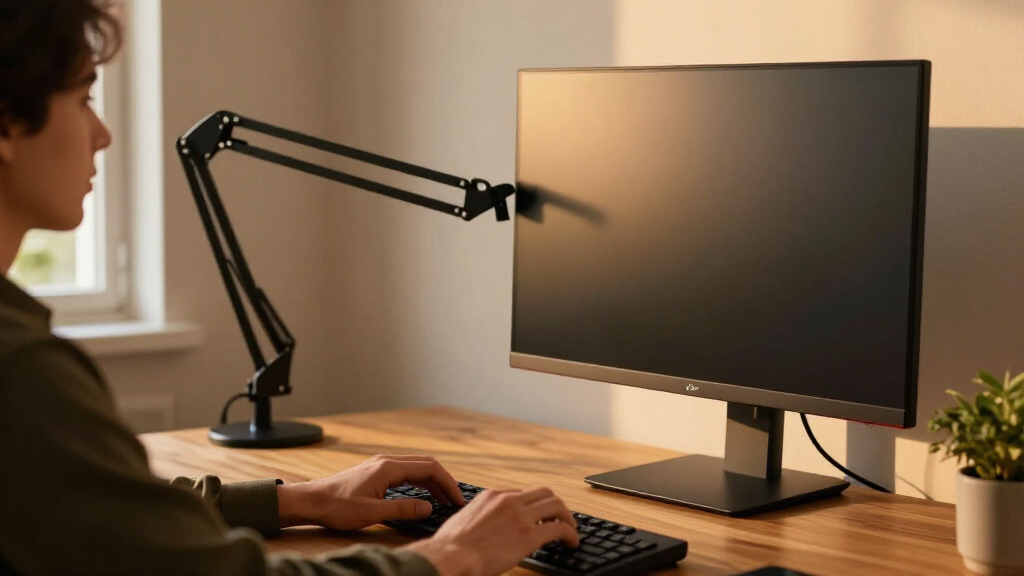

Ergonomic monitor arms make it easier to position a screen at a comfortable height and reclaim desk space, but capacity, range of motion, and installation vary. My best overall pick is the Ergotron LX Single Monitor Arm for buyers prioritizing a flexible single-screen setup, while the ULTRARM Extra-Tall Heavy-Duty Arm suits larger screens and higher positioning needs. For dual displays, the HUANUO Dual Monitor Desk Mount is a standout starting point for smaller screens. The main tradeoffs are single versus dual-screen flexibility, desk clearance, and how much support a heavier or larger monitor requires. Read on for the full comparison and guidance on matching an arm to your desk and display.

Get comfort and recovery gear delivered free with Prime
- Fast, free delivery on millions of items
- Prime Video, Amazon Music and more included
- Member-only deals all year
Complete the kit



Key Takeaways
- The Ergotron LX earns the overall lead for a single-screen workspace where adjustability and a well-established design matter more than choosing a dual mount.
- The ULTRARM Extra-Tall Heavy-Duty model fills a specific gap in the lineup: buyers with larger screens or a need for extra vertical reach should compare its fit against standard single arms.
- Dual-monitor options vary in stated screen-size ranges, so checking each monitor’s weight and VESA pattern matters more than choosing by screen size alone.
- The lineup includes several closely related ErGear dual-arm options; buyers should compare their exact model details rather than assume the shared brand name means identical fit or features.
- Compact single arms and dual mounts solve different desk problems: a dual arm organizes two displays, while a single arm leaves more freedom to place a laptop, papers, or other equipment.
| ErGear Adjustable Single Monitor Arm for 13–34-Inch Screens |  | Best for Wide-Ranging Adjustment | Compatible screen size: 13–34 inches | Maximum weight capacity: 19.8 lbs | VESA compatibility: 75×75 mm and 100×100 mm | VIEW LATEST PRICE | See Our Full Breakdown |
| HUANUO Dual Monitor Desk Mount for 13–27-Inch Screens |  | Best Dual Mount for Flexible Installation | Screen size compatibility: 13–27 inches | Weight capacity: 4.4–19.8 lbs per arm | VESA compatibility: 75×75 mm and 100×100 mm | VIEW LATEST PRICE | See Our Full Breakdown |
| Ergotron LX Single Monitor Arm, Matte Black |  | Best Premium Single Arm | Compatible screen size: Up to 34 inches | Supported monitor weight: 7–25 lbs | VESA compatibility: 75×75 mm and 100×100 mm | VIEW LATEST PRICE | See Our Full Breakdown |
| 5Rcom Single Monitor Arm for 13–35-Inch Screens |  | Best for Larger Screens on a Broad Budget | Screen size compatibility: 13–35 inches | Load capacity: 4.4–22 lbs | Material: Alloy steel | VIEW LATEST PRICE | See Our Full Breakdown |
| ErGear Dual Monitor Desk Mount for 13–32-Inch Screens |  | Best for Larger Dual-Screen Setups | Compatible screen size: 13–32 inches | Weight capacity: 17.6 lbs per arm | VESA compatibility: 75×75 mm and 100×100 mm | VIEW LATEST PRICE | See Our Full Breakdown |
| VIVO Dual Monitor Desk Mount for 17–32 Inch Screens |  | Best Dual-Monitor Value | Model: STAND-V002O | Screen size: 17–32 inches per monitor | Weight capacity: 4.4–19.8 lbs per monitor | VIEW LATEST PRICE | See Our Full Breakdown |
| ULTRARM Extra-Tall Heavy-Duty Monitor Arm for 17–40-Inch Monitors |  | Best for Tall, Expandable Setups | Model: MA12P-S | Screen size: 17–40 inches | Weight capacity: 2.2–26.4 lb per arm | VIEW LATEST PRICE | See Our Full Breakdown |
| WALI Adjustable Dual Monitor Arm for 13–32-Inch Screens |  | Best Dual Arm for Cable Management | Model: GSMP002N | Monitor capacity: 2 monitors | Screen size: 13–32 inches | VIEW LATEST PRICE | See Our Full Breakdown |
| VIVO Single Monitor Desk Mount for 13–38 Inch Screens |  | Best for a Single Ultrawide | Model: STAND-V001 | Screen size: 13–38 inches | Weight capacity: 22 lbs | VIEW LATEST PRICE | See Our Full Breakdown |
| Single Monitor Arm – Gas Spring Adjustable Mount for 13‑32″ Screens, VESA Clamp or Grommet, Supports 4.4–22 lb (AX09DB01-1) |  | Best Gas-Spring Pick for Everyday Adjustment | Brand and model: AX WABER AX09DB01-1 | Screen size: 13–32 inches | Weight capacity: 4.4–22 lbs | VIEW LATEST PRICE | See Our Full Breakdown |
| HUANUO Dual Monitor Stand for 17–32-Inch Screens |  | Best for a Stacked Dual-Monitor Setup | Monitor capacity: 2 monitors | Screen size: Up to 32 inches | Weight capacity: 4.4–19.8 lbs per monitor | VIEW LATEST PRICE | See Our Full Breakdown |
| MSI MAG MT201D Heavy-Duty Dual Monitor Stand | 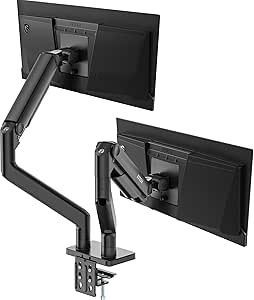 | Best for Heavy Dual Monitors | Monitor capacity: 2 monitors | Screen size: 17–45 inches | Weight capacity: 4.4–44 lbs per screen | VIEW LATEST PRICE | See Our Full Breakdown |
| Acer Adjustable Single Monitor Arm for 17–34-Inch Screens |  | Best for Fine-Tuning a Single Screen | Monitor capacity: 1 monitor | Screen size: 17–34 inches | Weight capacity: 4.4–19.8 lb (2–9 kg) | VIEW LATEST PRICE | See Our Full Breakdown |
| PEGZONE Heavy-Duty Single Monitor Arm for 17–49-Inch Screens, Black |  | Best for Extra-Large Single Monitors | Monitor capacity: 1 monitor | Screen size: 17–49 inches | Weight capacity: 4.4–44 lb (2–20 kg) | VIEW LATEST PRICE | See Our Full Breakdown |
| ErGear Dual Monitor Arm for 13–32-Inch Screens |  | Best for Straightforward Dual-Screen Setup | Monitor capacity: 2 monitors | Screen size: 13–32 inches | Maximum load: 19.8 lbs per monitor | VIEW LATEST PRICE | See Our Full Breakdown |
| ergonomic monitor arm | VESA compatibility | Weight capacity | Screen size | Tilt |
|---|---|---|---|---|
| ErGear Adjustable Single Monit | 75×75 mm and 100×100 mm | — | — | +80° to -50° |
| HUANUO Dual Monitor Desk Mount | 75×75 mm and 100×100 mm | 4.4–19.8 lbs per arm | — | +85°/-50° |
| Ergotron LX Single Monitor Arm | 75×75 mm and 100×100 mm | — | — | — |
| 5Rcom Single Monitor Arm for 1 | — | — | — | -45° to +90° |
| ErGear Dual Monitor Desk Mount | 75×75 mm and 100×100 mm | 17.6 lbs per arm | — | — |
| VIVO Dual Monitor Desk Mount f | 75 × 75 mm; 100 × 100 mm | 4.4–19.8 lbs per monitor | 17–32 inches per monitor | +90° to -90° |
| ULTRARM Extra-Tall Heavy-Duty | — | 2.2–26.4 lb per arm | 17–40 inches | — |
| WALI Adjustable Dual Monitor A | 75 × 75 mm; 100 × 100 mm | — | 13–32 inches | +70°/-45° |
| VIVO Single Monitor Desk Mount | 75 × 75 mm; 100 × 100 mm | 22 lbs | 13–38 inches | +90° to -90° |
| Single Monitor Arm | 75 × 75 mm; 100 × 100 mm | 4.4–22 lbs | 13–32 inches | -45° to +90° |
| HUANUO Dual Monitor Stand for | 75 × 75 mm or 100 × 100 mm | 4.4–19.8 lbs per monitor | Up to 32 inches | — |
| MSI MAG MT201D Heavy-Duty Dual | 75 × 75 mm or 100 × 100 mm | 4.4–44 lbs per screen | 17–45 inches | +50° / -20° |
| Acer Adjustable Single Monitor | 75 × 75 mm or 100 × 100 mm | 4.4–19.8 lb (2–9 kg) | 17–34 inches | — |
| PEGZONE Heavy-Duty Single Moni | 75 × 75 mm or 100 × 100 mm | 4.4–44 lb (2–20 kg) | 17–49 inches | — |
| ErGear Dual Monitor Arm for 13 | 75 × 75 mm or 100 × 100 mm | — | 13–32 inches | — |
More Details on Our Top Picks
ErGear Adjustable Single Monitor Arm for 13–34-Inch Screens
ErGear’s single arm stands out for its broad positioning range: up to 22.6 inches of height adjustment and 20.6 inches of horizontal extension let me place a screen closer or farther away as desk tasks change. Its tilt, swivel, and full rotation also suit users who switch between portrait documents and landscape viewing. Compared with the Ergotron LX, this model offers more stated vertical adjustment, while the LX supports heavier monitors and carries a longer warranty. The padded C-clamp and cable clips help keep the setup orderly, but installation depends on having a compatible desk edge, and the arm supports only one screen. I’d choose it for adjustment flexibility, not for a two-monitor workspace or a display outside its 19.8-pound limit.
Pros:- Up to 22.6 inches of height adjustment and 20.6 inches of reach support varied desk positions.
- Tilt, swivel, and 360-degree rotation allow flexible viewing and portrait orientation.
- Supports 13–34-inch screens with VESA 75×75 mm or 100×100 mm patterns.
- Padded C-clamp and cable clips help protect the mounting area and organize cords.
Cons:- Supports only one monitor.
- C-clamp installation requires a compatible, accessible desk edge.
- The 19.8-pound capacity rules out some heavier displays.
Best for: Single-monitor users who frequently change screen height, viewing distance, or orientation and have a desk edge suited to a C-clamp.
Not ideal for: People building a dual-screen setup, using a desk without a suitable clamp edge, or mounting a monitor heavier than 19.8 pounds.
- Compatible screen size:13–34 inches
- Maximum weight capacity:19.8 lbs
- VESA compatibility:75×75 mm and 100×100 mm
- Maximum height adjustment:22.6 inches
- Maximum horizontal extension:20.6 inches
- Tilt:+80° to -50°
- Swivel and rotation:±90° swivel; 360° rotation
- Mounting and material:Tabletop C-clamp; alloy steel
- Warranty:2 years
Our verdict“Choose this arm if you want extensive single-screen positioning and your monitor weighs no more than 19.8 pounds.”
HUANUO Dual Monitor Desk Mount for 13–27-Inch Screens
HUANUO’s dual mount is the more adaptable choice for two modest-size screens, pairing full-motion positioning with a choice of C-clamp or grommet installation. Each arm supports monitors from 4.4 to 19.8 pounds, and the 16.2-inch height adjustment gives each display room for alignment. Compared with the ErGear Dual Monitor Desk Mount, this model accepts a lower minimum monitor weight and offers a five-year warranty, while ErGear accommodates screens up to 32 inches and lists a 31.22-inch arm span. The tradeoff is a tighter 27-inch screen limit and specific desk requirements: it is intended for wooden desks, and underside crossbeams or panels can block installation. I’d shortlist it when mounting options matter more than fitting larger displays.
Pros:- Supports two monitors weighing 4.4–19.8 pounds each.
- C-clamp and grommet installation offer flexibility for compatible wooden desks.
- Tilt, swivel, and rotation make it easier to align both screens for comfortable viewing.
- Built-in cable management and a five-year warranty are included.
Cons:- Not recommended for plastic or glass desks.
- Crossbeams or panels beneath the desk can prevent mounting.
- The 27-inch screen limit is narrower than the ErGear dual mount’s 32-inch range.
Best for: People arranging two 13–27-inch monitors on a compatible wooden desk who want a choice between clamp and grommet mounting.
Not ideal for: Owners of glass or plastic desks, desks with obstructed undersides, or users mounting monitors larger than 27 inches.
- Screen size compatibility:13–27 inches
- Weight capacity:4.4–19.8 lbs per arm
- VESA compatibility:75×75 mm and 100×100 mm
- Maximum height:16.2 inches
- Tilt:+85°/-50°
- Swivel and rotation:±90° swivel; 360° rotation
- Mounting options:C-clamp or grommet
- Desk compatibility:Wooden desks, 0.59–3.54 inches thick
- Warranty:5 years
Our verdict“Pick this dual mount if your wooden desk supports its installation methods and you value two-screen adjustability over larger screen capacity.”
Ergotron LX Single Monitor Arm, Matte Black
The Ergotron LX is the premium single-arm pick for heavier displays and long-term ownership. Its 7–25-pound capacity covers monitors that exceed the ErGear single arm’s 19.8-pound limit, and clamp or grommet mounting gives buyers more than one installation route. It provides 13 inches of lift, 75 degrees of tilt, and 360-degree rotation—enough for meaningful repositioning, though the ErGear offers a greater stated height-adjustment range. The LX’s 10-year warranty is a key differentiator against the two-year ErGear warranty, but it does not make this the best fit for every desk: its clamp accepts surfaces 0.4–2.4 inches thick, and its listed lift is less generous than ErGear’s. I’d favor the LX when monitor weight support and warranty matter more than maximum height travel.
Pros:- Supports monitors weighing up to 25 pounds, more than the ErGear single arm’s 19.8-pound limit.
- Clamp and grommet mounting provide installation alternatives.
- 360-degree rotation and 75-degree maximum tilt support flexible screen positioning.
- Includes a 10-year warranty and cable management.
Cons:- The 13-inch lift is less than the ErGear single arm’s stated 22.6-inch height adjustment.
- The 7-pound minimum excludes some lightweight monitors.
- Clamp and grommet mounting each have specific desk-thickness limits.
Best for: Single-monitor owners with a 7–25-pound display who want clamp or grommet installation and a long warranty.
Not ideal for: Buyers needing more than 13 inches of lift, mounting a monitor under 7 pounds, or fitting a desk outside the listed thickness ranges.
- Compatible screen size:Up to 34 inches
- Supported monitor weight:7–25 lbs
- VESA compatibility:75×75 mm and 100×100 mm
- Lift:13 inches
- Maximum height above worksurface:17.3 inches
- Maximum tilt and rotation:75° tilt; 360° rotation
- Mounting options:Desk clamp or grommet
- Desk thickness:Clamp: 0.4–2.4 inches; grommet: up to 2.25 inches
- Warranty:10 years
Our verdict“Choose the LX for a heavier compatible monitor and longer warranty, but look elsewhere if maximum vertical travel is your priority.”
5Rcom Single Monitor Arm for 13–35-Inch Screens
5Rcom earns a place for its stated 35-inch screen compatibility and generous 21.2-inch reach, giving larger displays room to move across a desk. Its 22-pound capacity sits above the ErGear single arm’s 19.8-pound limit, though below the Ergotron LX’s 25-pound ceiling. Height adjustment reaches 17.7 inches, while tilt, swivel, and full rotation cover common ergonomic repositioning needs. That makes it a practical middle ground for a large, single-screen setup, rather than the strongest choice for either maximum lift or the heaviest monitors. The integrated cable management keeps cords routed along the arm, but the one-year warranty is shorter than the warranties listed for both ErGear and Ergotron. I’d verify the monitor’s weight and mounting compatibility before choosing it for a larger screen.
Pros:- Fits listed flat and curved screens from 13 to 35 inches.
- Supports up to 22 pounds, more than the ErGear single arm’s 19.8-pound capacity.
- Offers up to 21.2 inches of reach and 17.7 inches of height adjustment.
- Tilt, swivel, 360-degree rotation, and integrated cable management are included.
Cons:- The 22-pound capacity is lower than the Ergotron LX’s 25-pound limit.
- The one-year warranty is shorter than the warranties listed for the ErGear and Ergotron single arms.
- The supplied specifications do not state a VESA pattern or mounting type.
Best for: Single-monitor users with a 13–35-inch flat or curved display weighing no more than 22 pounds who want substantial reach.
Not ideal for: Owners of monitors heavier than 22 pounds or buyers who prioritize a longer warranty or the greater lift listed for the ErGear single arm.
- Screen size compatibility:13–35 inches
- Load capacity:4.4–22 lbs
- Material:Alloy steel
- Height adjustment:Up to 17.7 inches
- Reach:Up to 21.2 inches
- Tilt:-45° to +90°
- Swivel and rotation:±90° swivel; 360° VESA plate rotation
- Cable management:Integrated
- Warranty:1 year
Our verdict“Consider 5Rcom for a larger screen that fits its 22-pound limit, but verify mounting compatibility and weigh the shorter warranty against alternatives.”
ErGear Dual Monitor Desk Mount for 13–32-Inch Screens
ErGear’s dual mount is the stronger fit for two screens up to 32 inches, while the HUANUO dual mount tops out at 27 inches. Each arm supports up to 17.6 pounds, and the 31.22-inch arm span helps establish side-by-side positions across a wider desk. Tilt, swivel, and rotation allow each display to be angled or turned independently, while clamp and grommet installation offer two mounting paths. The tradeoff is a lower per-arm weight limit than HUANUO’s 19.8 pounds, so screen size alone is not enough to confirm fit. ErGear recommends installation on a wooden table, and both monitors need compatible VESA holes. I’d choose this for a larger dual-screen arrangement when the displays are relatively light, rather than for heavier monitors or a desk material outside its guidance.
Pros:- Supports two screens up to 32 inches, compared with HUANUO’s 27-inch limit.
- Each arm offers swivel, tilt, and 360-degree rotation.
- C-clamp and grommet mounting accommodate compatible desk setups.
- Cable management clips help keep cords organized around the 31.22-inch arm span.
Cons:- The 17.6-pound limit per arm is lower than HUANUO’s 19.8-pound limit.
- The listing recommends a wooden table, limiting desk-material flexibility.
- Both monitors need compatible VESA mounting holes.
Best for: People setting up two VESA-compatible monitors up to 32 inches each on a wooden desk, with each display weighing no more than 17.6 pounds.
Not ideal for: Users with monitors heavier than 17.6 pounds per arm, non-wood desks, or screens without VESA 75×75 mm or 100×100 mm mounting holes.
- Compatible screen size:13–32 inches
- Weight capacity:17.6 lbs per arm
- VESA compatibility:75×75 mm and 100×100 mm
- Arm span:31.22 inches
- Height bar:16 inches
- Swivel and tilt:±90° swivel; ±45° tilt
- Rotation:360°
- Installation options:C-clamp or grommet mount
- Desk thickness:C-clamp: 0.39–3 inches; grommet: 0.39–2.36 inches
Our verdict“Choose this mount for two larger but lighter VESA monitors on a wooden desk, and favor HUANUO if your screens weigh more.”
VIVO Dual Monitor Desk Mount for 17–32 Inch Screens
For a two-screen workstation that needs flexible positioning without dedicating desk space to two stands, I’d shortlist the VIVO STAND-V002O. Its spring arms support 4.4–19.8 pounds per monitor and allow tilt, swivel, and portrait or landscape rotation, giving it the range to set each screen independently. Compared with the WALI Adjustable Dual Monitor Arm, it has a slightly lower stated load ceiling per arm, while WALI adds built-in cable management and a longer warranty. VIVO’s useful distinction is its broad tilt range and support for either a C-clamp or an optional grommet mount. The tradeoff is physical: the arms extend past the desk edge, so a shallow desk or nearby wall may limit placement. I’d also check both monitors’ VESA patterns and weights before buying.
Pros:- Supports two monitors from 17 to 32 inches, within the stated per-screen weight range.
- Tilt, swivel, and 360-degree rotation allow flexible screen positioning.
- C-clamp mounting is included, with an optional grommet mounting method.
- Three-year warranty.
Cons:- Each arm supports no more than 19.8 pounds.
- Arms extend beyond the desk edge, which can restrict placement on shallow desks.
- Grommet mounting is optional rather than included.
Best for: Two-monitor users with compatible 17–32-inch screens who want adjustable positioning and a clear desk surface.
Not ideal for: Owners of monitors heavier than 19.8 pounds each, or people with a shallow desk where the arms’ forward extension could get in the way.
- Model:STAND-V002O
- Screen size:17–32 inches per monitor
- Weight capacity:4.4–19.8 lbs per monitor
- VESA compatibility:75 × 75 mm; 100 × 100 mm
- Tilt:+90° to -90°
- Swivel:180°
- Rotation:360°
- Desk mounting:C-clamp up to 3.1 inches thick; optional grommet mount up to 1.9 inches thick
- Warranty:3 years
Our verdict“Choose this VIVO when you want an adaptable dual-screen setup and both monitors fall within its size and weight limits.”
ULTRARM Extra-Tall Heavy-Duty Monitor Arm for 17–40-Inch Monitors
The ULTRARM MA12P-S is the specialist choice here for a screen that needs to sit unusually high or reach over desk clutter. Its stated 33.4-inch maximum height and 22-inch arm length give more positioning scope than the single-screen VIVO STAND-V001, whose listed height adjustment reaches 16 inches. It also supports monitors up to 40 inches and 26.4 pounds per arm, and its modular design can expand toward a quad-screen arrangement with additional arms. That flexibility suits evolving workstations, but it is not the simplest pick for an ordinary single-monitor desk: the extra reach may be unnecessary, and an expanded multi-arm setup requires more hardware. Check monitor weight carefully, too; the per-arm ceiling rules out some heavy large-format displays despite the generous screen-size limit.
Pros:- 33.4-inch maximum height and 22-inch reach offer extensive positioning range.
- Supports compatible screens from 17 to 40 inches.
- Gas-spring movement allows height adjustments without resetting the mount.
- Modular design can expand from one monitor toward a quad-screen setup.
Cons:- The 26.4-pound per-arm limit may exclude some large, heavy monitors.
- Additional arms may be needed for multi-monitor expansion.
- Its tall, long-reaching design may be excessive for a compact desk setup.
Best for: Tall users, standing-desk owners, or workstation builders who need a high monitor position, long reach, or room to add screens later.
Not ideal for: Buyers seeking a compact, straightforward arm for a typical monitor, or owners of displays weighing more than 26.4 pounds.
- Model:MA12P-S
- Screen size:17–40 inches
- Weight capacity:2.2–26.4 lb per arm
- Maximum height:33.4 inches
- Arm length:22 inches
- Maximum tilt:100 degrees
- Movement:Full motion: tilt, swivel, and rotate
- Mounting:Tabletop C-clamp or grommet
- Expansion:Modular design supports expansion up to four monitors
Our verdict“Pick the ULTRARM if height and reach matter more than a simple footprint, and your monitor stays within its per-arm weight limit.”
WALI Adjustable Dual Monitor Arm for 13–32-Inch Screens
For a dual-screen desk where tidy routing matters alongside ergonomic adjustment, the WALI GSMP002N has a practical advantage: built-in cable management helps keep monitor leads from hanging across the work area. It supports up to 22 pounds per arm, a higher stated ceiling than the VIVO STAND-V002O, and offers C-clamp or grommet installation. Its 19.3-inch extension and 17.3-inch maximum height above the desktop provide room to place screens around a keyboard and other desk gear. WALI also lists a 10-year warranty, longer than VIVO’s three years. The main caveat is desk compatibility: the manufacturer recommends a wooden desk without an obstructing underside crossbeam. Its tilt range is also less broad than the VIVO’s listed range, so buyers needing extreme tilt should compare those figures against their setup.
Pros:- Supports two monitors up to 22 pounds each.
- Built-in cable management helps keep leads organized.
- C-clamp and grommet mounting options are included.
- Listed 10-year warranty.
Cons:- Manufacturer recommends installation on a wooden desk without an obstructing underside crossbeam.
- Tilt range is +70°/-45°, narrower than the VIVO STAND-V002O’s listed +90°/-90°.
- Monitor size, weight, and VESA pattern must all fit the mount’s limits.
Best for: Dual-monitor users who want cable routing, a higher per-arm weight limit than the VIVO dual mount, and adjustable screen placement on a compatible wooden desk.
Not ideal for: People with glass or unsuitable desks, an obstructing underside crossbeam, or screens outside the stated size, weight, or VESA limits.
- Model:GSMP002N
- Monitor capacity:2 monitors
- Screen size:13–32 inches
- Maximum load:22 lbs per arm
- VESA compatibility:75 × 75 mm; 100 × 100 mm
- Arm extension:19.3 inches
- Maximum height above desktop:17.3 inches
- Tilt:+70°/-45°
- Desk mounting:C-clamp or grommet; desk thickness 0.39–2.76 inches
Our verdict“Choose WALI for a compatible dual-monitor desk where cable organization and a 22-pound-per-arm limit take priority.”
VIVO Single Monitor Desk Mount for 13–38 Inch Screens
If your ergonomic priority is positioning one wide screen rather than building a dual-monitor arrangement, the VIVO STAND-V001 covers a useful range: standard monitors up to 32 inches and compatible ultrawides up to 38 inches, with a 22-pound weight limit. Its tilt, 360-degree swivel and rotation, and height adjustment up to 16 inches give a single display room to move between work and viewing positions. Compared with the AX WABER AX09DB01-1, VIVO lists support for larger screens, while AX WABER specifies a gas spring and a longer 19.3-inch reach. VIVO’s tradeoff is that it does not list that gas-spring mechanism, and its 22-pound cap still excludes heavier ultrawides. The mount also requires a 75 × 75 mm or 100 × 100 mm VESA pattern.
Pros:- Supports compatible ultrawide screens up to 38 inches.
- Tilt, swivel, rotation, and height adjustment enable flexible positioning.
- Includes C-clamp and grommet mounting options.
- Cable clips help organize power and AV leads.
Cons:- Weight capacity is limited to 22 pounds.
- Requires a 75 × 75 mm or 100 × 100 mm VESA pattern.
- Unlike the AX WABER AX09DB01-1, its provided specifications do not identify a gas-spring mechanism.
Best for: Single-monitor users with a VESA-compatible standard display or ultrawide up to 38 inches and 22 pounds.
Not ideal for: Owners of heavier displays, monitors without the listed VESA pattern, or users who need a dual-screen mount or a stated gas-spring adjustment mechanism.
- Model:STAND-V001
- Screen size:13–38 inches
- Weight capacity:22 lbs
- VESA compatibility:75 × 75 mm; 100 × 100 mm
- Tilt:+90° to -90°
- Swivel:360°
- Rotation:360°
- Height adjustment:Up to 16 inches
- Mounting:C-clamp or grommet; maximum desk thickness 3.25 inches
Our verdict“Choose this VIVO for a single compatible ultrawide when its 22-pound limit and 16-inch height adjustment fit your setup.”
Single Monitor Arm – Gas Spring Adjustable Mount for 13‑32″ Screens, VESA Clamp or Grommet, Supports 4.4–22 lb (AX09DB01-1)
The AX WABER AX09DB01-1 makes the most sense for a single 13–32-inch monitor that gets repositioned often. Its gas spring is designed to make height changes smoother, while tilt, swivel, and rotation let you bring the screen into a more comfortable viewing position. The listed 19.3-inch reach is greater than the VIVO STAND-V001’s specified 16-inch height adjustment, but VIVO supports compatible ultrawides up to 38 inches; AX WABER stops at 32 inches. That makes this a more focused everyday arm, not the pick for a large ultrawide. Its 4.4–22-pound range and standard VESA patterns still cover many conventional monitors. Installation deserves a desk check first: thin tops or obstructing underside beams can make clamp or grommet mounting difficult.
Pros:- Gas-spring mechanism supports convenient height adjustment.
- Provides tilt, swivel, and 360-degree rotation.
- 19.3-inch extension reach helps position the display away from the mount.
- Offers both C-clamp and grommet mounting options.
Cons:- Screen-size limit is 32 inches, below the VIVO STAND-V001’s stated 38-inch ultrawide support.
- Weight range excludes monitors below 4.4 pounds or above 22 pounds.
- Thin desks or obstructing underside beams may complicate installation.
Best for: Single-screen users with a 13–32-inch VESA monitor who regularly adjust height and want a gas-spring arm with clamp or grommet mounting.
Not ideal for: Owners of ultrawides over 32 inches, monitors outside the 4.4–22-pound range, or people whose desk is too thin or obstructed for mounting.
- Brand and model:AX WABER AX09DB01-1
- Screen size:13–32 inches
- Weight capacity:4.4–22 lbs
- VESA compatibility:75 × 75 mm; 100 × 100 mm
- Tilt:-45° to +90°
- Swivel:±90°
- Rotation:360°
- Lift height:Up to 44 cm
- Extension reach:19.3 inches
Our verdict“Pick the AX WABER for frequent repositioning of a standard-size monitor, but choose the VIVO STAND-V001 for a compatible ultrawide.”
HUANUO Dual Monitor Stand for 17–32-Inch Screens
The HUANUO HNDS8 suits a vertical two-screen layout, where raising one display above the other frees desk width without giving up independent tilt, swivel, and rotation adjustments. Its 25.19-inch maximum height gives more room for a tall arrangement than the ErGear Dual Monitor Arm, which is designed around side-by-side positioning. Each monitor must weigh 4.4–19.8 pounds and use a supported VESA pattern, so this is not a fit for unusually heavy displays. The clamp and grommet options add installation flexibility, while cable management helps keep a compact workstation tidier. The main tradeoff is that its stacked format is less suited to buyers who want two screens at the same eye-level height, and the mount cannot be installed on a glass desk.
Pros:- Supports two monitors in a space-saving stacked arrangement
- Height extends up to 25.19 inches
- Tilt, swivel, and rotation allow flexible screen positioning
- Offers both C-clamp and grommet installation with cable management
Cons:- Not compatible with glass desks
- Monitor weight and VESA compatibility limits rule out some displays
- Stacked positioning may not suit side-by-side workflows
Best for: People with limited desk width who want two compatible monitors arranged vertically and need substantial height adjustment.
Not ideal for: Users who need side-by-side screens at the same height, have monitors outside the 4.4–19.8-pound range, or use a glass desk.
- Monitor capacity:2 monitors
- Screen size:Up to 32 inches
- Weight capacity:4.4–19.8 lbs per monitor
- VESA compatibility:75 × 75 mm or 100 × 100 mm
- Maximum height:25.19 inches
- Adjustments:Tilt 90°, swivel 180°, rotation 360°
- Mounting:C-clamp or grommet; desk thickness 0.39–3.54 inches
- Desk compatibility:Solid wood or metal; not glass
Our verdict“Choose the HUANUO HNDS8 if you want two compatible monitors stacked to save desk width; skip it if you need a side-by-side arrangement or have a glass desk.”
MSI MAG MT201D Heavy-Duty Dual Monitor Stand
The MSI MAG MT201D is the heavy-duty choice in this group: it supports up to 44 pounds per screen and displays as large as 45 inches. That gives it a much wider load range than the HUANUO HNDS8 or ErGear Dual Monitor Arm, both of which top out at 19.8 pounds per monitor. For buyers with substantial screens, that extra capacity opens up mounting options that lighter dual arms cannot handle. Tilt, swivel, and rotation let you tune viewing angles, and the quick-release VESA plate can make attaching a compatible display more convenient. The tradeoff is fit: each screen still needs a 75 × 75 mm or 100 × 100 mm VESA pattern, and the desk must fall within the stated clamp or grommet thickness range. Its higher capacity is unnecessary for lighter monitors.
Pros:- Supports screens up to 45 inches and 44 pounds each
- Provides clamp and grommet mounting options
- Quick-release VESA plate can simplify display attachment
- Tilt, swivel, and rotation support flexible viewing positions
Cons:- Requires a 75 × 75 mm or 100 × 100 mm VESA pattern
- Desk thickness must fit the mounting range
- Its high weight capacity is unnecessary for many standard monitors
Best for: Dual-monitor users with large, heavy displays who need an arm rated for up to 44 pounds per screen.
Not ideal for: People with lightweight monitors who want a simpler-capacity match, or anyone whose desk falls outside the clamp and grommet thickness limits.
- Monitor capacity:2 monitors
- Screen size:17–45 inches
- Weight capacity:4.4–44 lbs per screen
- VESA compatibility:75 × 75 mm or 100 × 100 mm
- Tilt:+50° / -20°
- Swivel and rotation:Swivel ±90°; rotation ±180°
- Mounting:Clamp: 10–85 mm desk thickness; grommet: 10–35 mm
- Warranty:3 years
Our verdict“Pick the MSI MAG MT201D for two unusually large or heavy screens, but choose a lighter-duty dual arm if your monitors fall comfortably below its capacity.”
Acer Adjustable Single Monitor Arm for 17–34-Inch Screens
The Acer AMS001 is a practical single-screen pick for buyers who want a gas spring arm with adjustable tension, rather than a dual setup like the ErGear Dual Monitor Arm. Its 4.4–19.8-pound range covers many 17–34-inch displays, while the tension adjustment helps balance the arm to the specific monitor instead of leaving it difficult to reposition. A broad tilt range, swivel, and full rotation support changes between seated work, portrait documents, and shared viewing. Clamp and grommet mounting add flexibility, though the desk edge must allow a secure clamp grip: double shelves, enclosed back panels, and obstructive curved edges can prevent installation. At 18.1 inches above the desk, its stated maximum height is also more limited than the HUANUO HNDS8’s extended reach.
Pros:- Gas spring tension can be adjusted for the monitor’s weight
- Supports tilt, swivel, and 360° rotation
- Accepts either C-clamp or grommet mounting
- Includes installation hardware
Cons:- Desk features such as enclosed backs or double shelves can block a secure clamp fit
- Monitor must weigh 4.4–19.8 pounds and use a supported VESA pattern
- Maximum stated height is lower than the HUANUO HNDS8’s
Best for: Single-monitor users with a compatible 17–34-inch display who want gas spring positioning and adjustable tension.
Not ideal for: People who need a dual-screen mount, have a desk edge obstructed by a shelf or panel, or need more than 18.1 inches of stated height.
- Monitor capacity:1 monitor
- Screen size:17–34 inches
- Weight capacity:4.4–19.8 lb (2–9 kg)
- VESA compatibility:75 × 75 mm or 100 × 100 mm
- Maximum height:18.1 inches above desk
- Adjustments:Tilt -60° to +90°; swivel ±90°; rotation 360°
- Mounting:C-clamp or grommet; desk thickness 15–80 mm
- Warranty:1 year
Our verdict“Choose the Acer AMS001 for adjustable gas spring positioning on one compatible monitor, provided your desk edge permits a secure mount.”
PEGZONE Heavy-Duty Single Monitor Arm for 17–49-Inch Screens, Black
For a single oversized display, the PEGZONE arm offers the broadest stated screen-size range here: it supports monitors up to 49 inches and 44 pounds. That makes it a stronger match for large flat or curved screens than the Acer AMS001, which supports screens up to 34 inches and 19.8 pounds. Tilt, swivel, and rotation provide room to adjust viewing angle and orientation, while integrated cable management keeps leads routed along the arm. The aluminum construction and three-year warranty add useful details for a mount built around heavier screens. Its limits are mostly compatibility-related: the monitor needs a 75 × 75 mm or 100 × 100 mm VESA pattern, and the desk must be 10–50 mm thick at the mounting point. Unlike the ErGear dual arm, this is a one-screen solution.
Pros:- Supports monitors up to 49 inches and 44 pounds
- Compatible with flat and curved monitors
- Includes tilt, swivel, and rotation adjustments
- Aluminum arm includes cable management and a three-year warranty
Cons:- Supports only one monitor
- Requires a 75 × 75 mm or 100 × 100 mm VESA pattern
- Desk must be 10–50 mm thick at the mounting point
Best for: Users mounting one large or heavy flat or curved monitor who need support up to 49 inches and 44 pounds.
Not ideal for: People who need to mount two monitors, have a screen without a supported VESA pattern, or have a desk outside the 10–50 mm thickness range.
- Monitor capacity:1 monitor
- Screen size:17–49 inches
- Weight capacity:4.4–44 lb (2–20 kg)
- VESA compatibility:75 × 75 mm or 100 × 100 mm
- Adjustments:Tilt +90° / -20°; swivel 180°; rotation ±180°
- Mounting:C-clamp or grommet
- Desk thickness:10–50 mm
- Material and warranty:Aluminum; 3 years
Our verdict“Choose PEGZONE for one compatible extra-large monitor; the Acer AMS001 is a closer fit for lighter displays, while dual-screen users should look elsewhere.”
ErGear Dual Monitor Arm for 13–32-Inch Screens
The ErGear Dual Monitor Arm is the accessible fit for a conventional two-screen workstation: it supports 13–32-inch displays up to 19.8 pounds each and lets you adjust both monitors independently. Compared with the HUANUO HNDS8, which reaches 25.19 inches and suits a stacked arrangement, this model emphasizes side-by-side positioning, with up to 17.5 inches of height adjustment and 18.1 inches of extension. Its tool-free VESA plates and cable clips can simplify setup and keep cords controlled, while tilt, swivel, and rotation help align screens to the user. The five-year warranty is longer than the Acer AMS001’s one-year term, but the manufacturer recommends a wooden desk, and crossbeams underneath can obstruct mounting. It is not the heavy-screen option: the MSI MAG MT201D supports up to 44 pounds per screen.
Pros:- Supports two monitors from 13 to 32 inches
- Independent height, tilt, swivel, and rotation adjustments
- Tool-free VESA plates and cable clips simplify setup and cable routing
- Five-year warranty
Cons:- Each monitor is limited to 19.8 pounds
- Manufacturer recommends installation on a wooden desk
- Desk crossbeams may obstruct mounting underneath
Best for: People building a side-by-side workstation with two 13–32-inch monitors weighing no more than 19.8 pounds each.
Not ideal for: Users with heavy monitors, a glass or non-wood desk setup, or underside crossbeams that interfere with the clamp or grommet mount.
- Monitor capacity:2 monitors
- Screen size:13–32 inches
- Maximum load:19.8 lbs per monitor
- VESA compatibility:75 × 75 mm or 100 × 100 mm
- Height adjustment:Up to 17.5 inches
- Extension:Up to 18.1 inches
- Adjustments:Tilt +80° / -50°; swivel ±90°; rotation 360°
- Mounting and warranty:C-clamp or grommet; 5 years
Our verdict“Choose ErGear for a conventional side-by-side pair of lighter monitors with convenient setup features, but opt for the MSI MAG MT201D if your screens are heavy.”
How We Picked
I ranked these ergonomic monitor arms around the questions that affect day-to-day fit: whether the arm supports the intended screen size and weight, how useful its adjustment range is, and whether it suits a single or dual-display desk. I also weighed installation flexibility, such as clamp or grommet mounting where specified, alongside the practical value of freeing desk space and keeping screens positioned independently.
The order favors arms with a clear fit for a common desk setup and a distinct use case, not a longer feature list by itself. The Ergotron LX leads for single-screen flexibility, while the ULTRARM ranks highly for extra reach and larger displays. Dual mounts follow according to the screen ranges and setup needs described for each model. Where product details do not establish a clear advantage, I avoid treating similar models as interchangeable; buyers should verify monitor weight, VESA compatibility, desk thickness, and included mounting hardware before choosing.
| ergonomic monitor arm | Tilt |
|---|---|
| ErGear Adjustable Single Monit | +80° to -50° |
| HUANUO Dual Monitor Desk Mount | +85°/-50° |
| Ergotron LX Single Monitor Arm | — |
| 5Rcom Single Monitor Arm for 1 | -45° to +90° |
| ErGear Dual Monitor Desk Mount | — |
| VIVO Dual Monitor Desk Mount f | +90° to -90° |
| ULTRARM Extra-Tall Heavy-Duty | — |
| WALI Adjustable Dual Monitor A | +70°/-45° |
| VIVO Single Monitor Desk Mount | +90° to -90° |
| Single Monitor Arm | -45° to +90° |
| HUANUO Dual Monitor Stand for | — |
| MSI MAG MT201D Heavy-Duty Dual | +50° / -20° |
| Acer Adjustable Single Monitor | — |
| PEGZONE Heavy-Duty Single Moni | — |
| ErGear Dual Monitor Arm for 13 | — |
Factors to Consider When Choosing Ergonomic Monitor Arms
Choosing an arm is less about adding movement for its own sake and more about getting a stable setup that fits your screens, desk, and working habits. These checks can help you avoid buying an arm that technically fits but cannot place the display where you need it.
Match the Arm to Monitor Weight, Not Just Screen Size
A 32-inch monitor can weigh very differently from another screen of the same size, so screen-size limits alone do not prove an arm is suitable. Check the monitor’s weight without its stand and compare it with the arm’s supported range, including any minimum load for a gas-spring mechanism. A screen below the minimum may drift upward; one above the maximum can sag or put strain on the joints. Leave some headroom if you plan to add a heavier display later. If the manufacturer’s weight limit is unclear, confirm it before buying rather than relying on a broad size claim.
Choose the Screen Layout Before the Mount
A single arm can be the better ergonomic choice even when you own two screens, if one is used only occasionally or a laptop serves as the second display. A dual mount can keep two monitors aligned and reduce stand clutter, but it also takes up more space behind the desk and may limit how independently the screens can be placed. For mismatched monitors, check whether both arms can accommodate their separate sizes and weights. Think through your primary screen position first, then decide whether a second screen needs equal prominence. This prevents buying a dual arm that forces an awkward layout simply because it holds two displays.
Measure Desk Clearance and Mounting Points
Measure the desk edge, thickness, underside clearance, and distance to the wall before selecting a clamp-mounted arm. A clamp can conflict with a support rail, cable tray, or beveled edge, while a rear wall can block the arm from reaching its full range. Grommet mounting may work better when a suitable desk hole is available, but it requires compatible access beneath the surface. Check that the chosen mounting point can handle the combined pressure and movement of the arm and monitor. A quick measurement can save more trouble than choosing a model with extra advertised movement.
Prioritize the Movement You Will Actually Use
Height adjustment, tilt, swivel, and rotation each solve a different positioning problem; a spec list with many movements is not automatically more useful. If you share a desk, easy repositioning may matter more than a wide rotation range. If you keep one screen centered, a stable height adjustment and tilt may be enough. Extra vertical reach can help when a large display must sit above another screen, but an extra-tall arm may be unnecessary on a compact desk. Match the adjustment range to your posture and workflow, and avoid paying for movement that your layout cannot use.
Check VESA Compatibility and Installation Details
Most monitor arms attach through a VESA pattern, but the monitor may use a nonstandard mount or require an adapter. Confirm the hole pattern on the monitor and whether the arm’s plate supports it before ordering. Also check whether the plate detaches for easier installation, whether tools are included, and whether the arm supports both clamp and grommet setups if you need a choice. Dual arms add another installation step because each display must be balanced and aligned. If you are new to mounting hardware, a straightforward installation and clear fit information may matter more than a small difference in adjustment range.
Decide Where Paying More Has Practical Value
A higher-end arm makes the most sense when you reposition a screen often, use a heavier display, or want a mechanism that stays steady through frequent adjustments. For a fixed workstation with a lighter monitor, a simpler arm may provide the needed ergonomic range without extra complexity. Paying more cannot compensate for a poor match between the arm’s capacity and the monitor, so confirm fit first. For dual setups, compare the cost of one combined mount with the convenience of adjusting each display separately. Put your budget toward stability and useful movement rather than features that do not improve your actual desk arrangement.
Frequently Asked Questions
How can I tell whether a monitor arm will support my display?
Check the monitor’s weight without its original stand, then compare it with the arm’s stated load range; also confirm any minimum weight for a spring mechanism. Verify the screen-size range and VESA pattern, since those address different kinds of compatibility. A screen may fall within the size range but exceed the arm’s weight limit. If you cannot find the monitor’s bare weight in its manual or specifications, contact the manufacturer before ordering. Leave room for a future monitor only if the arm’s stated limits support that upgrade.
Is a dual monitor arm a better ergonomic choice than two single arms?
One dual arm can make two-screen alignment simpler and reduce the number of desk clamps, but it may restrict how far apart or independently positioned the displays can be. Two single arms offer more placement flexibility and can suit screens with very different sizes or weights. The tradeoff is a more involved installation and potentially more hardware at the desk edge. Think about whether both screens need to sit side by side and whether you adjust them separately during the day. A dual mount is most useful when its shared layout matches your actual workflow.
Will a monitor arm fit a desk with a wall or shelf directly behind it?
Not always: many arms need clear space behind or around the clamp to move through their full range. Measure the gap between the desk and wall, and check how far the arm’s joints extend when the monitor is pushed back or turned. A wall shelf can restrict vertical movement even when the clamp fits. If rear clearance is limited, look for a layout that places the screen forward without forcing the arm against the wall. Confirm the clamp can attach securely to the desk before focusing on movement specifications.
Can I use a monitor arm with a screen that has no visible VESA holes?
Some monitors hide their VESA mounting points behind a cover or require a model-specific adapter, while others do not support arm mounting directly. Check the monitor manual for its mounting standard and approved accessories. Do not assume a universal adapter will fit, since the monitor’s shape and attachment points can affect clearance and stability. If an adapter is needed, verify that it supports the screen’s weight and works with the arm’s plate. When the display lacks a supported attachment method, a compatible stand may be a safer choice.
What should I check if a gas-spring arm will not stay at the height I set?
First check that the monitor’s weight falls within the arm’s supported range; a display that is too light or too heavy can make the arm drift. Follow the adjustment instructions for the spring tension, since many arms need tuning after installation. Confirm that the monitor is attached securely and that the arm is mounted on a stable desk surface. If tension adjustment does not correct the movement, avoid forcing the joints and consult the product instructions or support service. A fixed-position mount may suit a setup that rarely changes height and does not need spring-assisted movement.
Conclusion
For most single-screen desks, I recommend the Ergotron LX as the best overall because this roundup’s strongest all-around single-arm pick centers on flexible positioning. Buyers focused on value should compare the ErGear Adjustable Single Monitor Arm and other simpler single mounts against their monitor’s weight and required movement. The best premium direction is the Ergotron LX for buyers who prioritize a refined, adaptable single-display setup, while beginners may prefer a straightforward single arm after confirming clamp fit and VESA compatibility. For specific needs, choose the ULTRARM Extra-Tall Heavy-Duty Arm for a larger display or greater vertical reach, and a HUANUO or other dual mount when two screens must share one desk attachment. Match the mount to your monitors and desk before deciding between models with similar stated ranges.
Columbus Day / Indigenous Peoples' Day Picks
long weekend sales
As an affiliate, we earn on qualifying purchases.