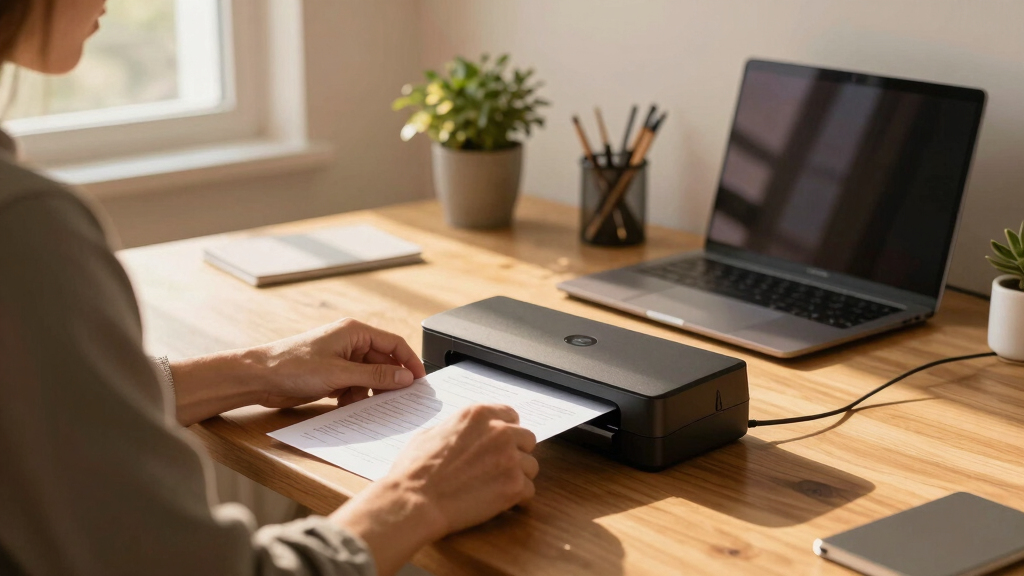

Finding the best document scanner for a home office involves balancing speed, ease of use, and connectivity. The ScanSnap iX2500 stands out as the overall choice thanks to its reliable wireless features and touchscreen interface. For those prioritizing portability, the Epson WorkForce ES-50 offers a compact solution, while the Epson WorkForce ES-400 II delivers high-speed duplex scanning for heavier workloads. Every option involves tradeoffs between price, features, and size, making it vital to choose based on your specific needs. Continue reading for a detailed breakdown of these top picks and what sets each apart.
Key Takeaways
- Speed and automation features significantly differentiate high-end models from budget options.
- Portability is a key factor for users who need to scan on the go, not just at a desk.
- Touchscreen interfaces and wireless connectivity improve ease of use and workflow efficiency.
- Duplex scanning and large auto feeder capacities are crucial for handling larger volumes without hassle.
- Price often correlates with features, but the most expensive models aren’t always the best fit for every home office.
| ScanSnap iX2500 Wireless and USB Document Scanner with 5″ Touchscreen and 100-Page Feeder |  | Best Overall for High-Speed, Versatile Home Office Scanning | Connectivity: Wi-Fi 6, USB-C | Touchscreen: 5-inch large touchscreen | Scan Speed: 45 pages per minute (double-sided) | VIEW LATEST PRICE | See Our Full Breakdown |
| Epson WorkForce ES-50 Portable Sheet-Fed Document Scanner for PC and Mac |  | Best for Portability and On-the-Go Scanning | Scanner Type: Sheet-fed Document Scanner | Connectivity: USB | Scan Speed: Up to 5.5 seconds per page | VIEW LATEST PRICE | See Our Full Breakdown |
| ScanSnap iX2400 High-Speed One-Touch Document Scanner, Black |  | Best for Seamless Speed and Simplicity | Speed: 45 pages per minute | Auto Document Feeder Capacity: 100 pages | Connectivity: Wired USB | VIEW LATEST PRICE | See Our Full Breakdown |
| Epson WorkForce ES-400 II Color Duplex Desktop Document Scanner with Auto Document Feeder |  | Best for High-Quality Image and Duplex Scanning | Speed: 35 pages per minute | Auto Document Feeder Capacity: 50 sheets | Connection Type: USB | VIEW LATEST PRICE | See Our Full Breakdown |
| Epson WorkForce ES-580W Wireless Color Duplex Document Scanner with 100-Sheet Auto Feeder and Touchscreen |  | Best for Wireless, Large Capacity and User-Friendly Operation | Scanner Type: Document | Connection Type: Wi-Fi | Resolution: 300 dpi | VIEW LATEST PRICE | See Our Full Breakdown |
| Canon imageFORMULA R10 Portable Document Scanner, USB Powered, Duplex Scanning, Document Feeder, White |  | Best for Mobile and Remote Use | Power Consumption: 2.5W or less (Energy Saving Mode: 0.7W) | Suggested Daily Volume: 500 scans | Scanning Speed: up to 12 pages-per-minute | VIEW LATEST PRICE | See Our Full Breakdown |
| Doxie Pro Duplex Document Scanner and Receipt Scanner for Home and Office with Software for Mac and PC |  | Best for High-Quality, Versatile Scanning | Product Type: Document Scanner | Maximum Media Size: 11×17 inches | Resolution: 600 dpi | VIEW LATEST PRICE | See Our Full Breakdown |
| Epson WorkForce ES-C320W Wireless Compact Desktop Document Scanner |  | Best for Wireless and Speed | Type: Document Scanner | Connection: USB, Wi-Fi | Resolution: 600 dpi | VIEW LATEST PRICE | See Our Full Breakdown |
| ScanSnap iX1300 Compact Wireless and USB Double-Sided Color Document Scanner for Mac and PC, Black |  | Best for Versatile, User-Friendly Scanning | Type: Document, Receipt Scanner | Connection: USB, Wi-Fi | Resolution: 600 dpi | VIEW LATEST PRICE | See Our Full Breakdown |
More Details on Our Top Picks
ScanSnap iX2500 Wireless and USB Document Scanner with 5″ Touchscreen and 100-Page Feeder
The ScanSnap iX2500 stands out for combining exceptional speed—45 pages per minute double-sided—with a large 5-inch touchscreen that simplifies operation. Compared with the Epson WorkForce ES-400 II, it offers more advanced automatic features like skew correction and multi-feed detection, making it better suited for busy home offices needing reliable, high-volume scanning. Its support for both Wi-Fi 6 and USB-C ensures flexible connectivity, a plus over wired-only models. However, this premium device comes with a higher price tag and a somewhat complex setup, which could challenge less tech-savvy users. Ideal for users who want a fast, feature-rich scanner that can handle frequent large batches.
Pros:- Fast double-sided scanning at 45 ppm
- Large 5-inch touchscreen for intuitive control
- Supports wireless (Wi-Fi 6) and USB-C connectivity
- Handles high-volume with 100-sheet feeder
Cons:- Premium price may be a barrier for some
- Setup can be complex for non-technical users
Best for: Home office users who prioritize speed, connectivity, and ease of organizing large volumes of documents.
Not ideal for: Casual users or those with limited space who only need occasional scanning and prefer simple, budget-friendly options.
- Connectivity:Wi-Fi 6, USB-C
- Touchscreen:5-inch large touchscreen
- Scan Speed:45 pages per minute (double-sided)
- Document Feeder Capacity:100 sheets
- Supported Devices:Mac, PC, iOS, Android
- Cloud Support:Yes
Bottom line: This scanner suits home offices that require fast, versatile, and organized document management without budget constraints.
Epson WorkForce ES-50 Portable Sheet-Fed Document Scanner for PC and Mac
The Epson WorkForce ES-50 excels in portability, weighing just a few ounces, making it perfect for mobile professionals or students needing quick scans on the move. Its ability to scan a single page in as little as 5.5 seconds makes it faster for single documents than larger scanners like the ScanSnap iX2500. Compared to the ScanSnap iX2400, the ES-50 sacrifices automatic document feeding and multi-page batch scanning for extreme portability and simplicity. Its reliance on USB connection limits flexibility, but for those who prioritize mobility above all, it’s a clear winner. It lacks wireless capabilities, which might be a drawback for users wanting quick cloud uploads from multiple devices.
Pros:- Extremely lightweight and portable
- Fast single-page scan in 5.5 seconds
- Supports various document sizes including ID cards and receipts
- Includes OCR and easy organization software
Cons:- Limited to one sheet at a time, no batch scanning
- No wireless or Wi-Fi support
- Less suitable for high-volume or multi-page tasks
Best for: Frequent travelers, students, or remote workers needing quick, portable scanning solutions.
Not ideal for: Home office users with high-volume scanning needs or those seeking a wireless setup for multiple devices.
- Scanner Type:Sheet-fed Document Scanner
- Connectivity:USB
- Scan Speed:Up to 5.5 seconds per page
- Maximum Document Size:8.5 x 72 inches
- Compatibility:Windows and Mac
- Included Software:Epson ScanSmart, Nuance OCR
Bottom line: Ideal for on-the-go professionals who need quick, simple scans without bulk or complex features.
ScanSnap iX2400 High-Speed One-Touch Document Scanner, Black
The ScanSnap iX2400 offers reliable, high-speed scanning at 45 pages per minute, matching the iX2500’s speed but with a more streamlined, wired USB connection. Its one-touch operation and automatic image correction make it ideal for users who want straightforward, efficient scanning without fuss. While it doesn’t include wireless options, this makes it less prone to connectivity issues and easier to set up in a fixed home office space. Its 100-page auto document feeder is a strong feature, but its bulkiness may be a concern for those with limited desk space. Compared with the ES-50, it’s better suited for frequent batch scanning, though it sacrifices portability.
Pros:- Fast scanning at up to 45 pages per minute
- Automatic image correction enhances scan quality
- Large 100-page auto document feeder
- One-touch operation for ease of use
Cons:- Requires wired USB connection, no wireless support
- Bulkier design not ideal for small desks
Best for: Home office users who prioritize speed, reliability, and simple operation over wireless flexibility.
Not ideal for: Those who need portability or wireless features for mobile or multi-device use.
- Speed:45 pages per minute
- Auto Document Feeder Capacity:100 pages
- Connectivity:Wired USB
- Color:Black
- Compatible Devices:Mac and PC
Bottom line: Best suited for users who want quick, reliable batch scanning in a dedicated home office setup without wireless needs.
Epson WorkForce ES-400 II Color Duplex Desktop Document Scanner with Auto Document Feeder
The Epson WorkForce ES-400 II makes a compelling case for users who need high-quality, duplex scans at a rapid pace—up to 35 pages per minute. Its 50-sheet auto document feeder and advanced image adjustment tools deliver clear, professional results, especially useful for scanned receipts, photos, or detailed documents. Compared to the ScanSnap iX2400, it emphasizes image quality and editing features but falls slightly behind in raw speed and batch capacity. Its USB-only connection could be limiting for some, and its somewhat bulkier design may not fit smaller desks. Still, for users who value image accuracy and want seamless software integration, this model is a strong choice.
Pros:- High-quality, detailed image adjustments
- Fast duplex scanning at 35 ppm
- Automatic duplex and 50-sheet capacity
- Easy-to-use software for preview and cloud upload
Cons:- Limited to USB connection, no wireless
- Bulkier than portable options
Best for: Home office users who prioritize high-quality scans and detailed image control for documents and photos.
Not ideal for: Users needing wireless connectivity or higher scan speeds for large batches.
- Speed:35 pages per minute
- Auto Document Feeder Capacity:50 sheets
- Connection Type:USB
- Resolution:300 dpi
- Sensor Technology:CCD
- Color Depth:8 bpp
Bottom line: This scanner suits home offices focused on detailed, high-quality scans over sheer speed or portability.
Epson WorkForce ES-580W Wireless Color Duplex Document Scanner with 100-Sheet Auto Feeder and Touchscreen
The Epson WorkForce ES-580W combines wireless convenience with a large 100-sheet auto feeder and a user-friendly 4.3-inch touchscreen, making it ideal for busy home offices that prefer minimal fuss. Its duplex scanning at 35 pages per minute comes close to larger models, with the added benefit of direct cloud and device saving, unlike wired-only scanners such as the ES-400 II. Its wireless feature simplifies multi-device use, but the inconsistent wattage info and potential software setup complexity could pose issues for some users. This model is best for those who want a balance of speed, capacity, and wireless flexibility.
Pros:- Wireless connectivity for flexible device and cloud scanning
- Large 100-sheet auto feeder reduces manual loading
- Intuitive 4.3-inch touchscreen for simple operation
- Fast duplex scan rate of 35 ppm
Cons:- Inconsistent power consumption info
- Additional setup may be needed for full cloud integration
Best for: Home office users needing a wireless, high-capacity scanner with easy operation and cloud integration.
Not ideal for: Users with limited Wi-Fi stability or those who prefer wired setups for security reasons.
- Scanner Type:Document
- Connection Type:Wi-Fi
- Resolution:300 dpi
- Sheet Capacity:100 sheets
- Color Depth:30 bits
- Touchscreen:4.3-inch
Bottom line: This scanner is a strong choice for users who need wireless flexibility alongside high capacity and ease of use.
Canon imageFORMULA R10 Portable Document Scanner, USB Powered, Duplex Scanning, Document Feeder, White
The Canon imageFORMULA R10 stands out for its portability and ease of use, making it ideal for those who need to scan on the go or in varied locations. Compared with the ScanSnap iX1300, it offers a lighter, more travel-friendly design, though it sacrifices some speed and sheet capacity. Its compact size and USB power make it convenient for remote workers or small home offices with limited space. However, it isn’t suited for high-volume scanning or photo archiving, as it’s designed mainly for documents and cards. The built-in software streamlines setup, but without wireless connectivity, it’s less flexible than Wi-Fi-enabled options. This pick makes the most sense for users who prioritize portability and simple document digitization over high capacity or photo scanning.
Pros:- Lightweight and portable for easy mobility
- Fast duplex scanning at 12 ppm with a 20-sheet feeder
- Compatible with both Windows and Mac systems
Cons:- Limited media types, not suitable for photos or high-volume use
- No wireless connectivity, requires USB connection
Best for: Mobile professionals, remote workers, or those needing occasional document scans in different locations
Not ideal for: Home offices with high daily scan volumes or those needing photo or high-resolution image scans
- Power Consumption:2.5W or less (Energy Saving Mode: 0.7W)
- Suggested Daily Volume:500 scans
- Scanning Speed:up to 12 pages-per-minute
- Automatic Document Feeder:20 sheets
- Media Types:Receipts, business cards, reports, legal documents, plastic or embossed cards
- Compatibility:Windows and Mac
Bottom line: This scanner is perfect for users who need quick, portable document scanning without high capacity demands.
Doxie Pro Duplex Document Scanner and Receipt Scanner for Home and Office with Software for Mac and PC
The Doxie Pro offers high-resolution, duplex scanning with automatic enhancements, making it ideal for users who want crisp digital copies of a variety of media, including photos, receipts, and documents. Compared to the ScanSnap iX1300, it provides superior image clarity and advanced features like automatic cropping and contrast adjustment. Its compact form fits well on home desks, and cloud integration simplifies organization and sharing. The main tradeoff is that it only handles monochrome output, limiting its use for color photos or detailed images. Its single tray and USB-only connection make it less suitable for multi-user environments or those seeking wireless convenience. This device is best for individuals needing high-quality scans of diverse media types in a compact package.
Pros:- High-resolution 600 dpi scans with automatic cropping and contrast
- Compact, lightweight design suitable for home or small office
- Easy software with cloud and device integration
Cons:- Limited to monochrome output, not for color images
- Only one paper tray and no wireless connectivity
Best for: Creative professionals, small business owners, or home users who prioritize image quality and versatility
Not ideal for: Users requiring color scans, high-volume throughput, or wireless flexibility
- Product Type:Document Scanner
- Maximum Media Size:11×17 inches
- Resolution:600 dpi
- Scan Speed:22 ppm (Black and White)
- Connectivity:USB
- Maximum Sheet Capacity:20 sheets
Bottom line: This scanner suits users seeking detailed, high-quality scans of various media in a small, easy-to-use device.
Epson WorkForce ES-C320W Wireless Compact Desktop Document Scanner
The Epson WorkForce ES-C320W excels with its wireless connectivity and fast duplex scanning, reaching speeds up to 30 pages per minute. This makes it a strong choice for busy home offices where speed and flexibility matter. Unlike the ScanSnap iX1300, it offers wireless scanning to multiple devices and cloud services, reducing clutter and cable management. Its 20-page automatic feeder and ability to handle various media types, including passports, add to its versatility. However, its 20-sheet capacity and lack of Mac support limit its appeal for those with high-volume or Apple-based workflows. It’s a solid choice for users who want fast, wireless scanning in a compact form, provided their needs stay within the capacity limits.
Pros:- Wireless connectivity to multiple devices and cloud services
- Fast duplex scan speed of 30 ppm
- Compact, space-saving design
Cons:- Limited to 20-page auto feeder capacity
- No explicit Mac support, only Windows compatibility
Best for: Home office users who prioritize speed, wireless flexibility, and multi-device connectivity
Not ideal for: Users with extensive scanning volumes or Apple-only systems, due to capacity and OS limitations
- Type:Document Scanner
- Connection:USB, Wi-Fi
- Resolution:600 dpi
- Wattage:10 watts
- Paper Size:Letter, A4
- Sheet Capacity:20 pages
Bottom line: This scanner is ideal for fast, wireless, multipurpose scanning in small spaces, with capacity limits in mind.
ScanSnap iX1300 Compact Wireless and USB Double-Sided Color Document Scanner for Mac and PC, Black
The ScanSnap iX1300 combines speed, ease of use, and wireless flexibility, making it a top choice for small spaces and on-the-go scanning. Its duplex speed of 30 ppm rivals the Epson ES-C320W, but with a more intuitive software interface that appeals to less tech-savvy users. It handles up to 50 sheets at once, which is helpful for busy home offices. Unlike the Doxie Pro, it offers color scanning and broader compatibility, including Mac. However, its setup can be complex for some, and it requires an external power source, unlike portable battery-powered models. This device is best for users who want quick, color-capable scans and easy software management in a compact form.
Pros:- Fast duplex scanning up to 30 ppm
- Wireless connectivity and cloud integration
- Handles up to 50 sheets, suitable for busy workflows
Cons:- Requires external power, not fully standalone
- Setup may be challenging for some users
Best for: Small business owners, busy home users, or anyone needing fast, color duplex scans with wireless options
Not ideal for: Users seeking ultra-portable solutions or those with very high-volume scanning needs
- Type:Document, Receipt Scanner
- Connection:USB, Wi-Fi
- Resolution:600 dpi
- Wattage:17 watts
- Paper Size:Letter or A4
- Sheet Capacity:50 sheets
Bottom line: This scanner suits users who want quick, color duplex scanning with user-friendly software in a compact package.
How We Picked
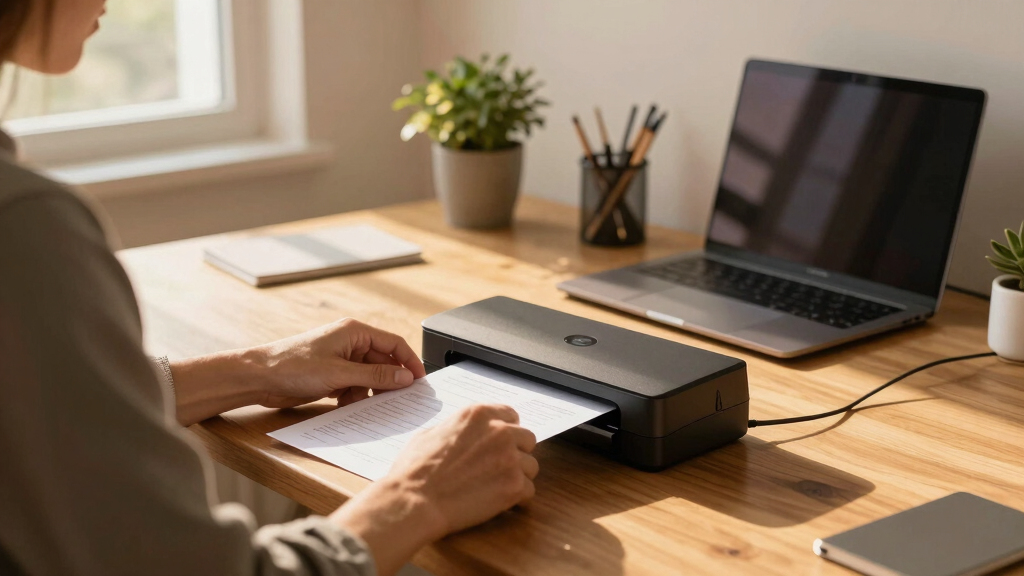
Products were evaluated based on performance, ease of use, build quality, connectivity options, and value for money. Priority was given to models that balance speed and reliability with straightforward setup and maintenance. We also considered portability for users with limited space or those who need to scan on the move. The ranking reflects a combination of user-friendly features, durability, and how well each scanner adapts to typical home office workflows, ensuring both casual and more intensive users find suitable options.Factors to Consider When Choosing Best Document Scanner For Home Office
Choosing the right document scanner for a home office requires understanding your specific needs and how different features impact usability. Key factors include speed, connectivity, size, and automation. Making the wrong choice can mean wasting money on features you don’t need or facing frustration with a slow or unreliable device. It’s worth investing in a model that matches your volume, whether that’s occasional scanning or daily bulk work, while considering how much space you have available and your preferred workflow.Speed and Capacity
Speed determines how quickly you can process documents, especially if you handle large volumes regularly. Look for models with automatic document feeders (ADF) and duplex scanning to save time and reduce manual effort. Larger ADF capacity means fewer interruptions, which is particularly valuable if you scan multiple pages daily. However, higher-speed scanners often come at a higher price, so consider your typical workload to avoid overpaying for unnecessary features.
Connectivity Options
Wireless connectivity allows for flexible placement and easier integration with multiple devices, which is beneficial in a home setting with varied tech. USB connections provide a more stable, straightforward setup but might limit mobility. Some models also offer Ethernet or cloud integration, streamlining workflows if you share the scanner across other devices or locations. Evaluate your network setup and how you prefer to access scanned files to choose the best connectivity features.
Size and Portability
If space is limited or you need to move your scanner frequently, a compact or portable model is essential. While smaller scanners tend to have fewer features or lower capacity, they still can deliver excellent performance for occasional use. Larger, desktop models often include more advanced automation and higher speeds but require dedicated space. Weigh your space constraints against your scanning needs to find a comfortable balance.
Ease of Use and Maintenance
User-friendly interfaces, such as touchscreens and simple software, reduce setup time and ongoing frustration. Models with automatic document feeders minimize manual handling, decreasing errors and improving efficiency. Maintenance features like easy paper path access and straightforward cleaning routines extend the device’s lifespan. Investing in a scanner with good software support and updates can also prevent compatibility issues over time.
Price and Value
While more expensive models often include advanced features, they aren’t always necessary for every home office. Focus on matching the feature set to your actual workflow volume and needs. Budget options may lack speed or duplex capabilities but still handle basic scanning tasks effectively. Conversely, investing in a higher-end model makes sense if you regularly scan large volumes or require robust automation to save time.
Frequently Asked Questions
Can I use a home office scanner for legal or sensitive documents?
Yes, many home office scanners support secure file storage and encryption options, making them suitable for sensitive documents. Look for models that offer password-protected software or secure cloud integration. Regular software updates and good build quality also contribute to safeguarding your scanned data. However, always check the device’s security features before making a purchase for sensitive files.
Do I need a duplex scanner if I mostly scan single-sided documents?
If your workload involves mostly single-sided documents, a duplex scanner isn’t a must. However, having duplex capability can still be beneficial if you occasionally scan double-sided pages or want to future-proof your setup. Duplex scanners typically process both sides simultaneously, saving time and making your workflow more efficient when needed. For low-volume, single-sided scanning, a simpler model might be enough.
How important is wireless connectivity for a home office scanner?
Wireless connectivity adds significant flexibility, allowing you to place the scanner anywhere within your network and scan directly to multiple devices or cloud services. It reduces cable clutter and simplifies sharing among family or household members. However, wired connections can offer more stable performance, especially if your Wi-Fi signal is weak. Consider your space, network reliability, and how often you need to access the scanner from different devices.
Are portable scanners reliable enough for regular use?
Portable scanners are designed for convenience and occasional use, and many models perform well for light workloads. However, for daily heavy scanning, dedicated desktop models typically offer faster speeds, larger capacities, and more durability. Portable options are ideal for scanning on the go or in small spaces but may require more careful handling to avoid damage or errors during frequent use.
Should I prioritize speed or image quality?
Speed and image quality often trade off, but many modern scanners manage a good balance. If your primary need is digitizing large volumes quickly, prioritize speed features and duplex capabilities. For documents where clarity and color accuracy matter, such as receipts or detailed forms, image quality becomes more important. Consider your typical documents and workflow to decide which aspect matters most for your home office.
Conclusion
For general home office use, the ScanSnap iX2500 offers the best overall experience with its combination of speed, ease of use, and connectivity. If budget is a concern, the Epson WorkForce ES-50 provides reliable portable scanning at a lower price point. For those needing high-volume capacity or duplex scanning, the Epson WorkForce ES-580W makes a strong case as a premium choice, especially for busy households. Beginners or infrequent scanners will find the simple setup of the Canon imageFORMULA R10 or Doxie Pro appealing, while power users wanting quick, duplex, and wireless features should consider the ScanSnap iX2400 or Epson WorkForce ES-400 II. Your ideal pick depends on your scanning volume, space, and budget.