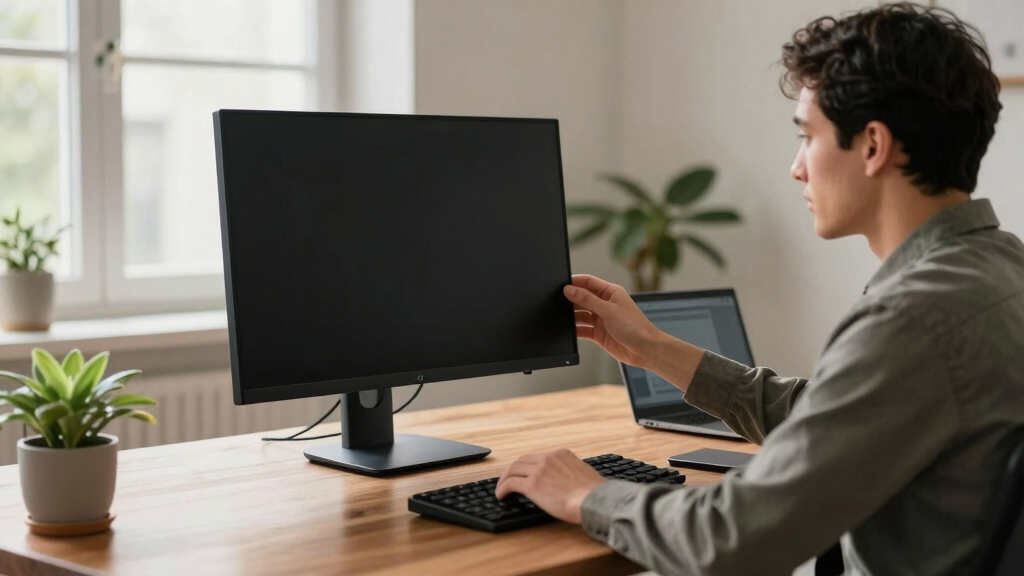

When selecting a high end conference monitor, the goal is to find a display that balances stunning visuals, seamless connectivity, and reliable performance to support professional meetings. The HP Series 5 Pro 27″ USB-C stands out as the best overall for its versatile connectivity and clear picture quality. The ViewSonic IFP92UW 92-Inch 5K ViewBoard is a top pick for those needing a massive, interactive display, while the Dell P3424WEB 34-Inch Curved Monitor offers an immersive experience for larger conference rooms. Buyers face the tradeoffs of size versus desk space, advanced features versus simplicity, and premium build versus value. Continue reading for a detailed breakdown of each option and what suits your specific needs.

Get comfort and recovery gear delivered free — and shop member deals
- Fast, free delivery on millions of items
- Access to Prime Big Deal Days deals on October 6–7
- Prime Video, Amazon Music and more included
Complete the kit


Key Takeaways
- Size and resolution vary significantly; larger screens like the ViewSonic 92-inch offer immersive experiences but require more space.
- Connectivity options such as USB-C, HDMI, and integrated microphones are critical for seamless conferencing.
- Build quality and user interface features can greatly impact daily usability and durability in conference settings.
- Premium models often include integrated webcams and speakers, but these features add to the cost and complexity.
- Value-focused options can deliver high performance at a lower price, but may lack some advanced features of premium models.
| HP Series 5 Pro 27″ USB-C Conferencing Monitor |  | Best Overall Conference Monitor | Display Size: 27 inches | Resolution: 2560 x 1440 (QHD) | Display Technology: IPS | VIEW LATEST PRICE | See Our Full Breakdown |
| ViewSonic IFP92UW 92-Inch 5K 21:9 ViewBoard Interactive Display |  | Best for Large-Scale Interactive Collaboration | Display Size: 92 inches | Resolution: 5120 x 2160 (5K UHD) | Aspect Ratio: 21:9 | VIEW LATEST PRICE | See Our Full Breakdown |
| Dell 55-Inch 4K Conference Room Monitor – P5524Q |  | Best for Mid-Sized Conference Rooms | Size: 55 inches | Resolution: 4K | Speakers: 2x10W | VIEW LATEST PRICE | See Our Full Breakdown |
| Dell 24 Video Conferencing Monitor – P2424HEB |  | Best Compact Conference Monitor | Display Size: 24 inches | Resolution: 1920 x 1080 (Full HD) | Display Technology: IPS | VIEW LATEST PRICE | See Our Full Breakdown |
| Dell 27 P27 Video Conference Monitor |  | Best for Versatile Professional Use | Display Size: 27 inches | Resolution: 2560 x 1440 (QHD) | Display Technology: IPS | VIEW LATEST PRICE | See Our Full Breakdown |
| ASUS BE27ACSBK 27-Inch QHD Computer Monitor with Webcam, Speakers, USB-C |  | Best Overall for Video Collaboration | Display Size: 27 inches | Resolution: 2560×1440 (QHD) | Display Technology: IPS | VIEW LATEST PRICE | See Our Full Breakdown |
| HP Series 5 Pro 27″ QHD USB-C Conferencing Monitor (2 Pack) |  | Best Value for Multi-User Environments | Display Size: 27 inches | Resolution: 2560 x 1440 (QHD) | Display Technology: IPS | VIEW LATEST PRICE | See Our Full Breakdown |
| HP Series 5 Pro 34-Inch WQHD USB-C Monitor with Webcam and Speakers |  | Best for Multitasking and Productivity | Display Size: 34 inches | Resolution: 3440 x 1440 | Display Technology: VA | VIEW LATEST PRICE | See Our Full Breakdown |
| Dell P3424WEB 34-Inch Curved Video Conferencing Monitor |  | Best for Advanced Conference Rooms | Screen Size: 34 inches | Resolution: 2K QHD | Webcam: 2K QHD with Sony STARVIS sensor | VIEW LATEST PRICE | See Our Full Breakdown |
| high end conference monitor | Resolution | Contrast Ratio | Display Size | Brightness |
|---|---|---|---|---|
| HP Series 5 Pro 27" USB-C Conf | 2560 x 1440 (QHD) | 1500:1 | 27 inches | — |
| ViewSonic IFP92UW 92-Inch 5K 2 | 5120 x 2160 (5K UHD) | 5,000:1 | 92 inches | 400 nits |
| Dell 55-Inch 4K Conference Roo | 4K | Not specified | — | Not specified |
| Dell 24 Video Conferencing Mon | 1920 x 1080 (Full HD) | 2000:1 | 24 inches | 250 cd/m² |
| Dell 27 P27 Video Conference M | 2560 x 1440 (QHD) | 1000:1 | 27 inches | 300 cd/m² |
| ASUS BE27ACSBK 27-Inch QHD Com | 2560×1440 (QHD) | 100,000,000:1 | 27 inches | 856.5 lumens |
| HP Series 5 Pro 27" QHD USB-C | 2560 x 1440 (QHD) | 1500:1 | 27 inches | 350 lux |
| HP Series 5 Pro 34-Inch WQHD U | 3440 x 1440 | 4000:1 | 34 inches | 400 candela/m2 |
| Dell P3424WEB 34-Inch Curved V | 2K QHD | — | — | — |
More Details on Our Top Picks
HP Series 5 Pro 27″ USB-C Conferencing Monitor
This monitor stands out for combining a sharp QHD resolution with integrated conferencing tools, making it ideal for professional collaboration. Its IPS panel delivers accurate colors and wide viewing angles, similar to the Dell P27 but with added features like a pop-up webcam and noise-canceling microphones. While it offers flexible ergonomic adjustments and eye care features for comfortable long sessions, it lacks specified response times, which could be a concern for fast-paced presentations. The included dock simplifies connectivity, but limited warranty details mean buyers should verify support options.
Pros:- High-resolution QHD display with accurate color reproduction
- Built-in webcam and noise reduction microphones for seamless conferencing
- Flexible ergonomic adjustments for personalized setup
- Blue light reduction for extended viewing comfort
Cons:- No response time specification may impact fast-moving content
- Limited info on warranty coverage and support
- Requires compatible ports for full functionality
Best for: IT professionals and executives who need a reliable, all-in-one conferencing display with adjustable ergonomics
Not ideal for: Gamers or users requiring ultra-fast response times, since this model does not specify response latency
- Display Size:27 inches
- Resolution:2560 x 1440 (QHD)
- Display Technology:IPS
- Refresh Rate:100 Hz
- Contrast Ratio:1500:1
- Connectivity:DisplayPort, HDMI, USB-C
- Webcam:Poly Studio 5MP pop-up
- Speakers:4x 3W
- Adjustability:Swivel (-45° to +45°), Pivot (-90° to +90°), Tilt (-5° to +20°), Height (150mm)
Our verdict“This pick is best suited for professionals seeking a comprehensive, adjustable conference monitor with integrated collaboration tools.”
ViewSonic IFP92UW 92-Inch 5K 21:9 ViewBoard Interactive Display
Compared to smaller conference-focused displays like the Dell P5524Q, the ViewSonic IFP92UW offers a colossal 92-inch 5K screen, perfect for immersive presentations or collaborative sessions in big rooms. Its multi-touch support for up to 40 points makes it exceptionally versatile for interactive team work, and the built-in microphone and soundbar streamline communication. The main tradeoff here is its size and weight, which demand professional installation and space planning, and its premium price limits accessibility for smaller budgets. Nonetheless, it excels where large-format, interactive displays are needed.
Pros:- Enormous 92-inch 5K display with stunning visual clarity
- Supports up to 40 multi-touch points for rich interactivity
- Built-in microphone and powerful soundbar enhance audio for meetings
- Designed for Microsoft Teams Rooms and collaborative use
Cons:- Very large and heavy, requiring professional installation
- High cost may not be practical for all organizations
- Limited detailed internal connectivity options
Best for: Large corporate or educational environments requiring an interactive, ultra-high-resolution display for group engagement
Not ideal for: Small offices or setups with limited space, due to its massive footprint and installation complexity
- Display Size:92 inches
- Resolution:5120 x 2160 (5K UHD)
- Aspect Ratio:21:9
- Brightness:400 nits
- Contrast Ratio:5,000:1
- Touch Points:Up to 40
- Built-in Microphone:Yes
- Soundbar Power:60W
- Dimensions:3.62″D x 86.73″W x 39.37″H
Our verdict“Ideal for large-scale, interactive presentation spaces where immersive collaboration is a priority.”
Dell 55-Inch 4K Conference Room Monitor – P5524Q
This 55-inch 4K display offers a solid balance between size and detailed visuals, making it a strong choice for medium-sized meeting spaces. Its anti-glare coating ensures clear visuals in bright rooms, and built-in 10W speakers provide decent audio without requiring external systems, which gives it an edge over smaller displays like the Dell P2424HEB. However, with limited specs on connectivity and no user reviews, its real-world performance remains somewhat uncertain. Compared to the ViewSonic IFP92UW, it lacks touch capability but offers a more manageable size and installation simplicity.
Pros:- Large 55-inch 4K display with crisp visuals
- Anti-glare surface suitable for bright environments
- Built-in 10W speakers enhance conference audio
- Security features protect the monitor from tampering
Cons:- Limited detailed specs and unclear connectivity options
- No touch support for interactive collaboration
- Lack of customer reviews makes performance uncertain
Best for: Medium conference rooms in organizations seeking a large, clear display with integrated audio and security features
Not ideal for: Large auditoriums or highly interactive setups that need touch support or massive screens
- Size:55 inches
- Resolution:4K
- Speakers:2x10W
- Features:Anti-glare, Security Lock
- Contrast Ratio:Not specified
- Brightness:Not specified
Our verdict“Best suited for medium-sized conference rooms needing a high-quality, secure display with integrated audio.”
Dell 24 Video Conferencing Monitor – P2424HEB
For smaller spaces or individual workstations, the Dell P2424HEB offers a compact yet capable solution. Its Full HD IPS panel ensures wide viewing angles and clear images, but its 24-inch size limits its presence in larger rooms. The 60Hz refresh rate and 5ms response time are sufficient for video calls and typical office tasks, yet fall short for fast-paced content or gaming. Compared to larger displays like the Dell P5524Q, it provides essential features in a more space-efficient package, though lacking built-in speakers may require external audio solutions.
Pros:- Compact 24-inch size ideal for small desks
- IPS panel delivers wide viewing angles and accurate colors
- Multiple ports including HDMI and USB 3.0 for versatile connectivity
- Good for focused video conferencing tasks
Cons:- Limited size reduces impact in large rooms
- No built-in speakers, requiring external audio setup
- Basic feature set without advanced ergonomic options
Best for: Personal offices or small conference rooms where space is limited but high-quality video calls are needed
Not ideal for: Large conference rooms or collaborative environments requiring expansive displays or touch capabilities
- Display Size:24 inches
- Resolution:1920 x 1080 (Full HD)
- Display Technology:IPS
- Response Time:5ms
- Ports:HDMI, USB 3.0, Component
- Brightness:250 cd/m²
- Contrast Ratio:2000:1
Our verdict“A practical choice for small spaces needing reliable, high-quality video conferencing support without occupying much room.”
Dell 27 P27 Video Conference Monitor
The Dell 27 P27 offers a balanced 27-inch size with a sharp 2560×1440 resolution, making it suitable for a variety of professional settings. Its IPS panel ensures wide viewing angles and consistent color, comparable to the HP Series 5 Pro but with a slightly larger screen for more workspace. While it provides multiple ports including USB 3.0 and HDMI, its 8ms response time is a bit slower than gaming-focused models, though acceptable for conference use. The glossy finish enhances color vibrancy, but may cause reflections in bright rooms, similar to the ViewSonic IFP92UW’s challenge with glare.
Pros:- High-resolution 2560×1440 display with IPS technology
- Versatile connectivity options including HDMI and USB 3.0
- Large 27-inch screen provides ample workspace
- Wide viewing angles for collaborative work
Cons:- Response time of 8ms may not suit competitive gaming
- Glossy finish can cause reflections in bright environments
- Limited information on additional features or warranty
Best for: Professionals who need a reliable, mid-sized monitor with good image quality and flexible connectivity for conference calls or multitasking
Not ideal for: Fast-paced gaming or environments where minimal reflection is critical, due to glossy surface and moderate response time
- Display Size:27 inches
- Resolution:2560 x 1440 (QHD)
- Display Technology:IPS
- Response Time:8ms
- Ports:HDMI, USB 3.0, Components
- Brightness:300 cd/m²
- Contrast Ratio:1000:1
Our verdict“A solid choice for professionals needing a versatile, well-sized monitor for conference and multitasking needs.”
ASUS BE27ACSBK 27-Inch QHD Computer Monitor with Webcam, Speakers, USB-C
This monitor stands out for its combination of a sharp QHD IPS display and integrated video conferencing tools, making it a solid choice for professional environments where video calls are frequent. Compared with the Dell P3424WEB, it offers a more straightforward setup with a single USB-C port supporting video, data, and power, reducing cable clutter. However, it lacks ergonomic adjustments like height adjustment, which could be a drawback for long sessions. Its 165Hz refresh rate is a bonus for smooth visuals, but it’s less relevant for typical conferencing needs. The built-in webcam, microphone with AI Noise-Canceling, and stereo speakers make it a comprehensive all-in-one option. Still, its large size demands ample desk space and perhaps a dedicated setup.
Pros:- High-resolution QHD display with wide viewing angles
- Integrated webcam, microphone, and speakers for seamless video calls
- USB-C port supports video, data, and power transfer with a single cable
Cons:- Large size may require significant desk space
- Lack of ergonomic features like height adjustment
Best for: Professionals who prioritize high-quality video calls and minimal desk clutter in a single monitor setup
Not ideal for: Users needing extensive ergonomic customization or budget-conscious buyers seeking a lower-cost solution
- Display Size:27 inches
- Resolution:2560×1440 (QHD)
- Display Technology:IPS
- Brightness:856.5 lumens
- Contrast Ratio:100,000,000:1
- Connectivity:USB-C
Our verdict“This monitor makes the most sense for professionals who want a streamlined, high-quality video conferencing setup without compromising on visual clarity.”
HP Series 5 Pro 27″ QHD USB-C Conferencing Monitor (2 Pack)
This dual-pack offers excellent value for teams needing multiple screens, as its QHD IPS displays deliver sharp visuals and wide viewing angles, similar to the ASUS BE27ACSBK but in a more cost-effective bundle. The adjustable ergonomic stands make them suitable for all-day comfort, and the built-in webcam and noise-reduction microphones support effective conferencing. Comparing to the Dell P3424WEB, it provides a simpler setup without complex KVM features but sacrifices some advanced connectivity options. The dual-monitor setup increases productivity but also demands more desk space and may complicate cable management. Its price point makes it attractive for growing teams or collaborative environments.
Pros:- High-resolution QHD display with wide viewing angles
- Adjustable ergonomic stand for comfort
- Built-in webcam and noise-reduction microphones for conferencing
Cons:- Requires enough desk space for two monitors
- No mention of high-fidelity speakers or advanced connectivity
Best for: Small to medium teams seeking multiple high-quality conferencing monitors at a good price point
Not ideal for: Single users or those with limited desk space who may find two monitors excessive
- Display Size:27 inches
- Resolution:2560 x 1440 (QHD)
- Display Technology:IPS
- Brightness:350 lux
- Contrast Ratio:1500:1
- Adjustability:Swivel, Pivot, Tilt, Height
Our verdict“This pick is ideal for collaborative work environments where multiple screens improve workflow without the need for premium features.”
HP Series 5 Pro 34-Inch WQHD USB-C Monitor with Webcam and Speakers
This ultrawide 34-inch curved monitor offers expansive workspace for multitasking, surpassing the standard 27-inch options like the ASUS BE27ACSBK and HP dual packs. Its WQHD resolution and 1500R curvature provide immersive visuals, ideal for collaborative tasks and detailed workflows. The pop-up 5MP webcam, AI noise reduction microphones, and built-in speakers make it well-suited for video calls, though the sound quality of the speakers isn’t emphasized, which could be a concern. Its ergonomic adjustments support long sessions, but the larger size may not fit smaller desks and could be expensive for some users. Compared to the Dell P3424WEB, it provides a more panoramic experience but sacrifices some advanced features like KVM support.
Pros:- Large ultrawide curved display enhances multitasking
- Pop-up 5MP webcam with AI noise reduction microphones
- Ergonomic adjustments for comfortable viewing
Cons:- Sound quality of built-in speakers not detailed
- Potentially high price for some buyers
Best for: Creative professionals or teams needing expansive, immersive screens for multitasking and video calls
Not ideal for: Users with limited desk space or those seeking a more traditional, less space-consuming monitor
- Display Size:34 inches
- Resolution:3440 x 1440
- Display Technology:VA
- Brightness:400 candela/m2
- Contrast Ratio:4000:1
- Adjustments:Tilt, Swivel, Height
Our verdict“This monitor excels for users who need a broad workspace and immersive visuals, especially in creative or collaborative settings.”
Dell P3424WEB 34-Inch Curved Video Conferencing Monitor
The Dell P3424WEB elevates conferencing with its 2K QHD webcam featuring Sony STARVIS sensors, delivering high-quality video even in low light. Its extensive connectivity options, including USB-C with 90W power delivery, Ethernet, and KVM support, make it ideal for multi-PC setups—an advantage over the more straightforward ASUS and HP options. Dual echo-canceling microphones and dual 5W speakers ensure clear audio, complementing the high-end webcam. However, its large size and complex feature set mean it’s better suited to dedicated conference rooms or larger desks, potentially overwhelming smaller spaces. The absence of ergonomic height adjustment could impact long-term comfort, making setup considerations critical.
Pros:- High-quality 2K QHD webcam with Sony STARVIS sensor
- Versatile connectivity including USB-C with 90W power
- Supports multi-PC control with KVM, PIP, and PbP features
Cons:- Large physical size limits placement options
- Lack of adjustable height or tilt for ergonomic comfort
Best for: Large conference rooms or advanced multi-PC workstations requiring high-quality video and extensive connectivity
Not ideal for: Small offices or users needing simple setups with basic features
- Screen Size:34 inches
- Resolution:2K QHD
- Webcam:2K QHD with Sony STARVIS sensor
- Connectivity:USB-C, Ethernet, USB 3.2
- Power Delivery:Up to 90W
- Features:Auto KVM, PIP/PbP, Microsoft Teams certified
Our verdict“This monitor is designed for high-end conference environments that benefit from advanced video quality and flexible multi-PC control, at the expense of ergonomic adjustability.”

How We Picked
The products in this roundup were evaluated based on performance, display quality, connectivity options, build durability, ease of use, and overall value. We prioritized monitors with professional-grade features like high resolution, comprehensive port selection, and reliable video/audio integration. Size and ergonomics were also key, especially for conference room applications. The rankings reflect a balance of these factors, emphasizing models that provide the best combination of quality and practicality for high-end conference use.Factors to Consider When Choosing High End Conference Monitor
Choosing a high end conference monitor involves considering several factors that impact both visual quality and usability. These displays are investments, so understanding your specific needs can help you avoid overspending on unnecessary features or missing out on must-have capabilities. The right monitor will depend on your room size, conference style, and technical setup, making it essential to evaluate key aspects carefully.Size and Resolution
High end conference monitors come in a range of sizes from 24 inches to over 90 inches. Larger screens can facilitate more engaging meetings and better collaboration, especially in bigger rooms, but they also demand more space and often come at a higher price. Resolution matters too; 4K and 5K displays provide sharper images, which is crucial for detailed visuals and presentations. Consider your room size and the typical distance between the monitor and meeting participants when choosing size and resolution to ensure comfortable viewing without strain.
Connectivity and Integration
Seamless connection options are vital for professional conferencing. USB-C ports are increasingly preferred because they support video, data, and power delivery with a single cable, reducing clutter. HDMI and DisplayPort are also common, especially for compatibility with existing equipment. Integrated microphones and speakers can enhance the experience, but their quality varies—premium models typically include better audio-visual integration. Be cautious of monitors that lack sufficient connectivity, as this can complicate setup and limit future flexibility.
Build Quality and Durability
Since conference monitors often see daily use, durability is a key consideration. Look for sturdy materials, stable stands, and reliable mounting options. A well-built monitor reduces the risk of damage and ensures consistent performance over time. Features like anti-reflective coatings and adjustable stands improve usability, especially in well-lit rooms. Cheaper or poorly constructed models may save money upfront but can lead to frustration and replacements sooner than expected.
Additional Features and Ease of Use
Features like touchscreens, remote controls, and customizable user interfaces can streamline meetings. Premium models often include integrated webcams, noise-canceling microphones, and advanced conferencing software compatibility. These features can enhance the overall experience but may increase complexity and cost. Evaluate whether these extras align with your meeting style; sometimes, simpler setups reduce technical issues and training time.
Cost and Value
High end conference monitors span a broad price range, reflecting differences in size, features, and build quality. While investing in a premium display offers better performance and longevity, it’s important to match your budget with your actual needs. Sometimes, a slightly lower-cost model with essential features can deliver excellent value if it fits your room size and usage patterns. Avoid paying for unnecessary features that won’t improve your meetings or justify the expense.
Frequently Asked Questions
Can I use a high end conference monitor in a small meeting room?
Absolutely. Smaller conference monitors, such as 24-27 inch models, are well-suited for small meeting rooms or huddle spaces. They provide enough screen real estate for participants without overwhelming the space. Just ensure the resolution and connectivity options match your devices. If you need a larger display for bigger groups, then a smaller monitor might feel cramped, so consider your room dimensions carefully.
What is the most important feature to look for in a conference monitor?
The most critical feature is reliable connectivity combined with high-quality audio-visual input and output options. A monitor with multiple ports (USB-C, HDMI, DisplayPort) and integrated microphone and speakers ensures seamless communication. Additionally, high resolution (4K or higher) enhances image clarity, which is vital for detailed presentations and video calls. Prioritizing these features helps ensure your meetings run smoothly without technical interruptions.
Are curved monitors better for conference rooms?
Curved monitors can improve immersion and reduce glare, making them a good choice for larger conference rooms where participants sit at various angles. However, they also tend to be more expensive and may require more space. For smaller rooms or simpler setups, flat screens might offer more flexibility and easier placement. The decision depends on your room size, layout, and whether you value immersion over simplicity.
Should I prioritize built-in webcams or external cameras?
Built-in webcams on high end conference monitors are convenient and reduce clutter, but their quality varies. For professional-quality video, external webcams often outperform integrated options, especially in terms of resolution and low-light performance. If high video quality is essential for your meetings, investing in a dedicated external camera might be worth the extra cost, regardless of your monitor choice.
How important is adjustability and ergonomic features?
Adjustability in height, tilt, and swivel can significantly improve comfort and reduce fatigue during long meetings. Ergonomic features help you position the monitor for optimal viewing angles, which is especially important in larger rooms or when multiple people use the display. Choosing a monitor with flexible mounting options and height adjustments can enhance user satisfaction and prevent discomfort over time.
Conclusion
For organizations seeking a comprehensive, reliable solution, the HP Series 5 Pro 27″ USB-C offers a balanced mix of performance and value, making it ideal for most professional settings. Those with larger conference spaces or needing immersive displays might opt for the ViewSonic 92-inch ViewBoard or the Dell P3424WEB 34-Inch Curved for bigger impact. Budget-conscious buyers who still want high quality should consider models like the Dell P27 or P2424HE. Finally, beginners or smaller teams will benefit from simpler, more straightforward options that deliver essential features without complexity. Your choice hinges on room size, feature needs, and budget constraints—match these to find the best fit for your conference environment.
Fall Picks
fall essentials
As an affiliate, we earn on qualifying purchases.