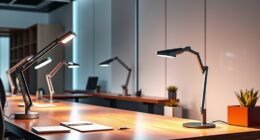
Choosing the right professional office webcam lighting bundle can dramatically improve your video quality and appearance during calls or recordings. The market offers a wide range of options, from simple clip-on lights to full studio setups, each with distinct advantages and tradeoffs. The ALTSON 10-inch Zoom Lighting stands out as the best overall due to its versatility and brightness, while the HumanCentric HighBeam Pro offers a premium experience for serious streamers. Many bundles trade off ease of use for power or customization, so understanding your needs is key. Continue reading for a detailed breakdown of the best picks and how to choose the right kit for you.
Key Takeaways
- The best bundles balance brightness, color accuracy, and ease of setup to enhance video quality.
- Top picks often include adjustable stands or mounts to optimize positioning and comfort.
- More advanced kits provide customizable light modes, but may require a learning curve.
- Compact clip-on options excel for minimal space but may lack power or consistency.
- Price varies widely; paying more generally grants better color rendering, build quality, and feature set.




More Details on Our Top Picks
ALTSON 10-inch Zoom Lighting for Computer, Full-Screen LED Video Conference Light with Stand and Phone Holder
This compact LED light stands out for its high CRI of 95+ and adjustable features, making it ideal for users seeking natural, shadow-free illumination in small to medium home office setups. Compared to larger, more complex kits like the HumanCentric Double Kit, it offers more flexibility with its adjustable height, color temperature, and rotatable ball head. However, its reliance on USB power limits portability without a power bank, and its 10-level brightness control may not satisfy those needing ultra-precise lighting. Its sturdy metal base and space-saving design make it suitable for cluttered desks, but indoor use is a must due to lack of weatherproofing. This pick makes the most sense for professionals and content creators who want customizable, high-quality lighting without extra bulk.
Pros:- High CRI of 95+ delivers true, natural color rendering
- Full adjustability in brightness, color temperature, and height
- 360° rotatable ball head and phone holder enhance versatility
- Stable metal base with non-slip pads
Cons:- USB power dependency limits portability without a power bank
- Limited to 10 brightness levels, restricting fine control
- Indoor use only due to no weatherproofing
Best for: Home office workers, streamers, and remote presenters needing adjustable, high-CRI lighting in small spaces
Not ideal for: Outdoor content creators or those requiring waterproof or high-brightness setups for large, well-lit studios
- Power:15W
- Lumens:1700 Lumens (max)
- Color Temperature:2500K, 4500K, 8500K (dimmable from 10-100%)
- Size:10 inches
- Adjustable Height:23-33 inches
- Connectivity:USB Type C
Bottom line: This light is perfect for users who need a compact, highly adjustable solution for professional-looking video calls and streaming in indoor environments.
HumanCentric HighBeam Pro Video Conference Lighting Kit
The HighBeam Pro excels in delivering a polished, professional look with its dual LED setup, adjustable brightness, and color temperature. Its wireless control puck simplifies adjustments during live sessions, making it ideal for users who value seamless control over their lighting environment. Compared to the ALTSON, it offers more precise, consistent lighting with a higher CRI over 94 and a dedicated wireless remote, but it comes at a higher price point and requires a USB-C power source, limiting flexibility if power is unavailable. Its mounts for monitors and laptops help optimize positioning, but like others, it isn’t weatherproof, restricting outdoor use. This kit suits professionals, broadcasters, or streamers who prioritize easy-to-manage, high-end lighting for remote meetings and content creation.
Pros:- Exceptional color rendering with CRI over 94
- Wireless control puck for smooth, in-session adjustments
- Adjustable brightness and color temperature for personalized lighting
- Flexible mounts for monitor and laptop compatibility
Cons:- Requires USB-C power, limiting use where power isn’t accessible
- Higher cost compared to basic ring lights or simpler kits
- No weatherproofing, unsuitable for outdoor use
Best for: Remote professionals and content creators seeking a premium, adjustable, and easy-to-control lighting setup
Not ideal for: Budget-conscious users or those needing outdoor or weatherproof lighting solutions
- Lighting Type:Dual LED
- Brightness:Up to 1000 Lumens
- Color Temperature:Adjustable
- CRI:Over 94
- Power:USB-C
- Control:Wireless puck
Bottom line: This kit offers professional-grade, controllable lighting for those who want seamless adjustments and high color fidelity during video calls or streaming.
2 Packs Video Conference Lights for Zoom Meeting, LitONES Podcast Lighting Kit for Home Office, Desktop Video Light with Stand and Phone Holder CRI 97.8
This set of two LED lights offers high CRI at 97.8, providing exceptionally natural, glare-free illumination that enhances face appearance during meetings or podcasts. Compared with single-light options like the ALTSON, the dual setup provides more even, surround lighting, reducing shadows and improving overall image quality. The sturdy metal stands with adjustable height and 360° rotatable heads allow flexible positioning, but the reliance on USB power can limit placement options, especially in setups lacking sufficient ports. Its compact size makes it ideal for desktop use, but outdoor applications are not suitable due to the lack of weatherproofing. This kit is best suited for remote workers or content creators who want reliable, natural lighting with minimal setup complexity.
Pros:- High CRI of 97.8 ensures true, natural skin tones
- Dual lights provide even, surround lighting
- Adjustable height and rotatable heads for flexible positioning
- Easy to set up on desktops or monitors
Cons:- Power supply depends on USB ports, limiting placement
- No weatherproofing; unsuitable for outdoor use
- Limited to indoor environments
Best for: Users seeking a balanced, dual-light setup for video calls or podcasts in indoor, desktop environments
Not ideal for: Outdoor streamers or those requiring portable, weatherproof lighting solutions
- Number of Packs:2
- Color Temperature:3000-6500K
- CRI:97.8
- Power:10W
- Stand Height Adjustment:20.5 to 28.5 inches
- Material:Metal
Bottom line: This dual-light kit delivers natural, even illumination ideal for professional video calls or podcasts in indoor settings.
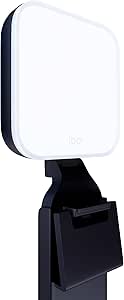
Logitech Litra Glow Premium LED Streaming Light with TrueSoft Technology for Creators
The Logitech Litra Glow offers a sleek, professional lighting experience tailored for content creators and streamers who want natural, flattering illumination. Its TrueSoft technology produces a wide, soft light that reduces harsh shadows, making it ideal for face-focused video production. Compared to the ALTSON or HumanCentric kits, it excels in delivering cinematic-quality skin tones and has a sturdy monitor mount for precise positioning. However, its higher price and the need for software setup to access preset controls could be barriers for casual users. USB-powered and lightweight, it’s perfect for those who prioritize high-quality, studio-like lighting but may be less flexible for extensive setups or outdoor use. This makes it a top choice for professionals aiming for a polished look with minimal fuss.
Pros:- TrueSoft technology provides cinematic, flattering skin tones
- Wide, frameless diffuser softens light for a natural look
- Adjustable brightness and color temperature
- Versatile monitor mount for optimal positioning
Cons:- Requires USB connection, limiting placement options
- Software setup needed for preset controls
- Higher price point compared to basic ring lights
Best for: Content creators and streamers prioritizing high-fidelity, flattering lighting with simple setup
Not ideal for: Budget shoppers or those needing outdoor or weatherproof lighting options
- Technology:TrueSoft
- Light Type:Full-spectrum LED
- Diffuser:Frameless
- Mount:3-way monitor mount
- Control:Desktop app via Logitech G HUB
Bottom line: This light is best suited for creators who want studio-quality, flattering lighting with minimal setup complexity.
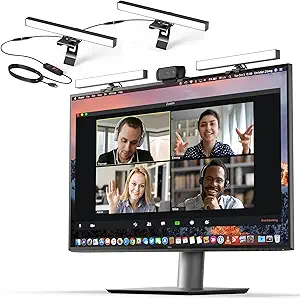
HumanCentric Video Conference Lighting Double Kit – Webcam Light for Streaming and Video Calls
The HumanCentric Double Kit offers a straightforward, expandable lighting solution with two USB-powered LED panels, ideal for users who want to boost face illumination during video calls, streaming, or online teaching. Its adjustable brightness and color temperature allow for tailored lighting, and setup is simple on laptops or monitors without damaging surfaces. Compared to single-light options like the ALTSON, it provides more even coverage, especially for larger or more complex setups. The need for external power sources and the limited connection length between lights (30 inches) can restrict placement flexibility. No weatherproof features restrict outdoor use, but within indoor environments, it provides reliable, balanced lighting for professional appearances.
Pros:- Soft, natural-looking, adjustable lighting
- Expandable up to four lights for greater coverage
- Easy to set up on monitors or laptops
- Adjustable brightness and color temperature
Cons:- Requires external power, limiting portability
- Limited connection length between lights (30 inches)
- No weatherproofing for outdoor use
Best for: Remote educators, streamers, or professionals needing a dual-light setup for consistent, adjustable face illumination
Not ideal for: Mobile content creators or outdoor users requiring weatherproof or highly portable solutions
- Product Type:Camera Continuous Light
- Connectivity Technology:USB
- Adjustable Brightness:Yes
- Adjustable Color Temperature:Yes
- Item Dimensions:15.7″L x 0.78″W x 0.78″H
Bottom line: This kit is well-suited for users seeking a flexible, multi-light setup that improves face lighting for professional video calls indoors.
Zoom Lighting for Computer – Adjustable Desk Ring Light with Stand, 30 Light Modes, CRI 97.8
This ring light stands out for its exceptional CRI of 97.8, delivering vibrant, true-to-life colors that enhance professional video calls and content creation. Its adjustable height and 360° rotation provide flexible positioning, ensuring consistent, soft illumination that reduces eye strain—making it ideal for those who need reliable, high-quality lighting. Compared with the Video Conference Desk Ring Light, which offers similar high CRI but with fewer light modes, this model provides more customization options for varied scenarios. The tradeoff is its bulkiness and dependence on USB power, which may limit portability for some users. Overall, this pick suits professionals seeking premium quality and versatility in a desktop setup.
Pros:- High CRI of 97.8 for vibrant, true-to-life colors
- 30 customizable light modes for versatile lighting scenarios
- Adjustable height and 360° rotation for flexible positioning
- Uniform, soft illumination reduces eye strain
Cons:- Requires a USB power source, limiting placement options
- Bulky design may be unsuitable for small desks or tight spaces
- Limited to indoor use, not portable for on-the-go setups
Best for: Professionals who require reliable, adjustable lighting with high color accuracy for streaming, video calls, and content creation
Not ideal for: Users with very limited desk space or those who need a portable, lightweight solution without a power outlet nearby
- Light Modes:30
- Color Temperature:3000K-6500K
- Brightness Levels:10
- CRI:97.8
- Height Adjustment:20.5 to 28.5 inches
- Power:10W USB (5V2A)
- Rotation:360° omni-directional
Bottom line: This ring light is ideal for professionals needing high-quality, adaptable lighting that enhances visual clarity during extended video sessions.
Cyezcor Video Conference Lighting Kit, Clip-On Ring Light for Monitor, Remote Work & Streaming
This clip-on ring light offers a simple, space-saving solution that enhances video quality without cluttering your desk. Its adjustable color temperature (3200K-6800K) and brightness levels (5) allow fine-tuning for different environments, matching the flexibility of the larger Zoom Lighting for Computer but in a more compact form. The clip mechanism ensures quick attachment to most monitors, making it suitable for users who want a quick upgrade for remote work or casual streaming. The main tradeoff is its limited power and size—it’s not designed for professional studio settings, and the clip may loosen over time with frequent adjustments. This makes it perfect for users seeking an easy, portable lighting boost for everyday calls.
Pros:- Compact and easy to attach to most monitors
- Adjustable color temperature and brightness for personalized lighting
- USB-powered for flexible use with laptops and power banks
- Soft, glare-free light enhances video quality
Cons:- Limited to small-sized ring light, not suitable for large setups
- No built-in battery, dependent on USB power
- Potential clip looseness with frequent adjustments
Best for: Remote workers or streamers needing an easy, non-intrusive lighting solution that attaches directly to their monitor
Not ideal for: Professionals requiring high CRI, large coverage, or studio-grade lighting, as this is limited in power and size
- Color Temperature:3200K-6800K
- Brightness Levels:5
- LED Beads:48
- Power:10W
- Dimensions:5.12 x 5.12 x 2.36 inches
- Compatible Devices:Computers, laptops, mobile power supplies
Bottom line: This clip-on ring light is a practical choice for those needing quick, portable lighting for casual or professional video calls.
Video Conference Desk Ring Light with 30 Light Modes and Adjustable Stand
This 7-inch desk ring light combines compact size with impressive customization. Its 30 light modes and adjustable color temperatures (3000K-6500K) offer a tailored lighting experience similar to the Zoom Lighting for Computer, but within a smaller footprint. The adjustable stand, which extends up to 28.5 inches, allows precise positioning and 360° rotation, making it suitable for users who want professional-looking lighting without a bulky setup. The high CRI of 97.8 ensures vibrant color reproduction, ideal for video calls and streaming. However, the smaller size and reliance on USB power make it less suitable for larger setups or outdoor use. It’s a strong pick for users with limited space seeking high-quality, adjustable lighting.
Pros:- Compact 7-inch size fits small desks
- 30 customizable light modes and adjustable color temperature
- Adjustable height and 360° rotation for flexible positioning
- High CRI of 97.8 for true color presentation
Cons:- Limited size may not suit larger or more elaborate setups
- Requires USB power, reducing portability without external power sources
- Some users may find the height adjustment range insufficient
Best for: Desk workers or streamers who want a versatile, space-efficient ring light with professional color rendering
Not ideal for: Users needing large lighting coverage or portability for mobile or outdoor use, due to size and power constraints
- Light Modes:30
- Color Temperatures:3000K-6500K
- Brightness Levels:10
- CRI:97.8
- Height Adjustment:20.5 to 28.5 inches
- Power:10W USB (5V/2A)
- Rotation:360°
Bottom line: This desk ring light is well-suited for professionals needing a small, adjustable, and high-CRI lighting solution for desktop use.
Computer Ring Light with 50 Modes, 5-inch Eye-Caring LED for Video Conferencing, Streaming, and Selfies
This 5-inch ring light provides an impressive array of 50 modes, including five color temperatures and ten brightness levels, giving users lots of control over their lighting. Its small size makes it exceptionally portable, ideal for quick setup and travel. The high CRI (>97.8) and flicker-free technology ensure accurate colors and eye comfort, rivaling larger options like the Zoom Lighting for Computer. The tradeoff is its limited size, which might fall short in larger or more professional environments, and its brightness levels may not suffice in very bright or outdoor settings. It’s best suited for individuals seeking a personal, portable lighting tool for casual streaming or video calls.
Pros:- High CRI for accurate color rendering
- 50 adjustable modes for versatile lighting
- Compact and lightweight for portability
- Flicker-free technology for eye comfort
Cons:- Limited size restricts use in larger setups
- Requires a 5V/2A power supply for best performance
- Brightness may be insufficient in very bright environments
Best for: Content creators or professionals who need a portable, eye-friendly light for personal use or on-the-go setups
Not ideal for: Users requiring large coverage or studio-grade lighting, as this is best suited for small, portable applications
- Size:5 inches
- LED Count:84 LEDs
- CRI:>97.8
- Color Temperatures:3000K-6500K
- Brightness Levels:10
- Power:5V/2A USB
- Adjustability:360° rotation, foldable bracket
Bottom line: This small, feature-rich ring light excels for portable, personal lighting needs with high color accuracy and multiple modes.
USB LED Panel for Video Conference and Streaming – 3 Color Modes, 10 Brightness Levels, Plug-and-Play
This USB LED panel offers a simple, plug-and-play solution that suits a broad range of users seeking quick and customizable lighting. Its three color modes—white, warm, and mixed—allow matching ambient conditions, similar to the flexibility of the Video Conference Desk Ring Light, but with a more versatile mounting approach via clip or magnet. While it doesn’t match the high CRI of some ring lights, it provides sufficient color accuracy for most remote work and streaming needs. The main tradeoff is its less powerful illumination compared to larger ring lights, and it relies entirely on USB power, which may limit use in certain setups. This makes it a good choice for those prioritizing ease of use over complex features.
Pros:- Simple plug-and-play USB operation
- Multiple color modes and adjustable brightness
- Flexible mounting options for monitor or webcam
- No software required—immediate setup
Cons:- Less powerful than larger ring lights
- Dependent on USB power, limiting portability without power banks
- No battery backup option
Best for: Users seeking an easy, quick-install lighting solution compatible with multiple devices and software
Not ideal for: Professionals needing high-intensity or large-area lighting, or those without easy access to USB ports
- Power Source:USB
- Color Modes:White, Warm, Mixed
- Brightness Levels:10
- Mounting Options:Clip-On, Magnetic
- Compatibility:All video conferencing software
Bottom line: This USB LED panel is ideal for users who want a straightforward, customizable lighting upgrade for video calls and streaming without fuss.
Yayusi Dual-Lamp Video Conference Lighting with Remote and Touch Control
This dual-lamp LED setup stands out for delivering bright, even, and professional lighting tailored for video conferencing, much like the HumanCentric HighBeam Pro, but with the added benefit of dual adjustable lamps that offer more control over light placement. The 360° rotatable design and customizable color modes make it highly adaptable to different environments, ensuring your face is well-lit regardless of your workspace. Unlike single-light options such as the Cyezcor Video Conference Lighting Kit, this bundle provides a broader lighting coverage, which is ideal for those who want more control over their light positioning. The remote and touch controls offer convenience, though some users may find the remote unnecessary if they prefer manual adjustments. The requirement for a separate power adapter can be a minor hassle, but it ensures consistent brightness. This product is particularly well-suited for content creators or professionals who need flexible, adjustable lighting that can be tailored to various setups. However, it’s limited to devices within specific size ranges, which could be restrictive for larger or unusual monitors and laptops.
Pros:- Provides bright, even, and professional lighting for video calls and streaming
- Adjustable brightness and color modes for customizable lighting
- Rotatable design allows flexible positioning
- Easy to install and remove
Cons:- Requires separate power source via included adapter
- Limited to devices within specified size range
- Some users may find the remote control unnecessary
Best for: Professionals and streamers needing flexible, adjustable lighting that adapts to different device sizes and setups.
Not ideal for: Users seeking a simple, plug-and-play solution without the need for external power sources or adjustable arms.
- Number of Light Bars:2
- Color Modes:3
- Brightness Levels:10
- Rotation:360° horizontal, 180° vertical
- Compatibility:Devices 5.5-8.3 inches in height, 1.55-2.35 inches in width
- Power Supply:Adapter included
Bottom line: This pick makes sense for those who want versatile, adjustable lighting that can be customized to fit various device sizes and environments.
How We Picked
These products were evaluated based on performance, ease of use, build quality, versatility, and value. Priority was given to lighting brightness, color accuracy (CRI), adjustability, and compatibility with various devices and setups. We also considered the ease of setup and whether the bundle offers a comprehensive solution for different use cases. The ranking reflects a balance of premium features versus affordability, ensuring options suit a range of professional and casual users alike.Factors to Consider When Choosing Professional Office Webcam Lighting Bundle
Selecting the right professional office webcam lighting bundle involves more than just brightness. It’s important to consider how the lights will fit into your workspace, the quality of light for accurate color rendering, and the level of control you need. A good kit should improve your appearance without creating glare or harsh shadows. Understanding these factors helps prevent common mistakes like overpaying for unnecessary features or choosing underpowered lights that don’t improve your video quality.Lighting Power and Brightness
Brightness levels are critical for achieving a natural, flattering look on camera. Look for bundles with adjustable brightness to suit different environments and times of day. Too much light can cause glare, while too little leaves your face in shadow. The best setups include dimming controls or multiple brightness levels, allowing you to fine-tune your appearance easily.
Color Accuracy (CRI)
Color rendering index (CRI) measures how accurately the light shows colors. Higher CRI (above 90) ensures your skin tone and background colors look natural, which is especially important for professional settings. Cheaper lights often have lower CRI, resulting in washed-out or unnatural images. Investing in high-CRI lights pays off in improved image quality and professionalism.
Adjustability and Mounting Options
Flexibility in positioning is vital for creating a flattering and functional setup. Adjustable stands, clip mounts, or flexible arms help you direct light precisely where needed. Some kits offer multiple mounting options, which can save space and improve comfort. Poor adjustability can lead to awkward angles or shadows, diminishing the overall quality.
Ease of Use and Setup
Simplicity in setup and operation is often overlooked but makes a big difference. Look for plug-and-play designs with minimal assembly, remote controls, or app-based adjustments. Complex setups may be overwhelming or time-consuming, especially if you’re not tech-savvy. Prioritize intuitive controls and quick setup for a smooth experience.
Additional Features and Compatibility
Features like color modes, remote control, or smartphone app integration add convenience. Compatibility with your existing devices, such as USB power and universal mounts, broadens usability. However, extra features can increase cost and complexity. Decide which extras genuinely enhance your workflow versus those that are merely bells and whistles.
Frequently Asked Questions
Will a webcam lighting bundle improve my video quality in a small office?
Absolutely. A well-chosen lighting bundle can significantly reduce shadows, even in confined spaces. Look for compact, adjustable lights with high CRI to ensure your face is evenly lit and colors appear natural. The right setup minimizes the need for larger, more expensive lights and enhances your overall appearance during video calls.
Can I use a professional webcam lighting bundle for streaming and content creation?
Yes, many bundles are versatile enough for both professional conferencing and content creation. Features like adjustable brightness, color modes, and high CRI are especially beneficial for streaming. However, if you produce high-quality videos regularly, investing in a premium kit with more control options may be worthwhile. Ensure the setup fits your workspace and workflow.
What’s the main difference between clip-on lights and full stand setups?
Clip-on lights are compact and ideal for tight spaces or quick adjustments, but often lack power and extensive adjustability. Full stand setups provide more control over light placement, intensity, and angle, making them better suited for professional environments or long sessions. The choice depends on your workspace size, portability needs, and desired light quality.
How important is color temperature control in a webcam lighting bundle?
Color temperature control allows you to match your lighting to ambient conditions, creating a natural look. It’s especially useful if your workspace has different lighting throughout the day or if you switch between environments. Bundles with adjustable color temperature give you greater flexibility to achieve consistent, professional results.
Should I pay more for a bundle with remote control or app integration?
Remote or app control adds convenience, especially if you frequently adjust lighting during calls or recordings. It allows quick changes without physically reaching for the lights, saving time and hassle. If you value ease of use and frequently switch settings, investing in a bundle with these features can be worthwhile, though it may come at a higher cost.
Conclusion
For most users seeking a reliable and straightforward upgrade, the ALTSON 10-inch Zoom Lighting offers a balanced mix of power, ease of use, and versatility, making it the best overall choice. Those on a tighter budget or with minimal space might prefer clip-on options like the Cyezcor Video Conference Lighting Kit. Professionals or streamers who demand premium features and customization should consider the HumanCentric HighBeam Pro or the Yayusi Dual-Lamp Kit. Beginners will benefit from simple, plug-and-play designs, while advanced users should look for bundles with adjustable color temperature and remote controls. Tailor your choice to your workspace, budget, and specific needs for the best results.