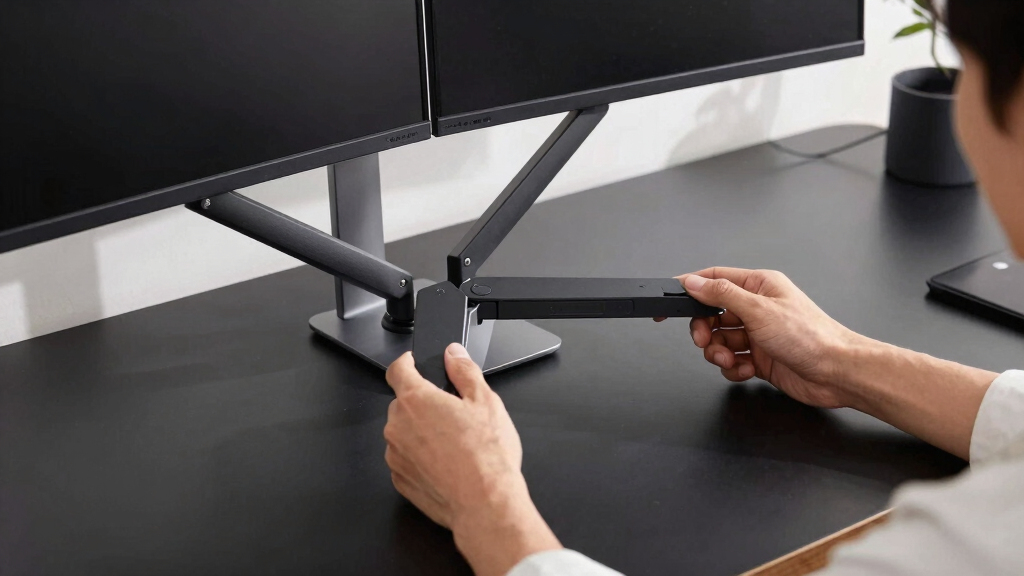

If you’re searching for a premium dual monitor arm, you’re likely prioritizing exceptional build quality, precise adjustability, and reliable durability. The EVEO Premium Dual Monitor Mount stands out as the overall best for its seamless gas spring adjustments and versatile compatibility. For those handling ultrawide screens, the VIVO Heavy Duty Dual Monitor Arm offers impressive support, while the ARES WING Dual Monitor Arm appeals to users with larger, curved monitors. The main tradeoffs often involve balancing high-end features with higher price tags or complexity in setup. Keep reading for a detailed breakdown of the best options to suit different needs and preferences.
Open a free Amazon Business account
Business pricing, bulk buying and tax-exempt orders.
Create a free accountAs an affiliate, we earn on qualifying purchases.
Key Takeaways
- The top picks excel in supporting a wide range of monitor sizes, from 13 to 49 inches, with robust VESA compatibility.
- Gas spring mechanisms provide smoother, more precise adjustments, favored in premium models.
- Build quality and material choice, such as aluminum or steel, significantly affect durability and stability.
- Ease of installation varies; some models are simpler to set up despite advanced features, which impacts overall usability.
- Tradeoffs often include higher costs for premium features like ergonomic adjustments, cable management, and heavy-duty support.


More Details on Our Top Picks
EVEO Premium Dual Monitor Mount 14-32” Dual Monitor Arm VESA Bracket Adjustable Height Gas Spring
This option stands out for supporting a broad range of monitor sizes—from 14 to 32 inches—and offering full motion adjustments, including 360° rotation and tilt. Compared with the VIVO Premium Aluminum arm, the EVEO’s full articulation provides more ergonomic flexibility, but it may require more effort to tighten and adjust precisely. Its sturdy alloy steel construction ensures durability, making it suitable for busy work environments. However, the lack of built-in cable management means additional accessories may be needed to keep your workspace tidy. This pick makes the most sense for users needing a versatile, reliable mount that accommodates various monitor sizes and ergonomic positions without sacrificing stability.Pros:- Supports a wide range of screen sizes (14-32 inches)
- Full motion adjustment with 360° rotation and tilt
- Sturdy alloy steel construction for durability
- Easy to install with multiple mounting options
Cons:- Requires effort to fully tighten and adjust properly
- No built-in cable management features
Best for: Professionals with multiple monitors of different sizes seeking a stable, flexible mount with easy installation.
Not ideal for: Users with very limited desk space or those needing integrated cable management, as this model lacks cable routing features.
- Mounting Type:desk clamp or grommet mount
- Movement Type:Articulating
- Compatible Devices:VESA 75×75 or 100×100 mm
- Maximum Tilt Angle:90 Degrees
- Maximum Supported Screen Size:32 Inches
- Material:Alloy Steel
Bottom line: This mount suits those who prioritize versatility and stability across a variety of monitor sizes, with some effort needed for setup.
Dual Monitor Arm Stand for 35 Inch Screens – Fully Adjustable VESA Mount for 2 Monitors, Heavy Duty Desk Mount with Clamp or Grommet Base, Supports 26.4 lbs per Arm, Black
This stand excels at holding larger monitors up to 35 inches and 26.4 lbs per arm, making it ideal for users with substantial display needs. Compared to the HUANUO Dual Monitor Stand, it offers a more robust build for heavier setups, but it might overwhelm small or cluttered desks due to its bulk. The all-metal construction ensures stability even with heavier monitors, and its straightforward installation with a detailed guide minimizes setup frustration. The tradeoff is that its size and weight may limit flexibility in tighter spaces. This model is perfect for those who need a heavy-duty mount capable of supporting larger, heavier screens securely.Pros:- Supports up to 35-inch monitors and 26.4 lbs per arm
- Full adjustability for ergonomic positioning
- Heavy-duty all-metal construction for stability
- Easy installation with clear instructions
Cons:- May be too bulky for small desks
- Requires careful setup to prevent wobbling
Best for: Designers or engineers working with large, weighty monitors who need a very sturdy, reliable mount.
Not ideal for: Home users with small desks or lighter monitors, as the bulk and weight capacity might be unnecessary and cumbersome.
- Maximum Screen Size:35 inches
- Weight Capacity:26.4 lbs per arm
- Mounting Options:Clamp, Grommet
- VESA Compatibility:75×75, 100×100 mm
- Material:Metal
Bottom line: This mount is best suited for users with large, heavy monitors needing maximum stability and durability.
HUANUO Dual Monitor Stand, Adjustable Vertical Mount for 17-32 Inch Monitors, Supports 19.8 lbs, VESA 75/100mm
This stand offers excellent flexibility for monitors between 17 and 32 inches, with a maximum weight of 19.8 lbs per monitor. It provides full motion adjustments—height, tilt, swivel, and rotation—that rival the MOUNTUP’s capabilities, but it’s slightly more limited in weight capacity. Compared to the EVEO, it emphasizes ergonomic customization for moderate-sized screens, yet it doesn’t support larger ultrawide or very heavy monitors. Its easy clamp or grommet mounting makes setup straightforward, but it’s not suitable for glass desks or very large monitors. This model makes sense for users prioritizing ergonomic positioning and moderate monitor sizes without the need for ultra-heavy displays.Pros:- Supports monitors up to 32 inches and 19.8 lbs
- Full-motion adjustments for ergonomic comfort
- Easy to install with versatile mounting options
- Cable management for organized workspace
Cons:- Not suitable for glass desks
- Maximum size limited to 32 inches
Best for: Office workers or home users with standard monitors up to 32 inches seeking versatile ergonomic adjustments.
Not ideal for: Heavy-duty users with large, weighty monitors or glass desks, as mounting options and weight limits may be restrictive.
- Maximum Supported Screen Size:32 Inches
- VESA Compatibility:75x75mm, 100x100mm
- Weight Capacity:19.8 lbs
- Maximum Tilt Angle:45 Degrees
- Adjustable Height:Up to 25.19 inches
Bottom line: Ideal for users with moderate-sized monitors seeking customizable ergonomic positioning at a reasonable price.
MOUNTUP Dual Monitor Stand for 17 to 43 Inch Screens, Heavy Duty Adjustable Dual Monitor Mount with Full Motion, Supports Up to 33 lbs per Arm
This model stands out for supporting monitors from 17 to an impressive 43 inches, surpassing the size limits of the HUANUO and EVEO options. Its full motion capabilities—including tilt, swivel, and 360° rotation—make it highly adaptable, rivaling the VIVO and VIVO Premium models. The support for up to 33 lbs per arm adds to its versatility, but the weight and size might be overkill for typical office setups. Its easy, tool-free installation and cable management add to its appeal for professional environments. The main tradeoff involves its weight and bulk, which could challenge smaller desks or less sturdy surfaces. This mount suits users with large, heavy, or ultrawide monitors wanting maximum flexibility and support.Pros:- Supports monitors up to 43 inches and 33 lbs per arm
- Full motion with tilt, swivel, and rotation
- Supports a wide size range for maximum flexibility
- Easy to install with cable management
Cons:- Heavy and bulky, may not fit small desks
- Clamp may not fit very thick desks or overly narrow edges
Best for: Creative professionals or gamers with large, heavy, or ultrawide monitors needing maximum size and weight support.
Not ideal for: Casual users with smaller desks and monitors, as the large footprint and weight may be unnecessary and cumbersome.
- Maximum Supported Screen Size:43 inches
- Weight Capacity:33 lbs per arm
- Tilt Range:±30°
- Rotation:360°
- Mounting Options:C-clamp and grommet
Bottom line: This mount is best suited for users with large, heavy, or ultrawide monitors seeking maximum adjustability and size support.
- This VIVO arm is tailored for ultrawide monitors up to 40 inches and 30 lbs, offering pneumatic height adjustment for smooth, precise ergonomic positioning. It surpasses the other options in supporting very large screens, making it ideal for specialized setups. Compared to the EVEO or HUANUO, its pneumatic system provides more effortless height adjustments, but it also adds weight and complexity to setup. The heavy-duty mounting system necessitates a sturdy desk, and its VESA compatibility is limited to 75x75mm and 100x100mm. This model is perfect for users with ultrawide or large-scale monitors who want fine-tuned height adjustments without sacrificing stability.Pros:
- Supports ultrawide monitors up to 40 inches and 30 lbs
- Smooth pneumatic height adjustment for ergonomic comfort
- Full motion with tilt, swivel, and rotation
- Supports VESA 75x75mm and 100x100mm patterns
Cons:- Heavy mounting system requires a sturdy desk
- Installation process may be complex for some users
Best for: Professionals or content creators working with ultrawide monitors up to 40 inches who require precise ergonomic height adjustments.
Not ideal for: Users with smaller or lighter monitors, or those with limited desk space, due to its weight and size.
- Monitor Size Range:13″ to 40″ (ultrawide)
- Weight Capacity:30 lbs
- Tilt:90°
- Swivel:180°
- Mounting Options:C-clamp (up to 3.14″ thick), grommet (up to 1.57″ thick)
Bottom line: Best suited for those with ultrawide or large monitors needing effortless height control and full motion flexibility.
VIVO Premium Aluminum Full Motion Dual Monitor Desk Mount Stand with Lift Engine Arm, Fits Ultrawide Screens up to 35 inches, STAND-V102BB
This model stands out for supporting ultrawide monitors up to 35 inches, making it ideal for users who need large screens for immersive work or gaming. Its premium aluminum construction offers exceptional stability, especially compared to the more plastic-heavy options like the VIVO Dual Monitor Stand, Fully Adjustable Arms. The full range of motion—including tilt, swivel, rotation, and a significant 24.4cm height adjustment—ensures ergonomic comfort, but its weight and desktop thickness requirements might challenge some users. Compared to the ARES WING Dual Monitor Arm, it has a slightly more refined design but offers less maximum height extension. The cable management is a nice touch for tidy setups. The main tradeoff is that it can be heavy to install and requires a sturdy, sufficiently thick desk.
Pros:- Supports ultrawide monitors up to 35 inches with flexible motion
- Sturdy aluminum construction supports heavy screens
- Full range of ergonomic adjustments including tilt, swivel, and height
Cons:- Heavy to handle during installation
- Requires a desktop with 1cm to 5cm thickness
- Limited to monitors within specified weight range (up to 26.4 lbs)
Best for: Professionals working with ultrawide monitors who prioritize stability and full motion flexibility.
Not ideal for: Users with lightweight or smaller monitors, or those with limited desktop space or weaker desktops less than 1cm thick.
- Monitor Size Compatibility:17” to 35”
- VESA Compatibility:75x75mm, 100x100mm
- Weight Capacity:Up to 12kg (26.4 lbs) per monitor
- Material:Premium aluminum
- Tilt Range:+90° to -90°
- Height Adjustment:24.4cm
Bottom line: This mount is best suited for users needing ultrawide support and premium stability, despite its weight and installation demands.
Dual Monitor Mount for Screens up to 43 inches, Heavy Duty Ultrawide Dual Monitor Arm with Gas Spring Adjustment, VESA Desk Mount
This pick excels for users who need to support extra-large and heavy monitors, supporting screens up to 43 inches and 33 lbs per arm. Unlike the VIVO Premium Aluminum, which is geared toward ultrawides, this model’s robust gas spring mechanism offers smooth, effortless adjustments for large displays. Its space-saving design with tilt, swivel, and 360° rotation makes it adaptable for varied setups, but the assembly process can be complex, and some users might find the installation daunting. Compared with the ARES WING, it provides comparable maximum size support but with a more straightforward mounting option via clamp or grommet. It’s ideal for multi-monitor workstations or gaming setups where stability and heavy load capacity matter most.
Pros:- Supports large monitors up to 43 inches and 33 lbs each
- Gas spring adjustment offers smooth, effortless movement
- Supports a wide tilt range, 360° rotation, and height adjustability
Cons:- Assembly can be complex for some users
- Installation may require adjustments for optimal stability
- Limited VESA compatibility to 75x75mm and 100x100mm
Best for: Power users with large, heavy monitors or multi-monitor gaming setups needing maximum stability.
Not ideal for: Light users with smaller monitors or those seeking a simple, quick-install solution.
- Maximum Screen Size:43 inches
- Supported Screen Size Range:13-43 inches
- Weight Capacity:2.2-33.1 lbs per monitor
- Mounting Options:C-clamp and grommet
- Tilt Range:90 degrees
- Rotation:360 degrees
Bottom line: This mount is ideal for heavy-duty setups with large monitors, provided users are comfortable with a more involved installation.
ARES WING Dual Monitor Arm for Ultrawide Heavy Duty Curved Monitors, Fits 17-49 Inches, Adjustable Double Monitor Stand with USB, Black
This model makes a compelling case for users with large, curved, or ultrawide monitors up to 49 inches, supporting weights up to 44 lbs per arm. Its upgraded USB ports add a layer of convenience for charging devices, setting it apart from simpler mounts like the VIVO Dual Monitor Stand. The full adjustability—including height, tilt, swivel, and rotation—supports ergonomic needs across gaming, productivity, and entertainment. However, its bulk and weight can be overkill for lighter, smaller monitors, and the installation process may be less straightforward for some users. Compared to the HUANUO FlowLift, it offers greater maximum size and weight support but with less minimalistic design and portability.
Pros:- Supports ultrawide monitors up to 49 inches and 44 lbs
- Includes USB-C and USB-A ports for device charging
- Flexible adjustments for ergonomic positioning
Cons:- Heavy and bulky, may require sturdy desks
- Installation can be challenging for some users
- Requires VESA adapter for monitors without VESA holes
Best for: Gamers, content creators, or professionals who need to support ultrawide or curved monitors with added USB functionality.
Not ideal for: Users with smaller or lighter monitors seeking a less bulky, low-profile mount.
- Monitor Size Range:17-49 inches
- Weight Capacity:44 lbs per arm
- Maximum Height:27.9 inches
- USB Ports:USB-C and USB-A
- Tilt Range:-50° to +20°
Bottom line: This mount excels for ultrawide and curved monitors, especially when USB ports are a priority, but may be overbuilt for lighter setups.
HUANUO FlowLift™ Dual Monitor Stand, Fully Adjustable Desk Mount for 13–32″ Screens
The HUANUO FlowLift™ offers full motion flexibility with tilt, swivel, and 360° rotation for monitors between 13 and 32 inches, making it suitable for ergonomic setups on a budget. Compared to the VIVO V002O, which provides similar adjustability, the FlowLift’s lift mechanism helps organize workspace by elevating monitors off the desk surface. Its cable management system is a plus, but its compatibility is limited to wooden desks and VESA-compatible monitors within specific thickness ranges. For users with lighter, smaller monitors, this model provides excellent value, but it may not support heavier or larger screens as well as premium models like the ARES WING.
Pros:- Fully adjustable for ergonomic positioning
- Helps organize workspace by lifting monitors off the desk
- Includes cable management
Cons:- Requires wooden desks for stable mounting
- Limited to monitors within 13–32 inches and specific desk thickness
- Not suitable for very heavy or large monitors
Best for: Home office users with smaller monitors seeking full flexibility at a lower price point.
Not ideal for: Users with glass or plastic desks or those with larger or heavier monitors beyond the supported weight range.
- Monitor Size Range:13–32 inches
- Maximum Height Adjustment:15.75 inches
- Tilt Range:+85°/-50°
- Swivel Range:±90°
- Desk Thickness Range:0.59–3.54 inches
Bottom line: This stand is ideal for budget-conscious users with small to medium monitors who want full motion flexibility and workspace organization.
VIVO Dual Monitor Stand, Fully Adjustable Arms for 17 to 32 inch Screens, Black, STAND-V002O
This model provides a versatile solution for users with monitors ranging from 17 to 32 inches, combining full articulation and easy setup. Compared to the ARES WING, it offers a more straightforward, less bulky design suitable for typical office environments. Its adjustable arms support a wide variety of viewing angles and help free up desk space by elevating monitors. While it doesn’t support ultrawide or very heavy monitors like the VIVO Premium Aluminum, its simplicity makes it accessible for many. Some users might find the arm height adjustments limited, and the back of the arms could extend past the desk edge, which may interfere with workspace layout.
Pros:- Adjustable arms for customizable angles
- Supports a wide range of monitor sizes and weights
- Helps save desk space
Cons:- Back of arms may extend past desk edge
- Limited arm height adjustment
- Not ideal for ultrawide or very heavy monitors
Best for: Office workers with standard monitors seeking flexible, easy-to-assemble dual arms without heavy-duty requirements.
Not ideal for: Users with ultrawide, curved, or very heavy monitors needing maximum support or full motion range.
- Screen Compatibility:17 to 32 inches
- Weight Capacity:19.8 lbs per monitor
- VESA Pattern:75x75mm, 100x100mm
- Tilt Range:+90° to -90°
- Rotation:360°
Bottom line: This mount suits users wanting flexible, moderate-size monitor support with easy installation and space-saving benefits.
HUANUO Dual Monitor Stand for 13″–40″ Monitors with USB, Height Adjustable, VESA Mount, Clamp/Grommet Base
This HUANUO dual monitor stand stands out for its impressive support of large and heavy screens up to 40 inches and 26.4 lbs per arm, making it a strong choice for users with sizeable setups. Compared to the EVEO or VIVO options, which typically support smaller monitors, this model provides much-needed stability for demanding workloads. Its height adjustment and full motion capabilities enable ergonomic setups that reduce strain during long work sessions. The inclusion of built-in USB ports adds convenience for device charging, helping maintain a tidy workspace. However, the mounting options can be restrictive on certain desks, especially with the grommet installation, which may be tricky on thinner or less durable surfaces. It also requires a desk thickness of up to 3.54 inches, limiting compatibility. Overall, this stand makes the most sense for users with large, weighty monitors seeking robust support and integrated charging, but less so for those with thinner desks or smaller screens.
Pros:- Supports large and heavy monitors securely up to 40 inches and 26.4 lbs per arm
- Full motion adjustment for ergonomic positioning
- Includes two built-in USB ports for convenient device charging
- Cable management features promote a clutter-free workspace
Cons:- Requires specific desk thickness (up to 3.54″) for mounting, limiting versatility
- Grommet mounting can be difficult on some desk surfaces
- Limited to monitors within size and weight limits, reducing flexibility for lighter or smaller screens
Best for: Professionals with large, heavy monitors who want integrated USB ports and a sturdy, adjustable mount.
Not ideal for: Users with thin or delicate desks, or those needing support for smaller monitors below 13 inches, as this stand’s mounting and size range are restrictive.
- Supported Monitor Size:13″–40″
- Max Weight per Arm:26.4 lbs
- VESA Compatibility:75×75mm, 100×100mm
- Height Adjustment:Up to 21.1″
- Extension Length:Up to 25.59″
- Mounting Options:Clamp, Grommet
- Desk Thickness:Up to 3.54″
- USB Ports:2 built-in USB ports
- Cable Length:5.25 ft
Bottom line: This stand is best suited for users with large, heavy monitors who need robust support and integrated USB charging, but less ideal for those with thinner desks or smaller setups.

How We Picked
Each monitor arm was evaluated based on build quality, stability, adjustability, compatibility with various monitor sizes, and ease of installation. We prioritized models that offer smooth motion and sturdy construction, as these are key for long-term reliability in a premium category. Additional factors like cable management, aesthetics, and versatility also influenced the rankings. Products were compared directly against each other to identify which best balance high performance with value, ensuring choices cater to different professional and enthusiast needs. Our goal was to highlight options that stand out for their durability, precision, and overall user experience in a premium segment.Factors to Consider When Choosing Premium Dual Monitor Arm
Choosing the right premium dual monitor arm requires considering several critical factors that impact usability, durability, and overall workspace ergonomics. Beyond basic features, a well-selected monitor arm should enhance your workflow without adding complexity or instability. Understanding these key considerations helps prevent common mistakes, such as overpaying for unnecessary features or selecting a model incompatible with your monitor size or desk setup.Monitor Size and Weight Capacity
Ensuring your monitor arm supports your specific monitor size and weight is essential. Premium models typically support larger screens, including ultrawides up to 49 inches, with weights often exceeding 30 lbs per arm. Choosing a model with a higher weight capacity provides more flexibility for future upgrades, but over-specifying can lead to unnecessary costs. Always verify the maximum supported size and weight, especially for heavier, curved, or ultrawide displays, to avoid stability issues or damage.
Adjustability and Range of Motion
In a premium category, smooth and precise adjustments are expected. Look for gas spring mechanisms or full-motion arms that allow height, tilt, swivel, and rotation adjustments with minimal effort. A wide range of motion supports ergonomic positioning, reducing neck and eye strain. However, more complex adjustability can sometimes complicate setup, so consider models with straightforward controls that match your technical comfort level. The ability to lock positions securely is also key for maintaining your preferred setup over time.
Build Quality and Material
Premium dual monitor arms are often made from aluminum, steel, or high-grade alloys to ensure durability and stability. Cheaper materials may deform or wobble under load, especially with larger monitors. Aluminum tends to be lighter yet strong, offering a sleek look, but some users prefer steel for maximum stability. Be cautious of models with flimsy joints or weak VESA plates, as these can compromise long-term performance. High-quality construction also affects ease of installation and how well the arm maintains its position after adjustments.
Ease of Installation and Setup
Many premium models come with complex mounting options like clamp and grommet bases, each with their own pros and cons. While some offer quick-release mechanisms, others require more time and tools to assemble. Consider your desk setup—whether you prefer clamp mounting for flexibility or grommet mounting for stability—and choose accordingly. Clear instructions and modular parts can significantly reduce setup frustration. Also, check if the arm is compatible with your desk thickness and if it offers cable management features to keep your workspace tidy.
Additional Features and Ergonomics
Features like integrated cable management, adjustable tension controls, and compatibility with accessories such as USB hubs add value in a premium model. Ergonomic benefits, such as height and tilt adjustments, help create a healthier workspace. However, extra features often come at a premium price and may add complexity. Evaluate whether these extras are necessary for your workflow or if a simpler, more straightforward model might suit your needs better. Remember, a highly adjustable arm that’s difficult to set up can negate some ergonomic benefits.
Frequently Asked Questions
Can I use a dual monitor arm with ultrawide monitors?
Yes, many premium dual monitor arms are designed to support ultrawide monitors, often up to 49 inches in width. Look for models with higher weight capacities and VESA compatibility for large screens. Keep in mind that ultrawide monitors are heavier and may require sturdier mounts with reinforced joints or aluminum construction for stability. Properly supporting ultrawides helps prevent wobbling or sagging, ensuring your display remains steady during use.
Is it worth paying more for a gas spring mechanism?
In a premium dual monitor arm, gas spring mechanisms offer smoother, more effortless adjustments and more precise control over monitor positioning. They also tend to hold their position better over time, reducing the need for readjustments. While these mechanisms may add to the cost, they significantly improve usability, especially for users who frequently change monitor positions or need ergonomic flexibility throughout the day. For long-term durability and comfort, investing in a gas spring model often makes sense.
How do I ensure compatibility with my desk?
Compatibility depends on your desk’s thickness and available mounting space. Many premium mounts offer clamp or grommet bases; clamps work well with desks up to a certain thickness, while grommet mounts require a hole in the desk. Measure your desk’s thickness and available edge space before purchasing. Some models also specify maximum desk thickness, so check these specs carefully to avoid mounting issues. Proper compatibility ensures stability and ease of installation without damaging your workspace.
Are premium dual monitor arms worth the extra cost?
Premium dual monitor arms justify their higher price through superior construction, stability, and smooth adjustability. They are built to last longer, support larger and heavier screens, and often include ergonomic and cable management features that enhance your workspace. If you spend many hours at your desk or require precise positioning, investing in a premium model can improve comfort and productivity. However, for lighter, less demanding setups, a mid-range option might suffice without sacrificing performance.
What should I consider if I want a minimalist aesthetic?
For a clean, minimalist look, choose a dual monitor arm with sleek design, slim profiles, and minimal clutter. Aluminum or matte-finish models often blend better into modern workspaces. Prioritize adjustable arms that can fold back neatly when not in use, reducing visual bulk. Also, look for cable management features that hide wires effectively. Keep in mind that minimalist designs may sacrifice some adjustability or weight capacity, so balance aesthetics with functionality based on your monitor size and workspace needs.
Conclusion
For most users seeking the best overall performance, the EVEO Premium Dual Monitor Mount offers excellent value with smooth adjustments and broad compatibility. Those who prioritize support for ultrawide and heavy monitors should consider the VIVO Heavy Duty Dual Monitor Arm for its robust build. If budget permits, the ARES WING Dual Monitor Arm provides exceptional size support and versatility, ideal for larger, curved screens. Beginners or those with simple setups will find the HUANUO FlowLift™ straightforward and easy to install, while professionals demanding the highest durability should look at premium aluminum options. Your choice ultimately depends on your monitor size, workspace, and ergonomic priorities.
NFL season / tailgating Picks
team gear
As an affiliate, we earn on qualifying purchases.