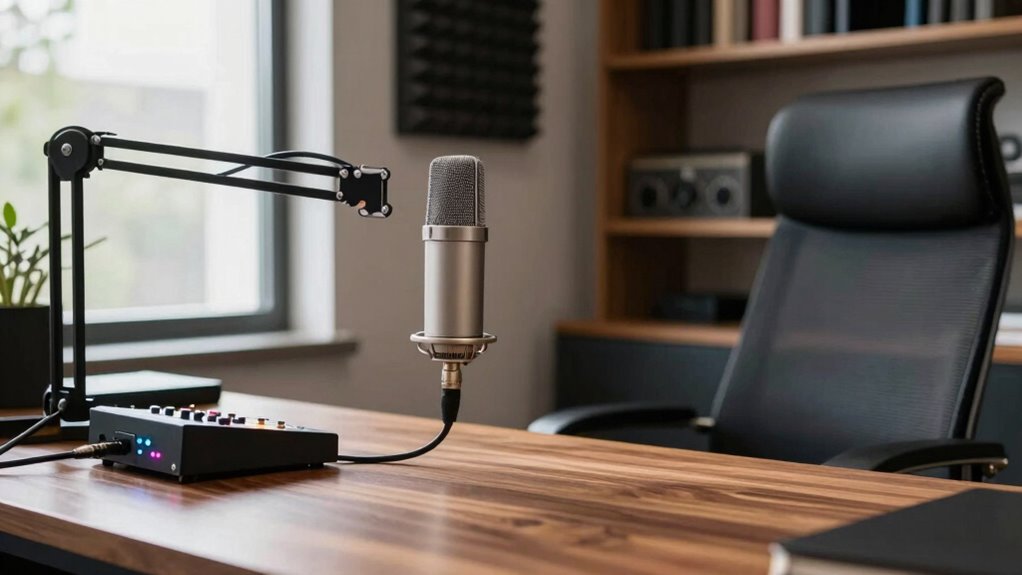

To create a more professional sound on calls, make sure you’re in a quiet space away from noise and distractions. Use a good-quality microphone or headset with noise-canceling features, positioned close to your mouth. Check your internet connection—preferably wired—to avoid dropouts or distortion. Minimize background noise by soundproofing or using noise machines, and keep your environment controlled. Taking these steps can greatly improve your audio clarity and leave a strong, professional impression. Keep exploring for more tips to elevate your call quality even further.

Get comfort and recovery gear delivered free with Prime
- Fast, free delivery on millions of items
- Prime Video, Amazon Music and more included
- Member-only deals all year
Key Takeaways
- Choose a quiet, low-noise environment to minimize distractions and improve voice clarity.
- Use a high-quality, noise-canceling external microphone for clearer audio.
- Ensure a stable, wired internet connection to prevent audio interruptions.
- Position your microphone about an inch from your mouth for consistent sound levels.
- Reduce echo and external noise with soundproofing or acoustic treatments.

Have you ever been on a call where the sound quality made it hard to understand the speaker? It’s frustrating when background noise drowns out your voice or when static and echo distort what you’re saying. Improving your audio isn’t just about sounding professional; it also helps the conversation flow smoothly and keeps everyone engaged. The first step is paying attention to your environment. Find a quiet space, away from busy streets, barking dogs, or loud appliances. Minimizing background noise makes a huge difference because it reduces distractions and guarantees your voice comes through clearly.
A quiet environment ensures clear sound and keeps your conversations focused and professional.
Next, consider your microphone quality. Not all microphones are created equal, and investing in a decent one can drastically improve your sound. Built-in laptop microphones often pick up a lot of ambient noise, so upgrading to an external microphone—whether a USB condenser mic or a headset with a dedicated mic—can be worth the investment. Look for microphones with noise-canceling features, which help block out background noise and focus on your voice. When you speak, your microphone should capture your words crisply and clearly, making it easier for others to understand you without strain.
Beyond hardware, your microphone setup makes a difference. Position the mic close to your mouth, ideally about an inch away, and speak directly into it. This minimizes room echo and ensures your voice is captured at the right volume. Avoid moving around or turning your head during calls, as inconsistent microphone positioning can lead to fluctuating sound levels or muffled speech. If you’re using a headset, choose one that fits snugly and has a good-quality microphone boom. This way, your voice stays consistent and clear throughout the call.
Adjusting your environment and equipment isn’t enough if your internet connection is unstable. A laggy or dropping connection can introduce audio glitches, making it sound choppy or distorted. Test your connection beforehand and, if possible, use a wired Ethernet connection instead of Wi-Fi to guarantee stability. Additionally, close unnecessary background applications that might be hogging bandwidth or processing power, so your audio data isn’t competing with other programs. Ensuring your network has sufficient bandwidth is crucial for maintaining high-quality audio during calls. Incorporating noise reduction techniques can further improve clarity by minimizing residual background sounds that may still be audible.
Using a noise machine in your workspace can also significantly improve the clarity of your calls by masking distracting background sounds and creating a more controlled acoustic environment. Implementing audio quality considerations and ensuring a stable connection can make a noticeable difference in how professional your calls sound. Incorporating soundproofing techniques can further enhance your setup by reducing echo and external noise interference. In the end, creating a more professional sound on calls boils down to controlling background noise, investing in good microphone quality, and optimizing your setup. These simple steps make your voice clearer, reduce misunderstandings, and project professionalism in every conversation. When your audio is crisp and free of distractions, your message comes across confidently, leaving a positive impression on everyone you speak with.
As an affiliate, we earn on qualifying purchases.
Frequently Asked Questions
What Equipment Is Essential for Professional Call Audio?
You need a quality microphone, headphones, and a stable internet connection to guarantee professional call audio. A good microphone improves call quality by capturing clear, crisp sound, while headphones prevent echo and background noise, supporting proper audio etiquette. Using these essentials, you’ll sound more professional, stay engaged, and avoid misunderstandings. Prioritizing sound equipment shows respect for your conversation partners and helps maintain a polished, professional image during calls.
How Can I Reduce Background Noise Effectively?
To reduce background noise effectively, focus on minimizing ambient noise and echo. Use a noise-canceling microphone or headset to block out unwanted sounds. Position yourself in a quiet, enclosed space to limit ambient noise and avoid echo. Consider adding soft furnishings like curtains or carpets to absorb sound. Additionally, enable echo reduction features on your call software if available. These steps will help you achieve clearer, more professional audio during calls.
What Is the Ideal Microphone Placement?
To achieve ideal microphone positioning, position your mic about 6 to 12 inches from your mouth, slightly below or above to avoid plosives. Keep it pointed directly at you, and use acoustic treatment like foam panels to reduce room echoes. This setup helps capture your voice clearly while minimizing background noise, ensuring your sound remains professional. Proper microphone placement and acoustic treatment work together to elevate your call quality effortlessly.
How Do I Improve My Speaking Clarity?
To improve your speaking clarity, focus on voice modulation to keep your tone engaging and avoid sounding monotone. Use enunciation techniques by clearly pronouncing each word, especially consonants, to enhance understanding. Practice controlling your pace—speaking too fast blurs words, while too slow can sound unnatural. Record yourself to identify areas for improvement, and regularly practice these techniques to sound more professional and confident during calls.
Are There Specific Software Tools for Call Enhancement?
There are powerful software tools that can transform your calls instantly. Tools like Krisp and RTX Voice actively cancel out call background noise, making your voice crystal clear. They also use audio compression to balance sound levels, ensuring your voice sounds professional and consistent. These programs are user-friendly and can make your calls sound like you’re speaking from a professional studio, turning everyday calls into polished, impressive conversations.
professional headset with microphone
As an affiliate, we earn on qualifying purchases.
As an affiliate, we earn on qualifying purchases.
Conclusion
By tuning into these simple tips, you’ll transform your calls from rough sketches into polished masterpieces. Think of your voice as the brushstroke that paints your professionalism—steady, confident, and clear. When you speak with intention and clarity, you’re not just exchanging words; you’re forging trust and credibility. So, keep practicing, stay sharp, and watch your calls become a smooth symphony that leaves a lasting impression, like a memorable melody lingering long after the notes fade.
As an affiliate, we earn on qualifying purchases.
As an affiliate, we earn on qualifying purchases.
Halloween Picks
halloween
As an affiliate, we earn on qualifying purchases.